- Updated
- Khurram Shahzad
- WordPress
- 6199
- 0
Updated November 15, 2026: added a 12-day fast track for late starters and the new WordPress core security flaw to patch before your code freeze.
Black Friday 2026 is on Friday, November 27, and Cyber Monday follows on November 30. If you are starting in mid-November, you have 12 days: go straight to the 12-day fast track. If you have more time, follow the full week-by-week plan. This WooCommerce Black Friday checklist is built for exactly that window: a week-by-week plan to get your store fast, secure and ready to take orders when traffic peaks.
The stakes are high. Adobe expects US shoppers to spend a record $275.1 billion online this holiday season, with Cyber Monday alone forecast at about $15.1 billion. A slow page, a broken coupon or a failed payment gateway during those hours costs real money.
I prepare WooCommerce stores for peak traffic as part of my work, and this checklist is what I actually run through. It is vendor-neutral, so you will not find a list of paid plugins. You will find the checks that matter, in the order that matters. For a deeper dive on conversion, see my WooCommerce checkout optimization guide.
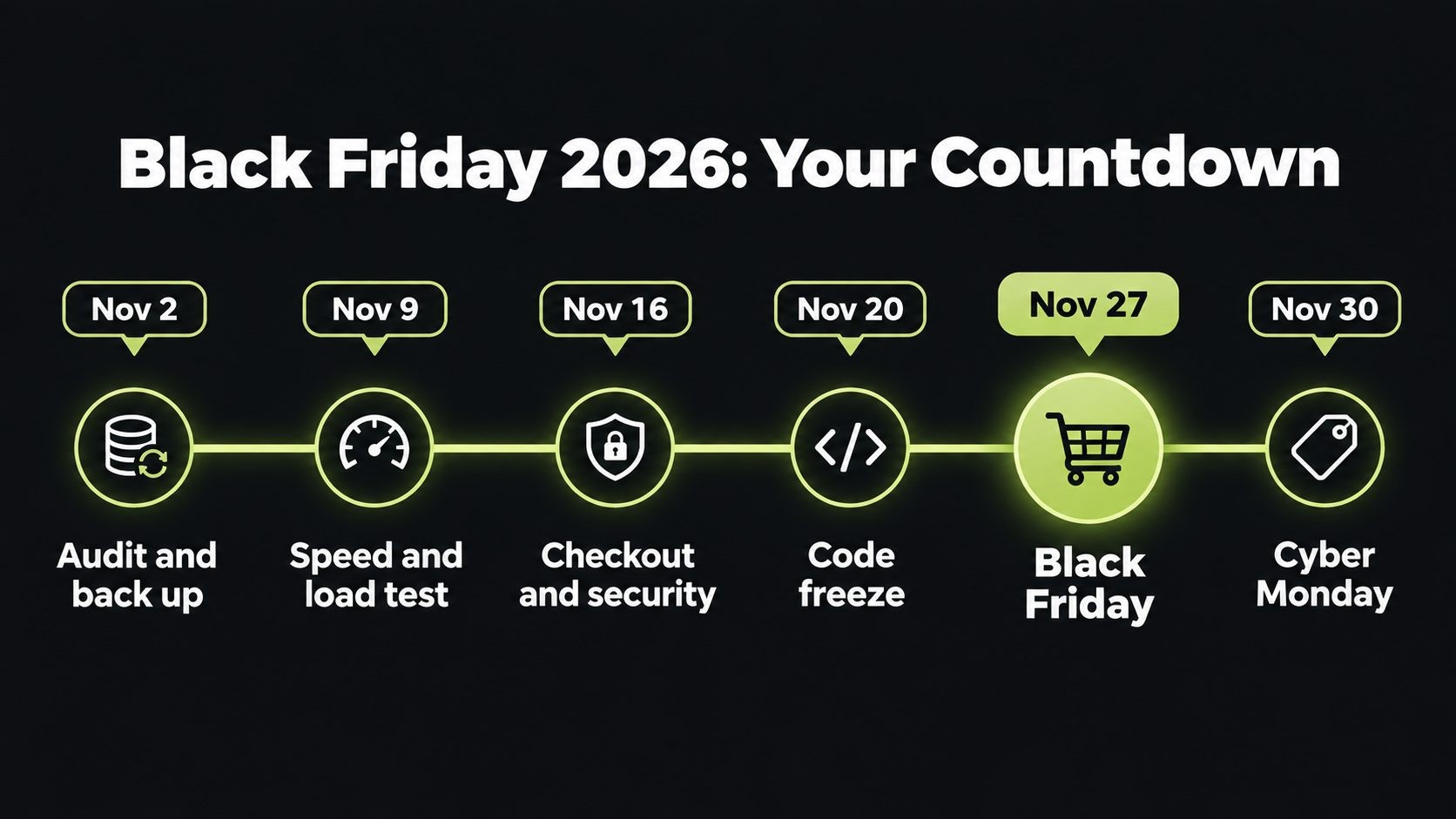
Black Friday 2026 Countdown at a Glance
| When | Focus |
|---|---|
| Week of November 2 | Audit, backups, staging, plugin and PHP review |
| Week of November 9 | Speed, caching and load testing |
| Week of November 16 | Checkout, payments and security hardening. WordPress 7.2 RC1 lands November 17; do not install it on your live store |
| Friday, November 20 | Code freeze starts. Final test orders |
| November 23 to 26 | Promotions scheduled, team on standby, final checks. Thanksgiving is November 26 |
| November 27 to 30 | Black Friday to Cyber Monday: monitor and respond |
| December 1 onward | Review results. WordPress 7.2 arrives December 8; update live stores in January |
Starting Late? Your 12-Day Black Friday Fast Track
If you only have 12 days, you cannot do everything in this checklist, and you should not try. Do the checks that prevent lost orders, in this order:
| When | Do this |
|---|---|
| Sunday, November 15 to Monday, November 16 | Take a full backup and make a staging copy. Update WordPress to 7.1.4 the safe way (block wp-content/upgrade first), then WooCommerce and your payment plugins |
| Tuesday, November 17 to Wednesday, November 18 | Speed: page caching with cart and checkout excluded, a CDN, and a mobile PageSpeed check on your top product page and checkout |
| Wednesday, November 18 to Thursday, November 19 | Checkout and security: real test orders with every payment method on a phone, card-testing protection, 2FA on every admin account, old accounts removed |
| Friday, November 20 | Code freeze. Schedule sale prices and coupons, then test them on staging |
| November 21 to 26 | Uptime monitoring and alerts on, daily backups, a written response plan, and one person on call |
| November 27 to 30 | Black Friday to Cyber Monday: watch orders, speed and payment errors |
Skip this year: theme redesigns, new plugins, hosting migrations and WordPress 7.2. Each one adds risk you have no time to test. Plan them for January.
Why Preparation Matters More in 2026
Adobe's 2026 holiday forecast explains why each part of this checklist matters:
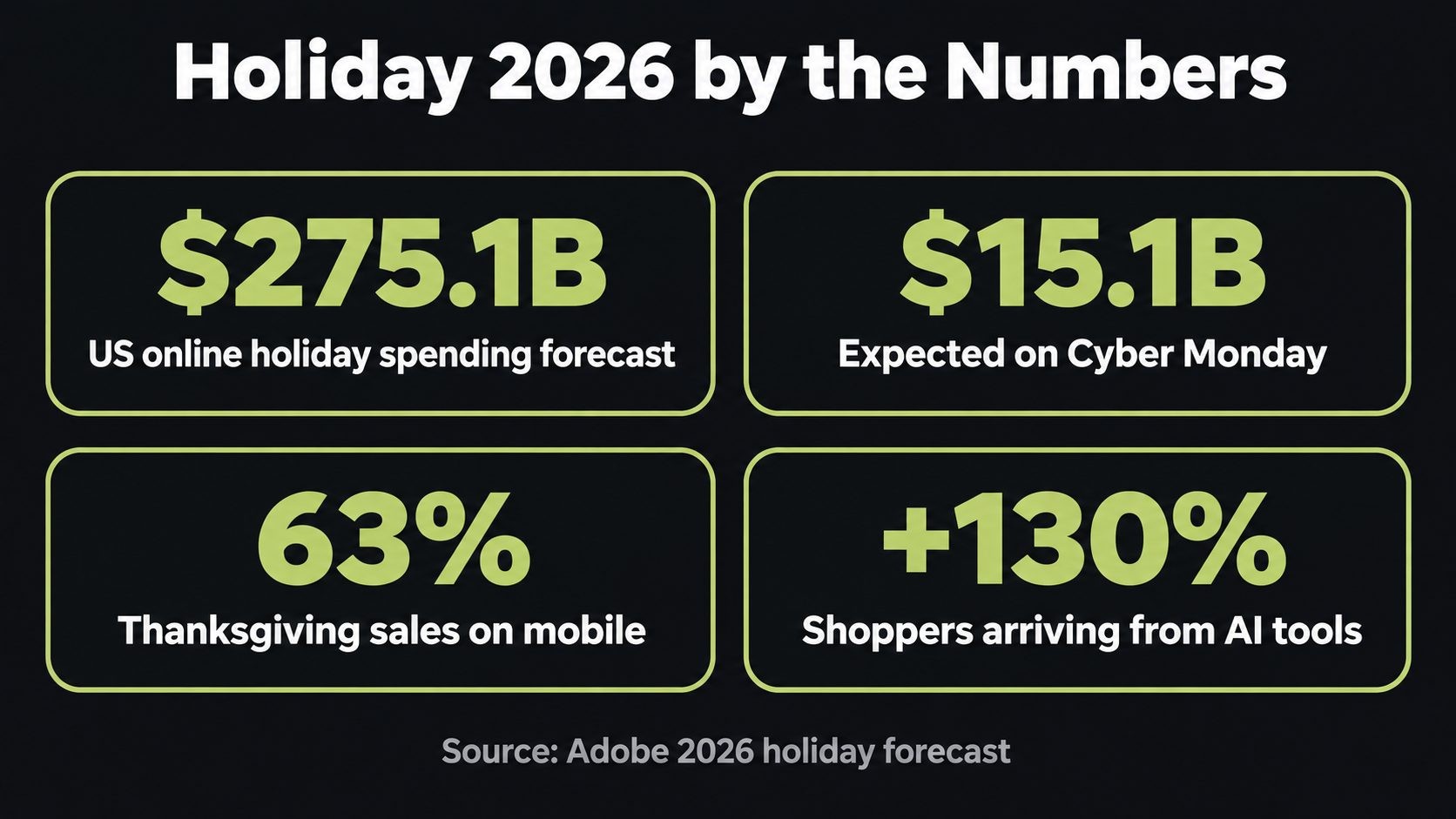
- Record demand. Adobe forecasts $275.1 billion in US online holiday spending from November 1 to December 31, up 6.7%, and about $47.5 billion across the five days from Thanksgiving to Cyber Monday.
- Black Friday is growing fastest. Cyber Monday stays the biggest day, but Black Friday is growing faster because shoppers are buying earlier. Your sale needs to be live and stable before the weekend, not just on Monday.
- Mobile is the main checkout. Adobe expects 57.4% of holiday spending on mobile, and a record 63% on Thanksgiving. If your mobile checkout is slow or awkward, you lose most of your buyers.
- Buy Now Pay Later keeps rising. BNPL is forecast to drive $21.3 billion this season, including about $807 million on Black Friday and $1.09 billion on Cyber Monday, mostly on phones.
- AI is sending shoppers. Adobe projects AI-referred traffic to US retail sites to grow 130% this season. Product data that AI assistants can read is now part of your sales funnel.
- Peaks are intense. Last Cyber Monday, shoppers spent about $16 million per minute in the peak evening hours, according to Adobe's 2025 Cyber Week data. A few minutes of downtime at the wrong moment is expensive.
The stores that win are not always the ones with the biggest discounts. They are the ones that stay fast and working when everyone shows up at once.
This Week: Audit, Back Up and Set Your Baseline
Start with the work that protects everything else. If something goes wrong later, these steps are what save you.
- Take a full backup of your files and database, and test a restore on a separate site. A backup you have never restored is only a hope.
- Create or refresh a staging site that mirrors your live store. Every change from now on gets tested there first.
- Check WooCommerce > Status. Look for warnings, outdated template overrides in your theme, and failed or stuck scheduled actions.
- Confirm your PHP version is supported and fully patched. The recent PHP2Shell vulnerabilities, covered in my WordPress 7.2 release date post, are a reminder that the server matters as much as the store.
- Clean up plugins. List every plugin, delete the ones you do not use, and update the rest now, not during Thanksgiving week.
- Record your baseline numbers: mobile page speed, checkout conversion rate, average order value and server response time. If you are not sure how, here is how to read your PageSpeed Insights report.
- Check your hosting limits. Ask your host about PHP workers, CPU, memory and bandwidth on your plan, and whether they can scale up for the weekend. If you are on cheap shared hosting, read my comparison of shared vs VPS vs WordPress hosting before the sale, not after.
Speed and Scalability: Get Ready for the Traffic Spike
Black Friday traffic does not just mean more visitors. It means many people adding to cart and checking out at the same moment, which is the hardest work a WooCommerce store does.
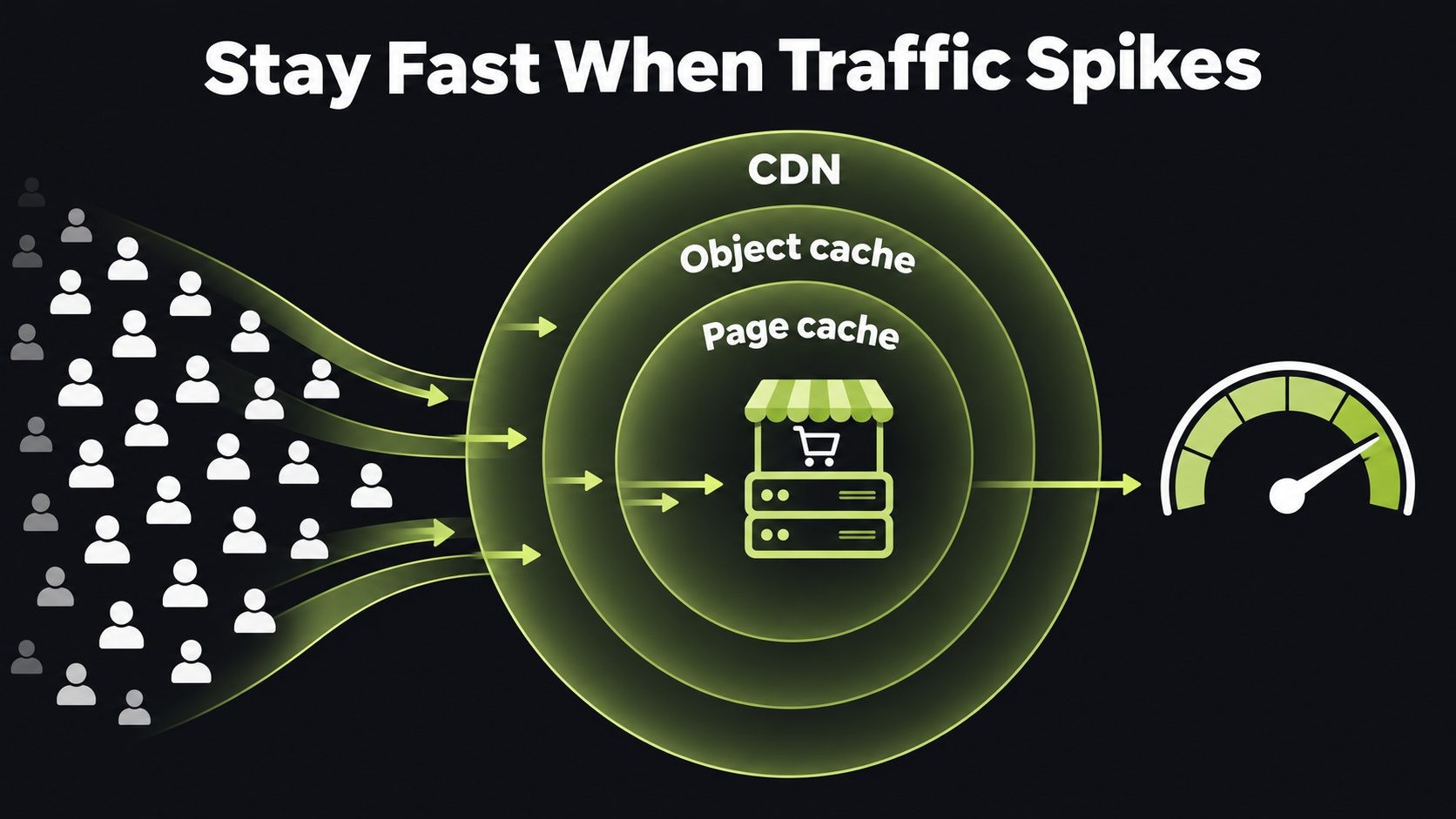
Use caching that works with WooCommerce
- Turn on page caching for your home, category and product pages.
- Exclude cart, checkout and my account pages from page caching, or customers may see the wrong cart.
- Add object caching (Redis is the common choice) if your host supports it. It takes heavy database work off your server, which matters most during checkout spikes.
Put a CDN in front of your store
A content delivery network serves images, CSS and JavaScript from servers close to your shoppers, so your own server handles less. If you use Cloudflare, my guide to Cloudflare settings for WordPress covers safe caching rules for WooCommerce.
Slim down the front end
- Compress and resize product images, and serve modern formats such as WebP.
- Lazy-load images below the fold.
- Remove scripts you do not need on product pages, such as unused sliders, chat widgets or tracking tags.
- For a full list of what slows stores down, see these common causes of a slow website.
Aim for product pages that pass Core Web Vitals on mobile, since most of your buyers will be on phones. Pay special attention to Interaction to Next Paint (INP), which measures how quickly a page responds when a shopper taps Add to cart or opens the cart. My guide on how to improve INP walks through finding and fixing slow interactions on WordPress sites.
Clean the database
Older stores collect clutter. Clear expired transients and old post revisions, remove completed scheduled actions you no longer need, and check the size of autoloaded options. A lighter database answers faster under load.
Load test before the sale
This is the step most stores skip, and the one that prevents the worst surprises. On your staging site, simulate realistic traffic, including adding to cart and checking out, not just loading the home page. Increase the load until something breaks, then fix the weakest point, whether that is PHP workers, a slow plugin or the database.
Checkout and Payments: Remove Every Reason to Abandon
Your checkout is where Black Friday traffic turns into revenue, or quietly leaks away. My WooCommerce checkout optimization guide goes deeper; these are the checks to finish before the sale.
Test mobile checkout first
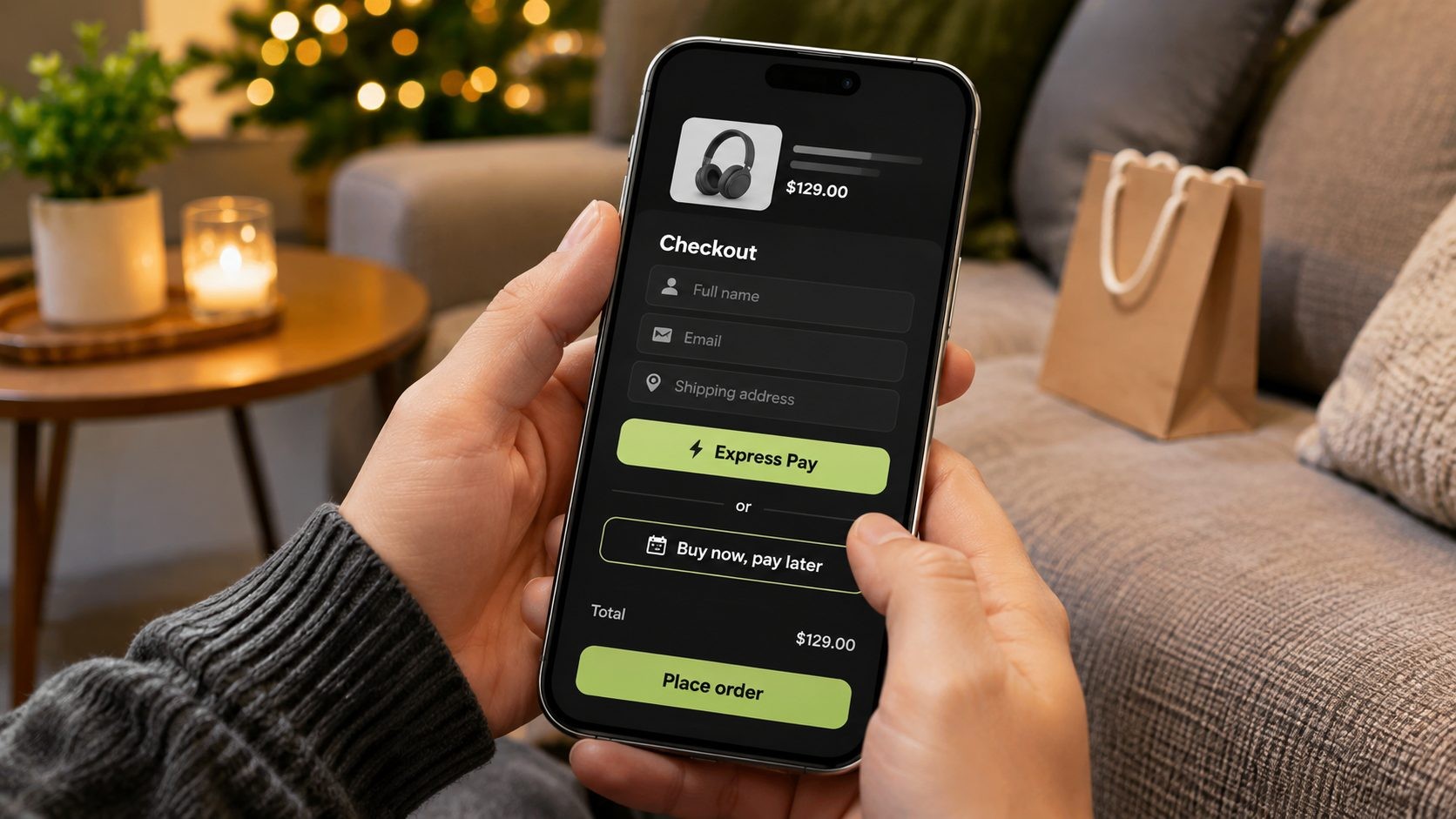
With most holiday spending now on phones, test checkout on a real phone over a normal mobile connection, not just in a desktop browser. Tap every field. Check that the keyboard type matches the field (numbers for card and phone, email for email), and that nothing is hidden behind pop-ups.
Offer express payments
Enable Apple Pay, Google Pay and PayPal if your payment gateway supports them. Express payments let mobile shoppers check out in a few taps without typing card details.
Consider Buy Now Pay Later
If your products are higher priced, BNPL options such as Klarna, Afterpay or Affirm can lift conversions. With BNPL forecast to drive more than $1 billion on Cyber Monday alone, it is worth checking whether your gateway already supports it.
Make checkout shorter
- Allow guest checkout. Forced account creation is one of the biggest reasons people leave.
- Remove fields you do not need.
- Show shipping costs and delivery dates before the final step, not as a surprise.
Place real test orders
Place test orders with every payment method, coupon type and shipping zone you offer. Then check that:
- the order appears correctly in WooCommerce
- stock levels update
- order confirmation emails arrive, and do not land in spam
- refunds work, in case you need them during the sale
Check your gateway's limits
Ask your payment provider whether there are volume or rate limits on high-traffic days, review your fraud settings, and confirm payouts will not be held because of a sudden jump in sales.
Security: Protect Your Store When Attackers Are Busiest
This is the part most Black Friday checklists skip. Busy sales periods attract criminals as well as shoppers, because a store under pressure is easier to exploit and slower to notice problems.
Block card testing fraud
Card testing is when criminals use your checkout to check whether stolen card numbers work, usually with many small orders in a short time. It can cost you gateway fees, trigger chargebacks and even get your payment account suspended. To prevent it:
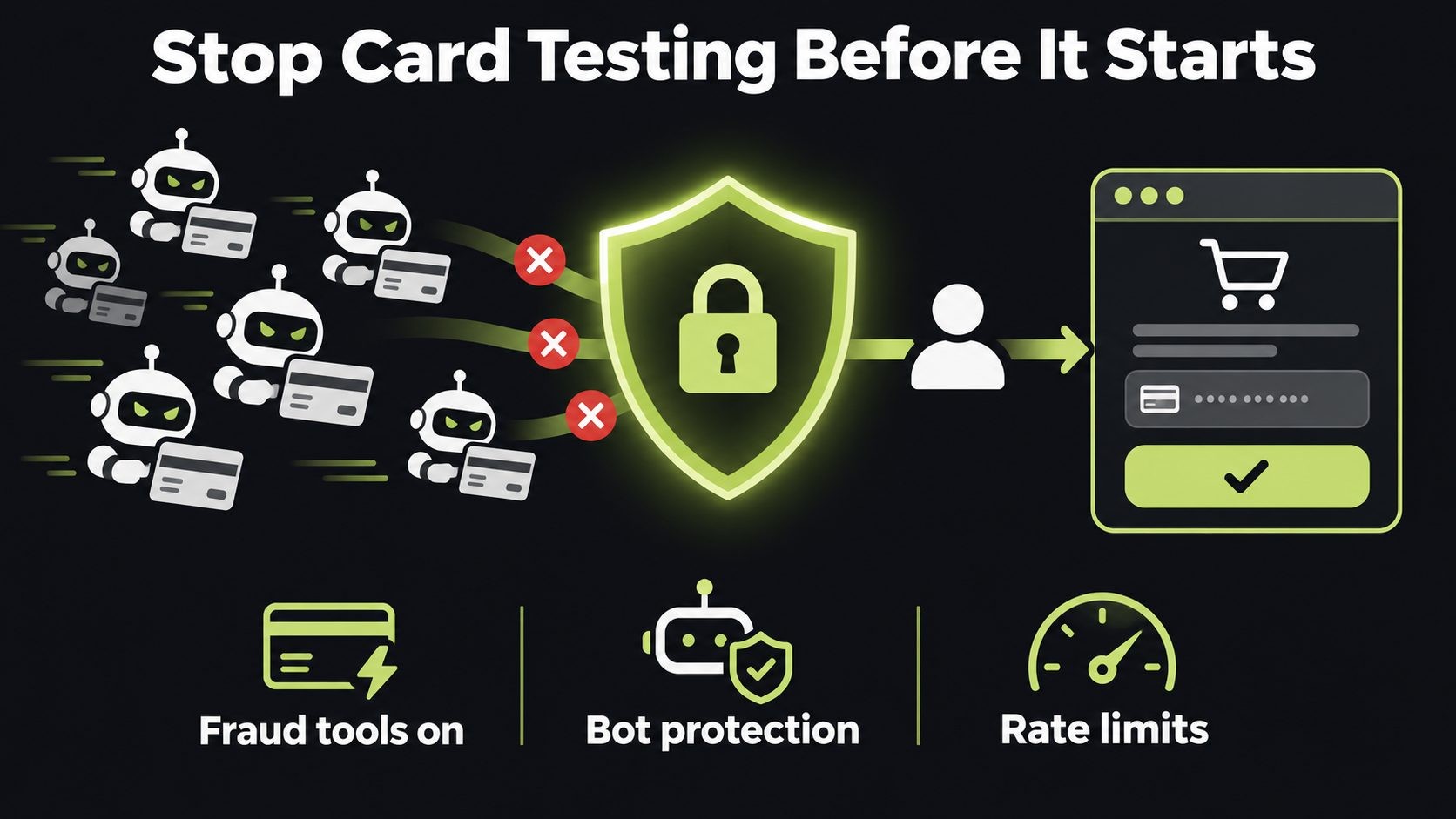
- Turn on your payment gateway's fraud tools.
- Add bot protection or a CAPTCHA to checkout.
- Rate-limit how many orders or payment attempts one visitor can make.
- Watch for bursts of small failed payments.
WooCommerce's guide to preventing card testing walks through the options.
Patch the WordPress core updater flaw before the freeze
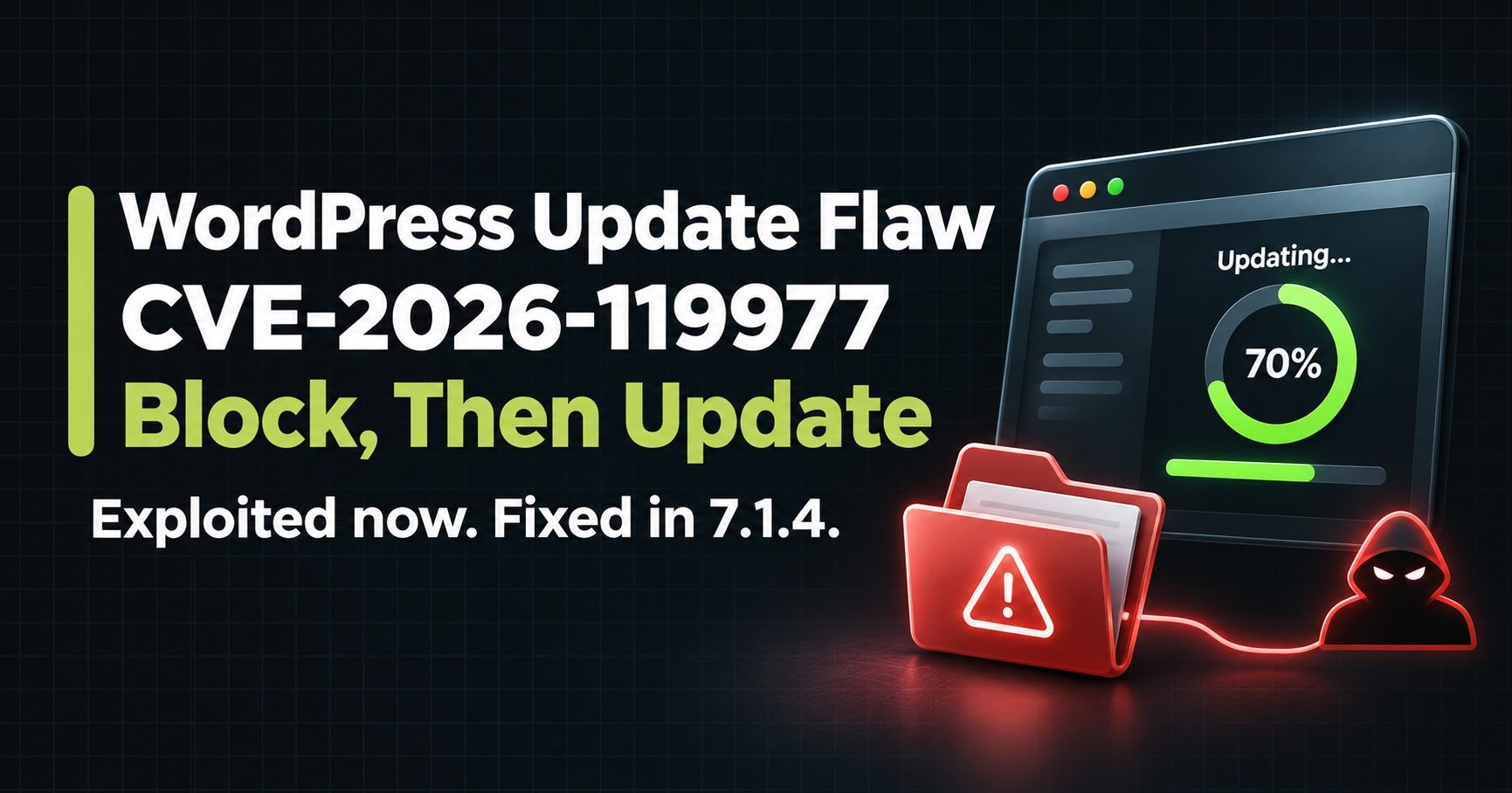
A WordPress core flaw, CVE-2026-119977, is being exploited and has been on CISA's Known Exploited Vulnerabilities list since November 3. The catch is that the update to WordPress 7.1.4 runs on the old, vulnerable updater, so the update itself can be raced. Block web access to wp-content/upgrade first, then update, then check for unknown admin users. Do this before November 20, not during the sale.
Patch the server, not just WordPress
Confirm your PHP version is patched against the PHP2Shell vulnerabilities. Updating WordPress does not fix server-level flaws, so ask your host to confirm in writing.
Review plugins and remote access
Every plugin and remote management tool is a door into your store. The UpdraftCentral backdoor attack showed how stolen remote management keys were used to install backdoors on WordPress sites. Remove tools you do not use, and revoke old connection keys. Checkouts in particular are a favorite target, as seen in recent checkout hijacking attacks.
Lock down admin access
- Turn on two-factor authentication for every administrator and shop manager.
- Remove old staff and contractor accounts.
- Use unique, strong passwords.
- Limit login attempts and put a web application firewall (WAF) in front of the store, through Cloudflare or your host.
Protect the people who manage the store
Attackers often target the laptops of the people with admin access, not the store itself. My developer laptop security checklist covers how to protect those machines. This month alone brought an exploited Chrome zero-day and an Outlook zero-day, so update and restart the browser and Office on every device that logs in to your store.
Back up more often during the sale
Increase backup frequency for the database during the weekend, so you never lose a day of orders, and keep at least one copy off the server.
For protection beyond the store itself, my WordPress security checklist for 2026 covers 25 steps, including updates, two-factor authentication, a firewall and what to do if you are hacked.
Promotions, Coupons and Inventory Setup
Set everything up in advance so nothing depends on someone clicking a button at midnight.
- Schedule sale prices. On each product, set the sale price and use the schedule option to choose start and end dates. Double-check your store's time zone under WooCommerce settings so the sale starts when you expect.
- Set coupon rules. Add usage limits per coupon and per customer, minimum spend and expiry dates, so a leaked code cannot be abused all weekend.
- Test stacking. Make sure coupons and sale prices do not combine in ways you did not intend, such as a 30% coupon on top of a 40% sale.
- Check inventory. Confirm stock levels, turn on low-stock notifications, and decide whether to allow backorders on popular items.
- Publish shipping cut-off dates for holiday delivery and show them on product pages and at checkout.
- Prepare support replies for the questions you will get most: order status, delivery times, returns and coupon problems.
Marketing and Visibility, Including AI Search
A fast, secure store still needs shoppers to find it.
- Warm up your email list. Send early-access offers to your best customers before Black Friday, since more shoppers now buy early.
- Update your product feed for Google Shopping, with accurate prices, sale prices and stock.
- Check your product structured data. Make sure every product page shows price, availability and reviews in structured data, following Google's product structured data guidelines. This also helps AI assistants understand and recommend your products. My guide on how to get your products cited in AI search explains more.
- Use one permanent Black Friday page. Create a landing page on a fixed URL, such as /black-friday, and reuse it every year so it builds search authority over time.
- Plan social posts and abandoned cart emails ahead of time, and schedule them.
Code Freeze: What to Update and What to Leave Alone
The most common cause of Black Friday outages is not traffic. It is a change made at the wrong time.
- Start a code freeze on Friday, November 20. From then until early December, avoid new plugins, theme changes and major updates on your live store.
- Security updates are the exception. Install urgent security patches quickly, after a short test on staging. That includes WordPress 7.1.4: install it before November 20, using the safe order above.
- Hold WordPress 7.2 until January. WordPress 7.2 is scheduled for December 8, right in the middle of the holiday season. Test it on staging if you like, but update your live store in January. My WordPress 7.2 release date post has the full schedule.
- Keep a written rollback plan for any emergency change, including who can restore a backup and how long it takes.
Black Friday Weekend: Monitoring and Your Response Plan
When the sale goes live, your job shifts from building to watching.
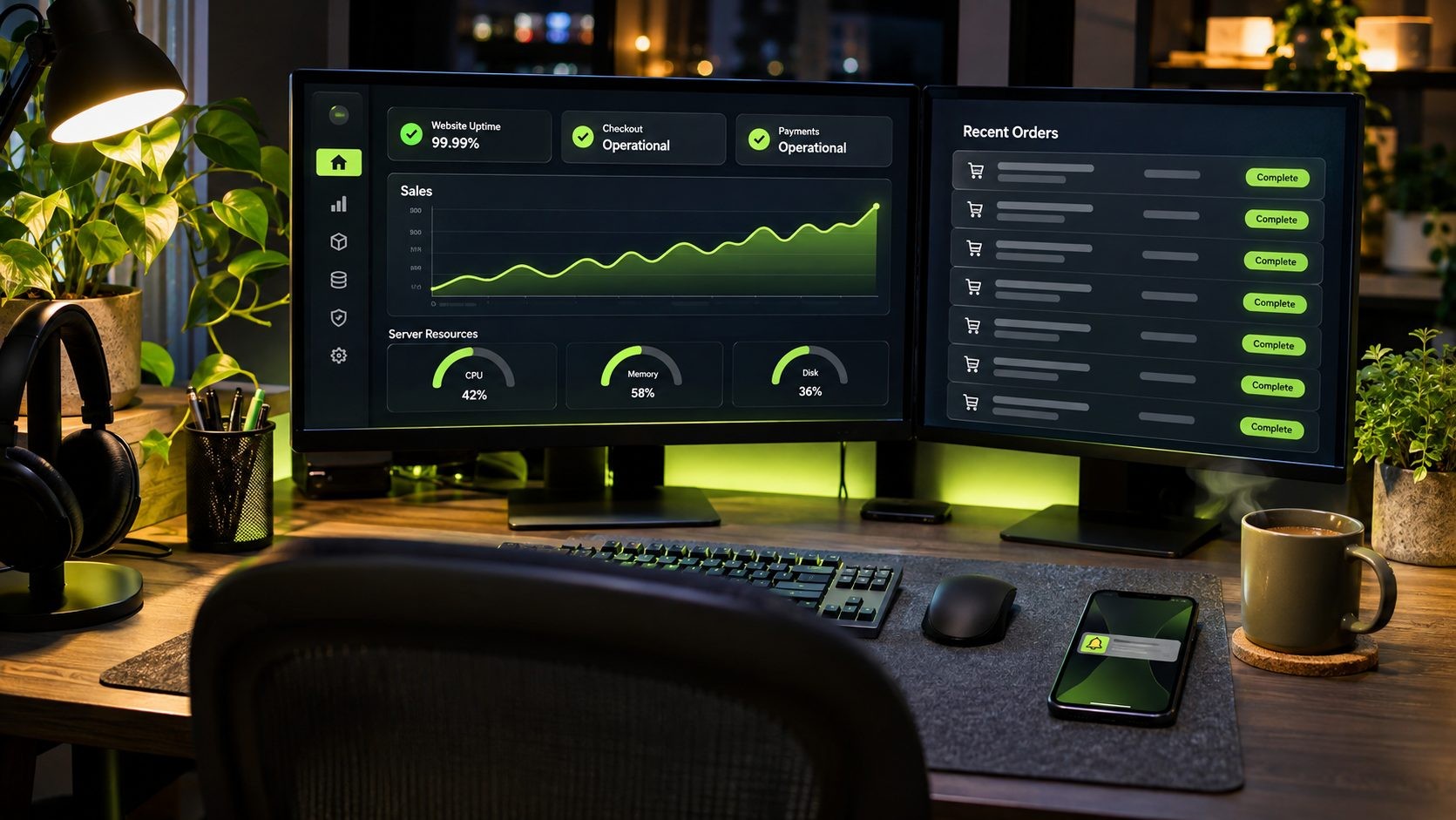
- Set up monitoring and alerts for downtime, checkout errors and failed payments, sent to someone who will actually see them.
- Watch server health in real time: CPU, memory, PHP errors and slow database queries.
- Make an on-call schedule for each day from Thanksgiving to Cyber Monday, with your host's and payment provider's emergency contacts written down.
- Prepare a backup plan if a payment gateway fails, such as switching to a second gateway, plus a short status message for your site and social channels.
- Check orders, stock and emails several times a day.
- Know what to switch off first. If the site slows down, disable heavy non-essential features before anything else, such as live chat widgets, related product sliders and extra tracking scripts.
If you would rather have a professional watching the store, my WooCommerce support and optimization services cover pre-sale audits and weekend monitoring.
After Cyber Monday
- Compare your results with the baseline numbers you recorded in week one.
- Write down what broke, what nearly broke and what worked, while it is fresh.
- Lift the code freeze carefully, and plan WordPress 7.2 and plugin updates for January.
- Send thank-you and review-request emails to new customers.
For the bigger picture, see our website security for small business guide: a layer-by-layer plan, a 30-day checklist and typical costs.
Frequently Asked Questions
Conclusion
Black Friday 2026 is on November 27, and the stores that do best will be the ones that stay fast, secure and working when traffic peaks. Use this WooCommerce Black Friday checklist week by week, and start with backups and a staging site today. Short on time? Follow the 12-day fast track.
If you want a second pair of eyes before the big weekend, book a pre-Black Friday store audit and we will check your speed, checkout and security before the rush.
Get new posts by email
New guides and alerts, sent when they are published. No spam. Unsubscribe anytime.


Comments (0)