In the last week of October 2026, a $6.3 billion crypto theft was traced in part to one engineer's laptop. A tampered coding extension tried to plant backdoors on up to 5,000 developer machines. And an AI attack platform used 44 agents to hunt for weak entry points across Japan.
The message is clear: developer laptop security is no longer an IT afterthought. The developer's machine has become the front door attackers want most, because it holds the keys to everything else.
This guide gives you a practical, prioritized checklist to protect developer laptops, whether you are a solo freelancer or run an engineering team. Every item is tied to a real attack it would have stopped, so you know exactly why it matters.
Why Attackers Target Developer Laptops
Attackers follow the shortest path to value. For most companies, that path now runs through a developer's machine.
- It has access. Developers can reach source code, cloud consoles, CI/CD pipelines, databases and sometimes production systems that move money.
- It holds secrets. SSH keys, API tokens,
.envfiles, cloud credentials and logged-in browser sessions often sit on the same laptop. - It runs untrusted code all day. Packages from npm and PyPI, editor extensions, AI coding tools, scripts from tutorials and code from job applicants all execute with the developer's permissions.
- It is harder to lock down. Developers need flexibility and admin rights more than most staff, so standard corporate controls are often relaxed.
- It bypasses strong infrastructure security. Your servers can be perfectly hardened. If an attacker controls the laptop that is trusted to manage them, much of that hardening stops mattering.
In short, compromising one developer can be worth more than breaking into a hundred servers.
What Lives on a Developer Laptop
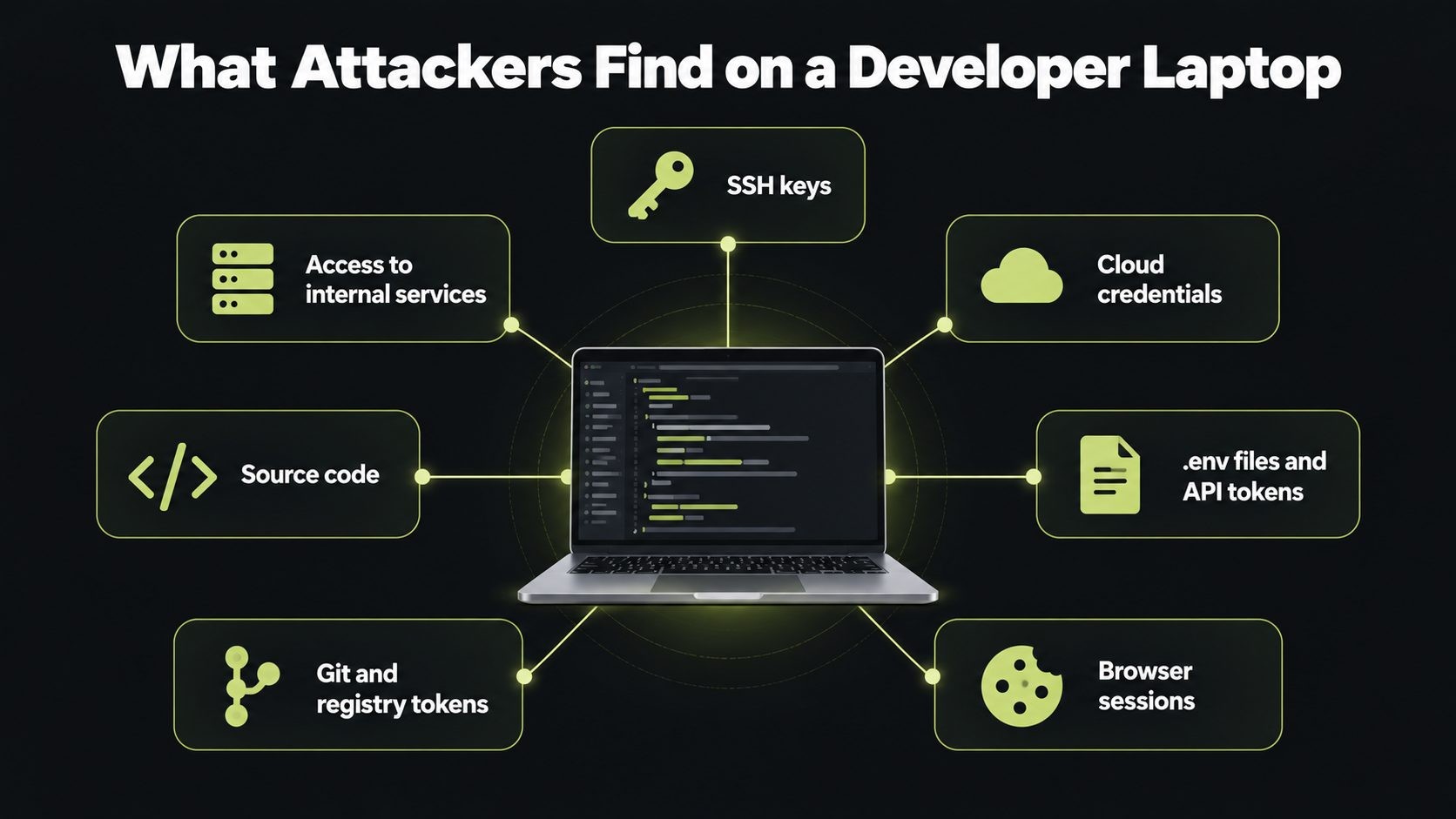
Before you secure a laptop, know what an attacker would find on it.
| What is on the laptop | What an attacker can do with it |
|---|---|
| SSH private keys | Log in to servers and Git hosts as you |
| Cloud credentials (AWS, GCP, Azure) | Read data, launch resources, delete backups |
.env files and API tokens |
Access databases, payment providers and third-party services |
| Browser session cookies | Skip passwords and MFA by reusing your logged-in sessions |
| Git and package registry tokens | Push malicious code or publish poisoned packages |
| Source code | Find vulnerabilities or steal intellectual property |
| Access to internal services | Act inside trusted systems, as in the Binance hack |
Six Recent Attacks and What Each One Teaches
These real incidents, all from 2026, show how attackers reach developers and the systems they manage.
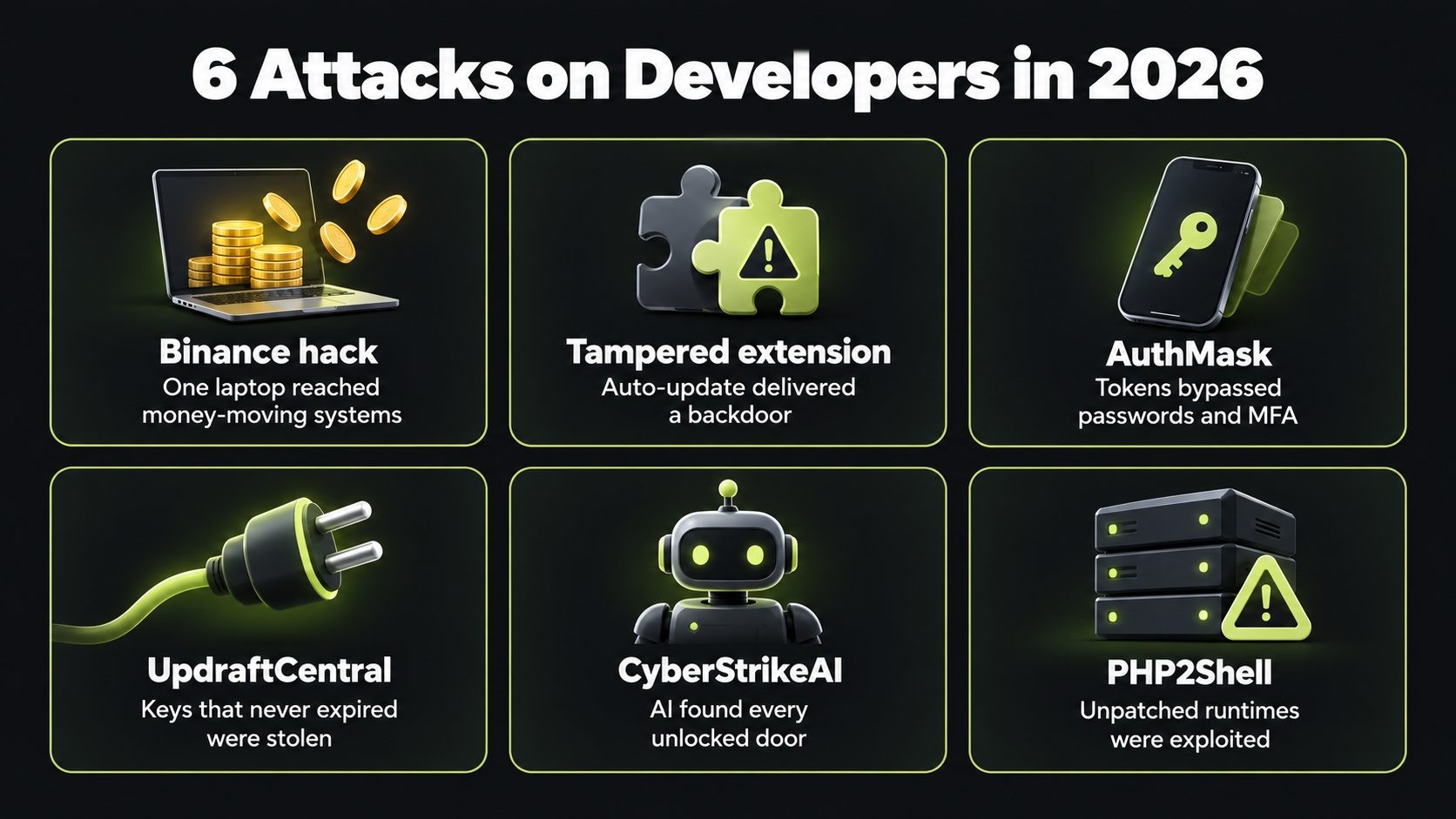
- Binance hack (October 2026). Binance's initial findings point to a compromised DevOps engineer's laptop that reached an internal service able to submit withdrawals, with about $6.3 billion affected. Lesson: one laptop should never be able to reach systems that move money on its own.
- Claude Code extension backdoor (October 2026). A tampered extension served through Cursor's marketplace tried to plant an SSH backdoor via auto-update. Lesson: editor extensions are software supply chain risks, and auto-update can deliver malware silently.
- AuthMask (fixed September 2026). A flaw in Microsoft Authenticator for Android let a zero-permission app pose as Teams and receive work account tokens. Lesson: tokens bypass passwords and MFA, so protect sessions as carefully as passwords.
- UpdraftCentral backdoor (October 2026). Attackers used stolen remote management keys to install backdoor plugins on WordPress sites. Lesson: long-lived keys that never expire are a standing risk.
- CyberStrikeAI (October 2026). An AI platform with 44 agents scanned for exposed admin panels and weak credentials at scale. Lesson: AI makes it cheap to find every unlocked door, so close them.
- PHP2Shell (October 2026). Critical PHP flaws allowed remote code execution without a login, and were exploited within days. Lesson: patch the tools and runtimes you depend on, not just your own code.
Notice the pattern. None of these needed exotic new techniques. They exploited trust: in a laptop, an extension, an app, a key or an exposed service.
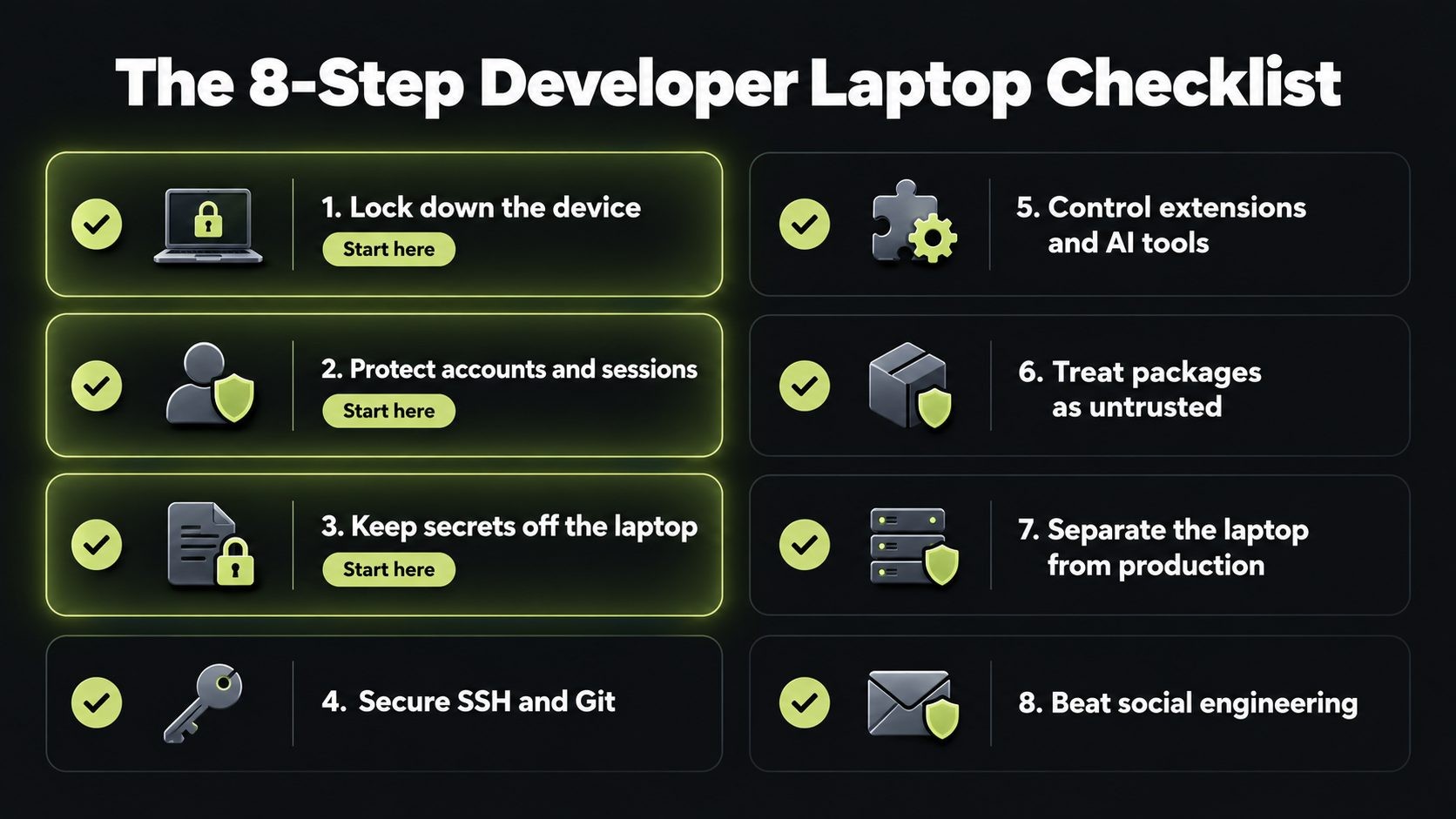
The Developer Laptop Security Checklist
Work through these eight areas in order. The first three give you the biggest protection for the least effort.
Checklist 1: Lock down the device
The basics still stop a large share of attacks. Use NIST guidance on securing remote work devices as a reference baseline.
- Turn on full-disk encryption: FileVault on macOS, BitLocker on Windows, LUKS on Linux. A lost or stolen laptop should be a hardware loss, not a data breach.
- Enable automatic OS and security updates, and restart when prompted. Delayed patches are one of the easiest ways in.
- Keep your runtimes patched too: PHP, Node.js, Python, Docker and database engines. PHP2Shell showed how a runtime flaw can expose everything built on it.
- Use a standard account for daily work, and switch to admin only when you need it. Malware that runs without admin rights can do far less damage.
- Install endpoint protection (EDR) on any machine that touches production or customer data.
- Turn on the firewall and set a short screen lock with a strong password or biometrics.
- Enroll company laptops in device management (MDM) so you can enforce settings and wipe a lost machine remotely.
Checklist 2: Protect accounts and sessions
Attackers increasingly steal sessions and tokens instead of passwords, because tokens skip MFA entirely.
- Use phishing-resistant MFA, such as passkeys or a hardware security key, for email, Git hosts, cloud consoles and password managers. Avoid SMS codes where you can.
- Use a password manager with unique passwords for every service.
- Keep authenticator and SSO apps updated. AuthMask was fixed by an app update; unpatched devices stayed exposed.
- Separate browser profiles for admin work and everyday browsing, so a malicious site or extension cannot reach your admin sessions.
- Sign out of sensitive consoles when you are done, and set short session lifetimes for admin access.
- Review active sessions and connected apps in your Git host and cloud accounts every month, and revoke anything you do not recognize.
Checklist 3: Keep secrets off the laptop
The fewer long-lived secrets a laptop holds, the less an attacker can steal.
- Use a secrets manager (such as 1Password, Doppler, HashiCorp Vault or your cloud provider's secrets service) and load secrets at runtime instead of storing them in files.
- Prefer short-lived cloud credentials through SSO, rather than permanent access keys saved in
~/.awsor similar folders. - Never commit
.envfiles. Add them to.gitignoreon day one and use a pre-commit secret scanner. - Do not reuse production credentials locally. Development should use separate, low-privilege accounts and test data.
- Scope every token narrowly and set an expiry date. A token that can do one thing for 30 days is far safer than one that can do everything forever.
- Remove old keys and tokens you no longer use. UpdraftCentral showed how keys that never expire become a standing risk.
Checklist 4: Secure SSH and Git
SSH keys and Git access are often the direct path from a laptop to servers and code.
- Use Ed25519 SSH keys protected by a passphrase, or better, keys stored on a hardware security key so they cannot be copied off the machine.
- Use one key per purpose or environment, so a stolen key does not open every door.
- Check
~/.ssh/authorized_keysregularly on your own machine and servers. The Claude Code extension backdoor worked by adding an attacker key there. - Do not leave the SSH server running on your laptop unless you need it.
- Sign your Git commits, and require signed commits and pull request reviews on important repositories.
- Use fine-grained, expiring personal access tokens for Git hosts and package registries, not classic tokens with broad access.
Checklist 5: Control extensions and AI coding tools
Editor extensions and AI coding assistants run with your full user permissions. They can read your files, keys and code, and in many cases run commands.
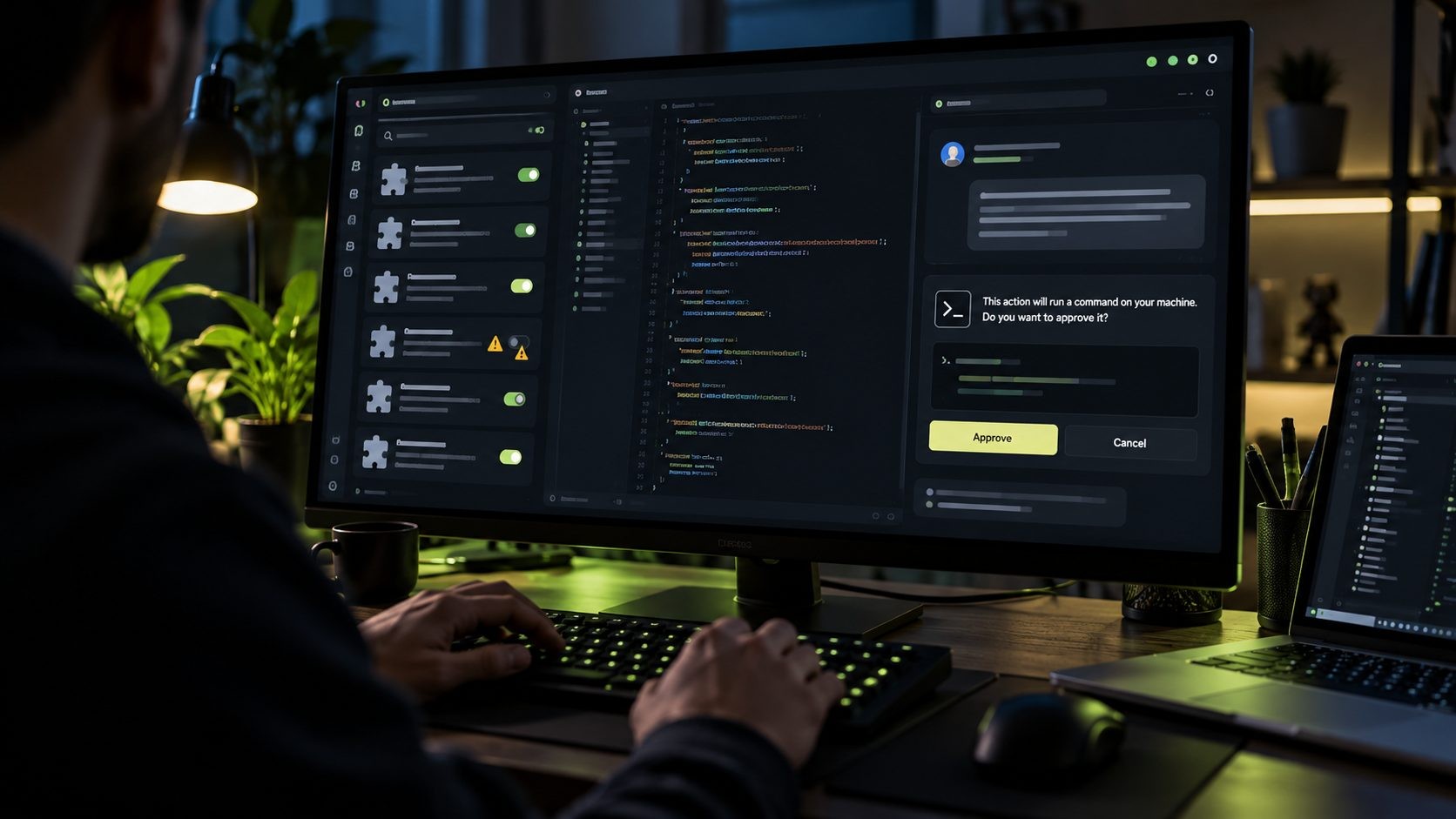
- Install extensions only from publishers you trust, and remove any you no longer use.
- Know which marketplace your editor uses. VS Code forks such as Cursor, Windsurf and VSCodium can pull extensions from different marketplaces, each with its own security controls. According to Cursor's security notice on the tampered extension, the malicious build came through Cursor's own marketplace.
- Delay extension auto-updates on critical machines, or approve updates manually. A short delay gives the community time to spot a bad release.
- Keep an approved extension list for your team and review it every quarter.
- Review what your AI coding tools can do. Limit which folders they can access and which commands they can run without asking, and keep approval prompts on for anything that touches credentials, networks or production.
- Never paste secrets into prompts, chat tools or AI assistants.
Checklist 6: Treat packages and code as untrusted
Every npm install or pip install runs someone else's code on your machine.
- Use lockfiles and commit them, so builds install exactly the versions you reviewed.
- Check package names carefully to avoid typosquats, and be wary of brand-new packages with few downloads.
- Disable or review install scripts where your package manager allows it.
- Run a dependency scanner in your projects and CI to catch known malicious or vulnerable packages.
- Open unfamiliar repositories in a container, dev container or virtual machine, not directly on your main laptop. This matters most for code from strangers, coding tests and "take-home" assignments.
Checklist 7: Separate the laptop from production
This is the most important lesson from the Binance hack. A single laptop should never be able to move money or change production on its own.
- Use just-in-time access for production. Grant it for a specific task and remove it automatically afterwards.
- Require two-person approval for high-risk actions such as large withdrawals, production database changes or key rotations, enforced by separate systems.
- Route production access through a hardened path, such as a bastion host, a privileged access workstation or a managed cloud environment, rather than directly from a daily-use laptop.
- Develop in isolated environments where possible. GitHub's guidance on securing developer workspaces recommends minimizing the secrets exposed in development environments.
- Log and alert on unusual actions, especially test transactions, new keys or bulk changes. Attackers often rehearse before the real attack.
- Build these controls into your systems from the start. Secure development practices are far cheaper than retrofitting them after an incident.
Checklist 8: Beat social engineering
Many developer compromises start with a message, not a vulnerability.
- Be suspicious of job offers that ask you to run code. Fake job interviews that ask candidates to clone a repository or run a "test project" are a known tactic of North Korea-linked groups.
- Verify unexpected requests for access, code reviews or file downloads through a second channel.
- Do not run scripts from chats, issues or forums without reading them first.
- Report suspicious messages quickly. Your team can only block a campaign it knows about.
Team Policies That Make It Stick
A checklist only works if people follow it. For teams, turn it into simple, written policy:
- Write a one-page laptop security baseline covering encryption, updates, MFA, secrets and extensions, and make it part of onboarding.
- Run a quarterly 30-minute review where each developer checks their extensions, tokens, SSH keys and installed tools against the baseline.
- Automate what you can with MDM, EDR and secret scanning, so security does not depend on memory.
- Make reporting easy and blame-free. Developers should feel safe saying "I think I clicked something" within minutes, not days.
- Have a clean offboarding process that removes access and rotates shared secrets the same day someone leaves.
Laptops are only half of the picture. If your team also runs WordPress sites, my WordPress site security checklist covers the site side: updates, logins, firewalls and backups.
If you want an outside view, a developer workstation security review can benchmark your team against this checklist and prioritize fixes.
If a Developer Laptop Is Compromised: The First 60 Minutes
Speed matters. Here is what to do if you suspect a developer machine has been compromised.
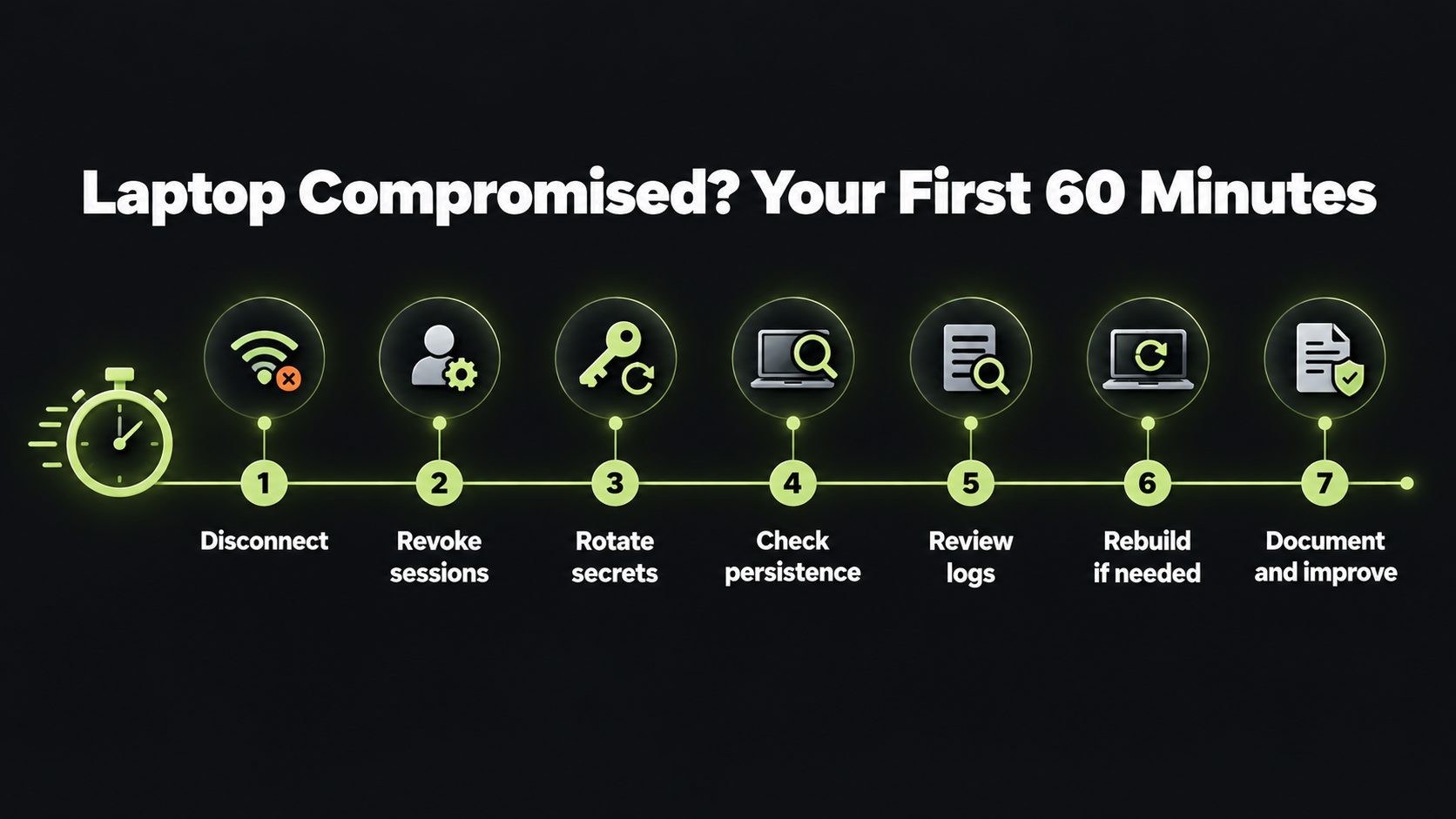
- Disconnect it from the network, including VPNs, but do not wipe it yet. You may need it for investigation.
- From a different, trusted device, revoke sessions for the user's email, Git host, cloud consoles and SSO.
- Rotate the most powerful secrets first: cloud keys, production database credentials, deployment keys, signing keys and registry tokens.
- Check for persistence, such as unknown SSH keys in
authorized_keys, new scheduled tasks, LaunchAgents, crontab entries or startup scripts. - Review recent activity in cloud, Git and CI logs for unexpected logins, new keys, pushes or deployments.
- Decide whether to rebuild. For any machine with production access, rebuilding from a clean image is the safest choice.
- Write down what happened and update your baseline so it cannot happen the same way twice.
For the bigger picture, see our website security for small business guide: a layer-by-layer plan, a 30-day checklist and typical costs.
Frequently Asked Questions
Conclusion
The biggest attacks of 2026 did not break encryption. They walked in through the people and machines that were already trusted. That makes developer laptop security one of the highest-return investments any team can make.
Start with the first three checklists this week: lock down the device, protect accounts and keep secrets off the laptop. Then work through the rest as a team.
For real-world examples of these attacks, read more cybersecurity guides on the blog. And if you want help putting this checklist into practice, book a security review.
Get new posts by email
New guides and alerts, sent when they are published. No spam. Unsubscribe anytime.


Comments (0)