Understand
Audit the current experience, review analytics and learn who the product is for and what they are trying to do.
UI UX design services shape how a product looks, feels and works, from the first user journey to the final button state. They cover research, structure, wireframes, visual design, prototypes and the handoff that turns a design into code. They also shape your wider customer experience (CX), every moment a person has with your brand from the first search to support and renewal, so I design each screen with the whole journey in mind. I'm Khurram Shahzad, a technical lead who designs interfaces and builds them, so the screens you approve are the screens that reach production, with accessibility and speed accounted for from the start.
Audit the current experience, review analytics and learn who the product is for and what they are trying to do.
Turn findings into user flows, navigation and wireframes that settle layout and content before visual design begins.
Build the visual language, UI kit and interactive prototypes, with every state, breakpoint and component defined.
Hand off clean specs or build the front end myself, so the finished product matches the approved design.
People use these terms interchangeably, but each solves a different problem. Pick a tab to see what each part of the work includes.
Customer experience (CX) is how people feel about your brand across every touchpoint: search results, your website, sign-up, onboarding, support and renewal. UX covers one product or site, and CX joins them up. I map the journey, find where it breaks and fix the moments that cost you customers.
Stages, touchpoints, questions and drop-offs mapped from the first search to renewal.
Website, forms, emails, onboarding and support reviewed as one experience, with the gaps ranked by impact.
Usability sessions, surveys and analytics, with measures such as NPS, CSAT and conversion rate, show where the experience helps or hurts.
UX design decides what goes where, in what order and why. I review how people move through your product today, find the friction and redesign the journeys around real tasks.
A heuristic review of your screens, flows and analytics, ranked by impact.
Navigation, page hierarchy and task flows that match how visitors think.
Low-fidelity layouts that settle structure and content before visual polish.
UI design turns structure into screens: typography, colour, spacing, components and states. I build UI kits and design systems so new pages stay consistent without starting from scratch.
Layouts, typography and colour that support the message and stay readable.
Buttons, forms, cards and navigation designed once, with every state defined.
Colours, spacing and type scales defined as tokens that map straight to code.
Because I write front-end code, handoff is not a throw over the wall. I deliver specs, assets and states your team can build from, or I build the interface myself in the stack you use.
Specs, spacing, assets and interaction notes your developers can build from the same day.
Pixel-accurate, responsive HTML, CSS and JavaScript, or React and Next.js components.
Visual and functional checks on mobile, tablet and desktop before launch.
Eight deliverables I offer. Every project uses only the ones your product actually needs.
A structured review of your screens, flows and the wider customer journey against proven usability heuristics, with the issues ranked by their impact on sign-ups, sales or support load.
Sitemaps, navigation and task flows that put the right content in front of the right person, in the order they need it.
Low-fidelity layouts for web apps, dashboards, landing pages and stores that settle structure and priorities quickly and cheaply.
Clickable prototypes you can test with colleagues and customers before a developer writes a line of code.
Typography, colour, spacing and components with every state defined, so the interface feels consistent from the first screen to the last.
A reusable library of components and design tokens that keeps new pages on brand and speeds up every future release.
Contrast, keyboard navigation, focus states, labels and semantic structure checked against WCAG 2.2, so more people can use the product.
Specs, assets and annotated states for your team, or a full front-end build in HTML, CSS, JavaScript, React or Next.js.
We cover the goals, the users and the constraints, and I review analytics, current screens and competitors to find where people struggle.
Findings become a short brief: the key tasks, the success measures and the pages or screens in scope.
User flows, sitemaps and wireframes lock down layout and content priorities before any colour or typography is chosen.
I design the key screens, build a clickable prototype and refine it with your feedback in short rounds.
Usability checks on the prototype, with colleagues or a small group of real users when the project calls for it, catch problems while they are cheap to fix.
Specs, assets and a component library go to your developers, or I build the interface myself and test it across breakpoints.
Most design projects end in a file that someone else has to interpret. Here is how I avoid that.
Polished mockups often ignore real data, long text, loading states and screen sizes, so developers improvise and the result drifts from the design.
Because I build front ends in HTML, CSS, JavaScript, React and Next.js, I design components that can be built, reused and maintained, with real content and every state in view.
There is no translation layer between design and development. Decisions stay consistent, handoff is faster and you get an interface that is also quick and accessible.
Five projects where I designed or shaped the interface. Each one links to the full case study.
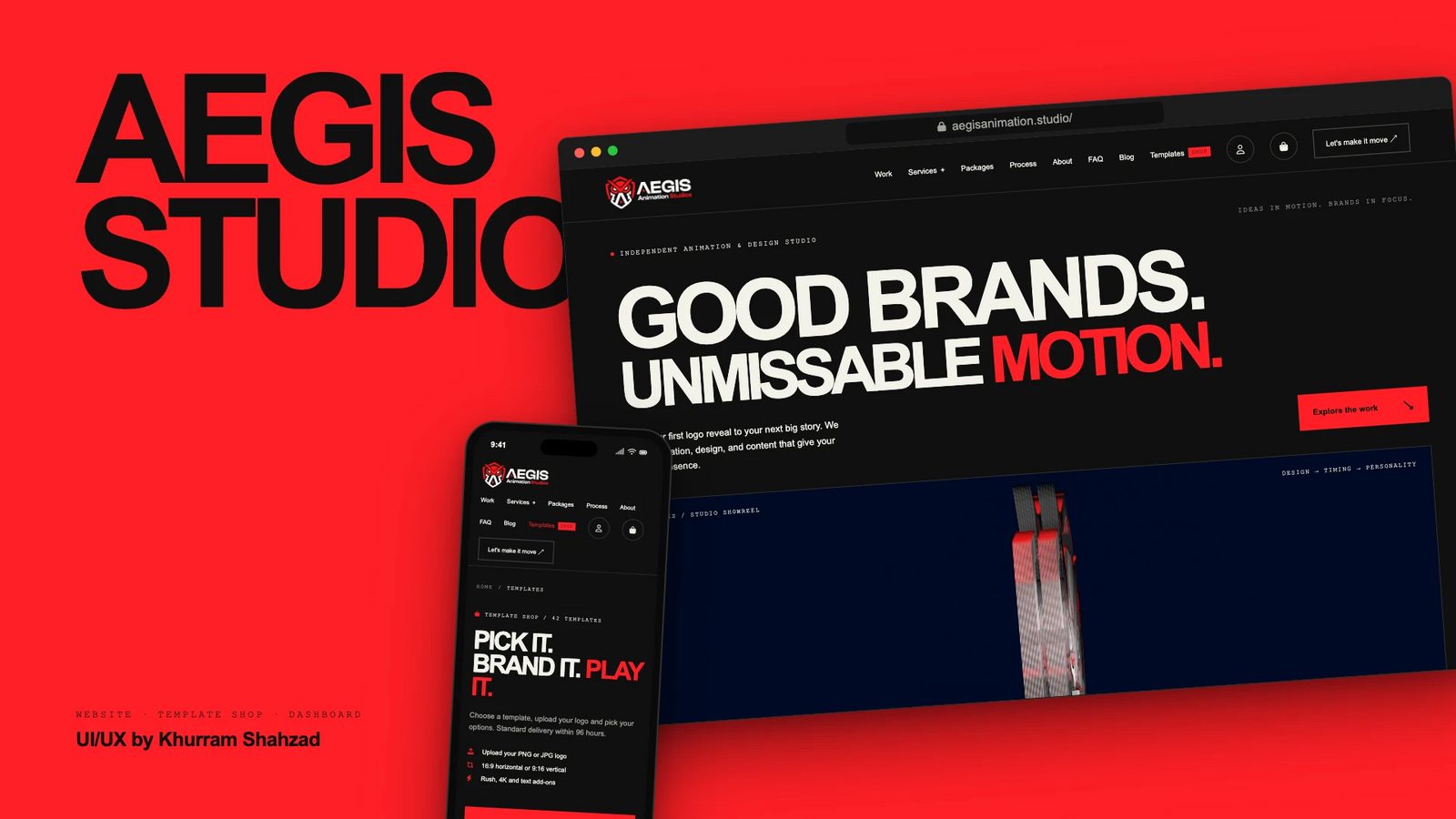
UI/UX for an animation studio: loud type on quiet surfaces, one signal red for every action, a five-step order flow and a phone layout built for thumbs.
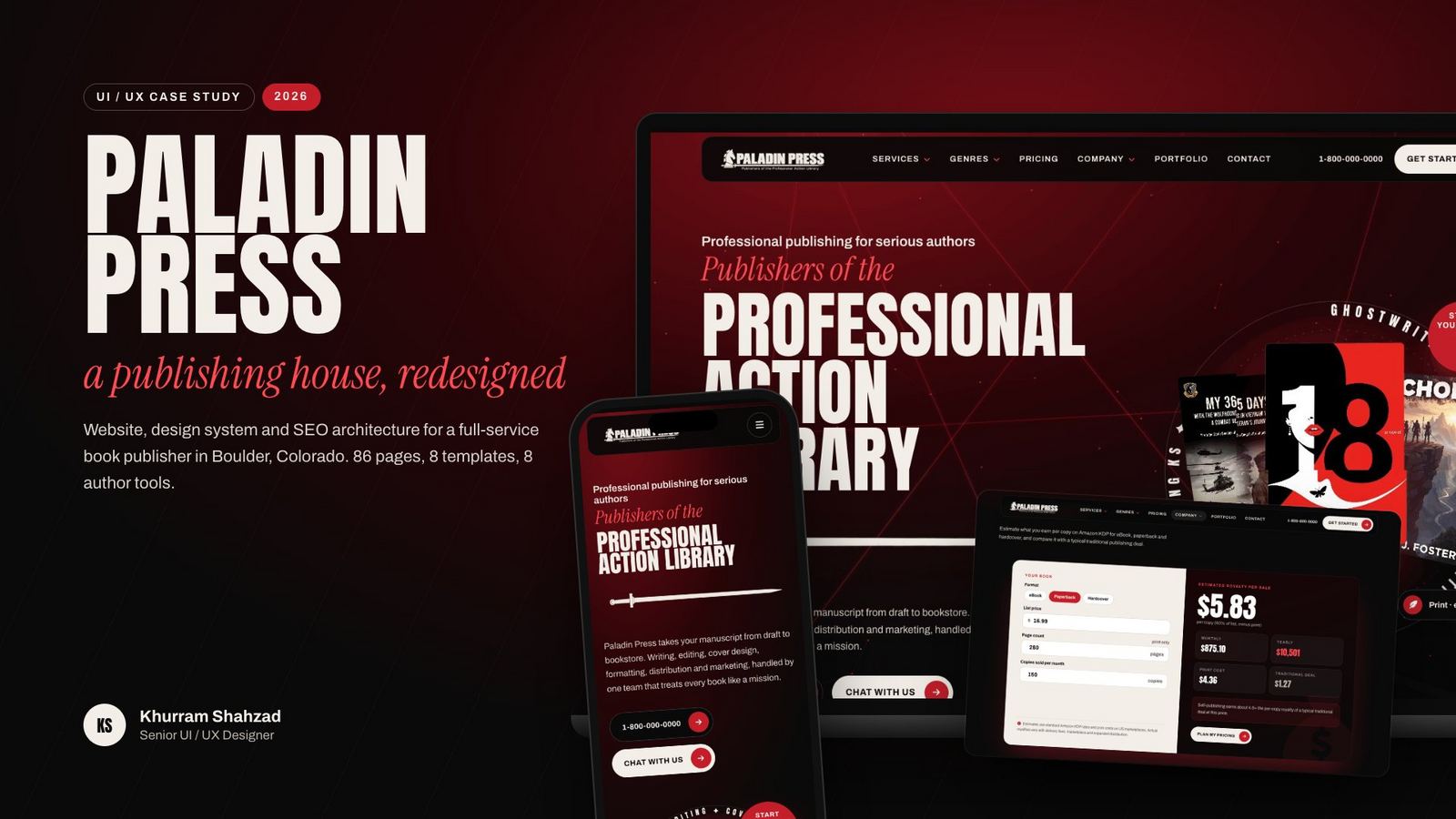
Lead UI/UX for a full-service book publisher: a mega menu for 16 services and 18 genres, a red and cream design system, author calculators and a five-tap quote flow.
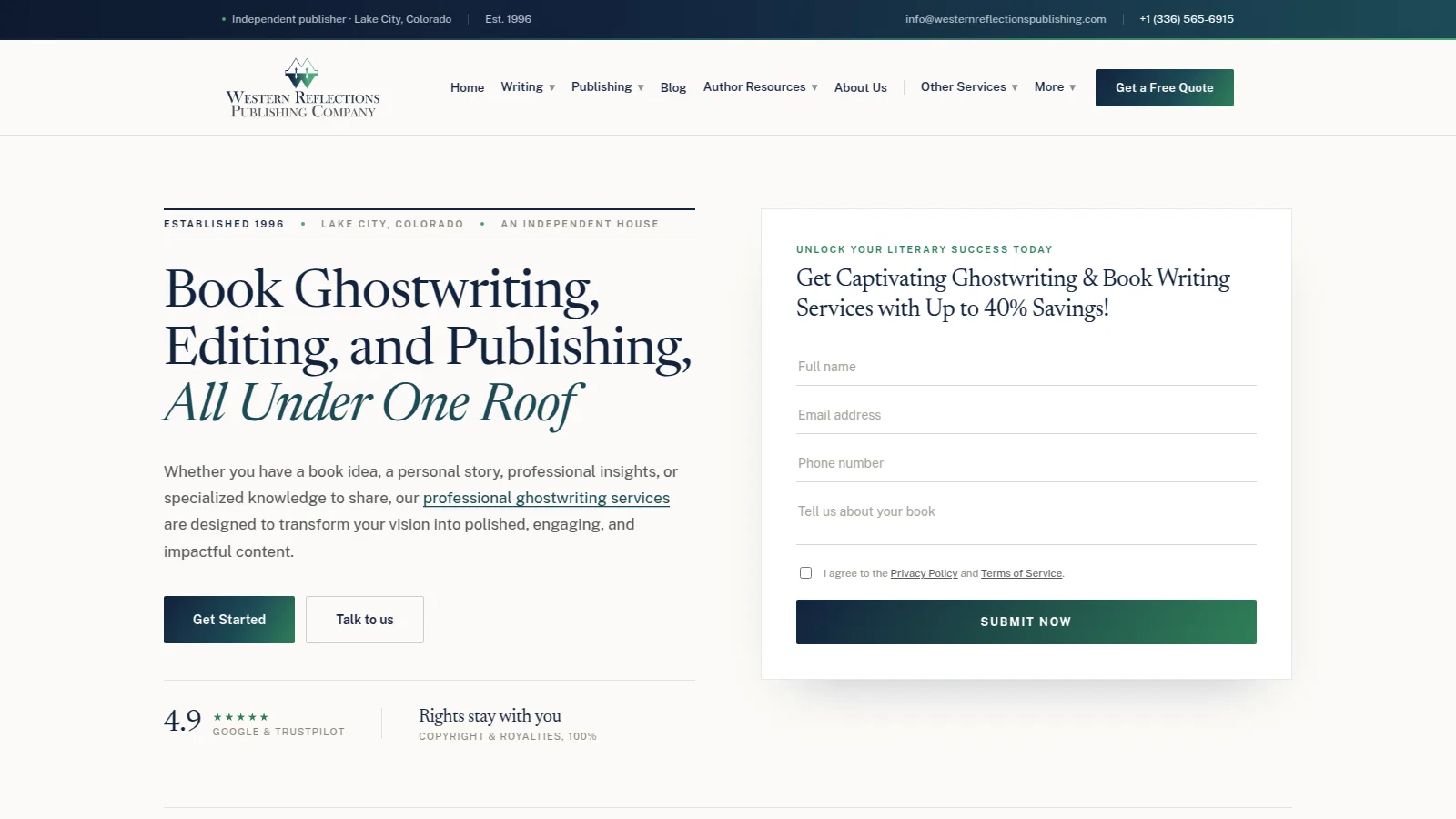
A redesign and rebuild with its own editorial typography, reusable components, 19 free author tools and a clear page hierarchy, relaunched with zero downtime.
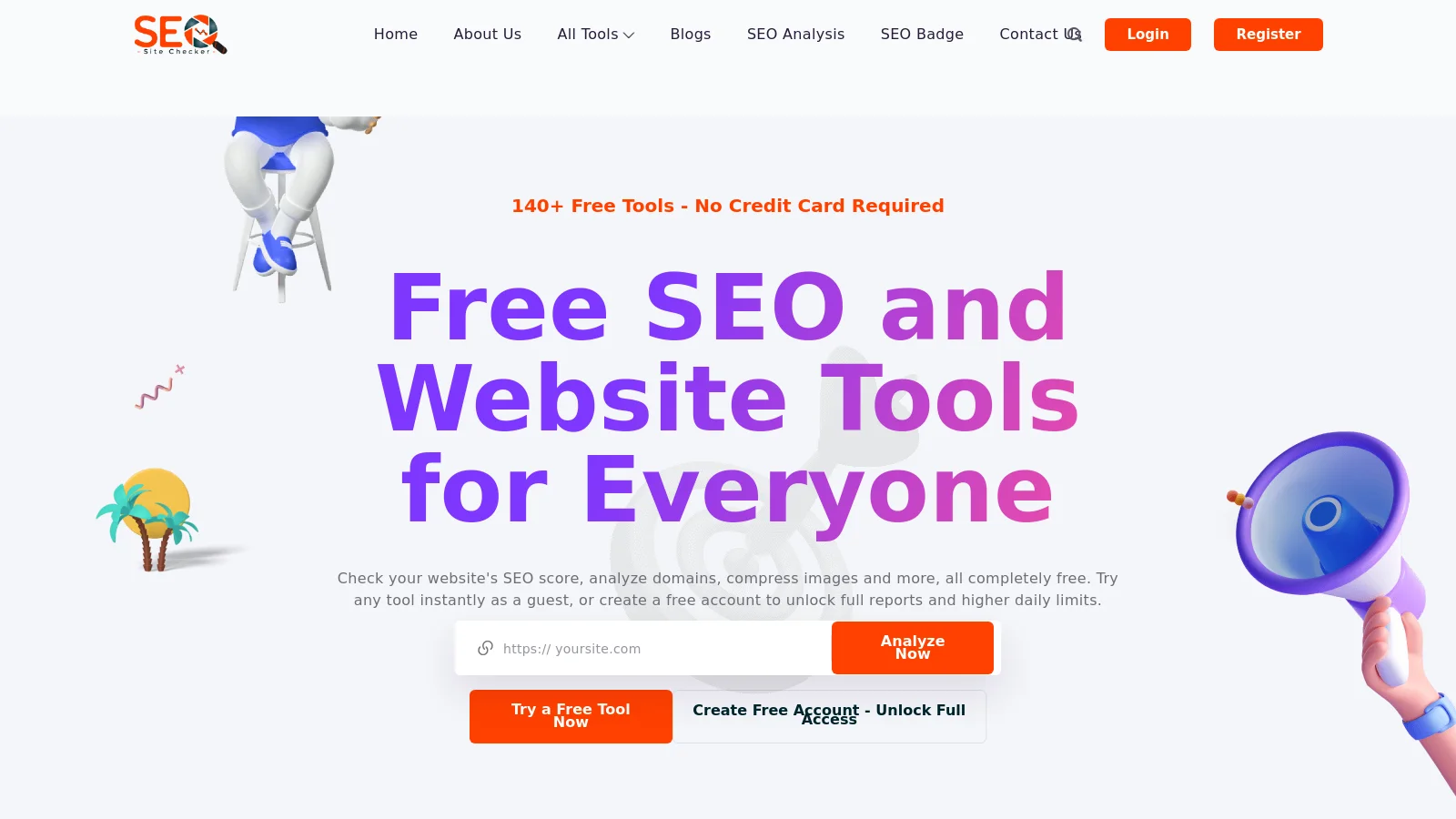
Mobile-first layouts, consistent tool pages and clear results screens across 13 categories, checked with Playwright visual and functional tests across breakpoints.
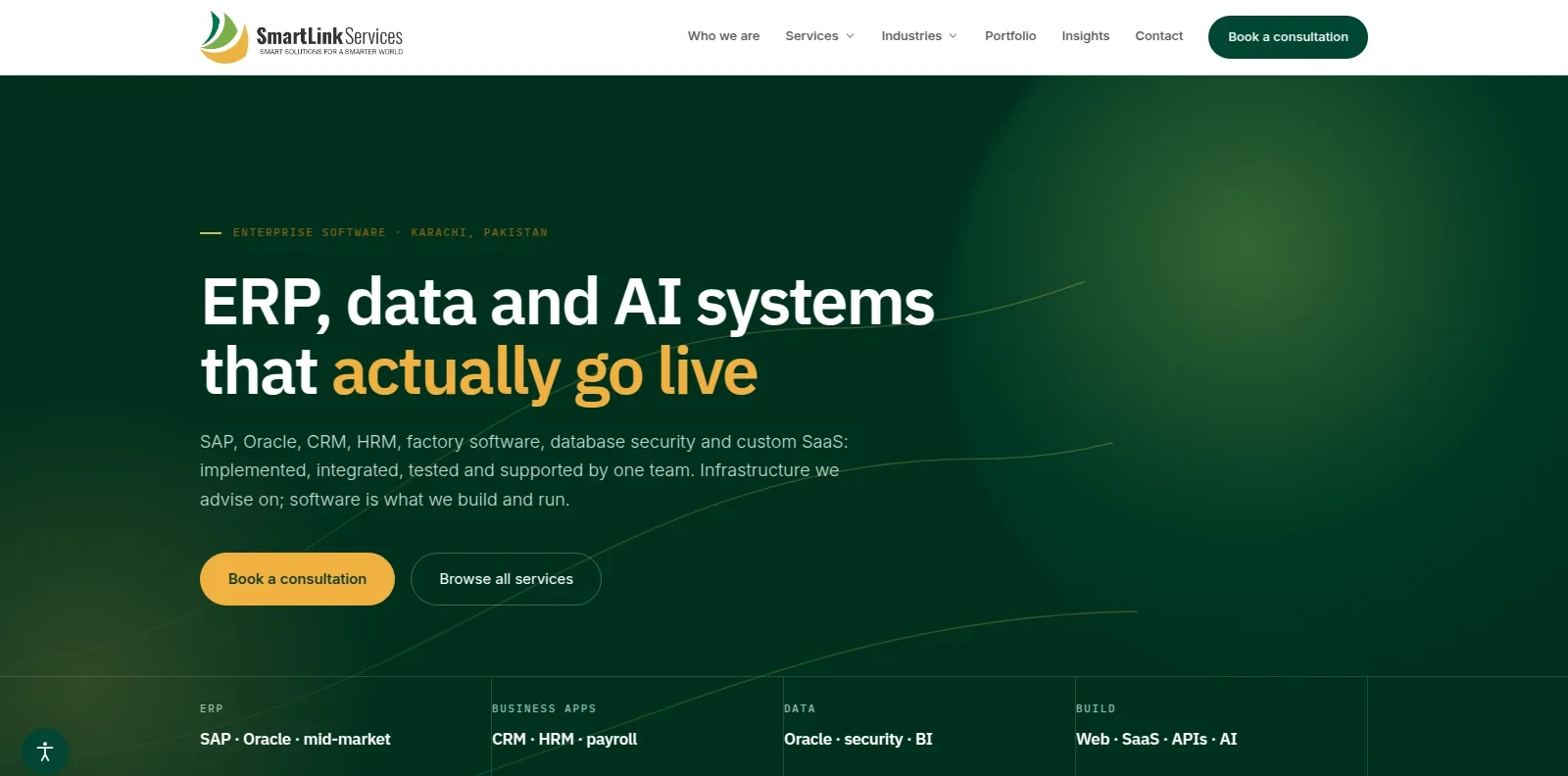
A company website presenting 7 service practices and 12 industry pages, built on a CMS with multiple themes so the team can run it without a developer.
The Paladin Press UI/UX case study in eight steps, from the problem and the design system to the quote flow and the phone layout.
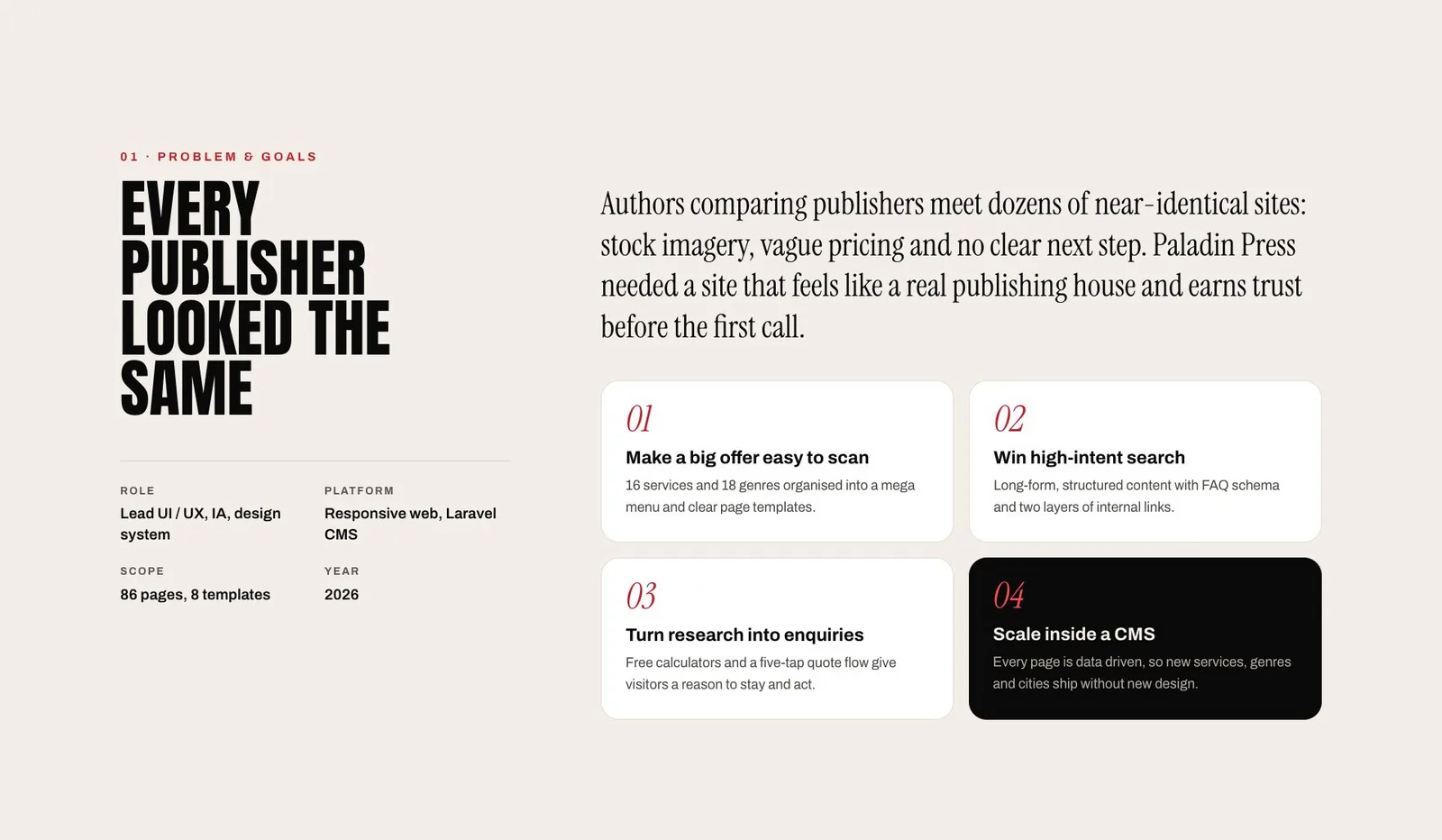
A mega menu, 8 page templates, free calculators and a five-tap quote flow turn a large offer into a clear path to an enquiry.
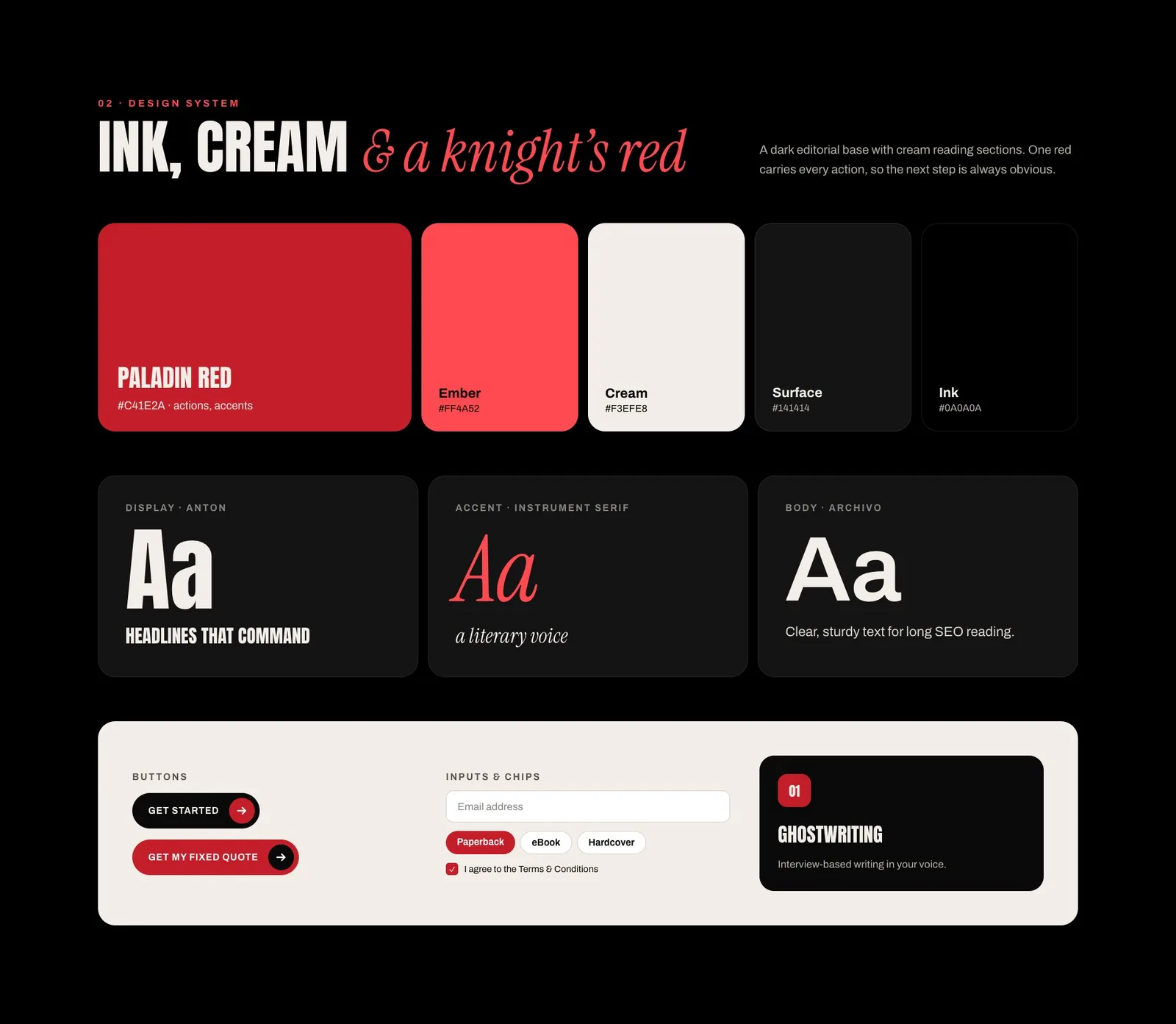
A dark editorial base with cream reading sections. One red carries every action, and Anton, Instrument Serif and Archivo share the type work.
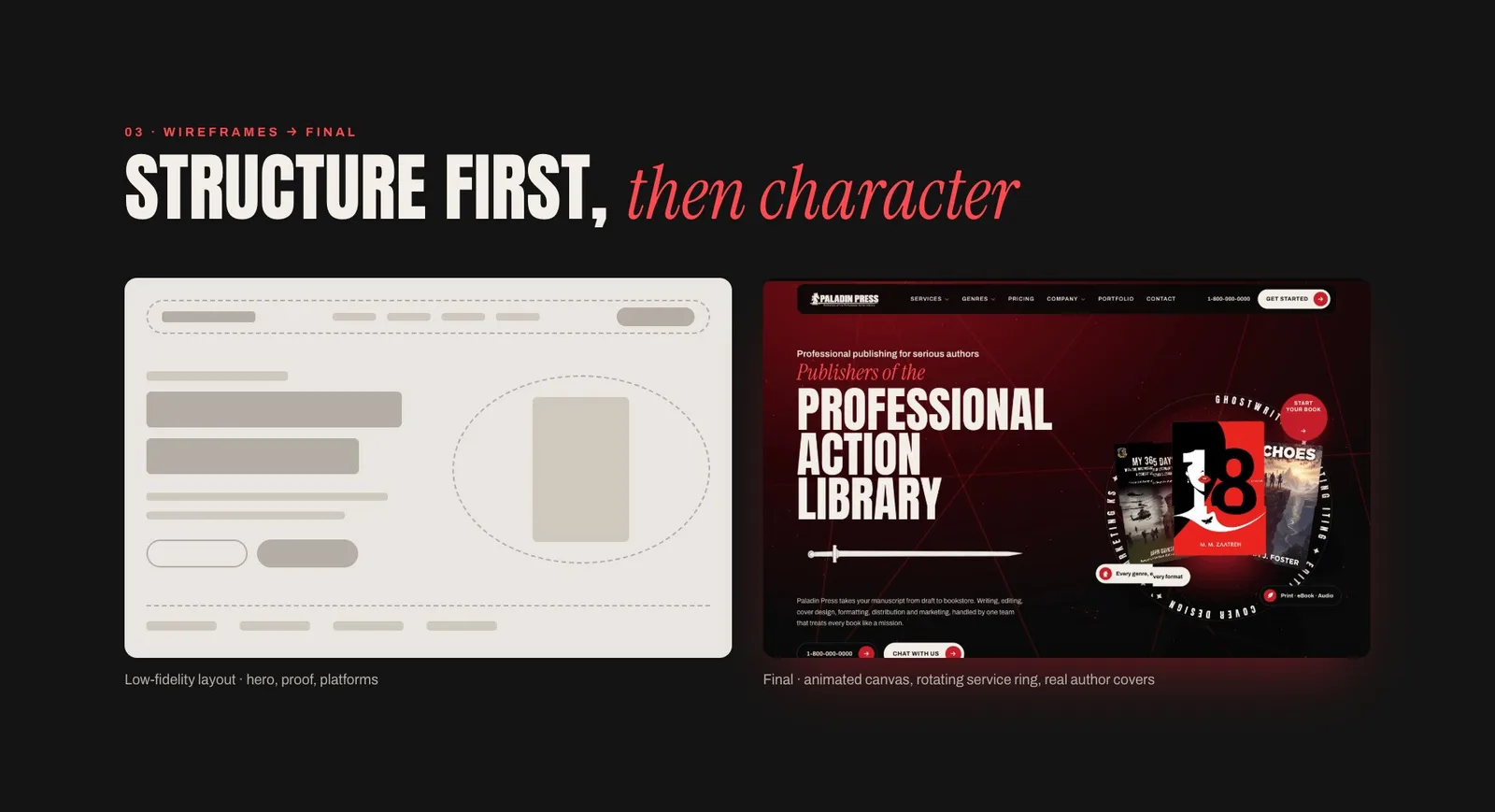
A low-fidelity layout for hero, proof and platforms came first. The animated canvas and service ring were added once the structure worked.
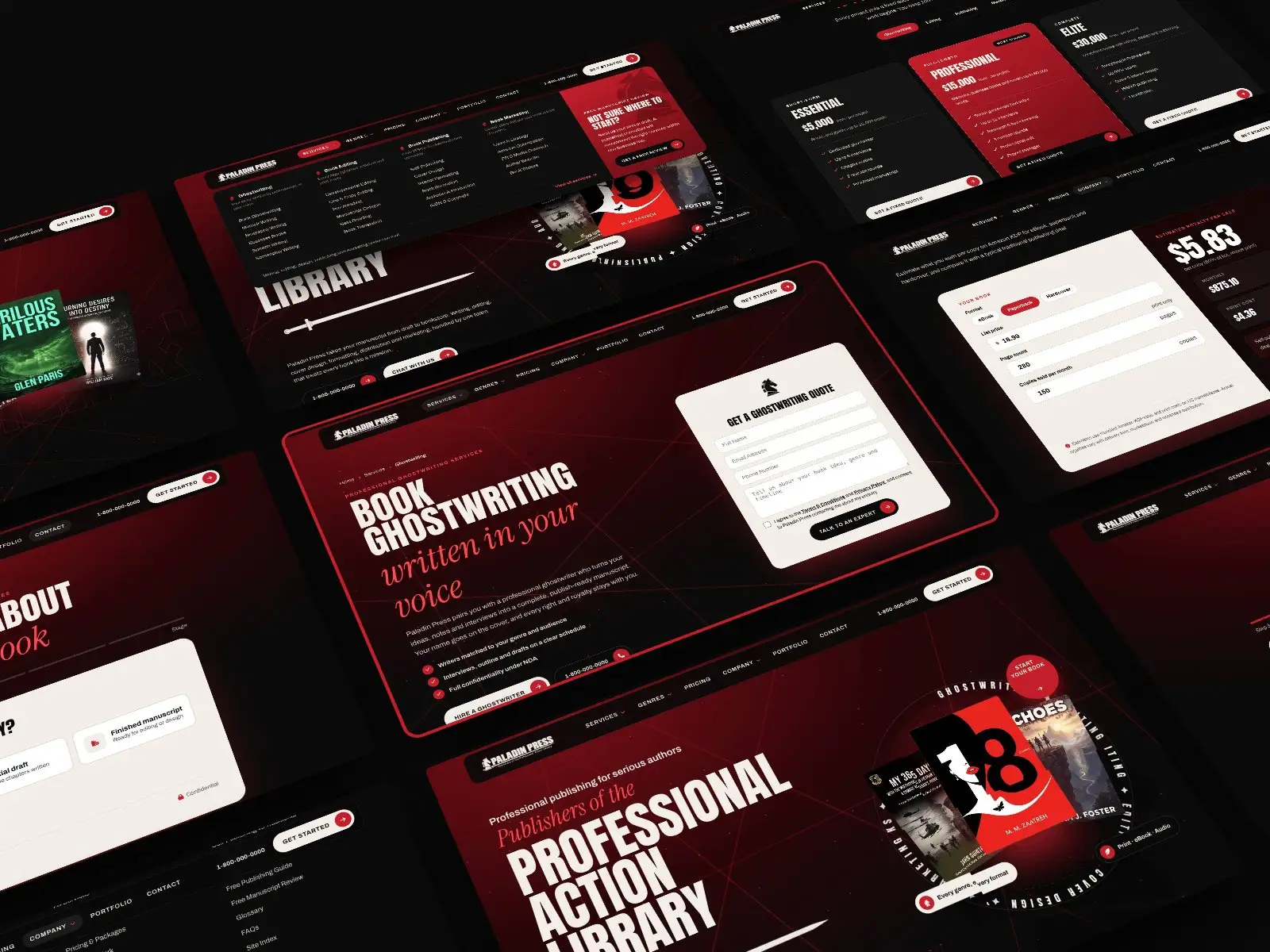
A mega menu with four service families, service and genre pages, pricing, calculators and a quote form share one structure, so every page feels part of the same house.
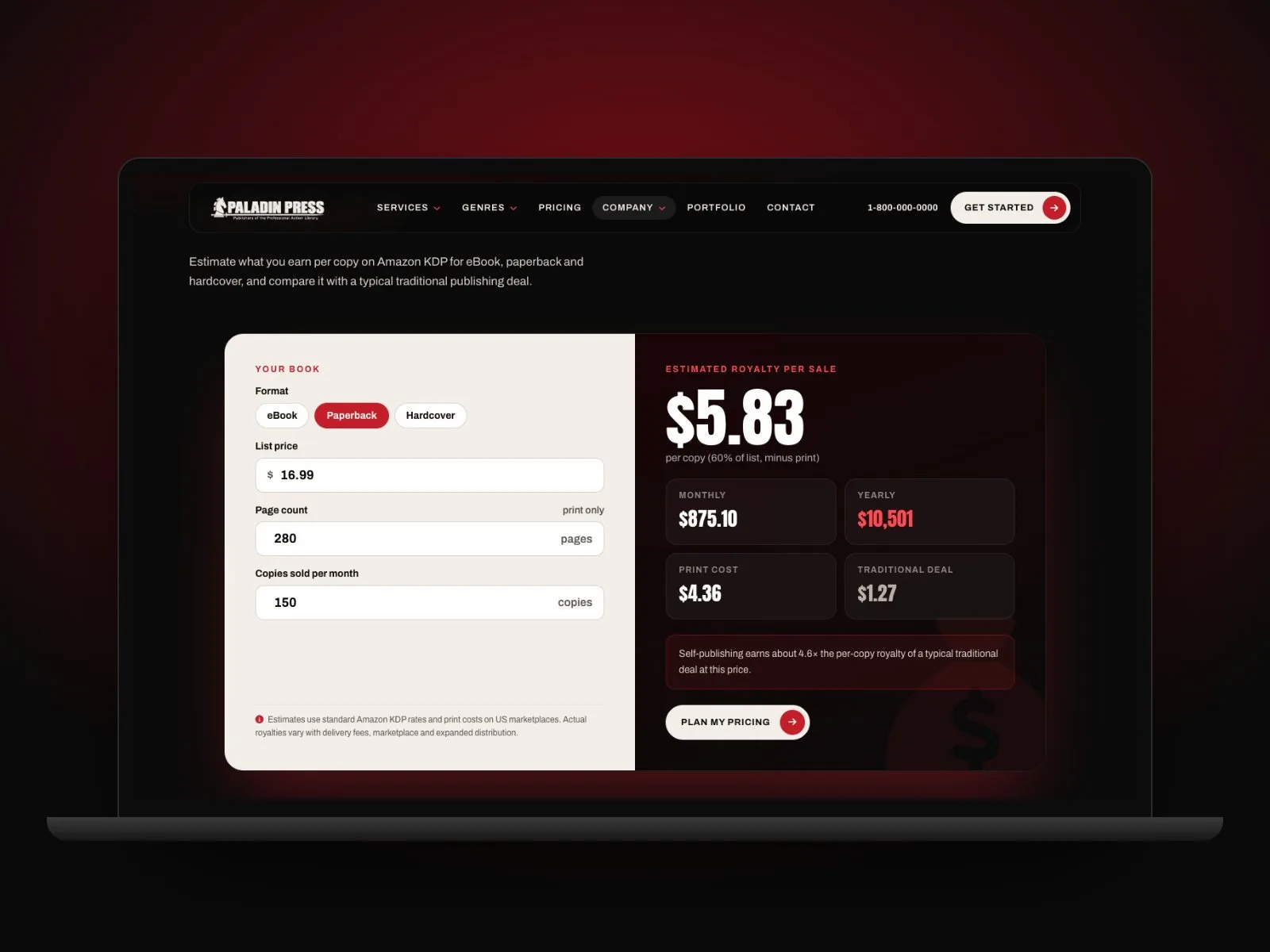
Format, list price, page count and copies sold per month give an estimated royalty per sale, monthly and yearly totals, and a comparison with a typical traditional deal.
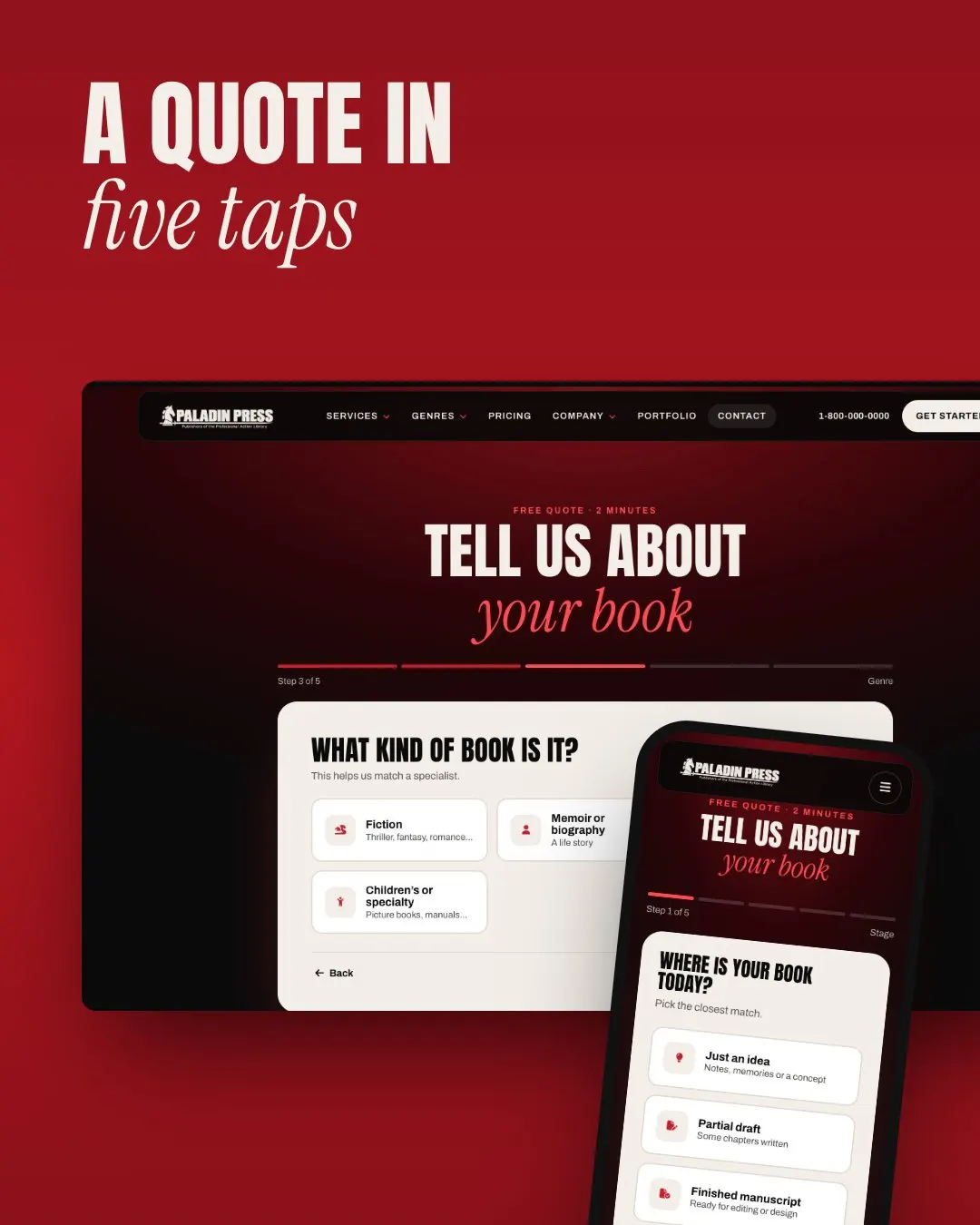
A two-minute guided flow asks where the book is today, then the genre, with a progress bar and a Back button, so each enquiry can be matched to a specialist.
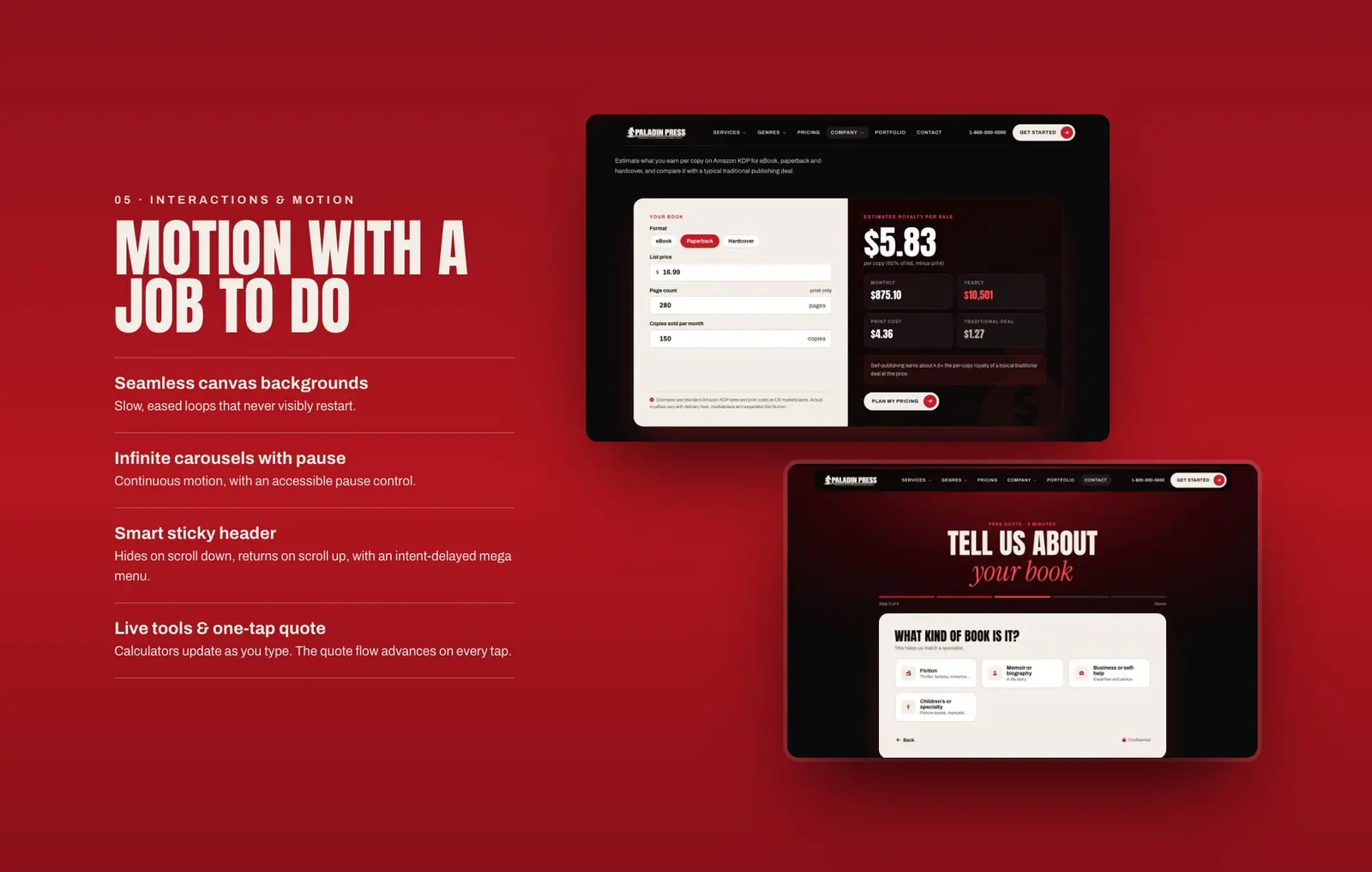
Slow, seamless canvas loops, carousels with an accessible pause control, a sticky header that hides on scroll down and a mega menu that waits for clear intent.
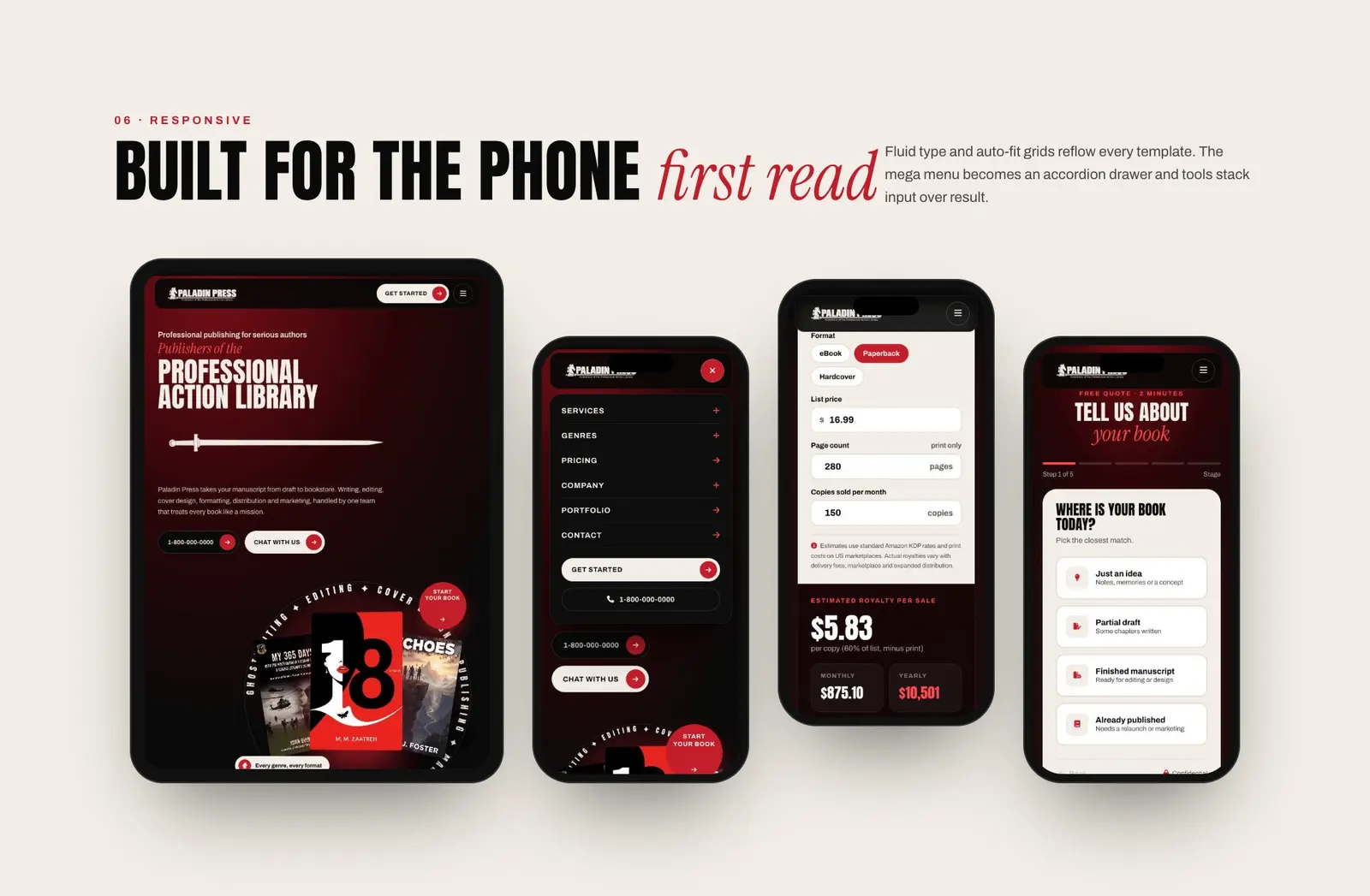
Fluid type and auto-fit grids reflow every template. The mega menu becomes an accordion drawer, and tools stack input over result.
The Aegis Animation Studios UI/UX case study in six steps, from the homepage and mega menu to the order flow and the phone layout.
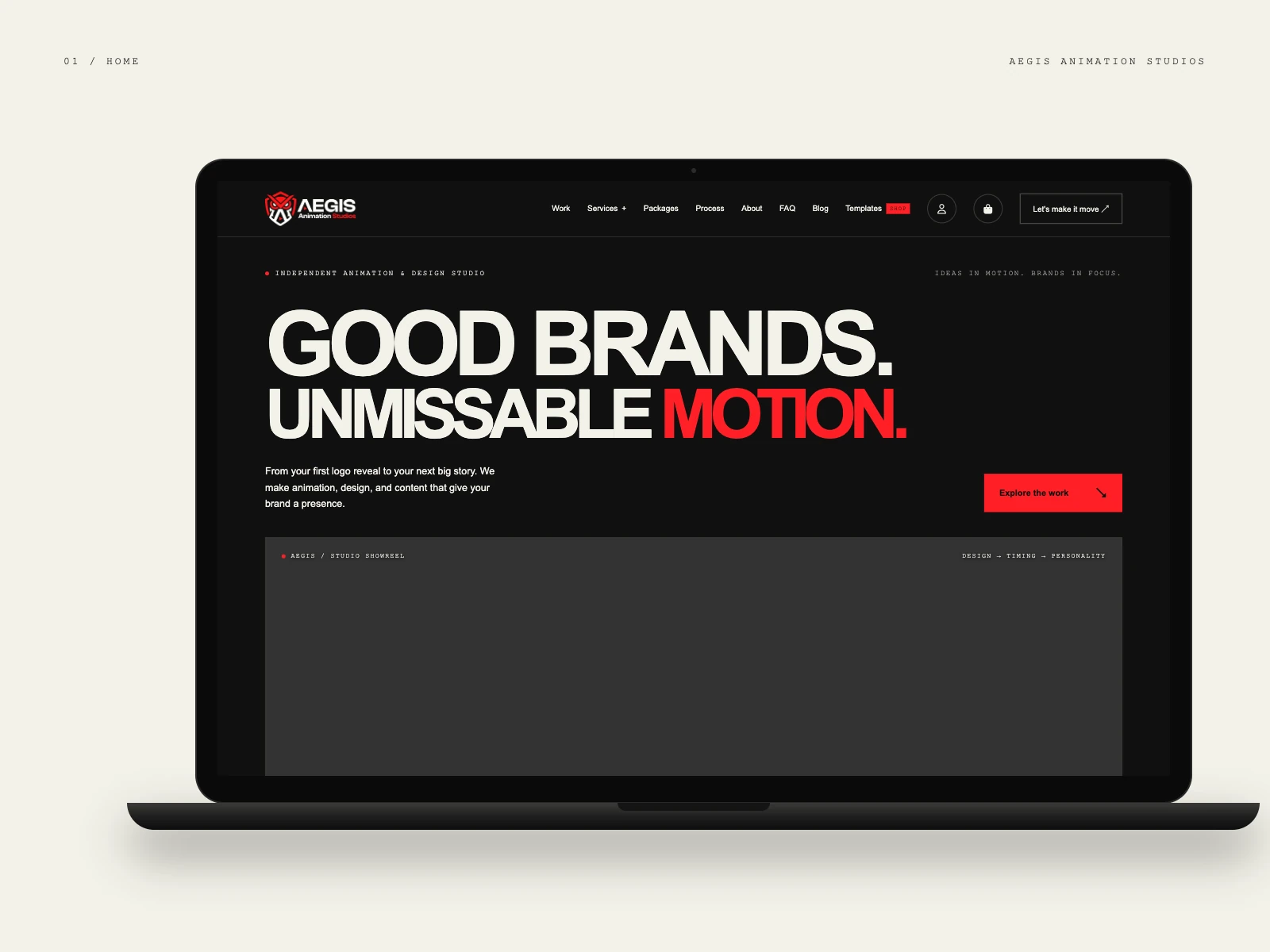
Heavy type sits above a studio showreel panel, so the first screen is about the output, with one clear action: Let's make it move.
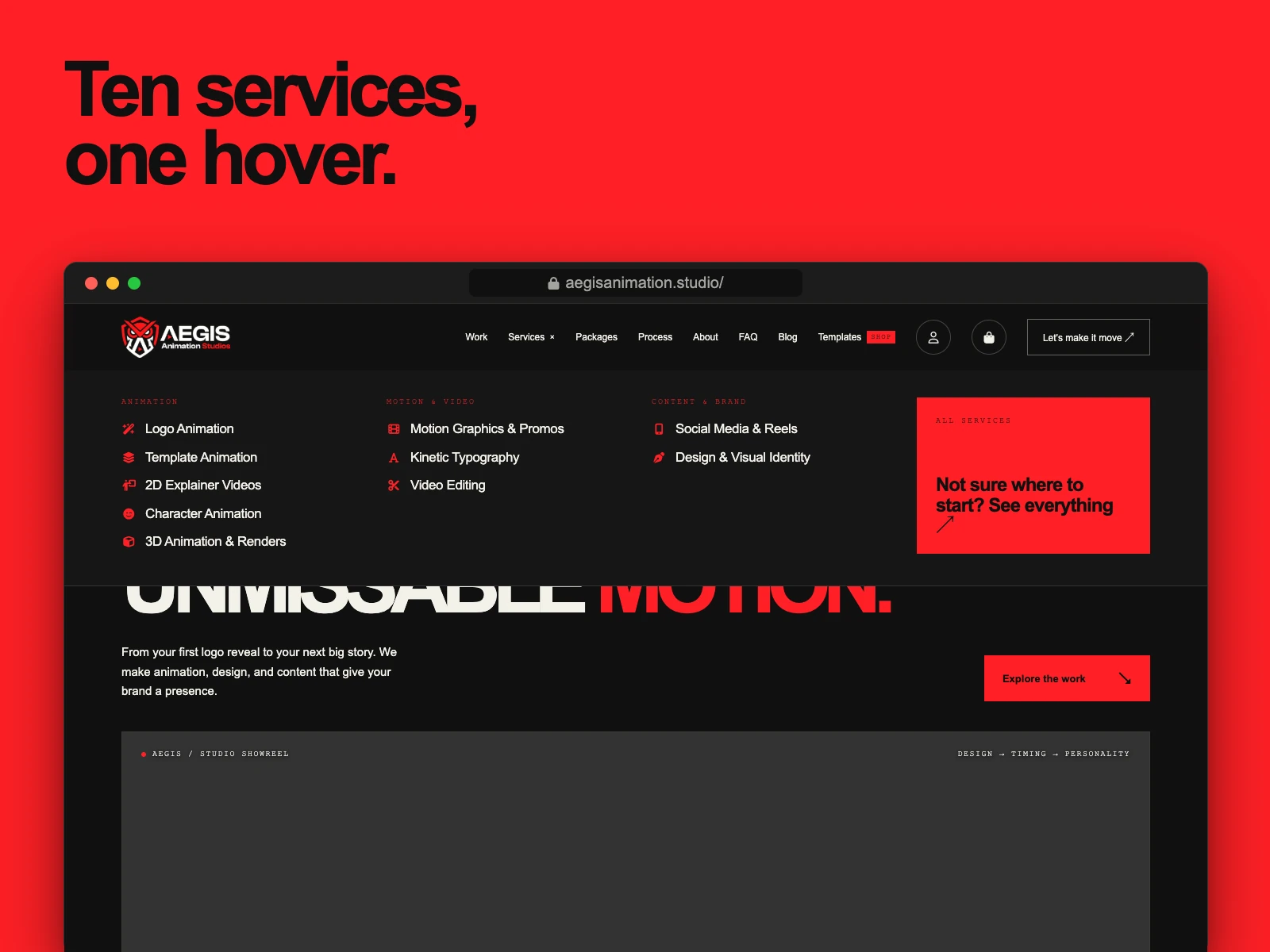
A mega menu groups ten services into Animation, Motion and video, and Content and brand, with a red tile for visitors who are not sure where to start.
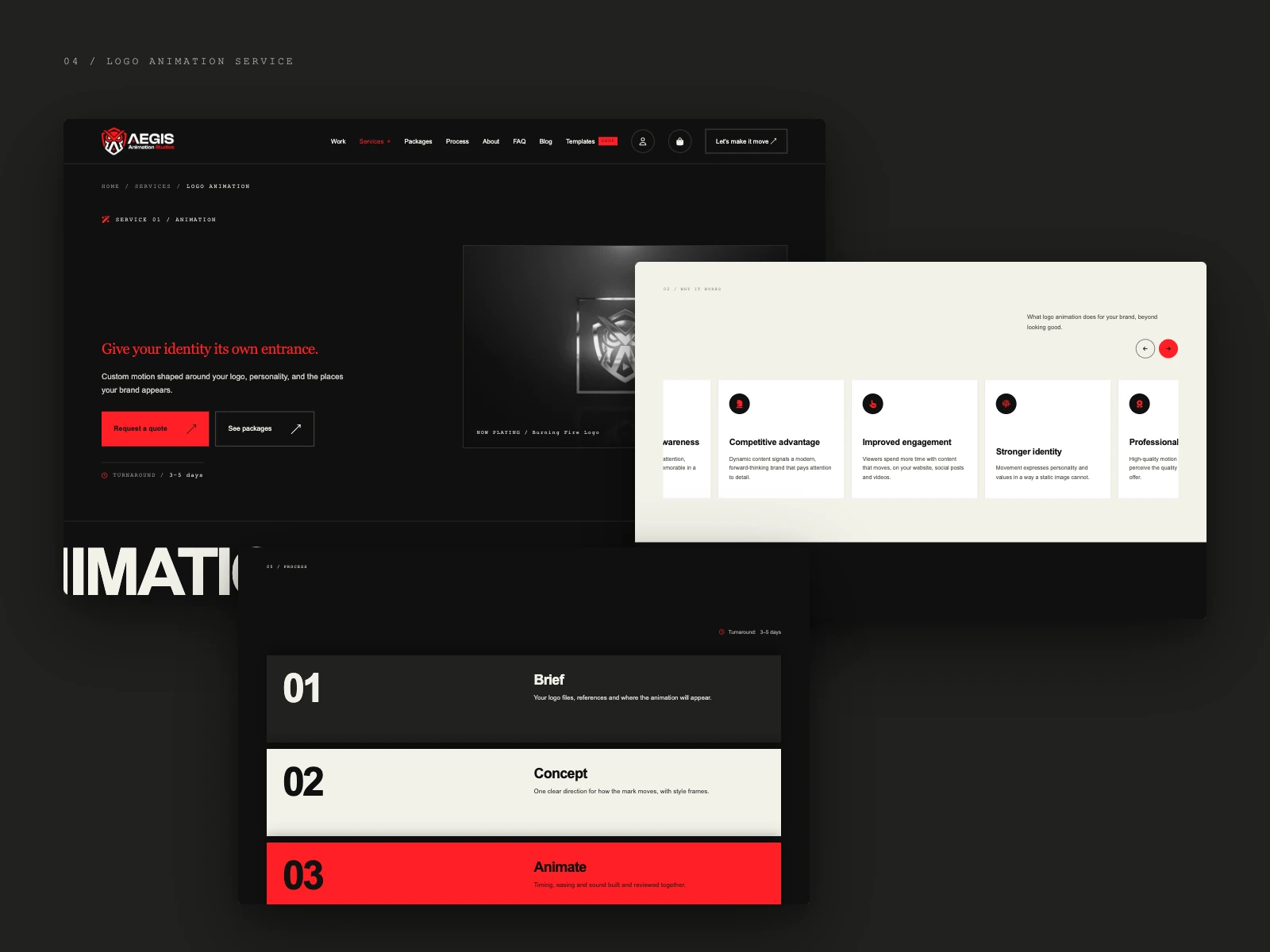
A breadcrumb, a serif headline, a primary quote button beside a quieter packages one, the turnaround, a benefits carousel and a numbered process.
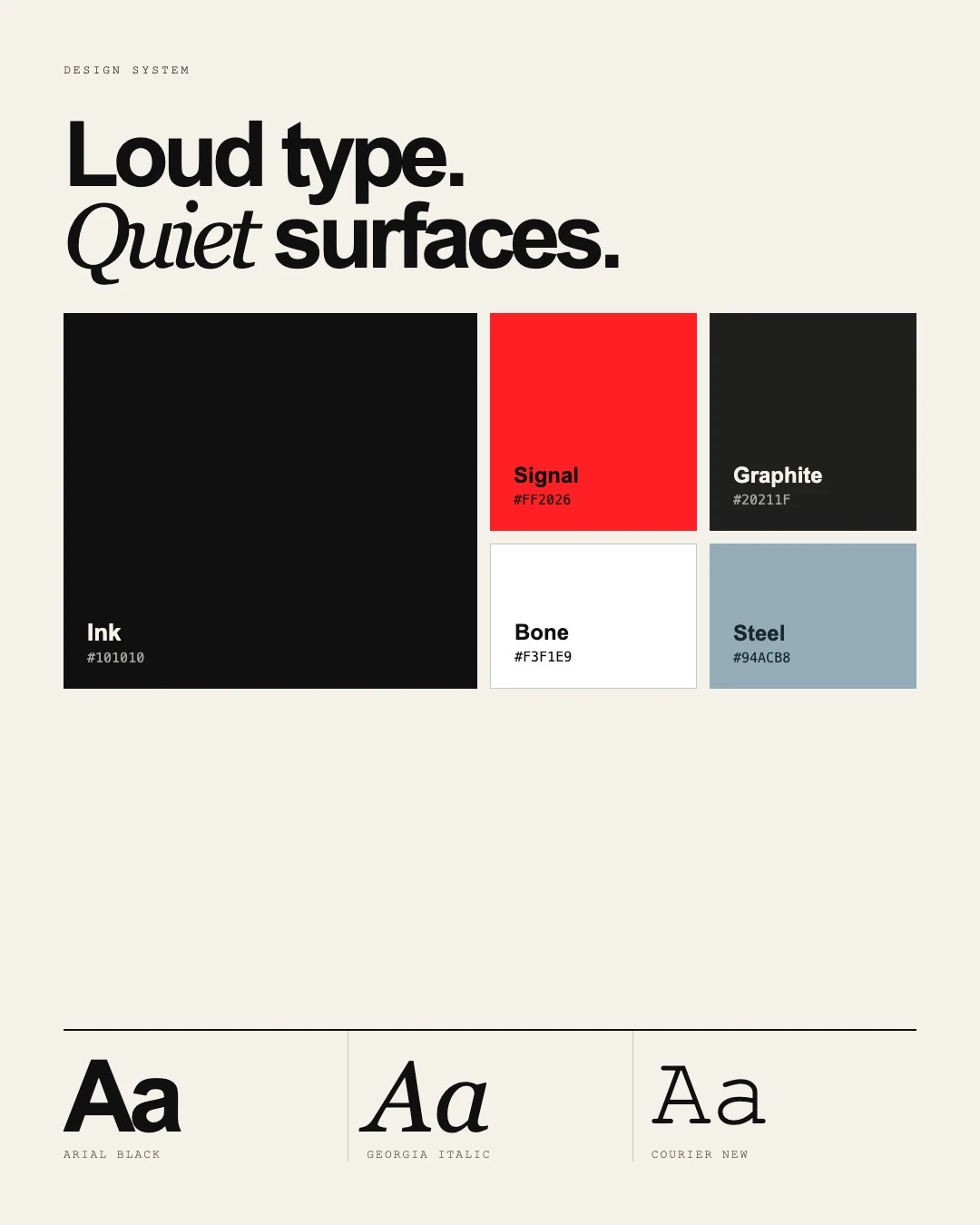
Ink, Graphite and Bone surfaces keep things calm. Arial Black, Georgia Italic and Courier New split the type work between headline, accent and label.
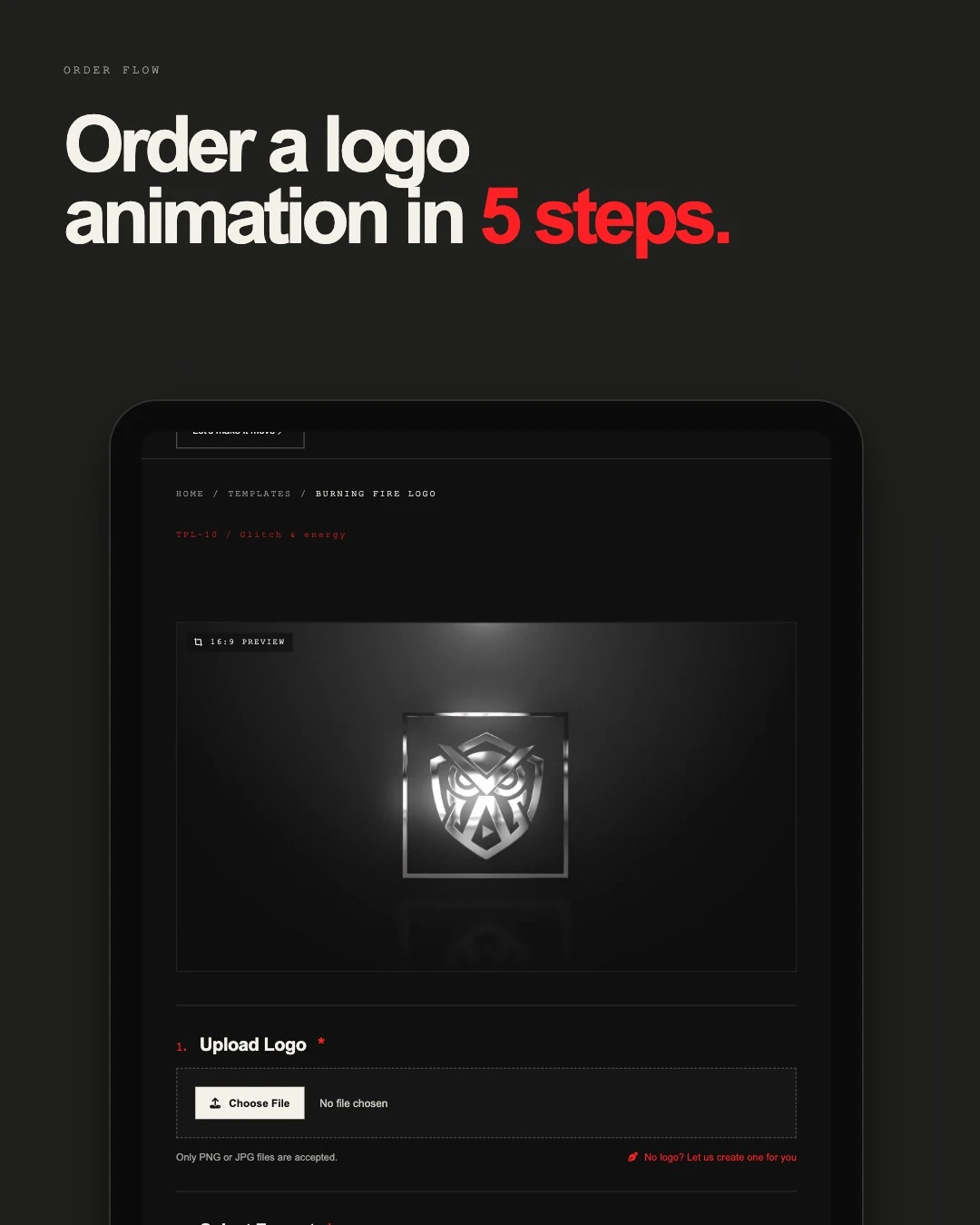
A 16:9 preview comes first, then the logo upload, the format and optional add-ons, with a shortcut for visitors who do not have a logo yet.
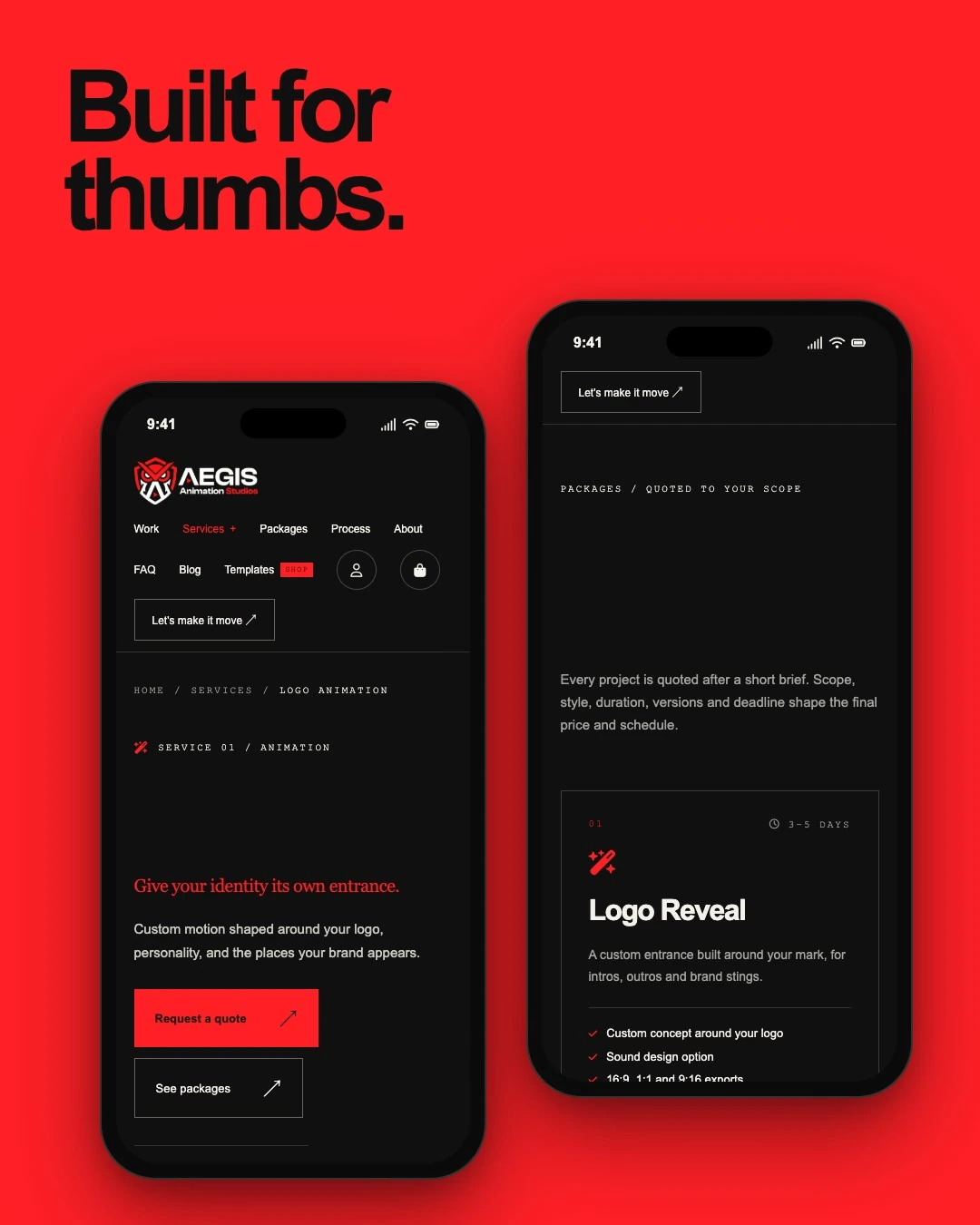
Large tap targets, a full-width quote button and package cards stacked in one column keep the phone version as clear as the desktop one.
I work best with teams that care how the product feels as much as how it works. Bring me in before the build, and the design can shape the product instead of decorating it afterwards.
A product whose interface has grown clunky, inconsistent or hard to use.
Pages that earn traffic but not sign-ups or sales, where better UX can change the result.
A site or app you want to rebuild without losing what already works.
A designer who speaks code, for teams that want specs they can build from.
These checks happen while I design, not after launch, so they never become a late and expensive surprise.
I check contrast, keyboard paths, focus states and labels against WCAG 2.2 while designing, so the product works for more people.
Layouts, images and fonts are planned for Core Web Vitals, so a good-looking page is also a fast one.
Every screen is designed for mobile, tablet and desktop together, with real content instead of lorem ipsum.
Want to see how I think before we talk? These are the guides I wrote and the references I follow.
Conversion tactics, UX psychology and testing frameworks.
How to tell when a fix is enough and when a redesign pays off.
What is worth adopting, from accessibility to performance.
The accessibility guidelines I check every interface against.
The classic checklist behind every UX audit I run.
The speed and stability thresholds a design has to respect.
Prefer the details in one document? Open the CV I keep for this kind of work, or download it as a PDF.
Roles, design work and skills behind UI, UX and CX design, in one page you can share with your team.
The same CV as a PDF, ready to attach to a proposal or send to a colleague.
I don't publish a price list, because a one-page redesign and a full product design system are very different projects. The number of screens, the research needed and whether you want the front end built decide the cost far more than the tools do. Tell me about your product, and I'll reply with a scoped quote, so you know what you're paying for before any design starts.
A structured review of your current screens and flows against usability heuristics and analytics, with a ranked list of fixes.
Research, flows, wireframes, visual design and a clickable prototype for the screens in scope, ready for testing or handoff.
The same design work, followed by a responsive front-end build in your stack, so the approved design reaches production intact.
UI/UX design services cover how a product is structured, how it looks and how it feels to use. They typically include research or an audit, user flows, wireframes, visual design, prototypes, a design system and the handoff that turns the design into working code. They also feed your wider customer experience (CX).
UX design is about structure and flow: who the users are, what they need to do and the easiest path to do it. UI design is about the visual layer: layout, typography, colour, components and states. Good products need both working together.
CX, or customer experience, is how people feel about your brand across every touchpoint: search results, your website, sign-up, onboarding, support and renewal. UX is the part that happens inside one product or site. I design the UX and map the wider journey, so each screen fits the experience around it.
Yes. Every screen is a moment in the customer journey. When pages load fast, forms are short, errors are clear and the next step is obvious, people finish tasks, contact support less and come back more often. UX is the part of CX you can design, test and measure directly.
Depending on the project: a UX audit, information architecture, user flows, wireframes, interactive prototypes, UI kits, a design system, an accessibility review and developer handoff or a front-end build. We scope only what your product needs.
A focused UX audit usually takes about one week. A full product design with a prototype often takes one to two weeks, depending on the number of screens and how quickly feedback arrives.
It depends on the number of screens, the research involved, whether you need a design system and whether I also build the front end. A single landing page and a multi-role SaaS product sit far apart, so I don't publish one price. Send me your product details and I'll reply with a scoped quote.
An agency suits large programs with many specialists. An individual who both designs and builds suits focused projects where speed, one point of contact and a design that actually matches the build matter most. I'll tell you honestly if your project needs a bigger team.
Annotated screens, spacing and type specs, exported assets, a component library with every state, and notes on interactions and breakpoints. I can also build the interface myself so nothing gets lost in translation.
Both. For a new product, UX design reduces the risk of building the wrong thing. For an existing site or app, it helps when conversions drop, support questions rise or the interface feels hard to update. A UX audit is a good first step either way.