- Khurram Shahzad
- WordPress
- 3481
- 0
WordPress 7.2 Is Coming on December 8, 2026
WordPress 7.2 has an official release date. The WordPress core team has scheduled the final release for Tuesday, December 8, 2026, and the second beta landed on October 27, 2026. That makes 7.2 the third and final major WordPress release of 2026, following WordPress 7.0 in May and WordPress 7.1 in August.
If you run a business website, a WooCommerce store, or a portfolio of client sites in the United States, this date matters more than usual. December 8 falls right between Cyber Monday and Christmas, which is the busiest stretch of the year for online sales. Knowing what is changing, and when, gives you time to test before your traffic peaks.
This guide covers everything confirmed so far: the full release schedule, what changed in Beta 2, the new features heading into the final release, what was cut, the requirements you should check, and a practical plan for when to update. We will keep it updated as WordPress 7.2 moves through its remaining betas and release candidates. If you need hands-on WordPress development help to get your site ready, that is covered too.
Quick answer: when is WordPress 7.2 coming out?
WordPress 7.2 is scheduled for release on December 8, 2026. The official announcement for Beta 2 states this date directly, and the WordPress 7.2 release party schedule on Make WordPress Core lists it as the general release day.
Here is the short version of what you need to know:
- Release date: December 8, 2026
- Current stage: Beta 2 (released October 27, 2026)
- Next milestone: Beta 3 on November 3, 2026
- First release candidate: November 17, 2026
- Latest stable version today: WordPress 7.1.3
- Should you install the beta on a live site? No. The WordPress team says betas are for testing and development only.
You may have seen December 9 or a "December 8 to 10" window in older articles. Earlier planning documents proposed Wednesday, December 9, so the launch could line up with the annual State of the Word address. The schedule has since been fixed, and every official post now points to December 8.
The Full WordPress 7.2 Release Schedule
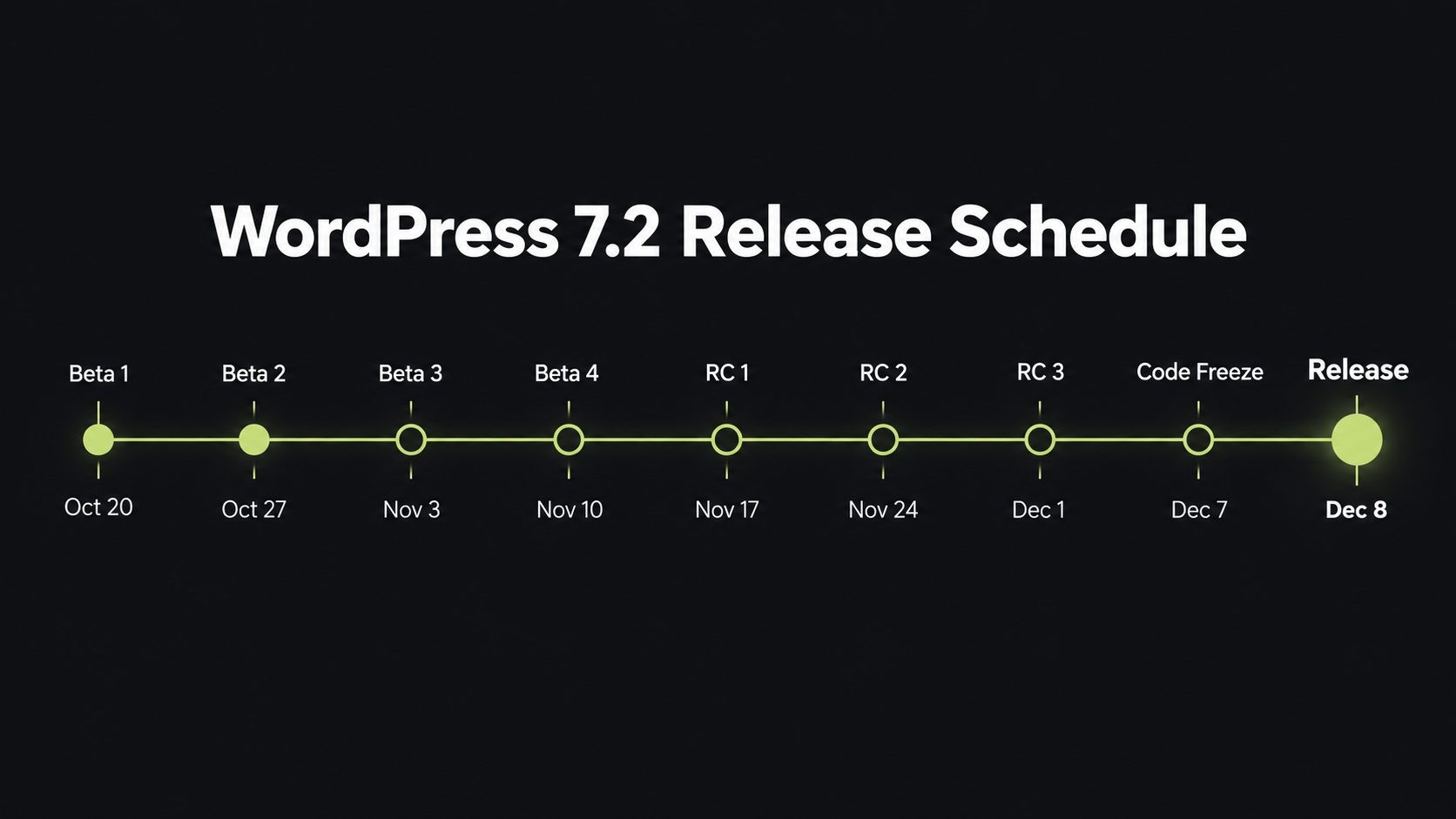
WordPress follows a predictable release cycle: an alpha period, a set of weekly betas, a few release candidates, a short code freeze, and then the final release. For 7.2, every milestone after Beta 1 now has a fixed date. Official milestones go live at 15:00 UTC, which is 10:00 AM Eastern and 7:00 AM Pacific (US Eastern Standard Time begins November 1, 2026).
| Date | Day | Milestone | What it means for you |
|---|---|---|---|
| August 19, 2026 | Wednesday | WordPress 7.1 "Mary Lou" released, 7.2 alpha begins | Development of 7.2 starts |
| September 18, 2026 | Friday | Roadmap to 7.2 published | The list of planned features goes public |
| October 20, 2026 | Tuesday | Beta 1 and feature freeze | No new features after this point, only fixes and polish |
| October 27, 2026 | Tuesday | Beta 2 | Current release, best time to start testing |
| November 3, 2026 | Tuesday | Beta 3 | More fixes; report bugs now while they can still be fixed |
| November 10, 2026 | Tuesday | Beta 4 | Last beta |
| November 17, 2026 | Tuesday | Release Candidate 1 | Code is close to final; the Field Guide for developers is expected |
| November 24, 2026 | Tuesday | Release Candidate 2 | Further polish, two days before Thanksgiving |
| December 1, 2026 | Tuesday | Release Candidate 3 | Final testing round, the day after Cyber Monday |
| December 7, 2026 | Monday | Dry run and 24-hour code freeze | No more code changes |
| December 8, 2026 | Tuesday | WordPress 7.2 final release | Available to everyone through Dashboard > Updates |
Why the beta period matters
Beta 1 on October 20 marked the feature freeze. From that point on, contributors only fix bugs and refine what is already in the release. Anything that was not ready by Beta 1 is held for a future version.
This is why the beta weeks are the most valuable time for plugin developers, theme authors and agencies to test. A bug reported during the betas can still be fixed before December 8. A bug reported after release candidate 1 will usually have to wait for a minor release such as 7.2.1.
Could the date change?
It is possible, but it does not happen often. WordPress 7.0 is the most recent example: its original April 2026 date was pushed back, and it shipped on May 20, 2026. WordPress 7.1, on the other hand, shipped on its scheduled date. Watch the release candidate announcements. If RC1 arrives on November 17 as planned, a December 8 launch is very likely.
What Is New in WordPress 7.2 Beta 2
WordPress 7.2 Beta 2 was released on October 27, 2026. It builds on Beta 1 with bug fixes, refinements to the admin experience, and more work on the developer APIs. Because the feature freeze has already passed, Beta 2 does not add big new features. Instead, it makes the ones already in the release more complete and more stable.
Here are the main changes the WordPress team highlighted in the Beta 2 announcement.
1. More progress on the Abilities API
The Abilities API gives WordPress a standard way to describe what a site can do, so that other software can discover and use those actions safely. In Beta 2, work continued on four areas:
- Content querying: new ways for integrations to look up and retrieve site content.
- Capability requirements: clearer rules about which user permissions an ability needs before it runs.
- Schema handling: better definitions of the data an ability accepts and returns.
- Permissions: tighter checks so abilities cannot be used by people or tools that should not have access.
For most site owners this happens behind the scenes. For developers building automations, integrations and AI tools on top of WordPress, it is one of the most important parts of the 7.2 release.
2. Server-side registration for DataViews and DataForm
DataViews and DataForm are the modern building blocks WordPress uses for admin screens, such as lists of pages, templates and patterns, and the forms used to edit them. Until now, extending these screens mostly meant writing JavaScript.
Beta 2 adds new options for registering views, forms, fields and actions on the server, using PHP. This makes it much easier for plugin developers to add their own columns, filters, fields and bulk actions to the new admin interfaces without building everything from scratch.
3. More flexible REST API
The WordPress REST API is how the block editor, mobile apps, headless front ends and third-party services talk to your site. Beta 2 includes changes that make the REST API more flexible for developers. The full technical details are tracked in the closed Trac tickets for 7.2 since October 20.
4. Improved admin asset loading
WordPress 7.2 changes how scripts and stylesheets load in the dashboard. Beta 2 continues that work. The goal is a faster admin area that makes better use of browser caching. We cover this in more detail in the admin and performance section below.
5. Modern SVG icons across the admin
Beta 2 continues the move from the old Dashicons icon font to modern SVG icons from the WordPress icon library throughout the dashboard. SVG icons are sharper on high-resolution screens and work better with assistive technology.
6. Ipsum arrives for testing
The new default theme, Ipsum, was added to the development code on October 22, two days after Beta 1. That means Beta 2 is the first beta where most testers can try it. More on Ipsum below.
Editor and Design Features Coming in WordPress 7.2
Most of the user-facing features in WordPress 7.2 were introduced in Beta 1 on October 20 and are being refined in the betas that follow. These are the changes content creators, designers and site owners will notice first.
Expanded responsive design controls
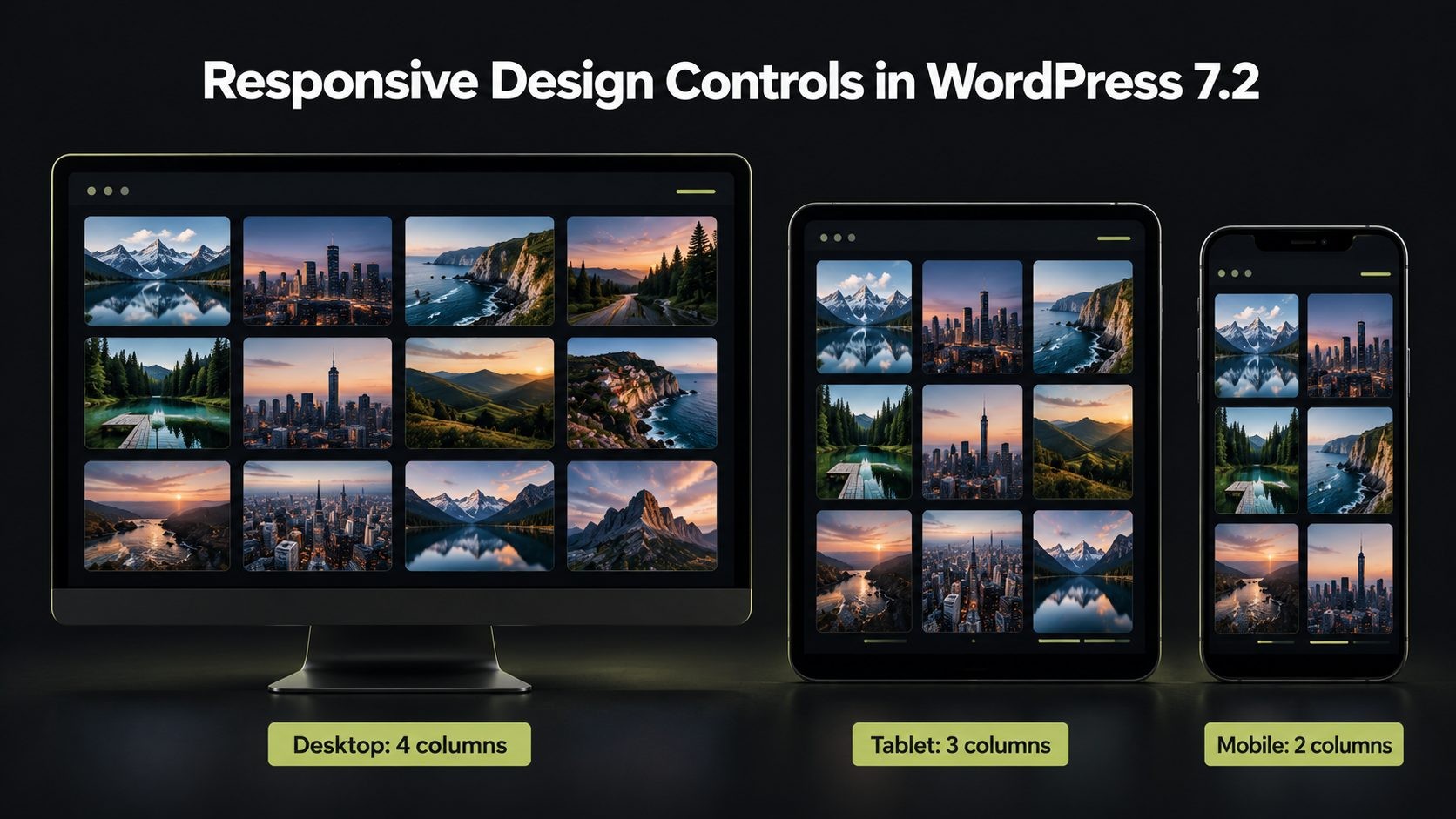
WordPress 7.1 introduced responsive styling, which lets you change how a block looks on desktop, tablet and mobile. WordPress 7.2 extends this to more tools and blocks. The biggest addition is the Gallery block, which now supports per-device settings for:
- The number of columns
- Image cropping
- Image aspect ratios
This is useful for portfolios, real estate listings, product showcases and news sites, where a four-column gallery on desktop often looks cramped on a phone. You can now set it to two columns on mobile without custom CSS.
Text shadow support
Text shadow is now a built-in block setting. You can add a shadow to headings and text directly in the editor, and theme developers can define text shadow presets in theme.json. This gives designers a consistent, theme-controlled way to add depth to hero headings and text over images, instead of relying on custom CSS classes.
Better Global Styles management
Global Styles is where you control the site-wide look of your blocks. WordPress 7.2 brings three improvements here:
- A "Customized" filter that shows you which blocks have had their styles changed. This makes it much easier to track down why one block looks different from the rest.
- Inherited values in block settings. When you open a block's settings, you can now see the values it inherits from Global Styles, not just the values you have overridden.
- Form element styling. Buttons, text inputs, select menus and labels can be styled from Global Styles. This has been a long-standing gap for sites with contact forms, newsletter sign-ups and checkout fields.
Navigation editing in the Site Editor sidebar
You can now add, organize and edit menu items directly from the Site Editor sidebar. For anyone who found block-based navigation menus hard to manage, this is a welcome improvement. Common menu tasks no longer require digging into the Navigation block on the canvas.
Notes get easier to use
Notes, the collaboration feature that lets team members leave feedback on content, gets several upgrades in 7.2:
- Notes now appear on the editor canvas, next to the content they refer to.
- Notes and the block settings sidebar can stay open at the same time.
- Emoji reactions let reviewers respond quickly without writing a full reply.
- A new toolbar icon and a minimized mode reduce clutter while you write.
For agencies and editorial teams that review content with clients, this makes the feedback loop inside WordPress faster and cleaner.
Client-side media processing
Images can now be resized, compressed and converted in your browser before they are uploaded to the Media Library. This matters most for sites on budget shared hosting, where the server may struggle with large images or lack modern image libraries. Processing images on the user's device reduces server load and can make uploads more reliable.
"On This Day" dashboard widget
A new dashboard widget shows content you published on the same date in previous years. It is a small feature, but it is a handy prompt for content refreshes, social media throwbacks and updating old posts, which is also good SEO practice.
Clearer error messages
WordPress 7.2 improves error messages and feedback in the block editor. The roadmap also describes a copy button so you can share an error with your developer or search for it quickly. Small changes like this save real time when something goes wrong.
Random content redirects
A dedicated URL can now send visitors to a randomly selected post. Bloggers, recipe sites and publishers with large archives can use it for a "surprise me" link that helps readers discover older content.
Admin and Performance Improvements
WordPress 7.2 is not only about new editor features. It also changes how the dashboard itself loads, which affects every person who logs in to a WordPress site.
A faster dashboard through smarter asset loading
For years, WordPress combined (concatenated) admin scripts and stylesheets into large bundles through files called load-scripts.php and load-styles.php. That approach made sense when browsers could only download a few files at once. Modern browsers and HTTP/2 hosting handle many small files efficiently, and large combined bundles are harder to cache.
In WordPress 7.2:
- Scripts and stylesheets load as individual files, so the browser can cache each one separately and reuse it across admin screens.
- The concatenation system is retired.
- WordPress prefetches resources for the admin screen you are most likely to open next, so moving around the dashboard feels quicker.
The practical result should be a snappier admin area, especially for editors who spend all day moving between posts, pages and settings.
What to check: If you run a caching plugin, a security plugin, or a custom server rule that touches load-scripts.php or load-styles.php, test it on the beta. Some hosts and security tools have special rules for those files.
SVG icons replace Dashicons
The admin bar and left-hand menu now use icons from the WordPress icon library instead of the Dashicons icon font. Core icons now use strokes rather than fills, which gives the dashboard a cleaner, more modern look.
What to check: Plugins that add their own admin menu items with a Dashicon should still work, but it is worth a visual check. Custom admin themes or CSS that targets Dashicons classes may need updates.
A refreshed block settings panel
WordPress 7.2 includes a new version of the block settings panel built on the DataForm component system. The WordPress team has published a separate call for testing for this change, so expect it to keep evolving through the release candidates.
Developer Features: Secrets API, Abilities API, DataViews and More
WordPress 7.2 has one of the strongest developer stories of the year. If you build plugins, themes, headless sites or integrations, these are the changes to study before December 8.
The new Secrets API
The Secrets API is one of the headline additions in WordPress 7.2. Until now, WordPress has had no standard, secure place to store sensitive values. Plugins have stored API keys, access tokens and license keys in the options table as plain text, each in its own way.
The Secrets API changes that by providing:
- Encryption at rest for stored values
- Credential rotation, so keys can be replaced safely
- Customizable storage providers, so hosts and developers can plug in a different storage backend, such as a dedicated secrets manager
- WP-CLI support in 7.2, with an admin interface planned for a later release
There is one catch: the Secrets API only protects sites once plugins adopt it. If you maintain a plugin that connects to a payment gateway, an email service, a CRM or an AI provider, moving your credential storage to the Secrets API is worth planning now, either in-house or with custom plugin development support.
Abilities API
The Abilities API lets WordPress describe actions and data in a standard, machine-readable way. In 7.2 it gains new ways to access and query WordPress data, with clearer capability requirements, schema handling and permission checks, as covered in the Beta 2 section above.
This matters because it is the foundation for automation and AI tools that work with WordPress. The WordPress project has been clear that AI features themselves will stay in the separate AI plugin until they show real adoption. The Abilities API is the core plumbing those tools rely on, including MCP (Model Context Protocol) integrations being developed alongside the AI plugin.
DataViews and DataForm extensibility
As covered above, developers can now register DataViews and DataForm configuration, fields and actions on the server with PHP. Combined with the roadmap work on an extensible Site Editor, this points toward a future where plugins can add their own screens to the modern admin as first-class citizens.
Interactivity API updates
The Interactivity API, which powers dynamic front-end behavior in blocks without heavy JavaScript frameworks, gets two improvements:
- A new way to render explicitly trusted HTML from the store
- Better tools for managing reactive, client-side navigation, replacing older, deprecated navigation state flags
HTML API, block supports and responsive tools
WordPress 7.2 continues to improve the HTML API, which parses and modifies markup safely in PHP. Separately, work is under way to rebuild wp_kses(), WordPress's main HTML sanitization function, on top of the HTML API. That change is targeting 7.2 or 7.3 depending on testing, so plugin authors who rely on specific wp_kses() output should test carefully.
Block supports are also expanding to nearly every core block. Responsive styling is getting a public API so third-party blocks with custom controls can use it.
Database change: NO_BACKSLASH_ESCAPES
According to the WordPress Developer Blog, the NO_BACKSLASH_ESCAPES SQL mode is off by default in 7.2. Most sites will never notice, but developers writing custom SQL queries should review the dev note before release.
Watch for the Field Guide
The WordPress 7.2 Field Guide, which collects every developer note for the release in one place, is expected around Release Candidate 1 on November 17. Bookmark it. It is the definitive list of what changed for developers.
Ipsum: The New Default Theme in WordPress 7.2
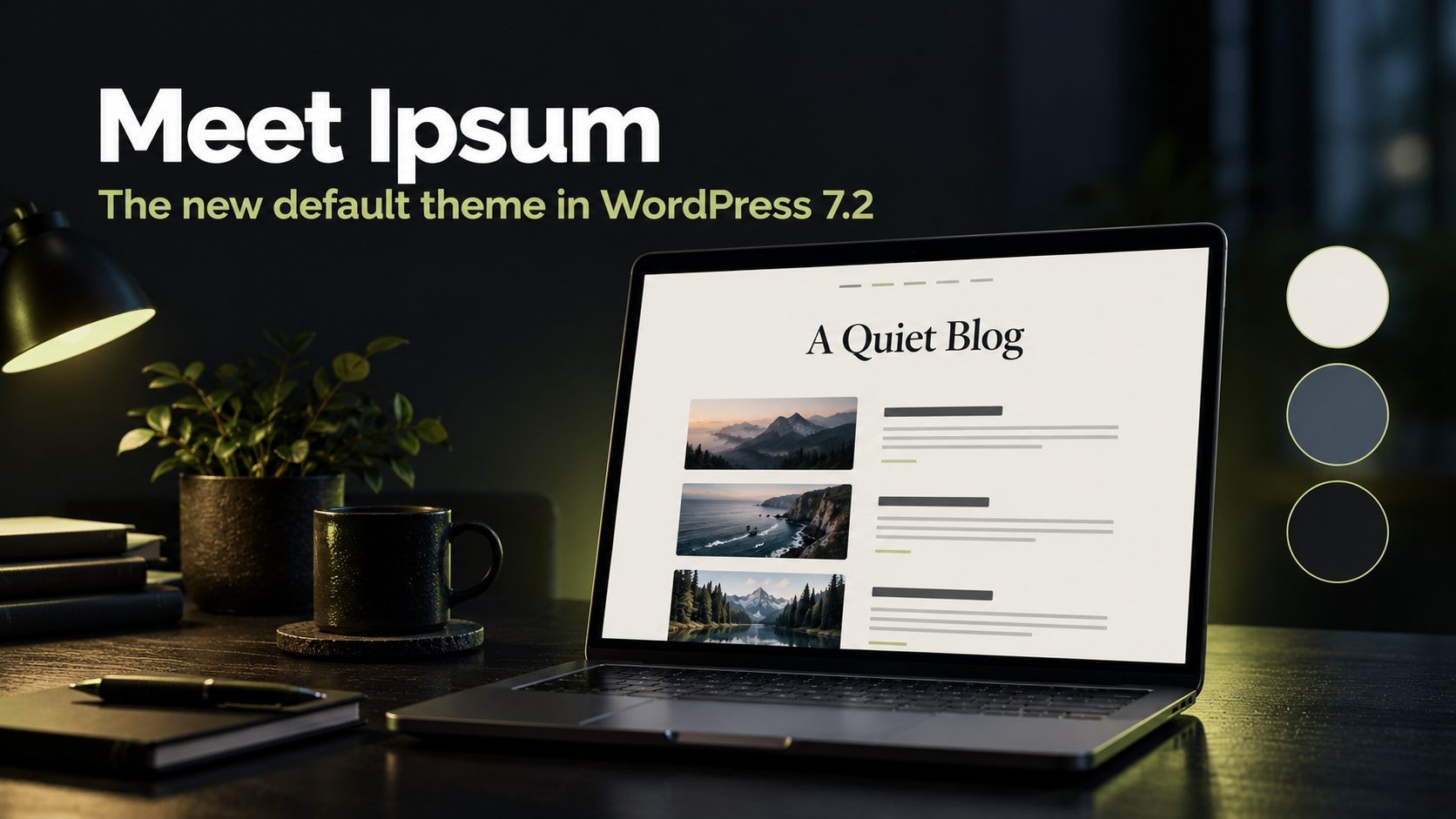
WordPress 7.2 ships with a new default theme called Ipsum. The core team introduced it in September 2026 and describes it as an intentionally minimal blog theme that works as a blank canvas for users to build on.
Here is what we know about Ipsum so far:
- It is a block theme built for the Site Editor.
- It includes several style variations, so you can change the look of the whole site in a few clicks.
- It is designed with accessibility in mind, aiming for WCAG AA color contrast across its combinations.
- It uses View Transitions to create smooth crossfades between pages, a modern browser feature that makes a site feel more like an app.
Ipsum breaks the "Twenty Twenty-Something" naming tradition
For more than a decade, WordPress default themes were named after the year, starting with Twenty Ten. Ipsum breaks that pattern. Default themes can now get their own names and be released when the design calls for it, rather than on a fixed yearly schedule.
Will Ipsum replace my current theme?
No. Updating to WordPress 7.2 does not switch an existing site's active theme. Ipsum only becomes the active theme on fresh installations. Your current theme, whether it is a commercial theme, a page builder theme or a custom theme, stays exactly as it is.
Updating will add Ipsum to your list of installed themes. Hosts and developers who do not want new bundled themes added during core updates can define the CORE_UPGRADE_SKIP_NEW_BUNDLED constant in wp-config.php.
Tip: If you do not use Ipsum, you can delete it after updating, as with any unused theme. Keeping only the themes you need reduces clutter and the number of files you have to keep updated.
What Did Not Make It Into WordPress 7.2
The Roadmap to 7.2, published on September 18, 2026, listed more features than the release will actually include. The roadmap itself made clear that items were being pursued but were not guaranteed. Based on what shipped by the Beta 1 feature freeze, several high-profile items appear to be held for a future release.
| Feature | What it would do | Status for 7.2 |
|---|---|---|
| Sudo mode | Ask for your password again before highly sensitive admin actions, even when you are already logged in | Not in 7.2; still at an early stage |
| Suggestions in Notes | Let reviewers propose text edits that the author can accept or reject | Not in 7.2; emoji reactions and other Notes upgrades did ship |
| Table of Contents block | Automatically build a linked list of a post's headings | Still experimental in the Gutenberg plugin |
| Description List block | Native blocks for glossaries, specs and metadata lists | Not in 7.2 |
| Real-time collaborative editing | Google Docs style co-editing of the same post | Deliberately left out of 7.2 |
| AI features in core | Built-in AI writing and site tools | Stay in the separate AI plugin |
| React 19 upgrade | Move the editor to the latest React | Unlikely to fully land in 7.2 |
Two points are worth calling out.
The Table of Contents block has been in development since 2022, and it was already pushed from 7.1. SEO teams have wanted a native, lightweight table of contents for a long time, because it helps readers and can earn jump links in search results. For now, keep using your current TOC plugin or the experimental block in the Gutenberg plugin.
AI features remain outside core. The 7.2 roadmap states that AI features must first show clear adoption and practical value before they are considered for core. WordPress core gets the Abilities API foundation instead, while features such as MCP access, embeddings and streaming responses continue in the official AI plugin.
The final, official list of what is in the release will appear in the 7.2 Field Guide around Release Candidate 1. We will update this section if anything changes.
WordPress 7.2 Requirements: PHP and Hosting
WordPress 7.2 does not raise the minimum PHP version. Sites still need PHP 7.4 or newer to run it, the same floor that applies to the 7.x branch. However, the minimum and the recommendation are very different things.
- Minimum: PHP 7.4
- Recommended: PHP 8.3 or newer
- Testing environment used by WordPress Playground for the beta: PHP 8.3
Older PHP versions, including PHP 8.1 and earlier, no longer receive security updates from the PHP project. Running WordPress on an unsupported PHP version leaves your server exposed even if WordPress itself is fully up to date, and it is usually slower too.
PHP2Shell: fix this before you think about WordPress 7.2
Before you test or install WordPress 7.2, check one urgent thing: whether your server is patched against PHP2Shell. This is a pair of critical vulnerabilities in PHP itself (CVE-2026-109618 and CVE-2026-109619), rated 9.2 out of 10 on the CVSS v4.0 scale. They became public on October 20, 2026, the same day WordPress 7.2 Beta 1 was released.

Here is why it matters for every WordPress site owner:
- No login is needed. Both flaws can let an attacker run their own code on your web server without any username or password.
- It is being exploited. Attacks were seen before the public announcement, and BleepingComputer reported confirmed successful attacks in the wild on October 26.
- US authorities flagged it. CISA published an alert titled Critical Vulnerabilities in PHP Require Immediate Patching on October 21.
- Updating WordPress does not fix it. The flaws are in PHP, the engine that runs WordPress, not in WordPress core, themes or plugins. WordPress.org has said no WordPress update is required or planned for these issues. Installing WordPress 7.2 will not protect you.
The fix is a PHP update. The PHP project released patched versions on October 21, 2026. Your server needs one of these, or newer:
| PHP branch | Minimum safe version |
|---|---|
| PHP 8.5 | 8.5.12 |
| PHP 8.4 | 8.4.27 |
| PHP 8.3 | 8.3.36 |
| PHP 8.2 | 8.2.35 |
| PHP 8.1, 8.0, 7.4 | No official release. Upgrade to a supported branch |
This makes the PHP 7.4 minimum for WordPress 7.2 misleading. A site can run WordPress 7.2 on PHP 7.4 or 8.1, but it will stay exposed to PHP2Shell unless the host has applied an unofficial backport. In practice, PHP 8.2.35 is now the real floor, and PHP 8.3.36 or newer is the better target.
What to do today:
- Check your exact PHP version under Tools > Site Health > Info > Server. The full number matters: 8.3.35 is vulnerable, and 8.3.36 is patched.
- On shared or managed hosting, ask your host to confirm in writing that PHP2Shell patches are applied. Many large hosts patched at the server level within a day or two, and Automattic has said sites on WordPress.com, WordPress VIP, WP Cloud and Pressable are already protected. Do not assume; confirm.
- On a VPS or your own server, update PHP yourself (or install your Linux distribution's patched packages), then restart PHP-FPM or Apache.
- If you were exposed for any time after October 17, scan for new or changed PHP files, review server logs, and rotate passwords and API keys if anything looks wrong. Do not confuse this with the separate UpdraftCentral backdoor campaign of October 18 and 19, which used stolen UpdraftPlus remote management keys. If you use UpdraftPlus, follow this guide on how to check and clean WordPress after the UpdraftCentral backdoor as well.
The PHP security team has also shared mitigations for a separate, newer flaw (CVE-2026-115560) that has no patch yet and only affects unusual configurations. Their interim advice is to set session.upload_progress.enabled=0 in your PHP settings. Keep an eye on the Help Net Security coverage and your host's status page for updates.
If you manage several sites and are not sure where each one stands, a technical SEO and site health audit can confirm the PHP version and patch status across all of them.
WooCommerce stores: plan your PHP upgrade now
If you run a WooCommerce store, there is a second deadline to keep in mind. WooCommerce has announced that version 11.6, due in February 2027, will require PHP 8.1 or newer. Upgrading PHP during the WordPress 7.2 testing window lets you solve both problems at once, before the holiday rush rather than in the middle of it.
How to check your PHP version
- In your WordPress dashboard, go to Tools > Site Health > Info.
- Open the Server section.
- Look for PHP version.
If you are below PHP 8.2, ask your host about upgrading. Always test the PHP upgrade on a staging copy of your site first, because older plugins and themes are the most common source of PHP compatibility errors.
Other things to confirm with your host
- HTTPS support, which WordPress has recommended for years and which browsers now expect
- A supported MySQL or MariaDB version. Check the official WordPress requirements page for the current recommendation.
- One-click staging, which makes testing betas and major updates much easier
- Automatic daily backups with a tested restore process
How to Test WordPress 7.2 Beta 2 Safely
The WordPress team is clear on one point: do not install, run or test the beta on a production or mission-critical website. Use a local site, a staging copy or a browser-based test instead. Here are the four official ways to try WordPress 7.2 Beta 2, from easiest to most technical.
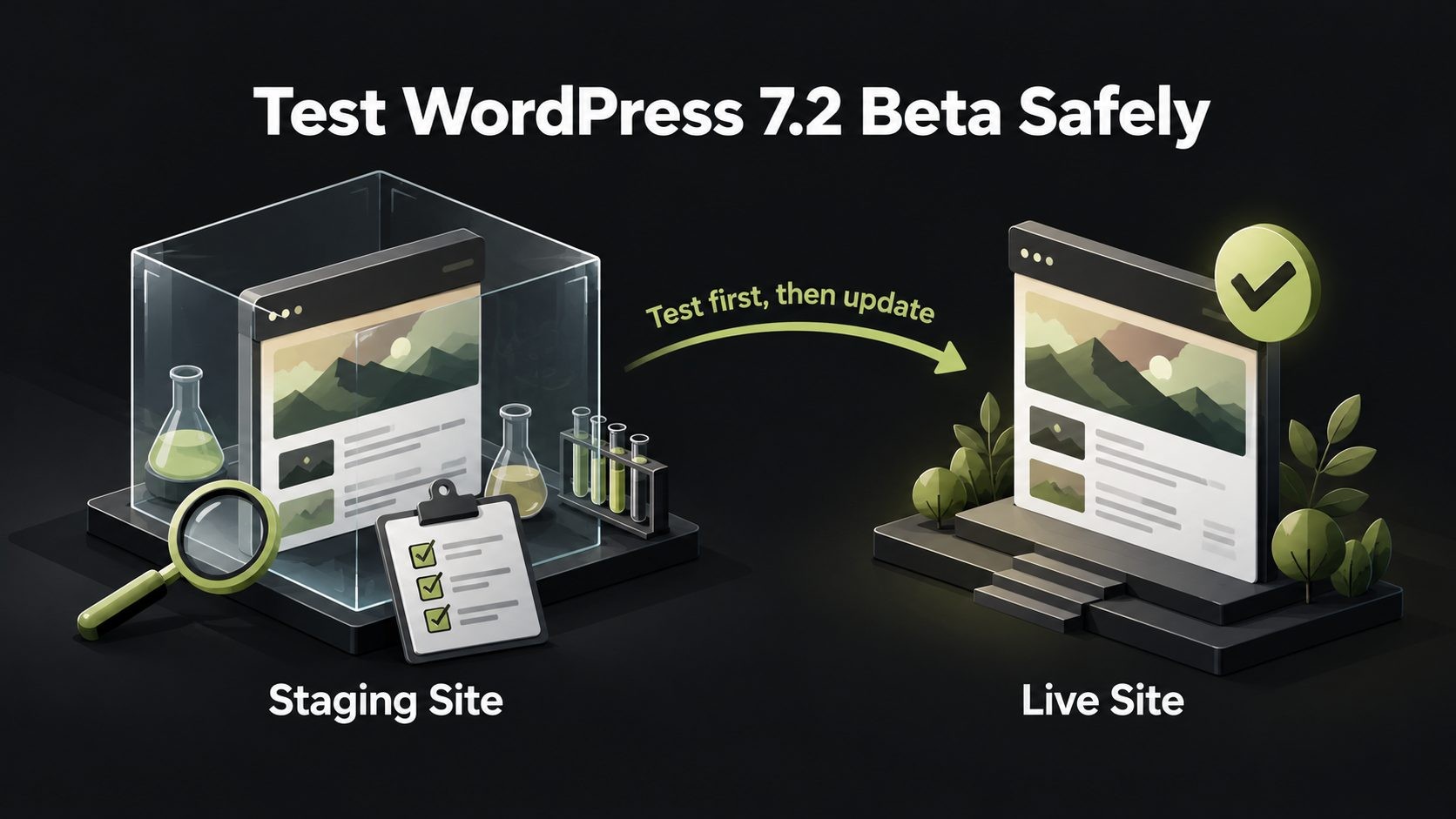
Option 1: WordPress Playground (no setup)
WordPress Playground runs a full WordPress site inside your browser. Open the 7.2 Beta 2 Playground link from the official announcement and you will have a working test site in seconds, running PHP 8.3. Nothing is installed on your server, and nothing is saved unless you export it.
Best for: a quick look at new features, Ipsum and the editor changes.
Option 2: The WordPress Beta Tester plugin
- Create a staging copy of your site (most US hosts, including managed WordPress hosts, offer one-click staging).
- On the staging site, install and activate the WordPress Beta Tester plugin.
- Go to Tools > Beta Testing.
- Select the Bleeding edge channel and the Beta/RC Only stream.
- Save, then go to Dashboard > Updates and update.
Best for: testing your real theme, plugins and content.
Option 3: Direct download
Download the Beta 2 zip file from the official announcement and install it on a local or staging WordPress site, just as you would install WordPress manually.
Option 4: WP-CLI
If you manage sites from the command line, run this on your staging site:
wp core update --version=7.2-beta2
Best for: developers and agencies testing many sites quickly.
What to test first
Focus on the parts of your site that make you money or capture leads:
- Home page and key landing pages on desktop and mobile
- Contact forms, quote forms and newsletter sign-ups
- WooCommerce cart, checkout and payment gateways
- Login, user registration and membership areas
- Page builder editing (Elementor, Divi, Beaver Builder and similar)
- Caching, security and SEO plugins
- Galleries and image uploads (because of the new responsive and client-side media features)
- Custom admin menus and dashboard widgets
- Third-party integrations such as CRMs, email marketing and analytics
How to report a bug
If you find a problem, you can help fix it before December 8:
- Post in the Alpha/Beta area of the WordPress.org support forums.
- If you can reproduce it reliably, file a ticket on WordPress Trac.
- Join the #core-test channel on the Making WordPress Slack.
- Check the list of known bugs first, so you do not report something already logged.
What WordPress 7.2 Means for US Businesses, Online Stores and Agencies
For US website owners, the timing of WordPress 7.2 is the story. The final release lands in the middle of the holiday shopping season, and the release candidates overlap with the biggest sales weekend of the year.
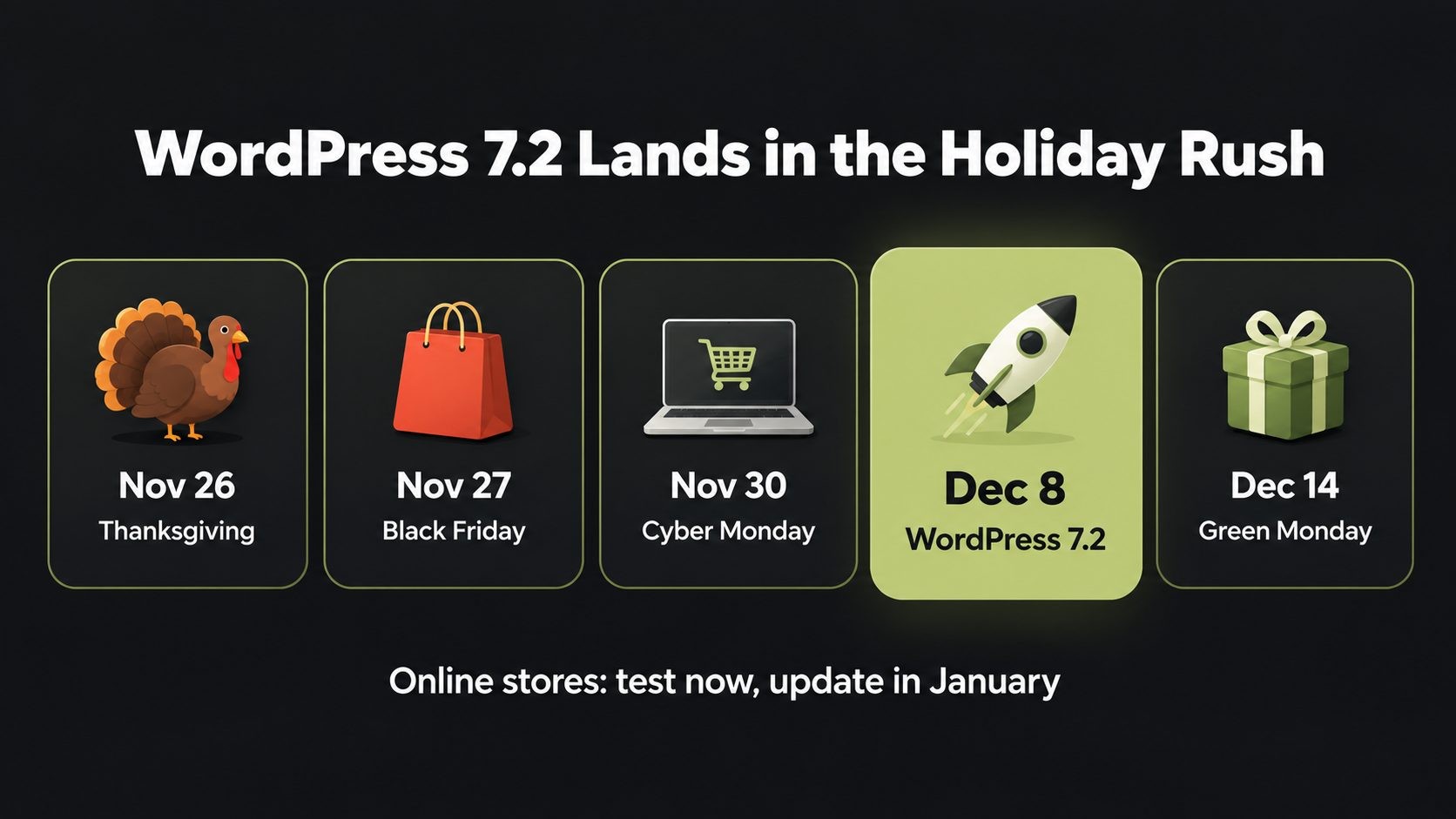
| 2026 date | US retail event | WordPress 7.2 milestone |
|---|---|---|
| November 24 | Thanksgiving week begins | Release Candidate 2 |
| November 26 | Thanksgiving | |
| November 27 | Black Friday | |
| November 30 | Cyber Monday | |
| December 1 | Giving Tuesday | Release Candidate 3 |
| December 8 | Holiday shopping peak | WordPress 7.2 final release |
| December 14 | Green Monday | |
| December 25 | Christmas |
For WooCommerce and ecommerce stores
Your checkout is the last place you want a surprise in December. Many US retailers already run a code freeze from mid-November to early January, meaning no plugin, theme or core updates except urgent security fixes. WordPress 7.2 fits neatly into that plan:
- Test now, during the betas, while traffic is still normal and your developer has time.
- Do not update the live store to 7.2 on December 8. Wait until January, after returns season settles down.
- Do apply security releases immediately, including any 7.1.x security update that arrives during the holidays. Security fixes are small and targeted, and the risk of not applying them is far higher than the risk of applying them.
- Plan the PHP upgrade for WooCommerce 11.6 (PHP 8.1 or newer, due February 2027) as part of your January maintenance.
For small businesses and service providers
Law firms, medical practices, contractors, restaurants and other local businesses usually depend on a few things: a fast home page, contact forms, booking tools and Google Business Profile traffic landing on the right pages. The 7.2 changes most likely to affect you are the admin asset loading change and the new icons, both of which can interact with security and caching plugins. A short test on staging is enough for most of these sites.
For agencies and freelancers managing client sites
WordPress 7.2 is a good moment to show clients the value of a maintenance plan and ongoing website services:
- Audit your client portfolio now. List each site's PHP version, theme, page builder and critical plugins.
- Test your most common stack on the beta. If 30 client sites use the same theme and page builder, one staging test covers most of the risk.
- Send clients a short update explaining the release date, the testing you are doing and when their site will be updated. Proactive communication builds trust and reduces panicked emails in December.
- Turn off auto-updates for major releases on high-risk sites (stores, membership sites, lead generation sites) until you have tested, while keeping minor and security auto-updates on.
- Upsell the PHP upgrade. Many client sites still run PHP versions that no longer receive security fixes.
For SEO and content teams
Nothing announced for WordPress 7.2 changes how WordPress outputs titles, meta tags or sitemaps, so no direct ranking impact is expected. The indirect effects are positive: faster image handling, better responsive galleries that improve the mobile experience, and a faster admin that helps editors publish more efficiently. As always, re-check your Core Web Vitals and run a crawl of key pages after updating to catch any layout shifts introduced by theme or plugin changes. A technical SEO audit after any major update is the fastest way to spot problems before they affect rankings.
When Should You Update to WordPress 7.2?
The right time to update depends on how much your site matters to your revenue and how complex it is. Updating on release day is rarely necessary. Major releases are usually followed by a minor release (such as 7.2.1) within a few weeks that fixes issues found after launch.
| Type of site | Recommended timing | Why |
|---|---|---|
| Personal blog or simple brochure site | Within a few days of December 8 | Low risk, and you get the new features sooner |
| Small business site with forms | 1 to 2 weeks after release, after a staging test | Gives plugin developers time to ship compatibility fixes |
| Agency-managed client sites | Staggered rollout: test sites first, then low-risk clients, then high-risk clients | Limits the impact if an issue appears |
| WooCommerce or other online store | January 2027, after the holiday season | Protects peak holiday sales; apply security releases immediately |
| Membership, LMS or heavily customized site | After 7.2.1, with a full staging test | Complex sites benefit most from early bug fixes |
Your pre-update checklist
Whatever your timing, follow these steps before updating a live site:
- Update to the latest 7.1.x release first (7.1.3 at the time of writing), along with all plugins and your theme.
- Take a full backup of your files and database, and confirm you know how to restore it.
- Check your PHP version in Site Health and upgrade on staging if needed. Confirm it is a PHP2Shell-patched release (8.2.35, 8.3.36, 8.4.27, 8.5.12 or newer).
- Review plugin compatibility. Look at each plugin's "Tested up to" value and changelog. Pay extra attention to page builders, payment gateways, multilingual plugins and any plugin that has not been updated in the past year.
- Test on staging using the checklist in the testing section above.
- Update during a low-traffic window, such as early morning on a weekday, when your developer is available.
- Check the site after updating: browse key pages, submit a test form, place a test order, and review Core Web Vitals over the next few days.
Should you turn off automatic updates?
By default, WordPress automatically installs minor and security releases, but not major releases like 7.2, unless your host or a setting has enabled them. If your host auto-updates major versions, check whether you can delay them on business-critical sites. Keep automatic security updates switched on. They are the single most effective protection against hacked WordPress sites.
WordPress 7.2 FAQ
Final Thoughts: WordPress 7.2 Is a Polish and Foundations Release
WordPress 7.2 will not reinvent how you build sites, but it makes a lot of everyday work better. Designers get more responsive controls, text shadows and smarter Global Styles. Editors get a faster dashboard, easier menu editing and friendlier Notes. Developers get a long-overdue Secrets API, a growing Abilities API and server-side control over the modern admin screens. And new sites get Ipsum, a clean, accessible default theme that breaks the yearly naming tradition.
The key date is December 8, 2026. For US businesses, that date lands in the busiest weeks of the shopping year, so the smart move is to test now, while the betas are still open and bugs can still be fixed, and then update on a schedule that protects your sales.
We will update this guide as WordPress 7.2 moves through Beta 3, Beta 4 and the release candidates, and again on release day. Bookmark it, and check back for the final feature list once the 7.2 Field Guide is published. You can also browse more WordPress and SEO guides on the blog. If you want your site tested and updated for 7.2 without the stress, get in touch.
Sources
- WordPress 7.2 Beta 2 announcement (WordPress.org News, October 27, 2026)
- WordPress 7.2 Beta 1 announcement (WordPress.org News, October 20, 2026)
- WordPress 7.2 Release Party Schedule (Make WordPress Core, October 6, 2026)
- Roadmap to 7.2 (Make WordPress Core, September 18, 2026)
- What's new for developers? (October 2026) (WordPress Developer Blog)
- WordPress 7.2: release date, new features and what to do now (PXL, used for the list of roadmap items that did not ship and the WooCommerce PHP note)
- WordPress 7.2: Release Date, Ipsum Theme, Features (NexterWP, used for Ipsum install behavior)
- WordPress server requirements (WordPress.org)
No Tags



Comments (0)