- Khurram Shahzad
- Security Alerts
- 3278
- 0
Updated: November 10, 2026
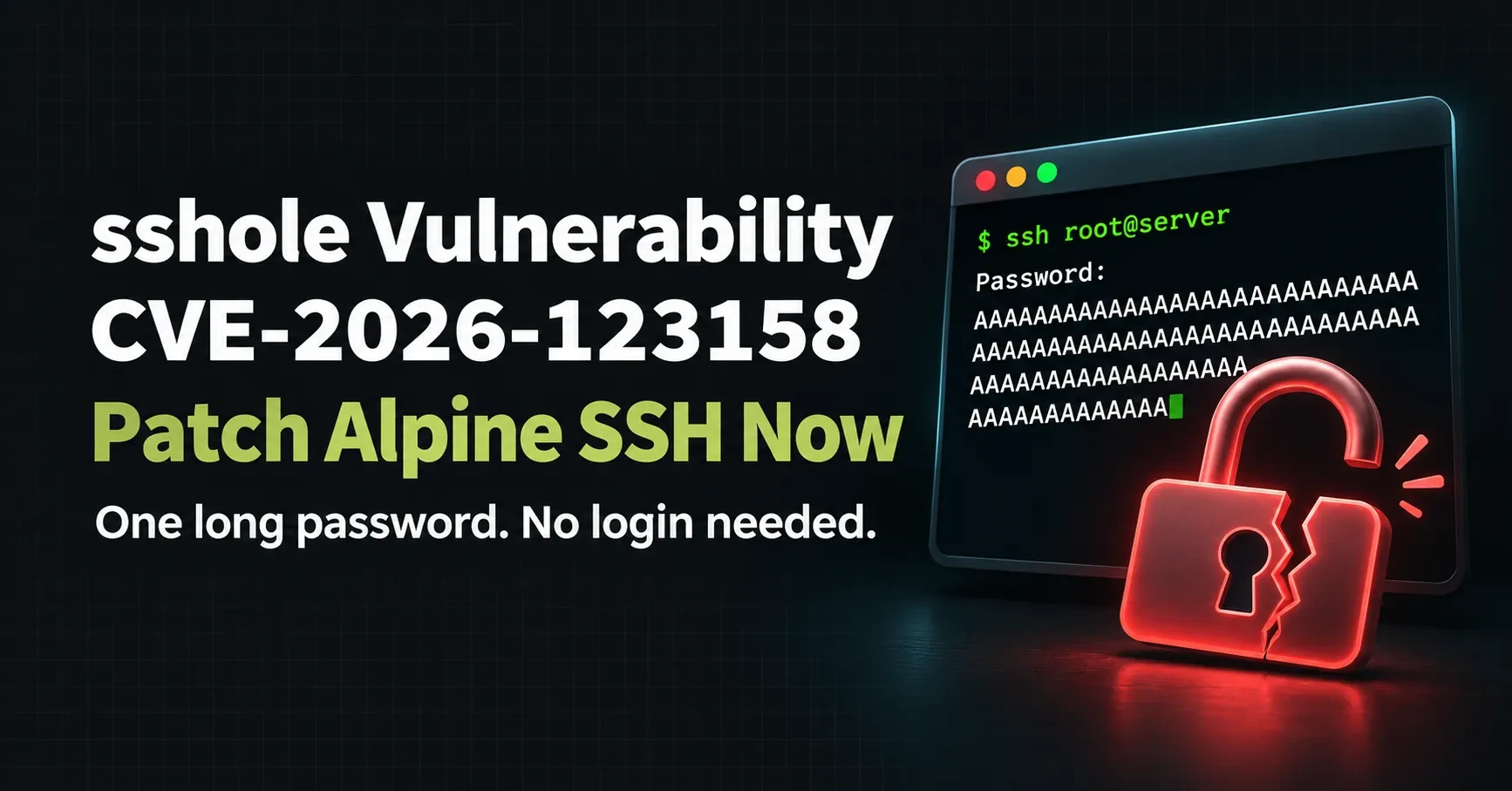
On November 5, 2026, the OpenSSH project shipped an emergency release to fix a login bug that had been hiding for about ten years. The researcher who found it named it sshole. It lets an attacker log in to some Alpine Linux SSH servers without knowing any password at all. They just send a very long one.
The sshole vulnerability does not affect every Linux server. It hits systems built on the musl C library, which mostly means Alpine Linux, plus custom OpenWrt, Buildroot and Yocto builds. Alpine is everywhere in cheap VPS setups and Docker images, so a lot of developers and small businesses run it without thinking about it.
The good news: the fix takes about five minutes. This guide shows you how to check whether you are exposed, how to patch, how to handle Docker images, and how to tell if someone already got in.
Quick answer: what is the sshole vulnerability? sshole (CVE-2026-123158) is an OpenSSH authentication bypass on Linux systems that use musl libc without PAM, such as Alpine Linux. Sending a password of 257 to 1024 bytes lets an attacker log in to accounts that have no password, including key-only and root accounts. OpenSSH 10.6p2 fixes it.
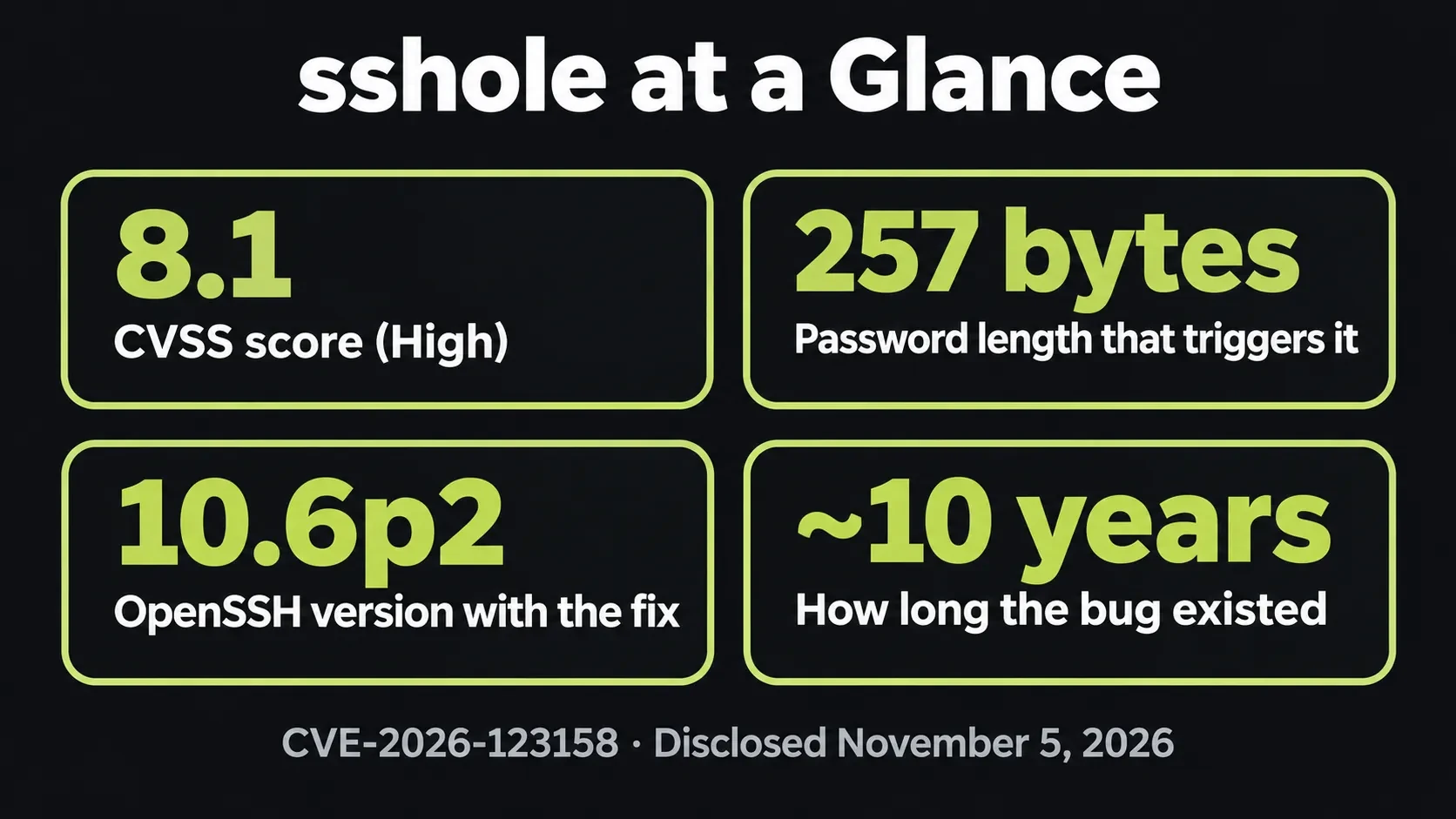
sshole key facts at a glance
| Item | Detail |
|---|---|
| Name | sshole (also written *sshole or sshhole) |
| CVE | CVE-2026-123158 |
| Severity | CVSS 3.1 score 8.1 (High); OpenSSH calls the fix critical |
| Affected | OpenSSH before 10.6p2 on musl Linux with PAM off (Alpine Linux is the main case) |
| Not affected | Ubuntu, Debian, RHEL and other glibc distros; systems using PAM |
| Fixed in | OpenSSH 10.6p2 and patched Alpine packages for 3.16 through 3.24 and edge |
| Exploit status | Public proof of concept exists; no confirmed attacks reported as of November 10, 2026 |
| CISA KEV | Not listed |
What Is the sshole Vulnerability (CVE-2026-123158)?
sshole is a password authentication bypass in sshd, the OpenSSH server. It was found by Özgün Kültekin of the security testing firm Wakefield. It was disclosed on November 5, 2026, in the original oss-security disclosure, on the same day OpenSSH released version 10.6p2 and Alpine published its advisory.
The flaw is tracked as CVE-2026-123158. MITRE gave it a CVSS 3.1 score of 8.1 (High). The OpenSSH team describes the fix as critical. At the time of writing, NVD lists the CVE as "Received" and has not added its own score yet.
You may see Alpine's advisory say no CVE had been assigned. That is because Alpine wrote it a few hours before MITRE published the CVE. Both refer to the same bug.
The bug is old. It comes from how three pieces of software have behaved since around 2016: musl libc, Portable OpenSSH and Alpine's default SSH package. None of them is broken on its own. Together, they let the wrong person in.
How sshole Works (in Plain English)
You don't need to read C code to understand sshole. It comes down to one character: the asterisk (*).
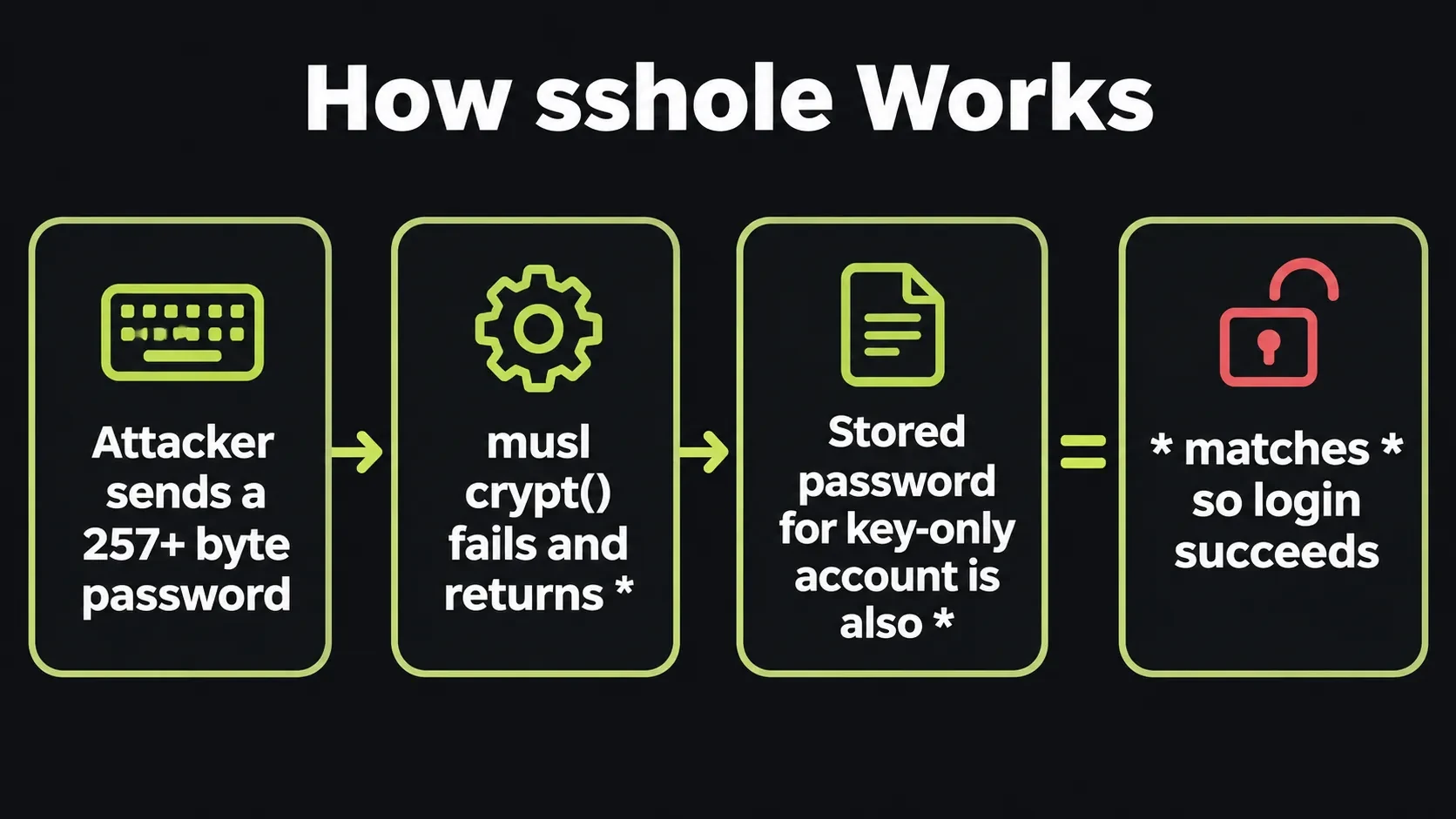
On Linux, password hashes live in /etc/shadow. An account that should never log in with a password, such as a key-only deploy user or root on a modern Alpine image, stores a single * in its password field. No real password can ever produce * as a hash, so password login for that account should always fail.
When you type a password, sshd runs it through a function called crypt() and compares the result with what is stored. Here is where musl differs from glibc. If the password is longer than 256 bytes, musl's crypt() gives up and returns * to signal an error. Most code would treat that as a failure. sshd, built without PAM, simply compares strings.
So the attacker sends a password of 257 to 1024 bytes. musl returns *. The stored value for the target account is also *. The strings match, and sshd lets the attacker in. No password guessing, no brute force, one connection.
There is one more detail. The bug only triggers when at least one other local account has a real SHA-256 or SHA-512 password hash (starting with $5$ or $6$). As Alpine puts it, a single user with a real password is enough to expose every passwordless account on the machine.
We are explaining the logic only. We won't publish exploit steps here, and you don't need them to protect yourself.
Who Is Affected? The 4 Conditions
According to the Alpine Linux security advisory, a server is exposed only when all four of these are true:
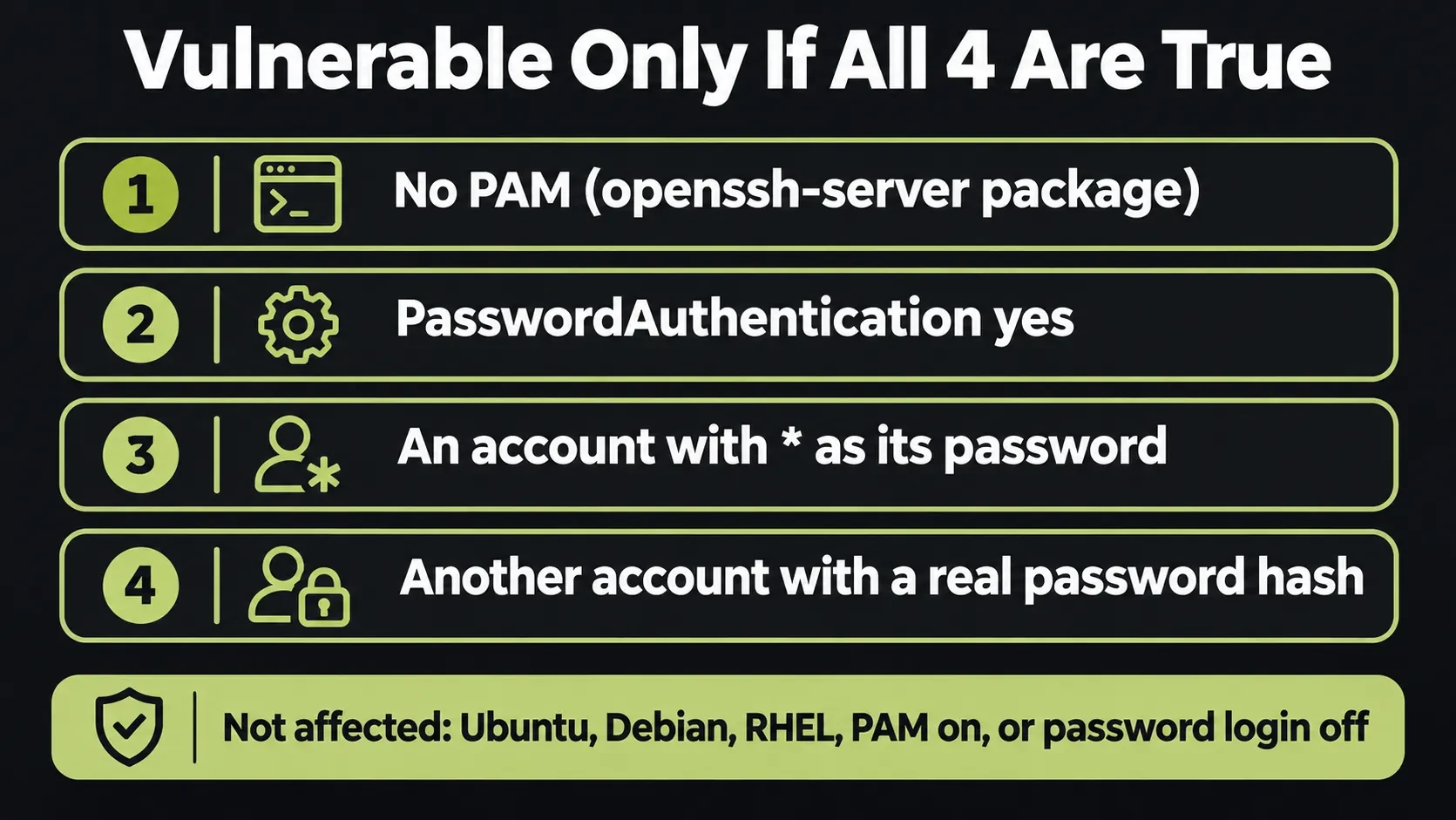
- No PAM. It runs Alpine's
openssh-serverpackage, which is built without PAM, oropenssh-server-pamwithUsePAM no. - Password login is on.
PasswordAuthenticationisyes. This is the OpenSSH default, so many servers have it without anyone choosing it. - A passwordless account exists. Some account has
*in its password field. That includes root on base images since about Alpine 3.16, key-only users, users from directory services, and thealpineuser in official tiny-cloud images. - A real password hash exists. At least one local account has a
$5$or$6$hash.
Alpine says every release it tested is affected under these conditions, from 3.16 through 3.24 and edge.
Who is not affected
- Ubuntu, Debian, RHEL, Amazon Linux and other distros that use glibc instead of musl
- Any system where
PasswordAuthenticationis set tono openssh-server-pamwithUsePAM yes- Accounts locked with
!in the shadow file (as opposed to*) - Containers that don't run an SSH server inside them
- Alpine cloud images set up with cloud-init, which writes
PasswordAuthentication no - Servers running Dropbear or another SSH server instead of OpenSSH
The tiny-cloud catch
Alpine's tiny-cloud images from 3.18.11 through 3.24.3 ship an alpine user with a * password and passwordless doas (Alpine's sudo). These images are safe on first boot. They become exploitable the moment any $6$ hash appears, for example when an admin sets a console password or passes hashed_passwd in user-data. If you launched Alpine VMs this way and later set a password, assume you are exposed until you patch.
How to Check if Your Server Is Vulnerable (60-Second Test)
Run these commands as root on each Alpine server or container that runs sshd. Each one matches one of the four conditions.
1. Confirm the system uses musl:
ldd --version 2>&1 | grep -i musl
Any output that mentions musl means yes.
2. Check your OpenSSH package version:
cat /etc/alpine-release
apk info -v | grep openssh
Compare the result with the fixed versions table below.
3. Check whether password login and PAM are on:
sshd -T | grep -i -E 'passwordauthentication|usepam'
passwordauthentication yes with usepam no means conditions 1 and 2 are true.
4. List passwordless accounts (the targets):
awk -F: '$2 == "*" {print $1}' /etc/shadow
5. List accounts with real password hashes:
awk -F: '$2 ~ /^\$[56]\$/ {print $1}' /etc/shadow
If steps 3, 4 and 5 all return results and your package is older than the fixed version, the server is vulnerable. Patch it now.
How to Patch sshole on Alpine Linux
You have two options. Either one closes the hole. Doing both is best.
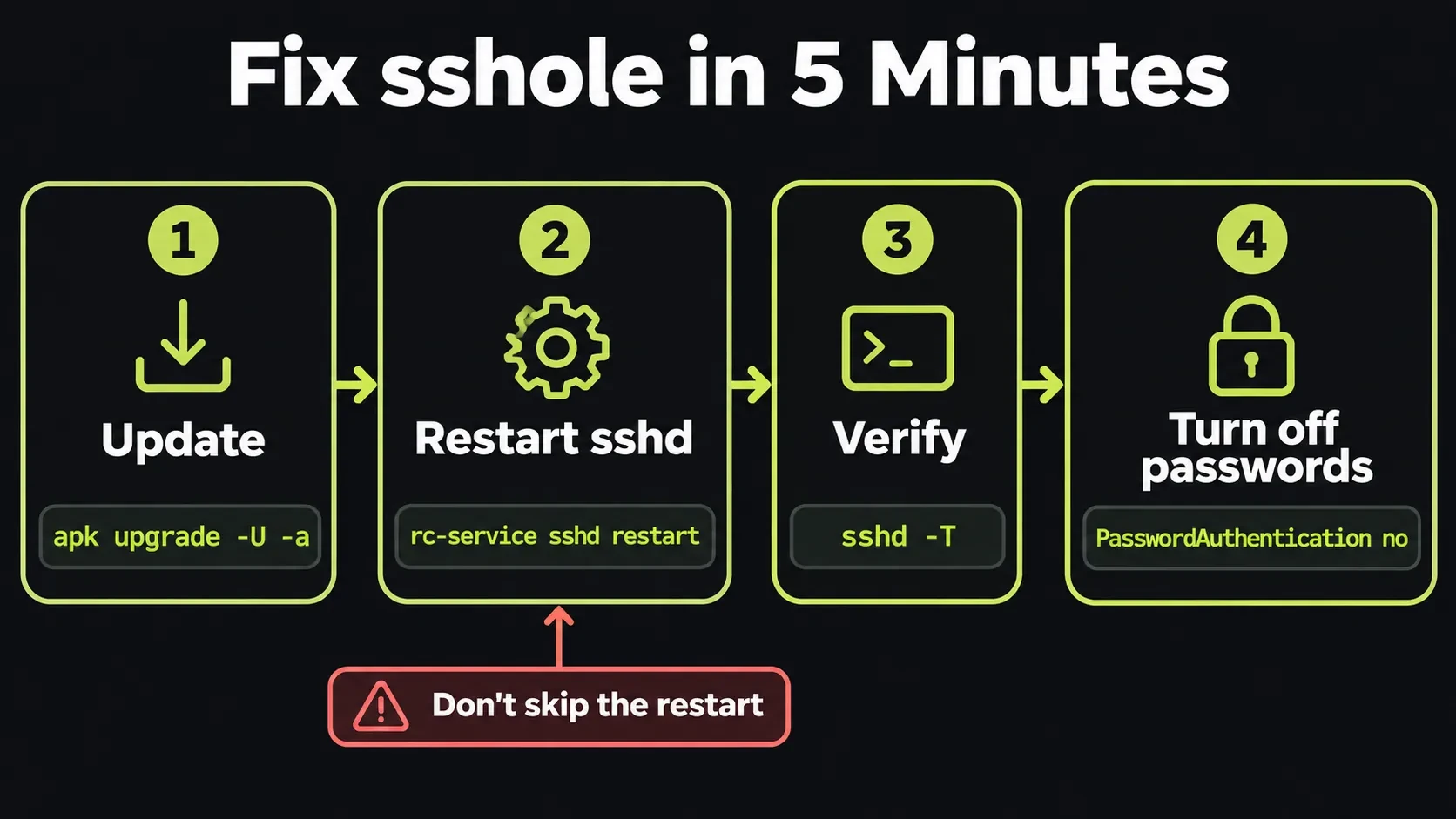
Option 1: Update OpenSSH and restart sshd
apk upgrade -U -a
rc-service sshd restart
Don't skip the restart. Installing the new package does not replace the sshd process that is already running, so the old, vulnerable code keeps serving logins until you restart it.
Fixed OpenSSH package versions by Alpine branch
Upstream, the fix is in the OpenSSH 10.6p2 release notes. Alpine's stable branches keep their own OpenSSH version and add the patch, so you do not need 10.6p2 on a stable branch. You need the revision in this table or newer.
| Alpine branch | Fixed openssh package |
|---|---|
| edge | 10.6_p2-r0 |
| 3.24 | 10.3_p1-r2 |
| 3.23 | 10.2_p1-r1 |
| 3.22 | 10.0_p1-r11 |
| 3.21 | 9.9_p2-r1 |
| 3.20 | 9.7_p1-r6 |
| 3.19 | 9.6_p1-r3 |
| 3.18 | 9.3_p2-r4 |
| 3.17 | 9.1_p1-r7 |
| 3.16 | 9.0_p1-r6 |
Point releases 3.21.10, 3.22.8, 3.23.8 and 3.24.4 already include the fix. Alpine 3.21 reached end of support on November 1, 2026, and Alpine still shipped fixed packages back to 3.16. If you run an old branch, patch now and plan an upgrade.
Option 2: Turn off SSH password login (if you can't update yet)
First, confirm that you can log in with an SSH key. Keep your current session open while you test, so you don't lock yourself out. Then run Alpine's recommended commands as root:
mkdir -p /etc/ssh/sshd_config.d
echo 'PasswordAuthentication no' > /etc/ssh/sshd_config.d/00-no-passwords.conf
sed -i.bak -e '1i PasswordAuthentication no' \
  -e 's/^\(\s*PasswordAuthentication[^y#]*\)yes/\1no/i' \
  /etc/ssh/sshd_config
sshd -t && rc-service sshd restart
sshd -T | grep -i passwordauthentication
The last command should print passwordauthentication no. To undo it, delete the drop-in file and restore /etc/ssh/sshd_config.bak.
Docker and Container Images: What to Do
Most Alpine Docker containers are safe, because they don't run an SSH server. The risk sits in images that install openssh-server on purpose: dev containers, CI runners, bastion images, legacy app images and "SSH into the container" setups.
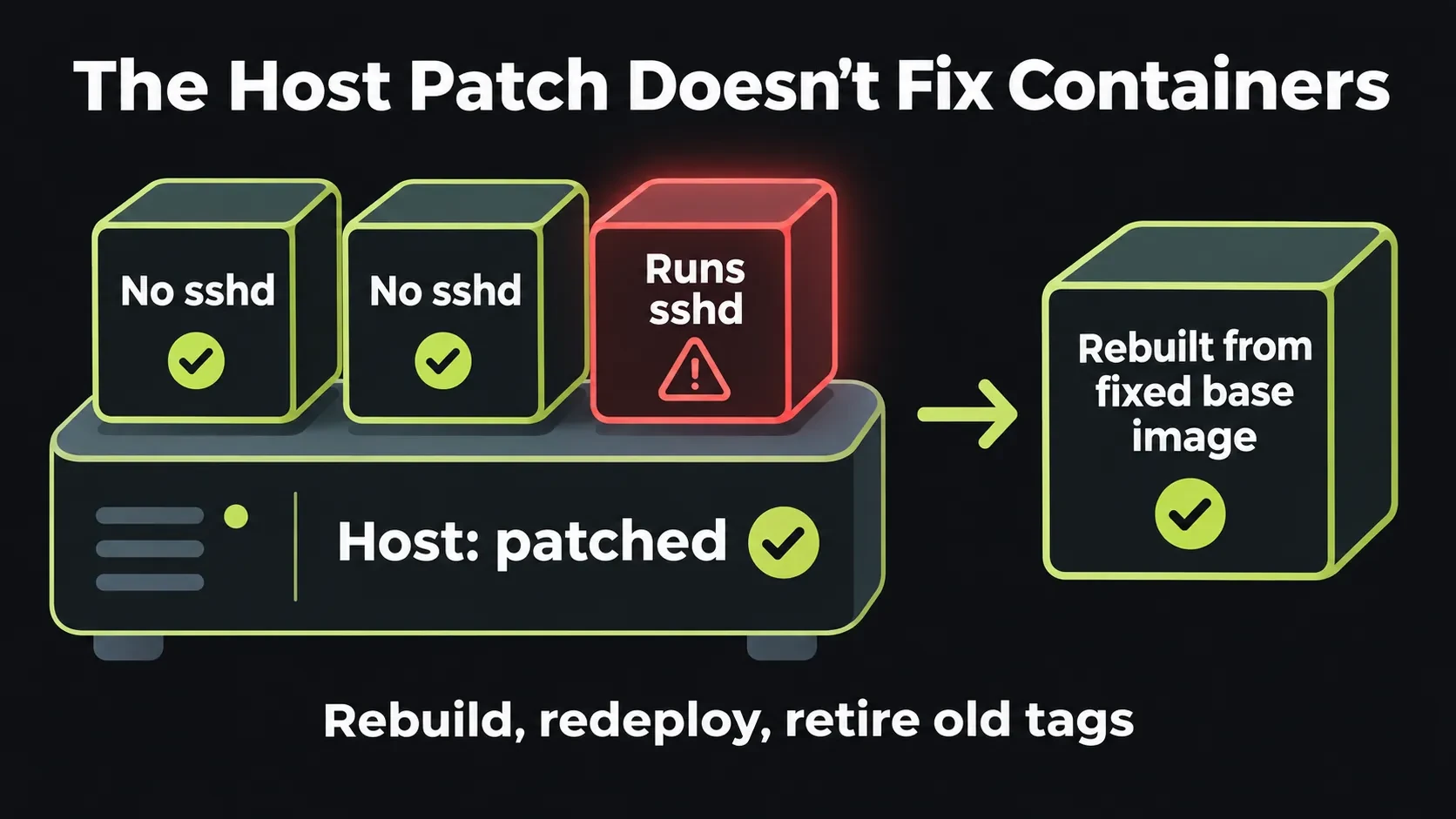
Patching the host does not fix the containers. Each container has its own copy of OpenSSH. Here is what to do:
- Find containers that run sshd:
for c in $(docker ps -q); do
  docker exec "$c" sh -c 'pgrep sshd >/dev/null && echo "$(hostname) runs sshd"' 2>/dev/null
done
- Rebuild the image. Use an Alpine base from 3.21.10, 3.22.8, 3.23.8, 3.24.4 or later, or add
apk upgrade --no-cacheto your Dockerfile. Pull the base again so you don't reuse a cached layer. - Redeploy. Replace the running containers with the rebuilt ones. A running container keeps its old sshd until it is replaced.
- Check your registry. Old tags with sshd inside will come back the next time someone deploys them. Scan or retire them.
- Ask whether you need sshd at all. Usually
docker execis enough, which removes the attack surface completely.
If you followed our guide to deploy Laravel with Docker on a VPS, your app containers don't run sshd. Check the host and any helper images anyway.
Were You Already Hacked? Check Your Logs
A public proof of concept exists, so if a vulnerable server was reachable on port 22, check it. Alpine recommends looking for accepted password logins to accounts that should never use a password:

grep -i "accepted password" /var/log/messages
Any accepted password login for root, alpine or a key-only deploy user is a red flag, because those accounts have no password to accept. Then review:
doasuse and new or changed users in/etc/passwd~/.ssh/authorized_keysfor every user, including root (attackers like to plant their own key, as we saw in the Claude Code extension backdoor)- Recently changed files, new cron jobs and unknown processes
If you can't rule out a login, Alpine's advice is clear: treat the system as compromised. In practice, that means rebuild from a clean image, rotate every secret the server held (database passwords, API keys, deploy keys) and restore data from a backup you trust.
SSH Hardening Checklist to Stop the Next sshole
sshole only works when password login is on. Most of the protection is basic SSH hygiene that would have blocked it on day one:
- Set
PasswordAuthentication noandKbdInteractiveAuthentication no. Use SSH keys only. - Set
PermitRootLogin no(orprohibit-passwordif you really need root with a key). - Restrict port 22 with a firewall or an IP allowlist, or put SSH behind a VPN or bastion.
- Add rate limiting such as fail2ban to slow down scanners.
- Subscribe to security alerts for your distro (Alpine, Ubuntu, Debian) and OpenSSH.
- Keep an inventory of servers and Docker images, so you know where to patch in minutes.
- Restart services after updates, or reboot on a schedule.
- Protect the laptops that hold your SSH keys too. Our developer laptop security checklist covers that side.
Running WordPress on the same VPS? Pair this with our WordPress security checklist and our Cloudflare security rules guide.
Running Debian or Ubuntu servers instead of Alpine? APT had its own root-level flaw in November 2026, and the fix has to be installed with retries turned off. Our APT CVE-2026-109518 patch guide shows the safe order.
Why sshole Matters for Small Businesses and Developers
Alpine is popular because it is small, fast and cheap to run. That makes it common on budget VPS plans, self-built Docker stacks and routers, exactly the places where nobody watches the SSH config closely. If you are weighing shared vs VPS hosting, remember that a VPS gives you control and also gives you the job of patching.
One exposed server is often enough. Attackers use a single foothold to steal keys and move to bigger targets, which is how the Binance hack started with one engineer's machine. Patching sshole takes five minutes. Cleaning up after a breach takes weeks.
If you don't have time to audit every server and image, I offer server hardening help for VPS, Docker and WordPress setups.
This alert is part of our website security for small business guide, which puts every 2026 incident into a layer-by-layer plan you can follow.
Not sure if this affects you? I've recovered 50+ attacked websites. Request a security review.
sshole Vulnerability FAQs
Conclusion: Patch, Restart, Check, Lock Down
The sshole vulnerability is narrow but serious. If you run OpenSSH on Alpine Linux with password login on, an attacker can log in to your key-only and root accounts with one long password. Update OpenSSH, restart sshd, rebuild any container that runs SSH, check your logs, and turn off password login for good.
Not sure which of your servers or images are exposed? Get in touch and I'll help you check.
Sources
Get new posts by email
New guides and alerts, sent when they are published. No spam. Unsubscribe anytime.


Comments (0)