Two products that drift apart
The app and the website are built by different people on different rules, so prices, accounts and data disagree and every change is made twice.
Mobile app development services take an app from idea to the App Store and Google Play: scoping, design, the app itself, the back end it talks to, testing, release and updates. I'm Khurram Shahzad, a technical lead who builds the Laravel back end, the web product and the mobile apps on the same API, so one person stays accountable for all of it. The work suits businesses that already have a web product, startups with a clear idea and teams replacing an app that has become slow or hard to change. If you want to hire a mobile app developer who can also fix the back end behind the app, send me a short brief and I'll reply with a scoped quote.
The app and the website are built by different people on different rules, so prices, accounts and data disagree and every change is made twice.
I plan the back end first, then build web and mobile on the same Laravel API, so a change made once shows up everywhere.
Clear scope, tested releases and documentation mean your app can keep growing, with me or with another team.
Eight services that fit together. I take on the whole path or only the part you need.
A short call and a written scope: users, must-have features, platforms, integrations and what can wait for a later release.
User flows, wireframes and an interactive prototype you can tap through before any code is written.
Apps for iPhone and iPad that follow Apple conventions, so they feel familiar from the first launch.
Apps for the wide range of Android phones and screen sizes, built to Material guidance and Google's quality checks.
A Laravel API for accounts, data, payments and notifications, shared with your web product.
Functional, visual and performance checks on real phones and tablets, not only emulators, before every release.
Builds, listings, screenshots and privacy details prepared for Apple and Google review, plus fixes if a reviewer asks for changes.
Operating system updates, bug fixes and new features after launch, or a clean handover with documentation.
There is no single best way to build an app. The right shape depends on the features you need, who your users are and how you plan to grow. Pick a tab to compare the options.
A native app is written for one platform, iOS or Android, using that platform's own tools. It gives the deepest access to device features, the smoothest performance and a feel users already know, at the cost of building and maintaining two apps.
Camera, sensors, biometrics, background tasks and new system features are available first.
Smooth animation and fast start-up, even on demanding screens.
Two codebases to maintain, so updates take more effort.
A cross-platform app shares most of its code between both platforms. It usually reaches the market sooner and is simpler to maintain, which suits apps with standard screens and features. Very demanding graphics or unusual hardware needs can be harder.
Most features are built once and behave the same on both platforms.
One change reaches both stores together.
Rare device features may need extra platform-specific work.
A progressive web app, or PWA, runs in the browser but can be installed on a home screen, work offline and send notifications on supported devices. It suits content, booking and account tools where reach matters more than store presence.
Updates go live as soon as they are deployed.
The same code works on phones, tablets and desktops.
Access to some device features is narrower than in a native app.
After a short scoping call, I recommend the shape that fits your features, budget and timeline, and I explain the trade-offs in plain language. If a PWA or a mobile-friendly web app is enough, I'll say so.
What the app must do on the device decides how much native access you need.
Which phones they carry and how they find apps shapes the platform plan.
A first release that can grow, instead of one that has to be rebuilt.
Users expect each platform to behave the way they already know. I design for those habits and share the back end between them.
Navigation, gestures and type follow Apple's design guidance, so the app feels native from the first tap.
Material guidance and Google's quality checklist, tested across screen sizes, keep the app solid on a wide range of devices.
If you already have a website or web app, the apps can use the same accounts and data. Ship both platforms together, or launch one first and add the other later.
Scope matters more than category, but these are the kinds of apps I'm asked about most.
Accounts, orders, bookings and messages in one place, so customers do not need to open a browser.
Listings, search, availability and payments for platforms with two sides.
Catalogs, carts, checkout and order tracking that match your store.
A mobile front end for your web product, sharing its accounts, data and permissions.
Forms, checklists, photos and status updates for staff who work away from a desk.
Requests, live status and notifications for services that happen in real time.
We talk through users, goals, features and platforms. I write a scope you approve: what is in the first release, what waits and how success will be judged.
I map the key journeys and build a clickable prototype. You tap through it with your team and real users before development begins.
I plan the data model, the Laravel API, sign-in and integrations, so web and mobile share one set of business rules.
The app is built in short cycles with a working demo at the end of each, so you see progress and can steer it.
Features are tested on real phones and tablets across screen sizes and system versions, and fixed before anything reaches a store.
I prepare builds, listings, screenshots and privacy details, submit them to Apple and Google and answer reviewer questions.
You choose the release date. I watch crashes and early feedback closely for the first days.
Analytics and user feedback decide what ships next, alongside system updates and fixes.
A good app rests on invisible work: accounts, data, payments, notifications and integrations. I build that layer in Laravel as one API that serves your website, your admin panel and your mobile apps. Business rules live in one place, so a price change, a permission or a new field is made once and appears everywhere. Third-party services such as payment providers, email, maps and push notifications plug in behind the same API.
A rule written once cannot disagree with itself, and a change ships to every platform together.
Older app versions keep working while newer ones ship, and your team gets documentation to build on.
I run versioned REST APIs on live platforms, including the /api/v1 behind SEO Site Checker.
Phones carry personal data, so protection is designed in, not added at the end. I test against the OWASP Mobile Application Security Verification Standard, and I make no certification claims.
Safe login and session handling, with biometric sign-in where the device supports it.
Traffic is encrypted, and sensitive data is stored securely on the device and on the server.
Each request is allowed to see and change only what that user is permitted to.
Clear privacy information for your store listings and your users.
Sensible loading, caching and offline behavior for slow or dropped connections.
Readable type, clear labels and screen reader support, including VoiceOver and TalkBack.
Phone-first layouts and versioned APIs from real projects, the same foundations your mobile app would build on.
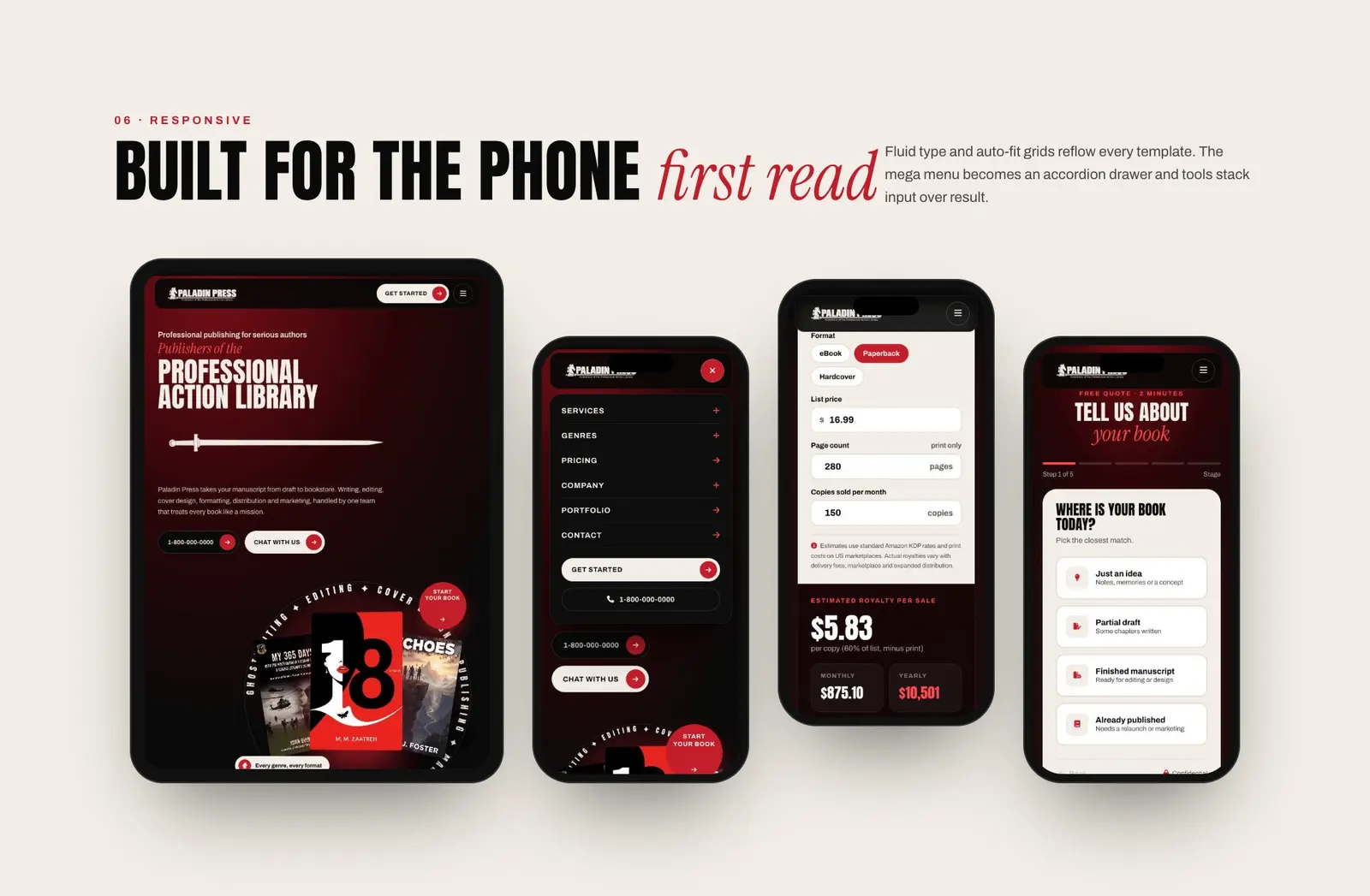
A layout for 86 pages on 8 templates, with an accordion menu drawer, fluid type and auto-fit grids, and calculators and a quote flow stacked for thumbs.
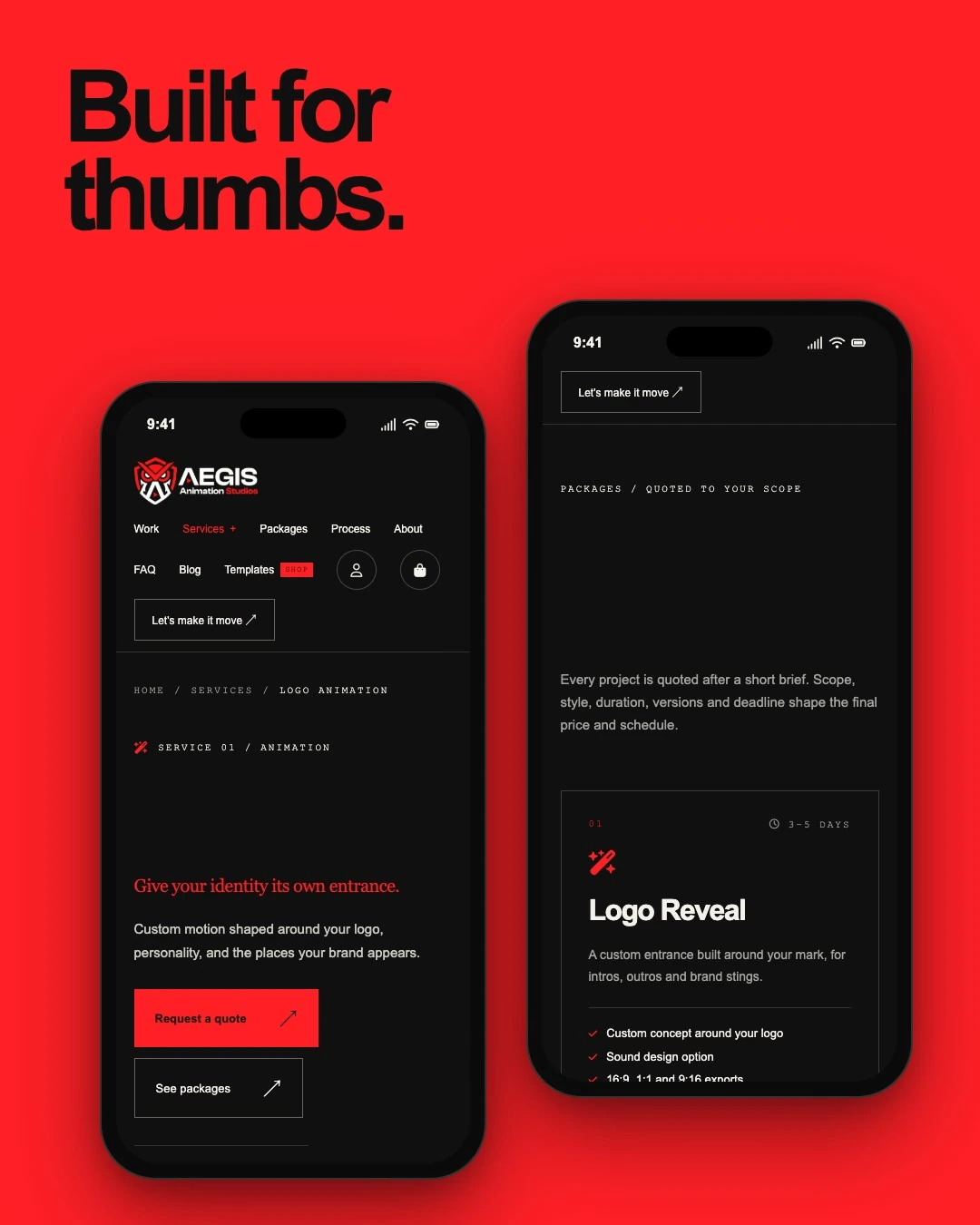
Large tap targets, a full-width quote button and package cards in a single column, from the homepage to the last step of an order.

A Laravel platform with a versioned /api/v1, built so any client, including a mobile app, can call the same tools and data.
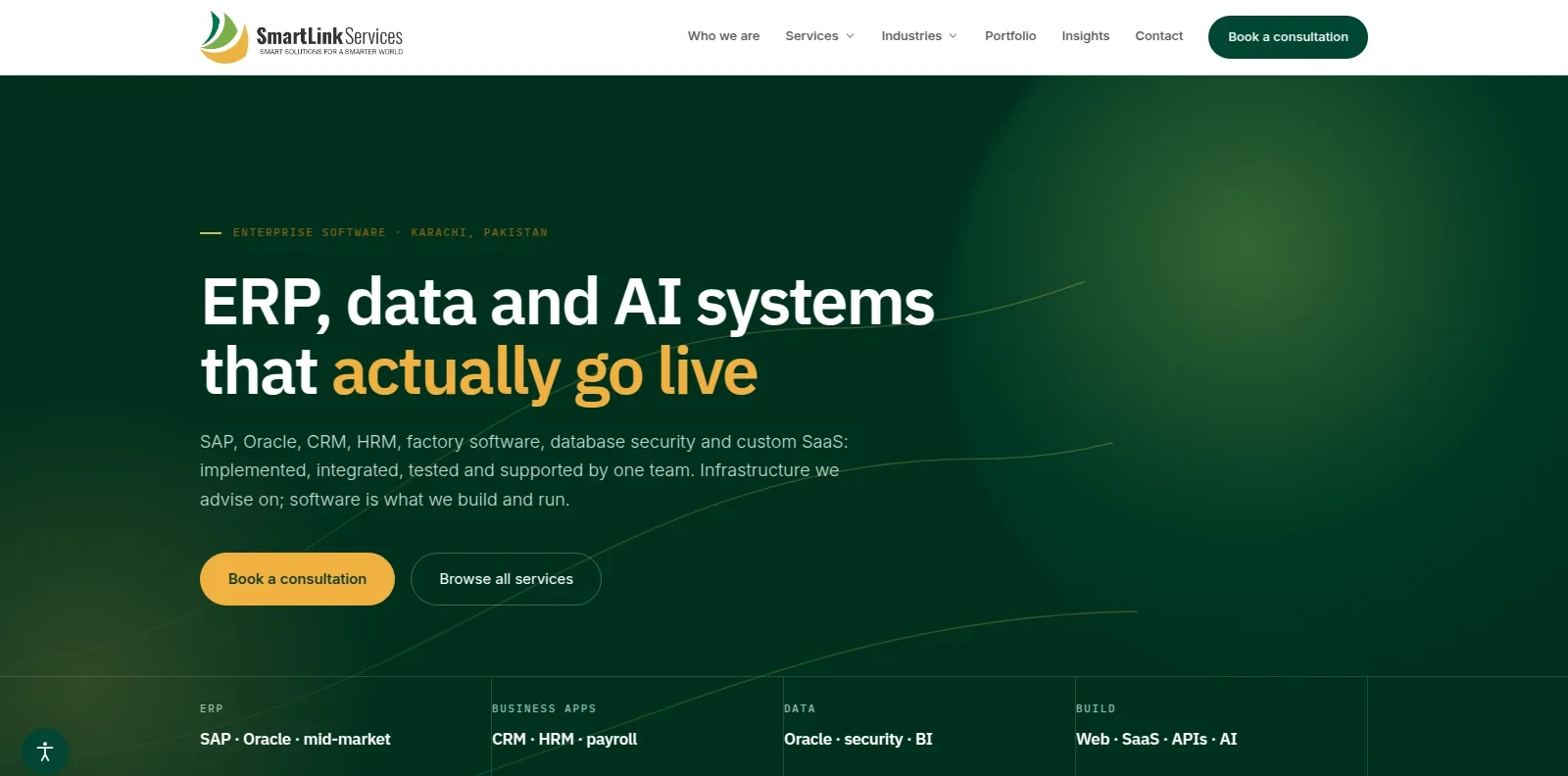
A multi-theme CMS with an MCP server of 11 tools, protected by OAuth 2.1 with read and draft access only.
Release day is the start of an app's life, not the end. Apple and Google both review apps, and both change their rules and devices every year.
I plan time for Apple and Google review and for a possible resubmission, so your launch date stays realistic.
Crash reports and analytics show what real users do, so fixes and improvements follow evidence.
System updates, new device sizes, security patches and feature changes keep the app current, with me or through a clean handover.
I work best with teams that already have, or are planning, a web product and want a mobile app on the same back end. Bring me in before the build, so the API, sign-in and data model are shaped for both.
A SaaS or store that wants iOS and Android apps on the same Laravel APIs.
A new idea that needs a clear scope, a solid API and a path to the stores.
Customers or staff who would use it more often, and more easily, from a phone.
An existing app held back by a weak back end, slow screens or fragile sign-in.
Want to see how I think about products and the people who use them? These guides cover design, platforms and when a redesign is worth it.
Why clear screens and short flows turn more visitors into customers.
When a custom Laravel platform beats WordPress, and when it does not.
Twelve signs, and when a fix is enough instead of a rebuild.
Prefer the details in one document? Open the CV I keep for this kind of work, or download it as a PDF.
Roles, APIs and skills behind web and mobile apps, in one page you can share with your team.
The same CV as a PDF, ready to attach to a proposal or send to a colleague.
I don't publish a price list, because a simple companion app and a marketplace with payments are very different projects. The number of features, the platforms you need, the design work, the back end and integrations, and the testing required decide the cost. Tell me about your app, and I'll reply with a scoped quote and a first-release plan, so you know what you're paying for before any work starts.
A short, defined engagement that ends with a written scope, a prototype and a plan for the first release.
A defined first release designed, built, tested and submitted to the stores against the scope we agree.
Updates, fixes and improvements after launch, on a steady monthly rhythm.
Mobile app development services cover everything needed to take an app from idea to the App Store and Google Play: scoping, UX design, the app itself, the back end and APIs it talks to, testing, store submission and updates afterward. Some providers handle only one slice. A good engagement covers the whole path.
It depends on scope, not screen count. The biggest factors are how many features you need, how complex the back end is, how many integrations are involved and how quickly decisions get made. A focused first release ships much sooner than a full platform. After a short scoping call you receive a timeline for your specific app.
Cost follows scope. The main drivers are the number of features, whether you need iOS, Android or both, how much design work is involved, how complex the back end and integrations are, and how much testing the app needs. There is no honest one-size answer, so request a quote and you will get a scoped estimate for your app.
Choose native when you need the deepest device access, top performance or a platform-perfect feel. Choose cross-platform when you want one shared codebase for iOS and Android and your needs are fairly standard. Choose a PWA when reach through the browser matters more than store presence. The right call depends on your features and audience.
Most apps do. A back end stores your data, handles accounts and payments, sends notifications and keeps everything in sync, and the app talks to it through an API. If you already have a web product, the same API can serve both the web and mobile apps, so you maintain one set of business rules instead of two.
Yes. If your web product has an API, or can be given one, the iOS and Android apps can connect to the same data and accounts. People sign in once, see the same information everywhere, and your team avoids duplicate logic. If the API needs work first, that is scoped as part of the project.
Yes. Submission is part of the project: preparing builds, store listings, screenshots, privacy details and test accounts, then responding if a reviewer asks for changes. Apple and Google each have their own review rules, so planning time for review and a possible resubmission keeps your launch date realistic.
Yes. Apps need ongoing care: operating system updates, new device sizes, security patches, crash fixes and feature changes based on real user feedback. After launch you can keep working together on updates, or hand over with clear documentation and the source code so another team can take over.