- Khurram Shahzad
- Infrastructure
- 81331
- 0
Status: Recovering as of November 13, 2026. Microsoft has restored many affected servers but has not yet published a root cause. We'll update this post when it does.
Updated: November 13, 2026
On Thursday, November 12, 2026, a Microsoft Outlook outage left businesses around the world unable to send email, open inboxes or join Teams calls. At the peak, more than 130,000 people reported Outlook problems on Downdetector, and the disruption spread to Teams, SharePoint, Copilot and other Microsoft 365 services. Recovery rolled into a second day.
If your business runs on Microsoft 365, you felt it. This guide explains what happened in plain English, what Microsoft has said about the cause, the mistakes to avoid during an outage, and a 30-minute plan so the next one doesn't stop your business.
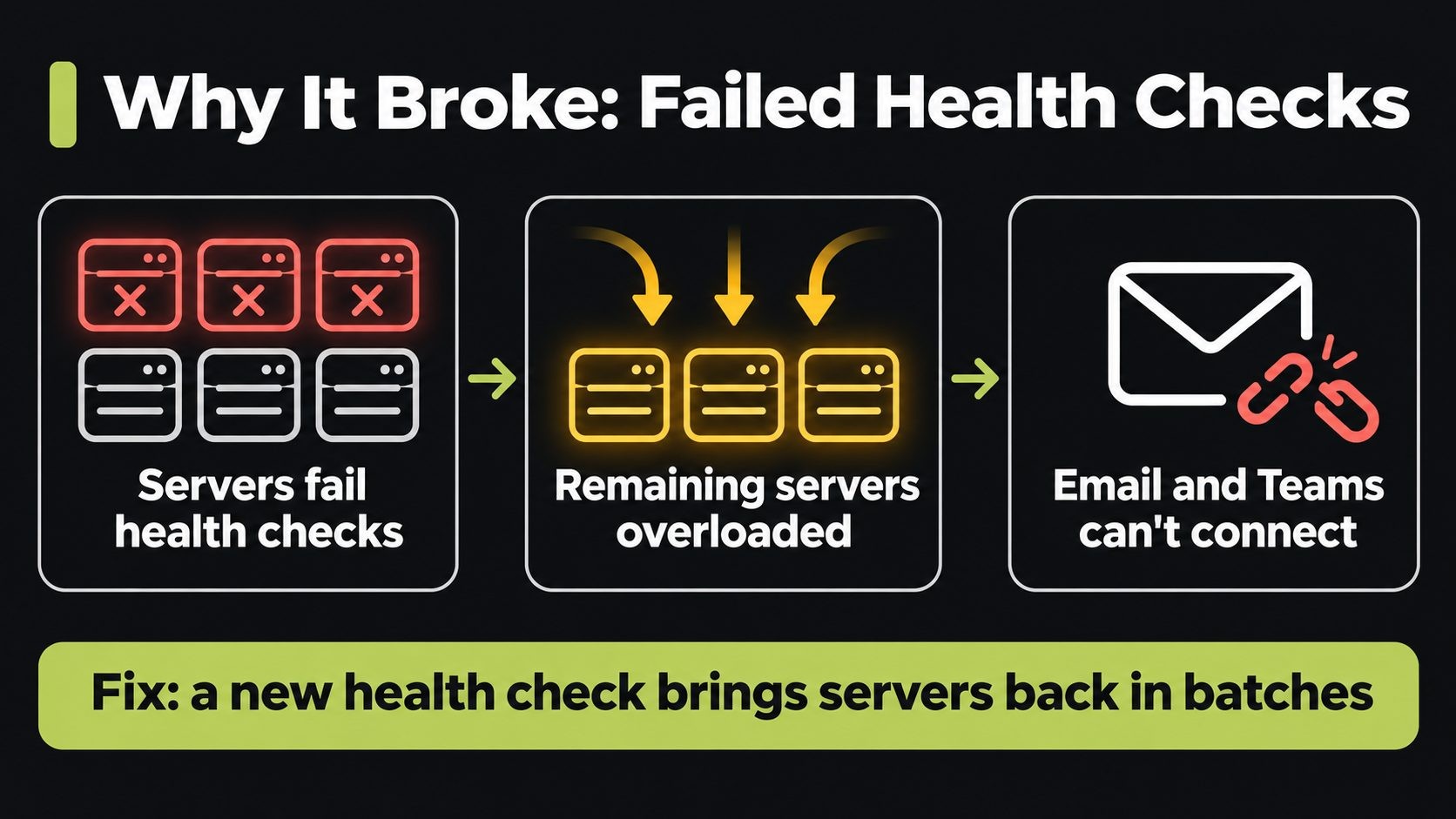
Quick answer: what caused the Microsoft Outlook outage? Microsoft said a number of servers became unexpectedly unavailable after failing automated health checks, which overloaded the remaining infrastructure. It was not caused by a traffic surge. As of November 13, 2026, Microsoft had not published a full root cause, and no evidence of a cyberattack had been disclosed.
What Happened: Timeline of the Microsoft 365 Outage
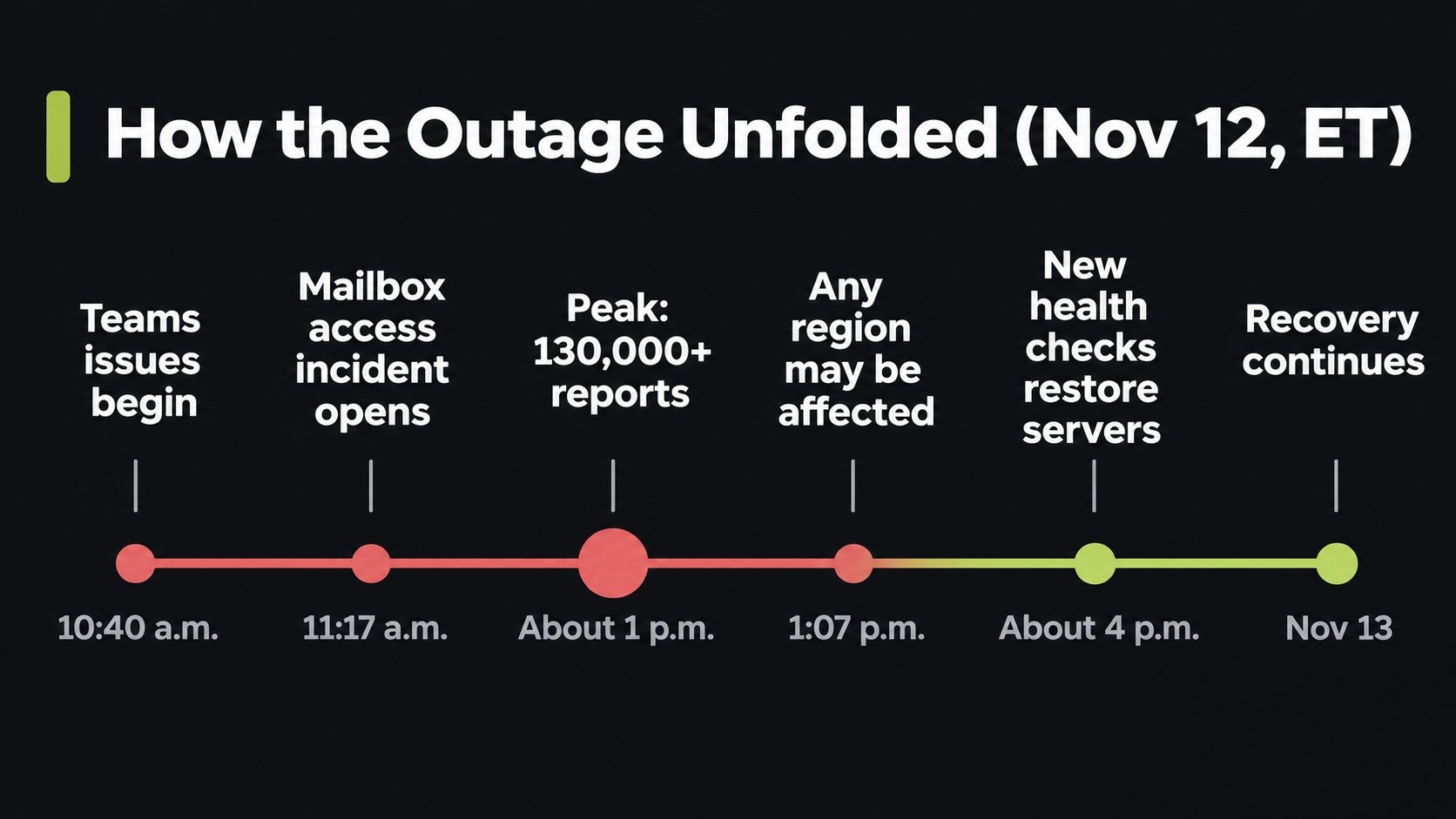
The outage started in the Americas and spread. Here's how November 12 unfolded (all times Eastern):
| Time (ET) | What happened |
|---|---|
| 10:40 a.m. | Microsoft reports Teams problems in North America |
| 11:17 a.m. | Exchange Online incident EX1550543 opens: users can't reach mailboxes "through multiple connection methods in the Americas" |
| About 12:20 to 1:15 p.m. | Outlook reports on Downdetector peak at about 130,000 |
| 1:07 p.m. | Microsoft warns the issue may affect Microsoft 365 users in "any region" |
| 1:26 p.m. | Microsoft opens a wider advisory, MO1550821, covering Exchange Online, Teams, SharePoint Online, Microsoft 365 Copilot and Defender XDR |
| Early afternoon | Microsoft redistributes connection traffic across its global infrastructure and pauses deployments |
| Afternoon | Microsoft says the load isn't from more traffic but from servers being unexpectedly unavailable |
| About 4:00 p.m. | An alternative service health check brings some servers back online, and Microsoft begins applying it more broadly |
| Evening | Microsoft reports services gradually returning as users' apps reconnect |
| November 13 | Recovery continues into a second day |
Downstream services felt it too. Third-party tools that connect to Microsoft 365, including AI assistants' Outlook and Teams connectors, reported problems while the outage lasted. CNBC's report on the outage has more on the day's events.
What Caused the Outlook Outage?
Microsoft's explanation changed as the day went on, which is normal during a live incident.
First, Microsoft said part of its infrastructure was "experiencing elevated load across multiple regions". A few hours later, it clarified that the load wasn't caused by more people using the service. Instead, a number of servers had become unexpectedly unavailable, which strained the servers that were left.
In simple terms: Microsoft's systems constantly check whether each server is healthy. On November 12, many servers failed those automated checks and were pulled out of service. Their work moved to the remaining servers, which then struggled under the extra load. That's why Microsoft's fix was a different way of checking server health, which let it safely bring servers back in batches.
What Microsoft hasn't said yet is why those servers failed their checks. That answer usually appears in a post-incident report in the Microsoft 365 admin center, often days later. We'll update this post when it's published.
Was it a cyberattack?
There's no sign of one. Security outlets reported that Microsoft disclosed no evidence of an attack, and everything Microsoft has shared points to an internal infrastructure problem. That isn't the same as an official "ruled out", so treat it as "no evidence so far".
Which Microsoft 365 Services Were Affected?
The outage hit far more than email:
| Service | Reported impact |
|---|---|
| Outlook and Exchange Online | Couldn't open mailboxes, send or receive email on web, desktop and mobile |
| Microsoft Teams | Messaging and connection problems |
| SharePoint Online | Access issues |
| Microsoft 365 Copilot | Errors and unavailable features |
| Defender XDR and Purview | Listed among potentially affected services |
| Microsoft 365 admin center | Hard to reach for some admins, so Microsoft posted updates on X |
| Third-party connectors | Apps that connect to Microsoft 365 reported errors |
The Exchange Online incident is tracked as EX1550543, and the wider Microsoft 365 advisory as MO1550821. If you're an admin, these are the IDs to follow in your admin center.
Is Outlook Down Right Now? How to Check
Before you troubleshoot, check whether the problem is Microsoft's or yours:
- Microsoft 365 Status on X: the Microsoft 365 Status account posts updates during major incidents, even when the admin center is slow.
- Microsoft's public status page: Microsoft 365 service health shows major consumer and business incidents.
- Your admin center: Microsoft 365 admin center → Health → Service health shows incidents that affect your organization, with IDs like EX1550543.
- Downdetector: useful as an early signal, but it counts user reports, not confirmed outages.
If Microsoft lists an active incident that matches what you see, the fix is on their side. Wait for updates instead of changing your own setup.
What Not to Do During an Outlook Outage
When email stops working, it's tempting to start fixing things. During a provider outage, most "fixes" make life harder once service comes back.
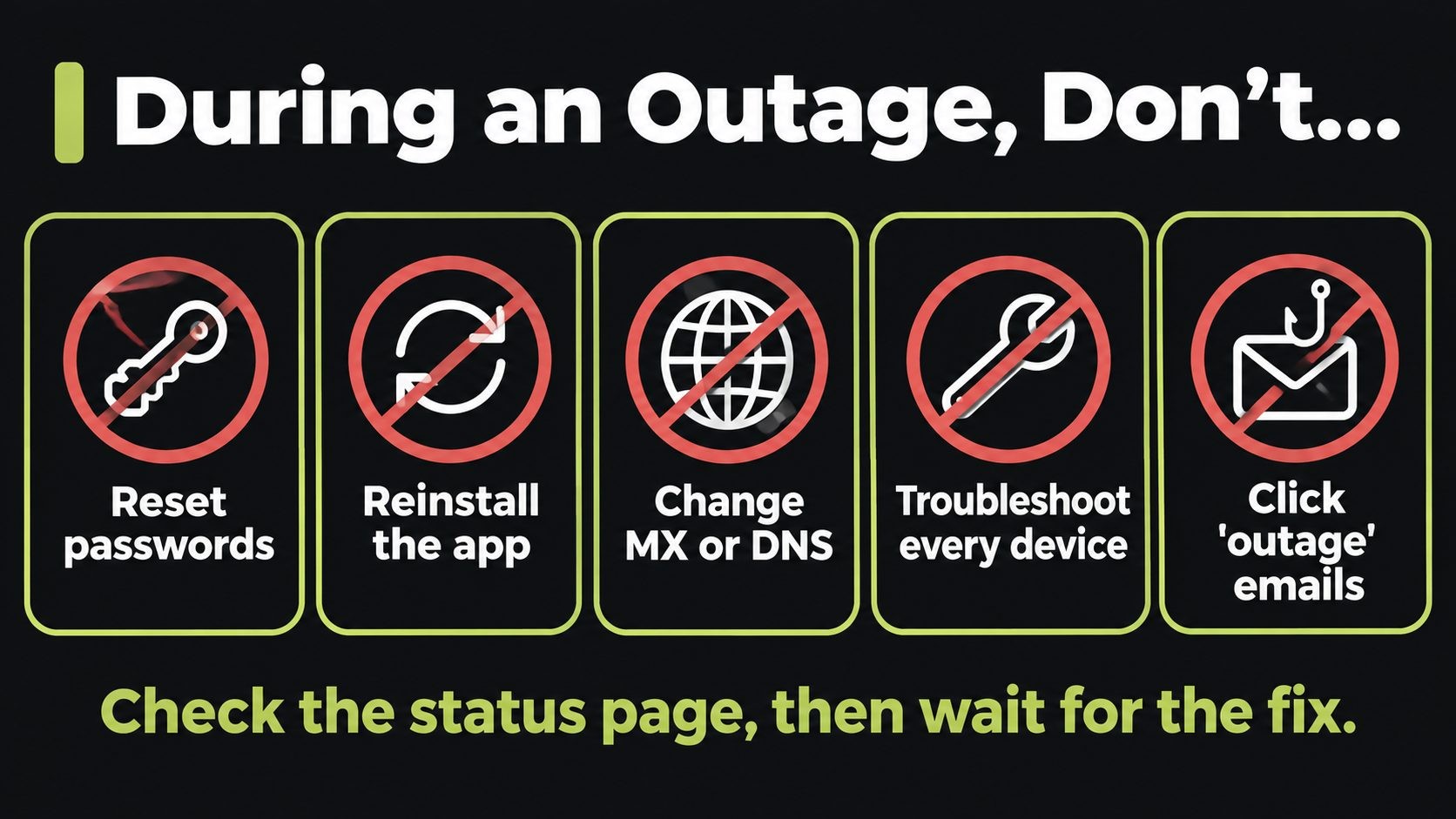
- Don't reset passwords to "fix" sign-in errors. It won't help, and you may lock people out of their phones and other devices when service returns.
- Don't reinstall Outlook or delete your profile. You'll have to re-sync everything, which is slow and can fail while servers are recovering.
- Don't change your MX or DNS records. Moving mail to another provider mid-outage can split or bounce messages for days.
- Don't run disruptive troubleshooting on every device. Note what you see, then wait for Microsoft's updates.
- Don't click "Microsoft outage" emails or texts. More on that below.
Watch for outage phishing
Big outages are perfect cover for scammers. Everyone is confused, waiting for news and expecting messages from Microsoft. In the days after an outage, watch for:
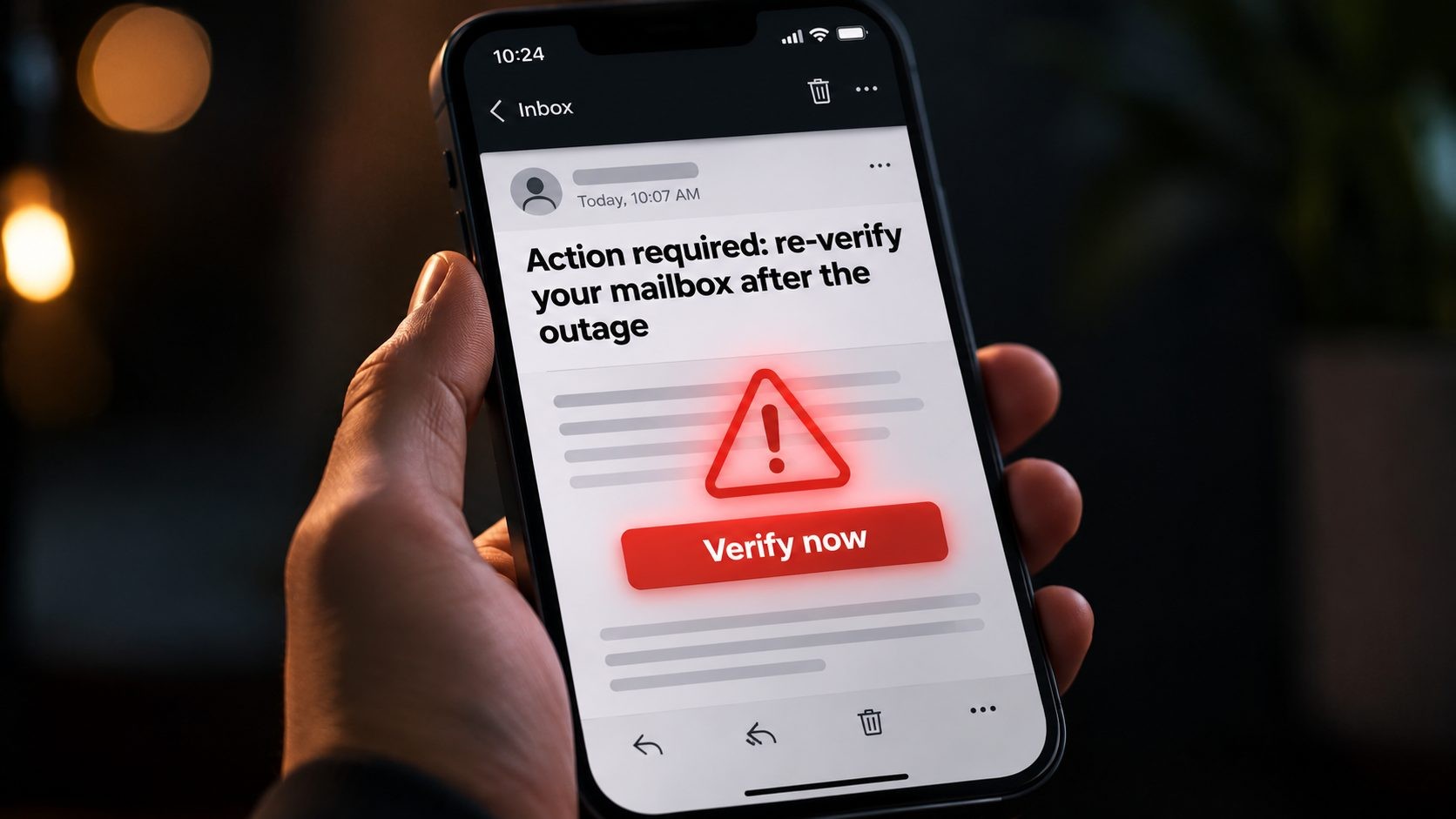
- "Your mailbox needs to be re-verified after the outage" emails with a login link
- Fake "outage compensation" or refund offers
- Messages asking you to install a "fix" or a new Outlook version
- Calls or texts from "Microsoft support" asking for codes or remote access
Microsoft won't ask you to re-enter your password through an email link after an outage. If you need to sign in, type the address yourself or use the app you already have. Fake apps that pretend to be Microsoft tools are a real 2026 risk too, as the AuthMask vulnerability showed with apps posing as Teams.
The same week brought a real Outlook threat too: two days before the outage, Microsoft patched an exploited Outlook zero-day that leaks Windows password hashes when a crafted Office file is opened. Our CVE-2026-124194 alert explains how to update Office, not just Windows.
A 30-Minute Email Continuity Plan for Small Businesses
Every email provider has outages, including Microsoft, Google and the rest. You can't prevent them, but you can stop one from stopping your business. Set this up in about 30 minutes:
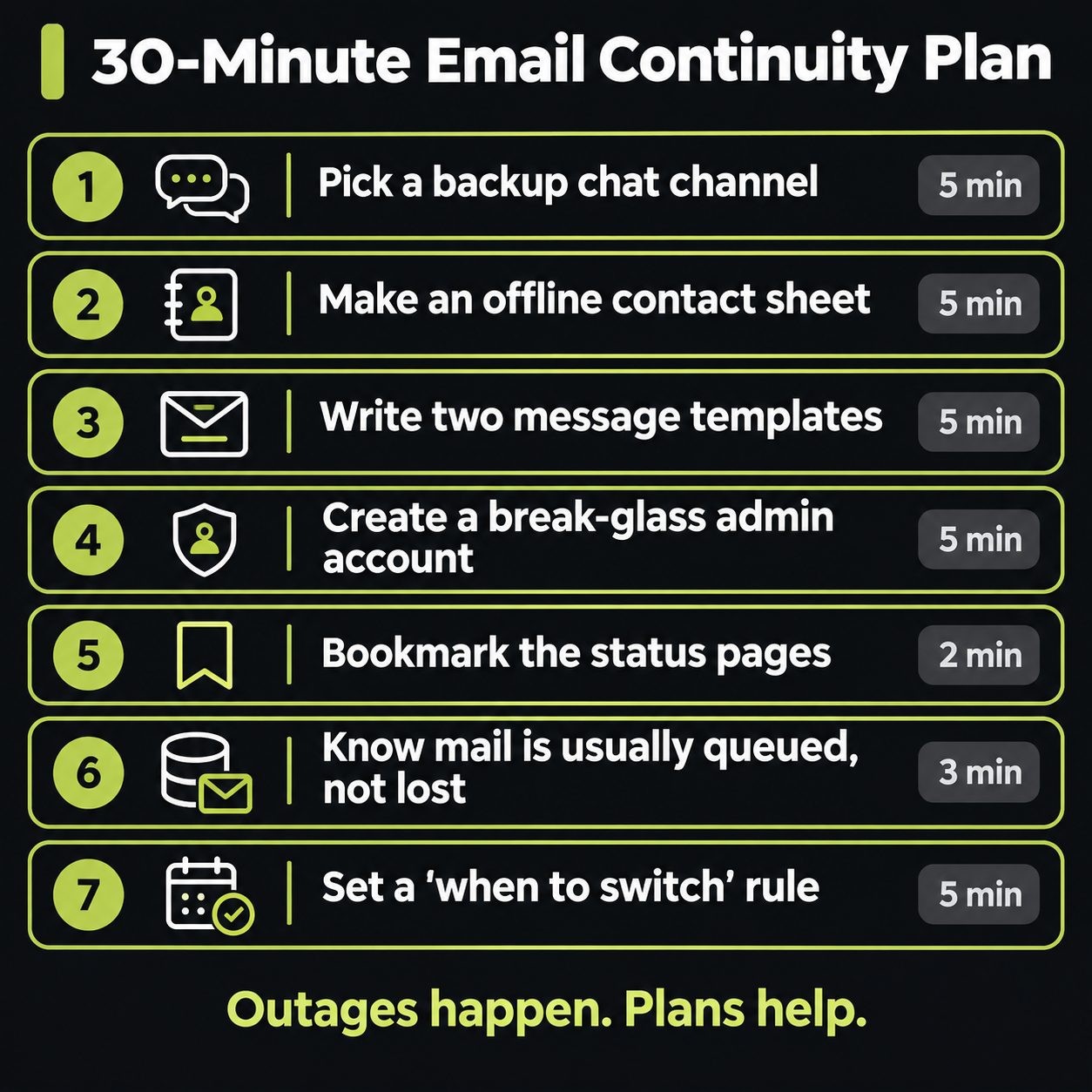
- Pick a backup channel (5 minutes). Choose one way your team talks when email and Teams are down. A WhatsApp or Signal group, or a Slack workspace, works, as long as it doesn't run on Microsoft 365. Add everyone now, not during the outage.
- Make an offline contact sheet (5 minutes). Phone numbers for staff, key clients, suppliers, your IT person and your domain and hosting providers. Keep a printed copy or a file outside Microsoft 365.
- Write two message templates (5 minutes). One for customers ("Our email is affected by a Microsoft outage. Call us at...") and one for staff ("Email is down. Use the backup group. Don't reset passwords.").
- Create a break-glass admin account (5 minutes). If you manage Microsoft 365, keep one emergency admin account with strong 2FA, stored safely, so you can still reach the admin center if your main admin account has trouble.
- Bookmark the status sources (2 minutes). Save the Microsoft 365 Status account, the service health page and your admin center Service health page in every browser your team uses.
- Know your mail isn't usually lost (3 minutes to read). When your mail server can't be reached, sending servers normally queue the message and retry for a period, often a day or two, depending on the sender. Most delayed mail arrives once service returns. Ask important senders to resend if something doesn't show up.
- Set a decision rule (5 minutes). For example: "If email is down for more than 1 hour during business hours, post the customer notice on the website and social media, and switch to the backup channel."
This plan is one piece of a bigger picture. Our website security for small business guide covers the rest, including backups, accounts and your "if we're hacked" plan.
Should You Leave Microsoft 365 After This?
Probably not. Every major provider has outages, and Microsoft 365 is still reliable for the vast majority of the year. Switching providers is expensive and disruptive, and the next one will have its own bad day.
The real lesson is about single points of failure. If your email, chat, files and calendar all live with one provider, one outage stops all of them at once. You don't need to leave. You just need a backup channel that runs somewhere else, and a plan your team knows before the next outage, like the one above.
For teams where downtime is truly costly, a low-cost backup communication tool from a different provider is cheap insurance.
Microsoft Outlook Outage FAQs
Conclusion: Outages Happen, Plans Help
The November 12 Microsoft Outlook outage was a reminder that even the biggest providers fail. You can't stop that. You can make sure your team knows where to talk, your customers hear from you, and nobody falls for a fake "re-verify your mailbox" email in the confusion. Spend 30 minutes on the plan above this week.
Need help building a continuity and security plan for your business email, website and servers? See my website security services or get in touch.
Sources
Get new posts by email
New guides and alerts, sent when they are published. No spam. Unsubscribe anytime.


Comments (0)