Last updated: November 16, 2026
"We're too small to be a target" is the most expensive myth in small business. Most attacks are automated: bots scan millions of sites for one outdated plugin, one reused password or one unpatched server. This guide covers website security for small business layer by layer. It's built on real attacks from 2026, each covered in a full alert on this blog, and on the latest breach data.
You'll find a 2-minute self-check, a checklist for each of the six layers, a 30-day plan, typical costs and a step-by-step plan for the day something goes wrong.
How to Secure a Small Business Website in 7 Steps
- Update your CMS, plugins, server and browsers every week.
- Turn on two-factor authentication (2FA) for every admin login.
- Use a password manager and never share logins.
- Put a web application firewall (WAF) in front of your site.
- Keep offsite backups and test a restore every quarter.
- Review checkout scripts, plugins and vendor access monthly.
- Write a one-page plan for what to do if you're hacked.
The rest of this guide explains each step, why it matters and how to do it on a small business budget.
Why Small Business Websites Get Hacked in 2026
The threat has shifted. Attackers now break in through unpatched software more than stolen passwords, and they often come through a vendor you trust. The Verizon 2026 Data Breach Investigations Report (DBIR) and Patchstack's WordPress research show the pattern clearly:

| Stat | What it means for you | Source |
|---|---|---|
| 31% of breaches started with a software vulnerability, ahead of stolen credentials (13%) | Updates are now your most important defense | Verizon DBIR 2026 |
| 48% of incidents involved a third party | Your vendors, plugins and apps are part of your attack surface | Verizon DBIR 2026 |
| About 96% of ransomware victims (where size was known) were small and midsize businesses | Ransomware is a small business problem, not just a big company one | Verizon DBIR 2026 |
| 11,334 new WordPress vulnerabilities in 2025, 91% in plugins | The extras you install carry most of the risk | Patchstack, 2026 report |
For the WordPress-specific numbers and fixes, see the WordPress security checklist.
Bots don't care how small you are
Nobody is sitting in a dark room choosing your bakery's website. Automated tools scan the whole internet for known weaknesses, then attack every site that matches. Once a flaw is public, mass exploitation of WordPress plugins can start within hours. Website security for small business isn't about being interesting to hackers. It's about not being the easy match.
What attackers want from a small business website
Customer data and email lists, payment card details from your checkout, your email account for invoice fraud, your server to send spam or mine crypto, and your Google rankings to push their own spam pages. Even a simple brochure site is worth something to someone.
2-Minute Website Security Self-Check
This quick website security for small business self-check takes two minutes. Answer these 10 questions honestly. Count your "yes" answers, then use the score below. Every "no" points to the layer that fixes it.
- Are your CMS, plugins and themes updated within the last 7 days? (Layer 3)
- Does every admin login use 2FA or a passkey? (Layer 2)
- Does your team use a password manager, with no shared logins? (Layer 2)
- Do you have offsite backups, with a restore tested in the last 90 days? (Backups)
- Is there a firewall (WAF or CDN) in front of your site? (Layer 4)
- Have you removed old staff, contractor and vendor accounts? (Layer 6)
- Is your server patched by your host, or is SSH set to keys only? (Layer 4)
- Have you reviewed checkout scripts and apps in the last 30 days? (Layer 5)
- Do all devices and browsers auto-update, and restart weekly? (Layer 1)
- Do you have a written plan for a hack, and rules for AI tools? (Layer 6 and Backups)
| Your "yes" answers | Score | What to do |
|---|---|---|
| 9 to 10 | Strong | You have solid basics. Keep the routine going and review quarterly. |
| 6 to 8 | Decent, with gaps | You have the foundations, but a few gaps could still let an attacker in. Fix the "no" answers this month. |
| 0 to 5 | At risk | Your site is exposed to common automated attacks. Start with the 30-day plan below this week. |
The 6 Layers of Small Business Website Security
Website security for small business works best in layers. If one fails, the next one catches the attack. An attacker has to get past every layer, and you only need each one to hold.
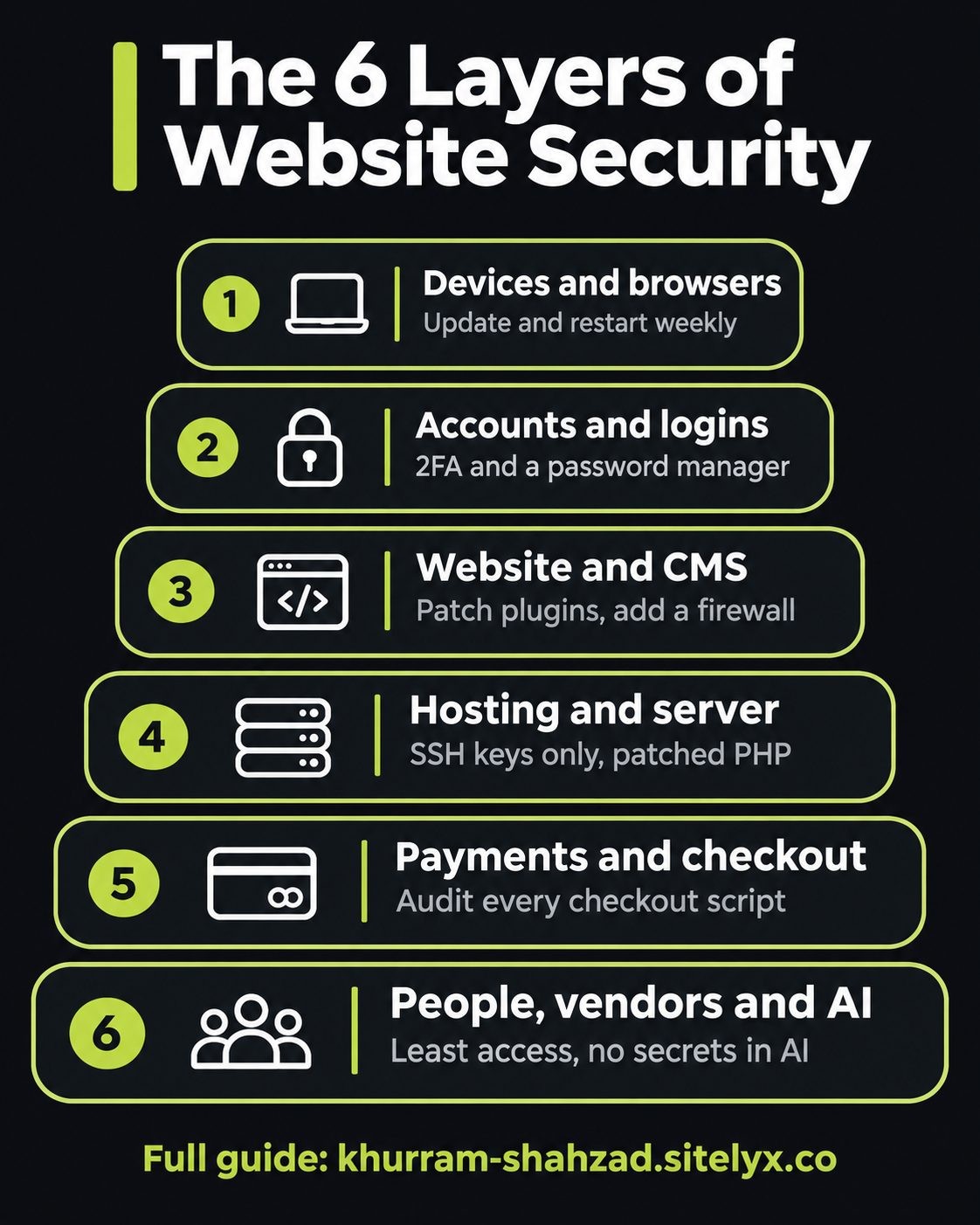
- Devices and browsers: the computers and phones you manage the business from
- Accounts and logins: passwords, 2FA and who has access
- Your website and CMS: WordPress, Shopify, Laravel or whatever runs the site
- Hosting and server: where the site lives
- Payments and checkout: where the money and card data flow
- People, vendors and AI tools: everyone and everything you trust with access
Each layer below follows the same pattern: the risk, the checklist, a real example from 2026 and links to the full alerts.
Layer 1: Devices and Browsers
The risk: one unpatched browser or stolen laptop opens every account you're logged in to.
Your browser is the office. Your website admin, store dashboard, banking and email all live in it, so the devices and browsers you use are the first layer of website security.
- Turn on automatic updates for every device and browser: Windows, macOS, iOS, Android, Chrome, Edge and Safari.
- Restart browsers at least weekly. Updates only apply after a relaunch, and many people run old versions for weeks.
- Encrypt laptops and lock screens: FileVault on Mac, BitLocker on Windows, with a short auto-lock.
- Use a separate browser profile for admin work. Keep website and banking logins away from everyday browsing and extensions.
- Remove extensions you don't need. Every extension can read the pages you visit.
- Keep production secrets off laptops: no live database passwords or API keys in local files.
Real example (November 2026): Chrome zero-day CVE-2026-125350. Google patched the 8th exploited Chrome zero-day of 2026. The fix only protects you after Chrome restarts, and Edge, Brave and Opera patch separately.
Read the full alerts:
- Chrome zero-day CVE-2026-125350
- Developer laptop security checklist
- Binance hack: how one laptop led to a $6.3B theft
- Outlook zero-day CVE-2026-124194
- Meta's €805M fine: how to turn off Facebook gallery access
Layer 2: Accounts and Logins
The risk: a reused password or missing 2FA hands attackers the keys.
Most break-ins that don't use a software flaw use a login. Strong, unique passwords and a second factor stop the vast majority of account takeovers.
- Use a password manager for the whole team. Unique, long passwords for every service, shared through the manager, never over chat.
- Turn on 2FA or passkeys everywhere: website admin, hosting, domain registrar, email, payment processor and DNS.
- Prefer app-based 2FA or security keys over SMS. SIM-swap attacks can steal text-message codes.
- Give each person their own login. No shared "admin" accounts, so you can remove one person cleanly.
- Remove ex-staff and old contractor accounts. Review all admin users monthly.
- Protect your email domain with SPF, DKIM and DMARC. This stops attackers sending invoices "from" you.
Real example (October 2026): AuthMask. A flaw in an Android authenticator app let zero-permission apps pose as Microsoft Teams and steal work tokens. Keep authenticator apps updated too.
Read the full alert: AuthMask vulnerability (CVE-2026-80097)
Layer 3: Your Website and CMS
The risk: one outdated plugin can give an attacker full control of your site.
For WordPress and similar platforms, plugins and themes are where most vulnerabilities live. Core is usually fine. The extras you add are the risk. Patch what attackers are actively using first: CISA's Known Exploited Vulnerabilities catalog lists flaws with confirmed attacks, and the OWASP Top 10 explains the most common web app weaknesses.
- Update core, plugins and themes weekly. Patch actively exploited flaws the same day.
- Delete plugins and themes you don't use. Deactivated isn't enough. Remove them.
- Install only from trusted, maintained sources. Check the last update date, active installs and support activity.
- Add a web application firewall (WAF). A CDN-based firewall or security plugin blocks common attacks and can virtually patch known flaws.
- Limit admin users and use least privilege. Editors don't need admin rights.
- Harden file permissions and disable the file editor. On WordPress, add
DISALLOW_FILE_EDITto wp-config.php.
Fewer plugins also means a faster site. If you're choosing a caching plugin, our WP Rocket vs LiteSpeed Cache comparison covers the trade-offs.
Real example (July to October 2026): wp2shell and the UpdraftCentral backdoor. A WordPress core remote code execution flaw (wp2shell) and a backdoor in a popular remote-management plugin both hit sites that delayed updates or left remote keys active.
Read the full alerts:
- WordPress security checklist (25 steps)
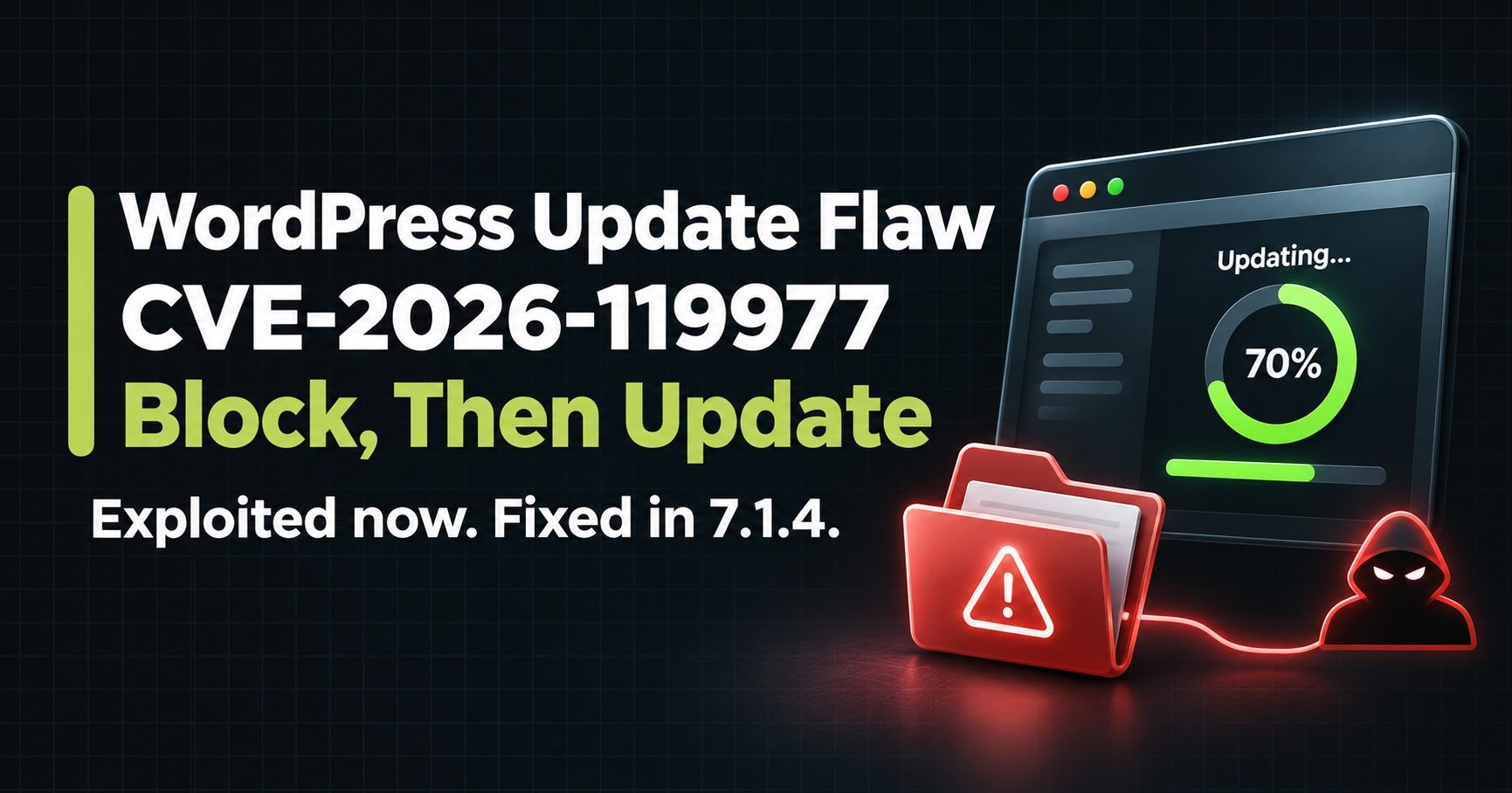
- WordPress core updater flaw CVE-2026-119977
- UpdraftCentral backdoor
- WordPress 7.2 release and the PHP2Shell fix
Layer 4: Hosting and Server
The risk: an unpatched server or open SSH port exposes every site on it.
If you use managed hosting, your host handles most of this layer, so choose one with a strong security record. If you run your own VPS, this layer is your job.
- Choose hosting that patches PHP and the OS for you, or schedule server updates yourself on a VPS.
- Use SSH keys only and turn off password login. Set
PasswordAuthentication noand disable root login. - Put a firewall in front of the server. Allow only the ports you need, and restrict SSH by IP if you can.
- Put Cloudflare or a similar CDN in front of the site. It hides your origin IP, absorbs DDoS attacks and adds a WAF.
- Keep PHP, OpenSSH and your web server current. Old versions stop getting security fixes.
- Rebuild Docker images regularly. A patched host doesn't patch the containers on it.
Real example (November 2026): sshole (CVE-2026-123158). A bug in OpenSSH on Alpine Linux let a very long password log in to key-only and root accounts when password login was left on.
Read the full alerts:
- sshole vulnerability
- APT root flaw CVE-2026-109518
- Shared vs VPS hosting
- Cloudflare settings for WordPress
- Deploy Laravel with Docker on a VPS
Layer 5: Payments and Checkout
The risk: malicious scripts can skim card details at checkout without anyone noticing.
If you sell online, your checkout is the most valuable page you have, for you and for attackers. Keep card data off your server and watch every script that loads on payment pages.
- Use hosted payment fields or pages. Let your payment provider handle card data, which also reduces your PCI DSS scope.
- Audit checkout apps, plugins and scripts monthly. Remove anything you don't recognize or need.
- Monitor checkout pages for changes. Script monitoring or a Content Security Policy can flag new code.
- Turn on your payment provider's fraud tools: address verification, 3-D Secure and velocity limits.
- Test the full checkout after every update, especially before peak seasons like Black Friday.
Real example (October 2026): Shopify checkout hijacking. More than 400 Shopify apps were delisted after some were caught hijacking checkouts. Third-party apps are part of your attack surface.
Read the full alerts:
Layer 6: People, Vendors and AI Tools
The risk: a trusted vendor, a phishing email or an AI tool becomes the way in.
Nearly half of incidents now involve a third party. Your web developer, your plugins, your contractors and your AI tools all have some level of access, so this layer is about trust you manage on purpose.
- Train the team to spot phishing, especially fake invoices, password-reset emails and urgent payment requests.
- Review vendor and contractor access every quarter. Remove access when a project ends.
- Give vendors their own accounts with least privilege. Never share your own login.
- Approve which AI tools the team may use, and on which data. Keep customer data and secrets out of prompts.
- Keep AI tool settings and logs out of git. Agent folders can store passwords and tokens.
- Install developer tools and extensions only from verified publishers. Check names, publishers and versions.
Real example (October to November 2026): Claude Code incidents. A tampered extension build planted an SSH backdoor. Separately, approved commands with passwords ended up in public GitHub repos.
Read the full alerts:
- Claude Code extension backdoor
- Claude Code settings.local.json leak
- CyberStrikeAI: AI-driven attacks
- AI slop in open source
Real Attacks From 2026, and the Lesson From Each
Every incident below is covered in a full alert on this blog. Newest first.
| Date | Incident | Layer | Lesson |
|---|---|---|---|
| Nov 10, 2026 | Outlook zero-day CVE-2026-124194 | Devices | Opening a crafted Office file leaked Windows password hashes. Update Office, not just Windows. |
| Nov 9, 2026 | Chrome zero-day CVE-2026-125350 | Devices | The 8th exploited Chrome zero-day of 2026. Update and relaunch every browser. |
| Nov 2026 | Claude Code settings.local.json leak | People and AI | Approved commands saved secrets to public repos. Keep secrets out of AI tools. |
| Nov 5, 2026 | sshole OpenSSH bypass | Server | A long password unlocked key-only accounts. Turn off SSH password login. |
| Nov 4, 2026 | APT root flaw CVE-2026-109518 | Server | A tampered download could install as root. Update APT with retries off, then verify the version. |
| Nov 3, 2026 | WordPress core updater flaw CVE-2026-119977 | Website | Sites were attacked while updating to the fix, 7.1.4. Block wp-content/upgrade first, then update. |
| Oct 2026 | Binance $6.3B hack | Devices | It started on one engineer's laptop. Developer devices are production assets. |
| Oct 2026 | Claude Code extension backdoor | People and AI | A tampered developer tool planted an SSH key. Verify publishers and versions. |
| Oct 2026 | CyberStrikeAI | People and AI | AI-driven attack tooling targeted firewalls at scale. Patch edge devices quickly. |
| Oct 2026 | AuthMask (CVE-2026-80097) | Accounts | Fake apps posed as Teams to steal work tokens. Update authenticator apps too. |
| Oct 2026 | PHP2Shell (CVE-2026-109618) | Server | A PHP flaw put servers at risk. Patch the server, not just the site. |
| Oct 2026 | Shopify checkout hijacking | Payments | Third-party apps skimmed checkouts. Audit every app and script on payment pages. |
| Oct 2026 | UpdraftCentral backdoor | Website | Remote management keys became a way in. Audit remote access keys and plugins. |
| Jul 17, 2026 | wp2shell: WordPress core RCE | Website | Sites that delayed core updates were exposed. Update core fast and confirm the version. |
Backups and Your "If We're Hacked" Plan
Every business should have tested backups and a one-page plan before anything goes wrong. Use the 3-2-1 rule: 3 copies of your data, on 2 types of storage, with 1 kept offsite. A backup you've never restored is a hope, not a backup, so test a restore every quarter.
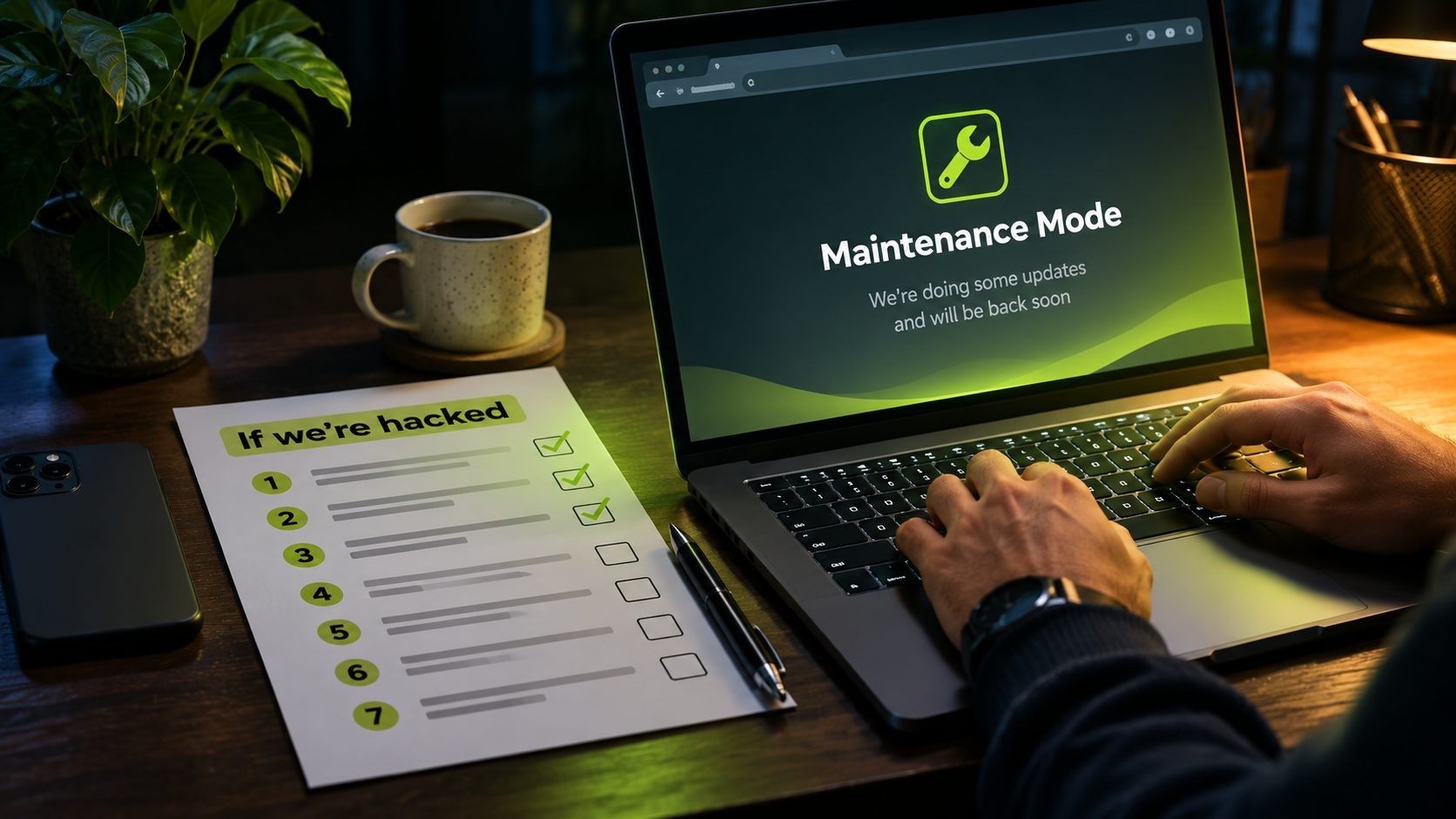
If the worst happens, follow these steps in order:
- Stay calm and document. Take screenshots of anything strange: warnings, unknown users, redirects, emails. Note the time. This helps your host, your developer and, if needed, your insurer.
- Take the site offline or into maintenance mode. Stop the damage spreading to visitors. Ask your host to suspend the site or switch on a maintenance page.
- Change every password and revoke sessions. Hosting, CMS admins, database, FTP or SSH, email and domain registrar. Use a clean device. Rotate API keys and payment credentials too.
- Find how they got in. Check recent plugin installs, outdated software, new admin users and server logs. Without closing the entry point, they'll be back.
- Restore from a clean backup. Use a backup from before the infection, then update everything immediately. Don't just delete the files you can see.
- Close the gap and harden. Patch the flaw, remove unused plugins, add 2FA and a firewall, and check file permissions.
- Check Google and tell customers. In Google Search Console, check Security Issues and request a review once clean. If customer data may be exposed, tell affected customers and check your legal obligations.
For a WordPress-specific recovery guide, see the if-hacked section of the WordPress security checklist.
Your 30-Day Small Business Website Security Plan
Don't try to do everything at once. One focused week at a time gets a typical small business from exposed to solid in a month, at about 1 to 3 hours a week.
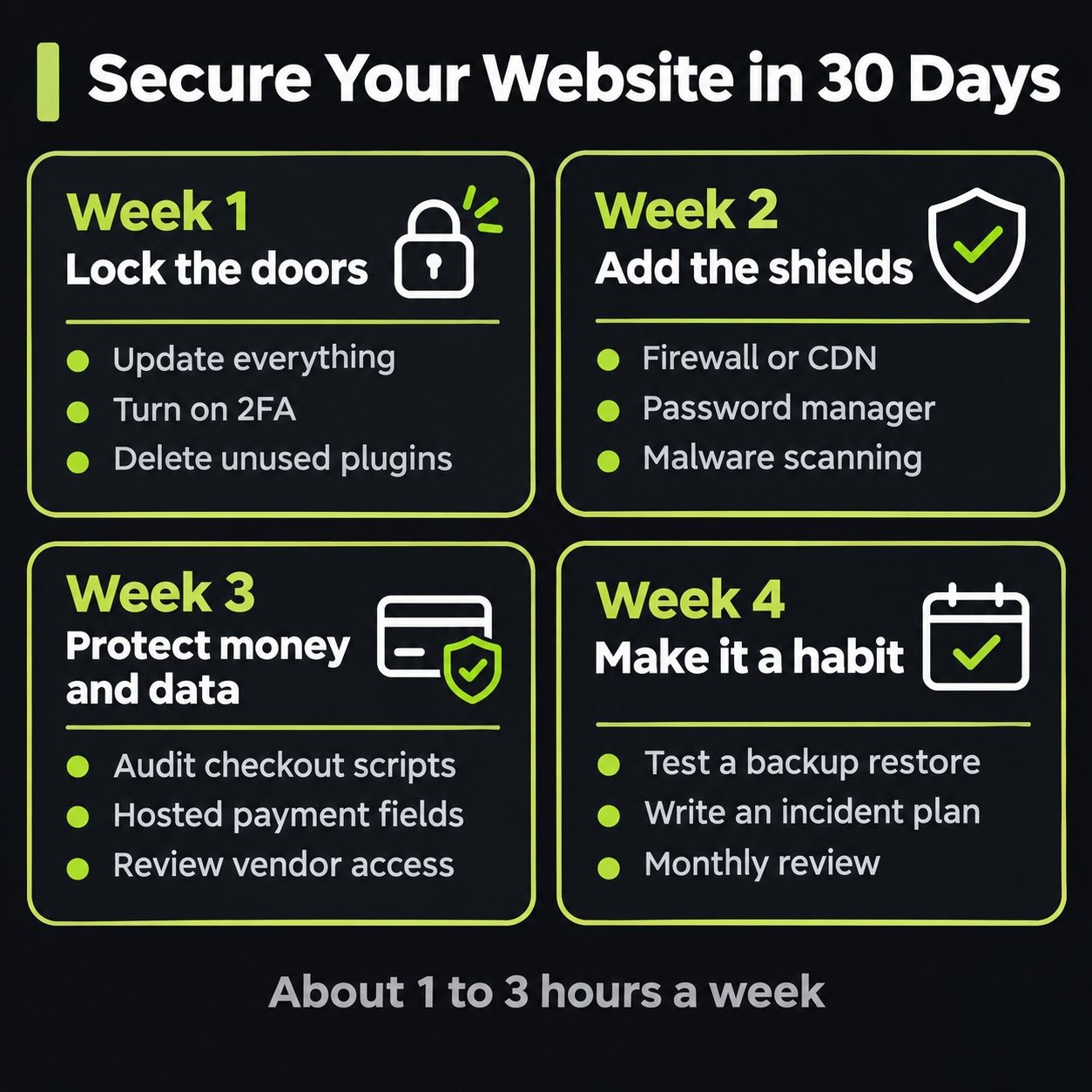
Week 1: Lock the doors (about 2 hours)
| Task | Layer | Typical cost |
|---|---|---|
| Update CMS, plugins, themes and server software | Website | $0 |
| Turn on 2FA for every admin, hosting, email and registrar login | Accounts | $0 |
| Delete unused plugins, themes and old user accounts | Website | $0 |
| Confirm a recent backup exists | Backups | $0 |
Week 2: Add the shields (about 2 to 3 hours)
| Task | Layer | Typical cost |
|---|---|---|
| Put a firewall or CDN in front of the site | Server | $0 to $25/mo |
| Set up a password manager for the team | Accounts | $3 to $8 per user/mo |
| Turn on malware scanning and uptime monitoring | Website | $0 to $30/mo |
| Set SPF, DKIM and DMARC on your email domain | Accounts | $0 |
Week 3: Protect money and data (about 2 hours)
| Task | Layer | Typical cost |
|---|---|---|
| Audit checkout apps, plugins and scripts | Payments | $0 |
| Check payments use hosted fields or pages | Payments | $0 |
| Review vendor and contractor access | People | $0 |
| Turn on activity logging for admin actions | Website | $0 |
Week 4: Make it a habit (about 1 to 2 hours)
| Task | Layer | Typical cost |
|---|---|---|
| Set up offsite backups and test a restore | Backups | $2 to $15/mo |
| Write a one-page "if we're hacked" plan | People | $0 |
| Agree on AI tool rules with your team | People | $0 |
| Put a monthly security review on the calendar | All | $0 |
What Website Security Costs a Small Business
Good website security for small business is cheaper than most owners think. The free basics (updates, 2FA and a free firewall tier) cost $0 and stop most automated attacks. These are typical monthly ranges for a small business with 1 to 10 people and one website. Prices vary by provider and team size.
| What you add | What it does | Typical cost per month |
|---|---|---|
| Password manager (5 users) | Unique passwords and safe sharing for the team | $15 to $40 |
| Firewall or CDN paid tier | Blocks attacks and absorbs traffic spikes. Free tiers cover many small sites | $0 to $25 |
| Malware scanning and security plugin | Scans files and blocks common attacks | $0 to $20 |
| Offsite backups | Daily backups stored away from your host | $2 to $15 |
| Uptime and change monitoring | Alerts you when the site goes down or changes | $0 to $10 |
| Managed hosting upgrade | Your host handles server patching and isolation | $20 to $60 |
| Checkout script monitoring | Flags new code on payment pages | $0 to $30 |
Typical totals: the starter set (password manager, firewall, scanning and backups) runs about $17 to $100 a month. Adding everything above comes to about $37 to $200 a month. Compare that with the cost of cleanup, lost sales and lost trust after a breach. Prevention is the cheap option.
Latest Threats (Updated Monthly)
The three most recent alerts. This section is updated each month as new threats appear.
- Nov 16, 2026 (Server): APT root flaw CVE-2026-109518. A flaw in the tool that installs your security updates could let a tampered download run as root on Debian and Ubuntu. No known attacks. Update APT with retries off, then verify the version.
- Nov 14, 2026 (Website): WordPress core updater flaw CVE-2026-119977. Exploited and on CISA's KEV list since November 3. The update to 7.1.4 itself can be raced, so block wp-content/upgrade first, then update.
- Nov 10, 2026 (Devices): Outlook zero-day CVE-2026-124194. An exploited flaw in classic Outlook leaks Windows password hashes when a crafted Office file is opened. Update Office, not just Windows.
Website Security for Small Business FAQs
Conclusion: Security Is a Habit, Not a Product
Website security for small business doesn't need an enterprise budget. It needs updates, strong logins, a firewall, tested backups and a plan, kept up every month. Start with the self-check, work through the 30-day plan, and come back to the Latest Threats section each month.
Want an expert to check your site?
I've recovered 50+ attacked websites and run my own dedicated servers end to end. Get a plain-English security review with a clear, scoped quote: see website security consulting.
Sources
- Verizon 2026 Data Breach Investigations Report
- CISA Known Exploited Vulnerabilities catalog
- OWASP Top 10
- Patchstack, State of WordPress Security in 2026 (summarized in our WordPress security checklist)
Get new posts by email
New guides and alerts, sent when they are published. No spam. Unsubscribe anytime.


Comments (0)