
- Khurram Shahzad
- Security Alerts
- 1604
- 0
Updated: November 10, 2026
You ask Claude Code to debug a staging login. It wants to run a database command with the password typed inline. You're busy, so you click "Yes, and don't ask again." That one click can save the whole command, password included, in a file called .claude/settings.local.json. If that file gets committed, your password is now on GitHub.
That is exactly what security firm Apiiro found when it searched public GitHub in early November 2026. More than a thousand copies of the Claude Code settings.local.json file held real passwords, API keys and tokens.
This isn't a hack of Anthropic. It's a default behavior meeting everyday developer habits. It's also the second Claude Code security story this month, after the Claude Code extension backdoor. The cleanup takes about 15 minutes. This guide shows you how to check your repos, clean up properly and stop it from happening again.
Quick answer: does Claude Code store secrets in settings.local.json? It can. When you approve an exact shell command with "Yes, and don't ask again," Claude Code saves that command as an allow rule in
.claude/settings.local.json. If the command had a password or token in it, the secret is saved in plain text. Never commit this file.
What Happened: Apiiro's Findings in Numbers
Apiiro's research, by Shmulik Cohen and Matan Giladi, was published on November 5 and 6, 2026, and covered by The Hacker News on November 7. The team used GitHub code search between November 1 and 3 to find public copies of the file, then checked them for real secrets.
A value counted as a secret if it matched a known key format, or if a password or token sat next to a public server address. An AI reviewer also had to agree. Apiiro did not test whether the secrets still work, but one company it notified confirmed its key was live.
Key numbers at a glance
| Finding | Number |
|---|---|
| Public copies of settings.local.json found | 104,185 (in 103,617 repos) |
| Copies holding at least one secret | 1,122 (about 1.1%) |
| Distinct secrets in those copies | 1,379 |
| Total secrets, including git history, shared settings.json and agent chat logs | 2,539 across 1,994 repos |
| Organizations owning affected files | 63 |
| Forks carrying the same secrets | 211 forks of 74 repos |
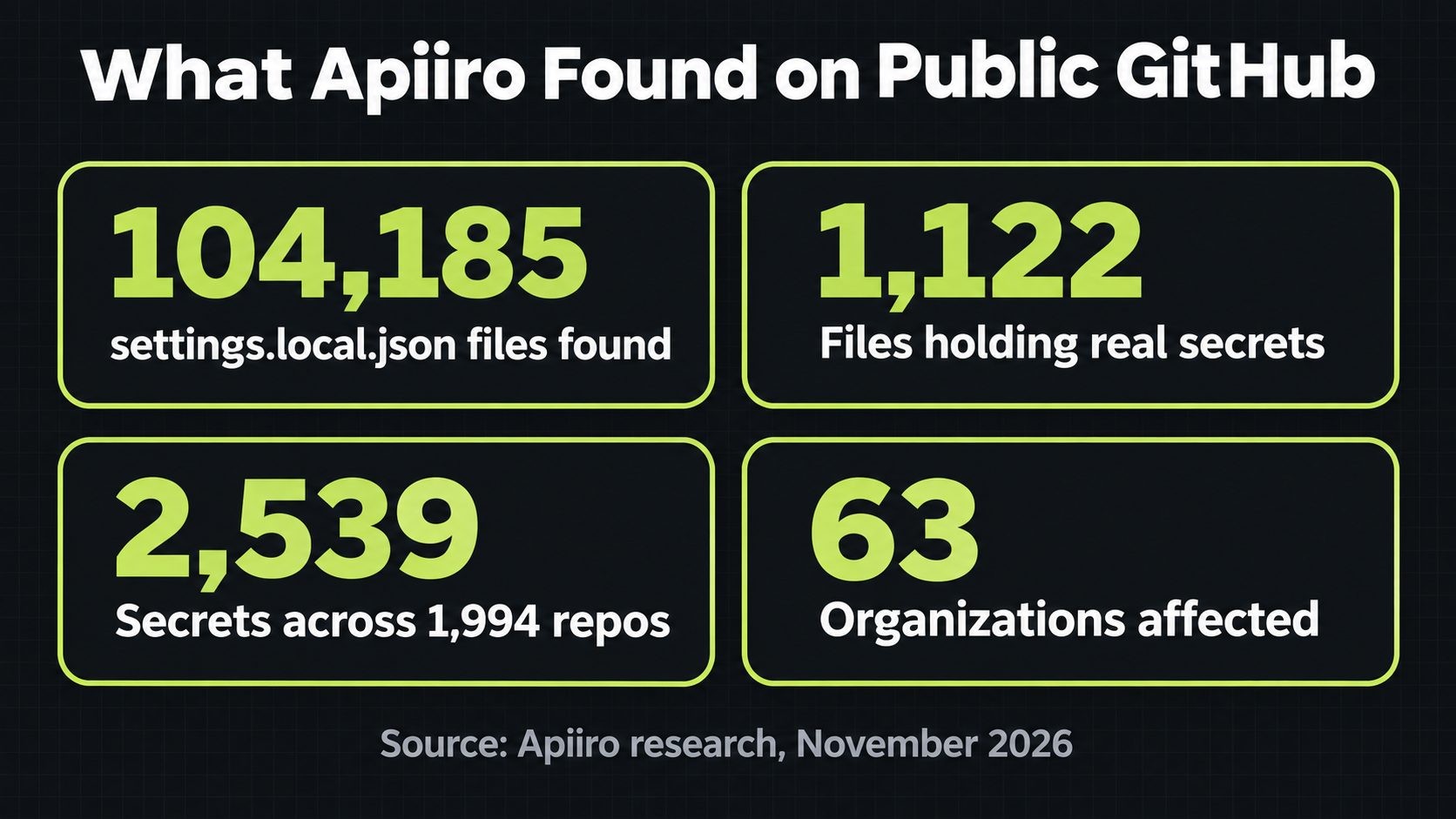
1.1% sounds small. But each of those files is a working door into somebody's database or cloud account.
What kinds of secrets leaked
More than a third of the secrets open a database directly. The breakdown Apiiro reported includes:
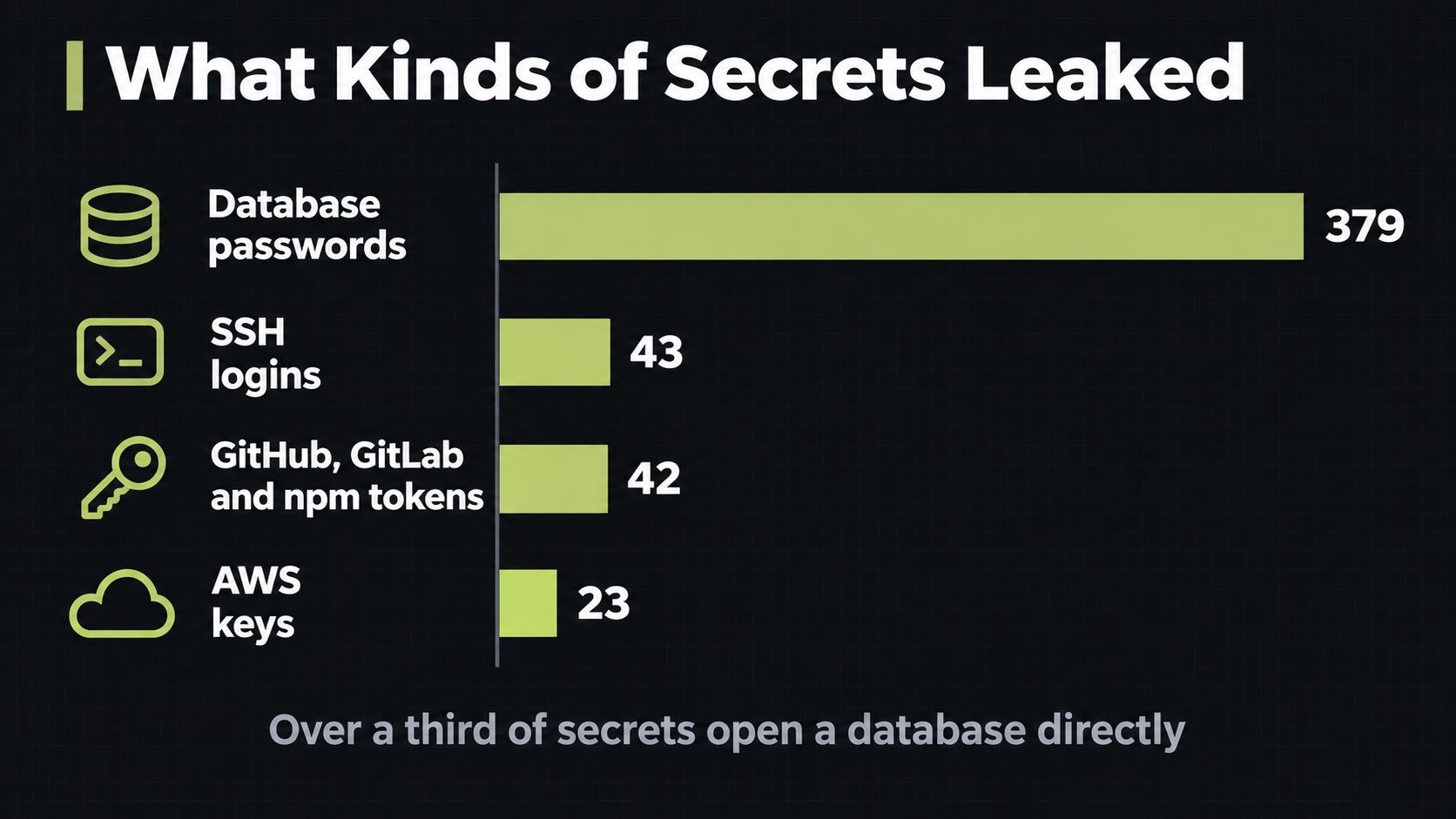
- 379 database passwords
- 43 SSH logins for public servers (a reminder of why we keep writing about SSH, like the recent sshole vulnerability)
- 42 tokens for GitHub, GitLab and npm
- 23 AWS keys
Among the 63 organizations were a database vendor with an admin-level cloud key and a medical-records database with its owner password exposed. Every file with a secret was still on its default branch when Apiiro checked. In half of those repos, it had been sitting there for at least 217 days.
How a Secret Ends Up in settings.local.json
Claude Code asks before it runs most shell commands. You can approve once, or choose "Yes, and don't ask again." According to the Claude Code permissions documentation, the second option writes an allow rule to .claude/settings.local.json inside your project, and matching commands run without asking in later sessions.
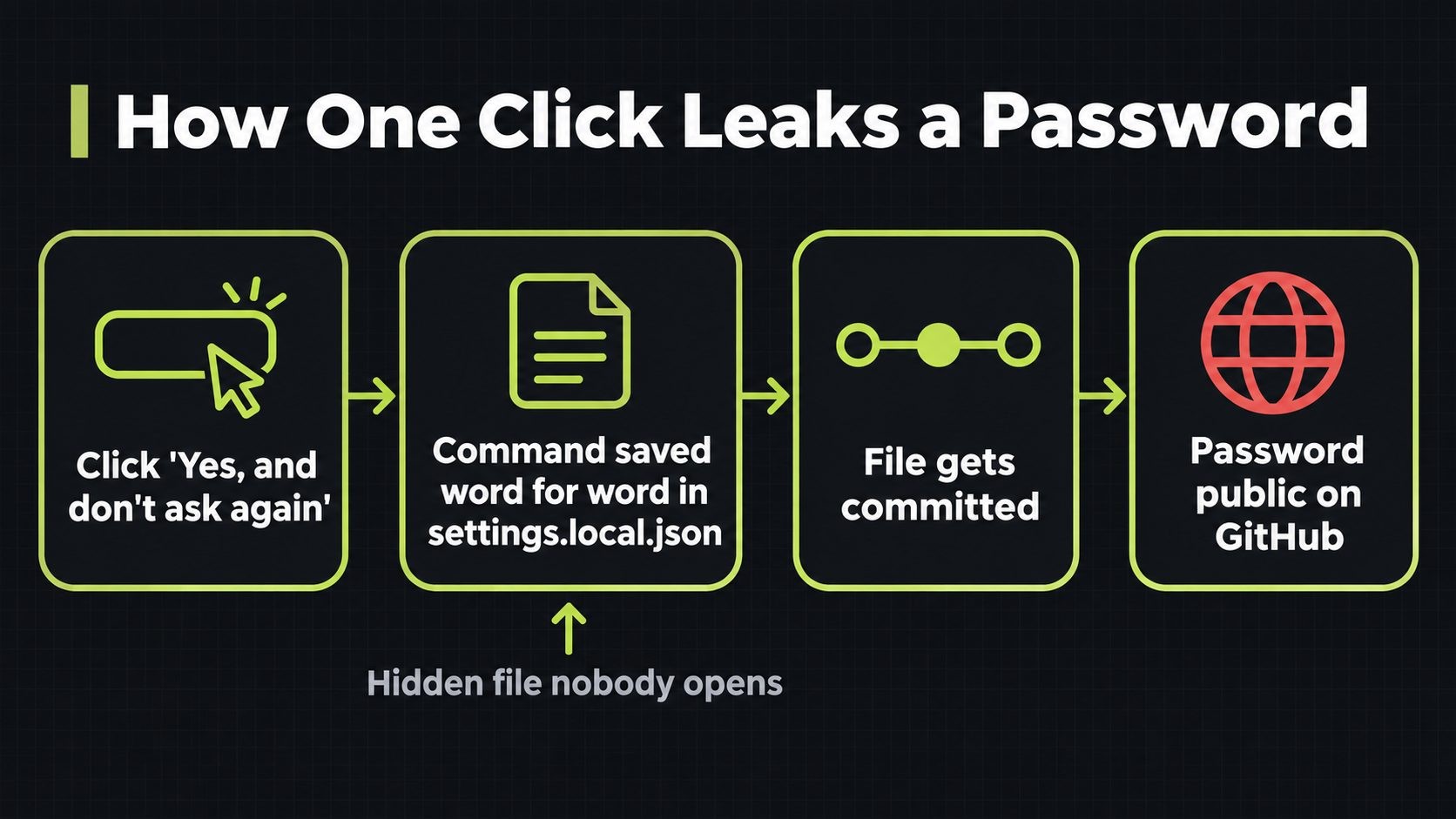
The problem is what that rule contains. Some rules are patterns, which are safe:
"Bash(npm test *)"
Others are the exact command you approved, word for word. If you typed a password inline, the rule now looks like this (placeholder values):
{
  "permissions": {
    "allow": [
      "Bash(PGPASSWORD=REDACTED psql -h db.example.com -U admin)",
      "Bash(mysql -u root -pREDACTED app_db)"
    ]
  }
}
Nobody opens this file. It's a hidden dotfile inside a hidden folder, so the secret sits there quietly until someone runs git add ..
Why .gitignore didn't save them
Claude Code does try to help. Per its settings docs, the first time it writes the file in a git repo, it adds the file to your global git excludes. That protects your laptop only. It does nothing when:
- a teammate clones the repo on a machine without that exclude
- the file was already committed before the exclude existed
- the project's own
.gitignoredoesn't list it (Claude Code doesn't add it there) - the files get packaged into npm, Docker images or zip archives
Apiiro also traced 1,105 repos and found that in 539 of them, a commit listing Claude as co-author changed the file. In other words, the agent itself often committed it as part of a normal change.
Why Deleting the File Doesn't Fix It
Deleting settings.local.json in a new commit feels like a fix. It isn't. Git keeps every old version in its history, and anyone can read it. Apiiro found 734 more secrets in 509 repos that only existed in older versions, usually because the file had been deleted.
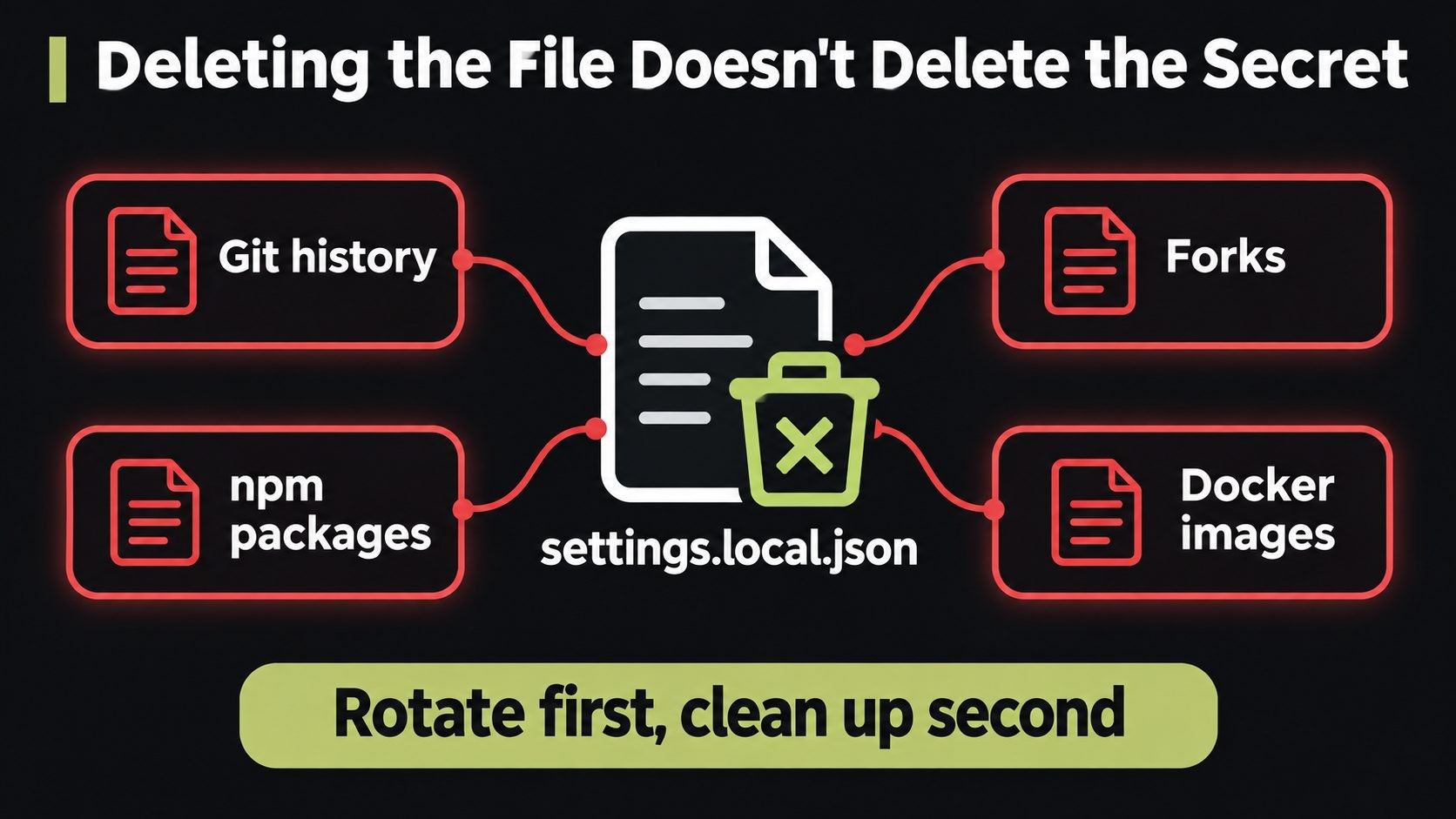
Copies also spread beyond your repo:
- Forks: 211 forks of 74 repos still carry the same secrets.
- npm packages: Check Point found the file in 428 published packages, and 33 of those files held credentials.
- Clones, Docker images, zip archives and synced folders that you can't recall.
That's why the order of the cleanup matters. Rotate first, clean second. One leaked credential is all an attacker needs, as the Binance hack showed when a single engineer's machine led to a multibillion-dollar theft.
Why Secret Scanners Missed Many of These
If you rely on a secret scanner, don't assume you're covered. Apiiro ran two popular scanners over the 1,122 files that held secrets:
- Gitleaks flagged 564
- TruffleHog flagged 643
- Neither flagged 215
The scanners ran without their verification step, so real-world results may differ. The pattern behind most misses is clear, though. Passwords typed inside commands, after PGPASSWORD=, sshpass -p or mysql -p, look like ordinary words to a scanner. They don't match a known key format like an AWS key does. The ones you're most likely to type by hand are the ones scanners catch least.
How to Check Your Repos in 5 Minutes
Run these checks on every project where you've used Claude Code. Start with public repos, then do the private ones too, since private repos get forked, shared with contractors and sometimes made public.
1. Search your GitHub organization. In GitHub search, use code search with:
path:.claude/settings.local.json org:YOUR-ORG
path:.claude/settings.json org:YOUR-ORG
2. Check whether the file is tracked in a repo:
git ls-files .claude/
If settings.local.json shows up, it's committed.
3. Check git history, even if the file is gone now:
git log --all --oneline -- .claude/settings.local.json .claude/settings.json
Any output means the file existed in at least one commit, on any branch.
4. Look for secrets in your local copy:
grep -nEi 'password|passwd|PGPASSWORD|sshpass|mysql .*-p|token|secret|api[_-]?key|Bearer' .claude/settings.local.json
5. Look for secrets in old versions:
git log --all -p -- .claude/settings.local.json | grep -nEi 'password|PGPASSWORD|sshpass|token|secret|api[_-]?key'
If any of these turn up a real credential, move straight to the cleanup below. Treat it as exposed, even if the repo is private.
How to Clean Up a Leaked settings.local.json
Order matters here. Most people delete the file first, which leaves the live secret working. Follow these steps in sequence:
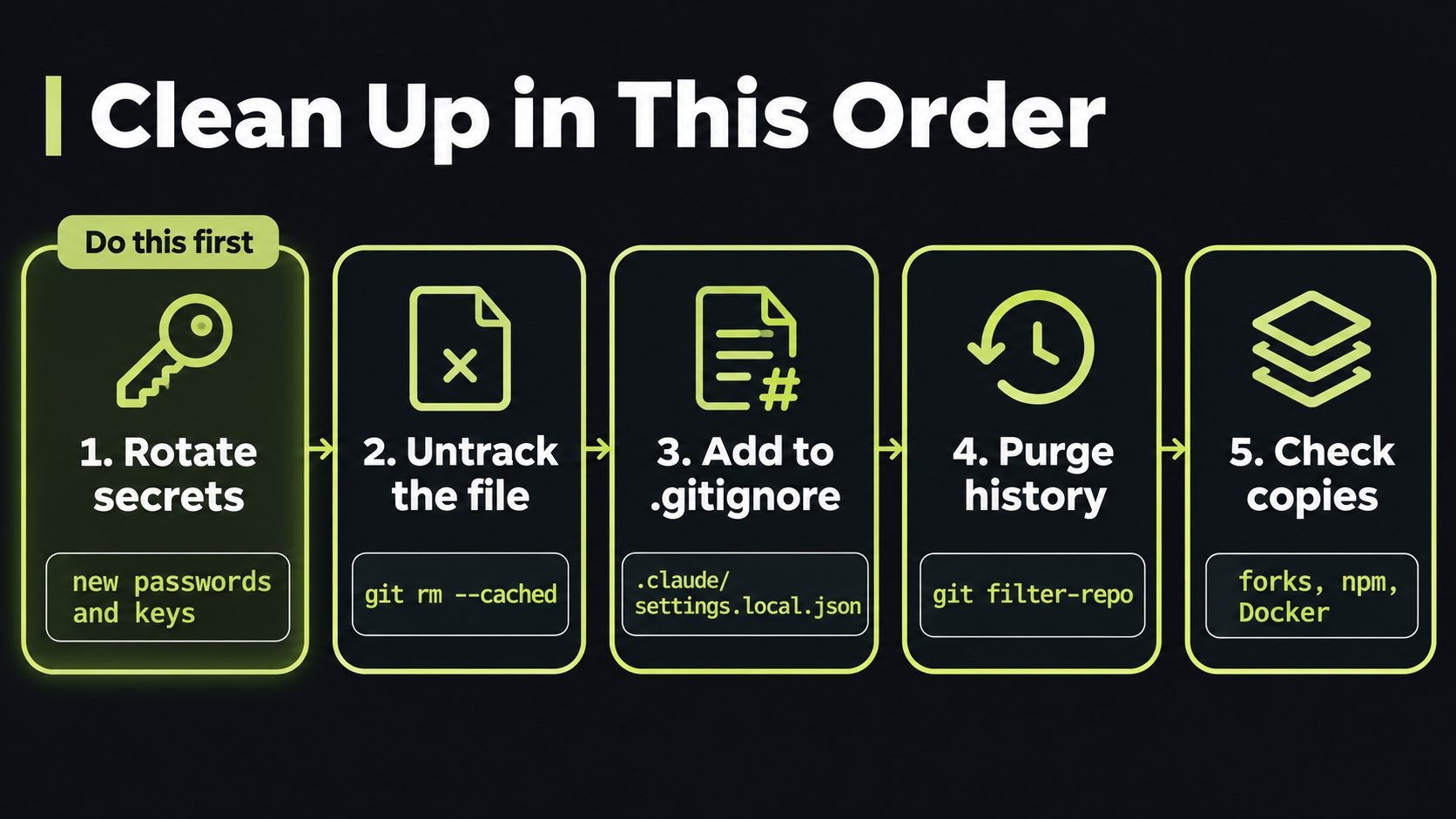
- Rotate every credential the file has ever held. Change database passwords, revoke and reissue API tokens, replace SSH keys and AWS keys. Do this before anything else, because history and forks may already be copied.
- Stop tracking the file:
git rm --cached .claude/settings.local.json
- Add it to the project's own .gitignore so teammates are protected too:
echo ".claude/settings.local.json" >> .gitignore
git add .gitignore
git commit -m "Stop tracking Claude Code local settings"
- Delete every allow rule that contains a secret from your local copy, even if it was never committed.
- Purge the file from history if the repo is public or widely shared. On a fresh clone:
git filter-repo --path .claude/settings.local.json --invert-paths
git push --force --all
This rewrites history, so tell your team first. Everyone will need to re-clone. Forks and old clones keep their copies, which is why step 1 comes first.
- Check forks, npm packages and Docker images. Add the file to
.npmignoreand.dockerignore, and republish clean versions. - Review access logs for the rotated credentials (database, cloud and Git hosting logs) for logins you don't recognize from the time the file was public.
Safer Claude Code Habits Going Forward
You don't have to stop using "don't ask again." You just need to approve the right things.
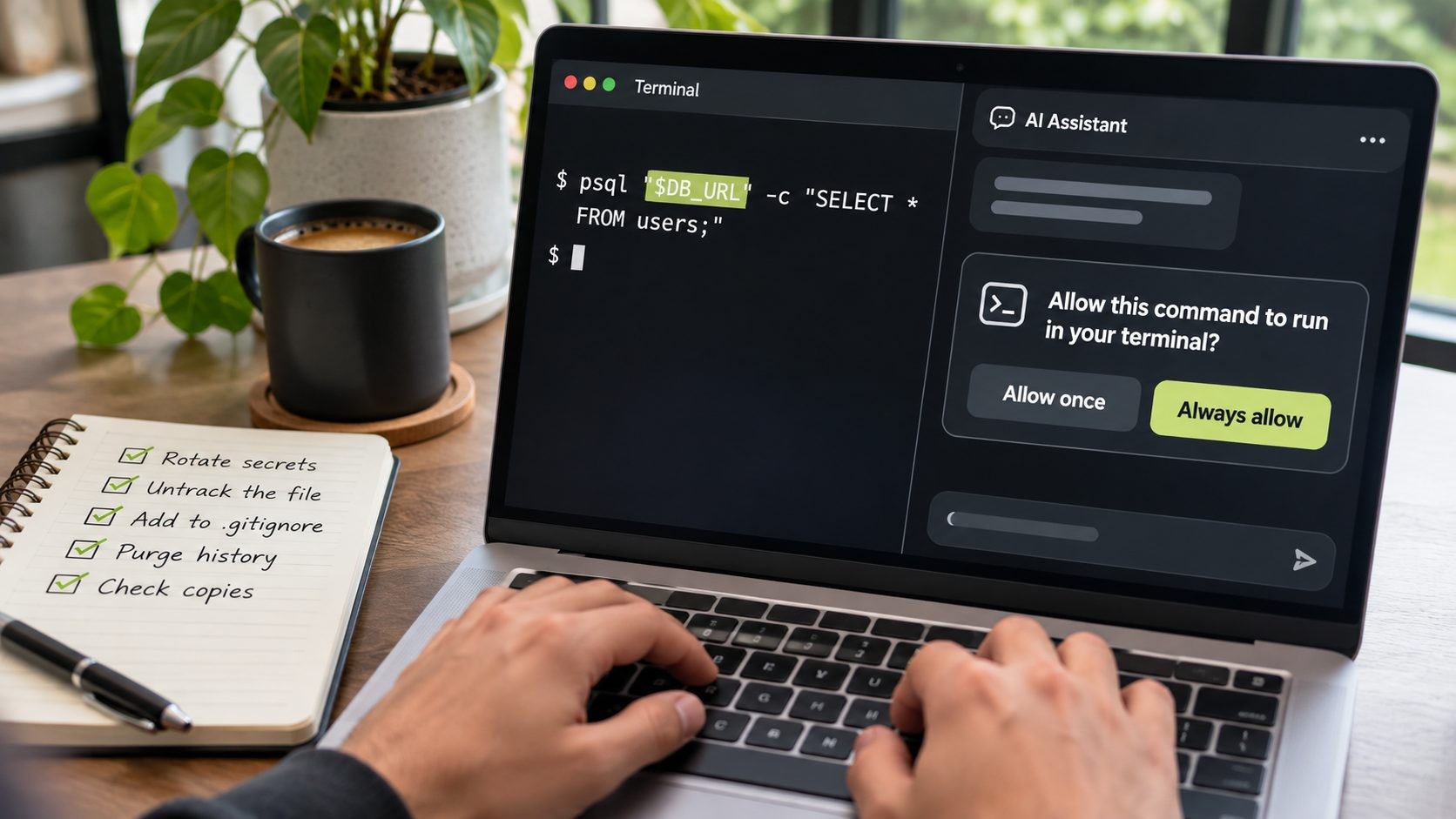
- Keep secrets out of commands. Reference an environment variable or a secrets manager instead of typing the value.
psql "$DB_URL"saves a harmless rule.PGPASSWORD=... psqlsaves your password. - Approve patterns, not exact commands. A rule like
Bash(npm run:*)covers a whole family of safe commands and never contains a secret. - Block reads of secret files with deny rules.
- Review the file once a month. Open
.claude/settings.local.jsonand delete anything that looks like a credential. - Add a pre-commit hook that blocks
.claude/settings.local.jsonand scans staged files. - Exclude agent folders from packages in
.npmignoreand.dockerignore.
Here's a safer starting point for a project's shared .claude/settings.json:
{
  "permissions": {
    "allow": [
      "Bash(npm run:*)",
      "Bash(php artisan test:*)"
    ],
    "deny": [
      "Read(./.env)",
      "Read(./.env.*)"
    ]
  }
}
For Laravel and WordPress developers
Our stacks make this easy to get wrong, because database commands often take passwords inline. Safer versions:
| Instead of | Use |
|---|---|
mysql -u root -pSecret app_db |
php artisan db (reads your .env), or a ~/.my.cnf file |
PGPASSWORD=Secret psql -h host -U admin |
A ~/.pgpass file, or psql "$DB_URL" |
wp db query --dbpass=Secret |
Plain wp db query, which reads wp-config.php |
sshpass -p Secret ssh deploy@server |
SSH keys and an SSH agent |
If you run multi-tenant SaaS in Laravel, one leaked database password can expose every tenant at once. Keep .claude/ out of your images too if you deploy Laravel with Docker on a VPS. WordPress developers should add this to the routine in our WordPress security checklist.
A Simple Policy for Teams Using AI Coding Agents
The Cloud Security Alliance research note on this incident makes the key point: treat agent folders like .env files. A short team policy covers most of the risk:
- Add
.claude/settings.local.jsonto your organization's.gitignoretemplates and every existing repo. - Treat
.claude/,.cursor/,.gemini/and.specstory/folders, plus agent memory files, as places secrets can live. - Run secret scanning in pre-commit and CI, including git history, and make sure it catches passwords inside commands.
- Prioritize credentials paired with public server addresses, since those give direct access.
- Add one line to onboarding: never type a secret into a command an AI agent runs.
Agent files live on laptops first, so pair this with our developer laptop security checklist.
What Anthropic Has Said
Anthropic's own documentation describes the behavior: "don't ask again" saves an allow rule to the local settings file, and the file is added to your global git excludes. Users have reported the problem before. GitHub issue #5544, filed on August 11, 2025, said approved commands with API keys and tokens were stored word for word. An automated bot closed it as "not planned" after 60 days without activity.
As of November 10, 2026, we found no public statement from Anthropic on Apiiro's research. We'll update this post if Anthropic responds or changes the default.
One fair note: Apiiro compared 16 coding agents and says Claude Code is the only one confirmed to save the full approved command in a project file by default. But other agents' folders can still hold secrets, so the team policy above applies whichever tool you use.
This alert is part of our website security for small business guide, which puts every 2026 incident into a layer-by-layer plan you can follow.
Not sure if this affects you? I've recovered 50+ attacked websites. Request a security review.
Claude Code settings.local.json FAQs
Conclusion: Rotate, Untrack, Ignore, Use Patterns
The Claude Code settings.local.json leak isn't a clever attack. It's one convenient click, a hidden file and a habit of committing everything. Rotate any credential the file has held. Stop tracking it, add it to every project's .gitignore, and approve patterns instead of commands with secrets in them.
Want a second pair of eyes on your repos, servers or AI agent setup? I offer a security review for small teams, or you can get in touch directly.
Sources
Get new posts by email
New guides and alerts, sent when they are published. No spam. Unsubscribe anytime.


Comments (0)