
- Khurram Shahzad
- Web Strategy
- 100
- 0
Your domain name ends up everywhere: on your website, in every email address, on business cards, invoices, vans, ads and social profiles. Customers type it, say it out loud and search for it. That makes it one of the most important decisions in setting up a business online, and one of the most expensive to change later. A new domain means redirects, reprinted materials, updated listings and the risk of losing links and rankings you spent years building.
The good news is that choosing well is not complicated. A good business domain is clear, easy to say and spell, matches your brand, uses the right extension, is legally safe to use, and is registered in a way that keeps it under your control. This guide walks through each of those decisions in order, explains the common mistakes, and finishes with a 20-point checklist you can use before you buy.
Quick answer: how to choose a domain name for your business
- Match your brand name, not just a keyword.
- Keep it short, simple and easy to say out loud.
- Choose .com where possible, or your country's extension if you only serve one country.
- Avoid hyphens, numbers and unusual spellings.
- Check trademarks, social handles and the domain's history.
- Compare the renewal price, not just the first-year price.
- Register it in your own account, with auto-renew turned on.
Why Your Domain Name Matters More Than You Think
A domain name is the address people use to find you, but it also works as a signal. A clear, professional domain makes a business look established. An awkward one, full of hyphens or odd spellings, makes people hesitate before typing it or clicking a link in an email.
It also affects everyday practicalities. Your email address uses it, so every message you send carries it. People hear it on the phone, read it on signs and repeat it to friends. If it is hard to spell or easy to confuse, some of those people end up somewhere else.
Changing a domain later is possible, but it is a project. Every old URL needs a permanent redirect, every listing and profile needs updating, and search engines need time to process the move. Done badly, a domain change can cost traffic for months, and even done well, it rarely helps. Planned website changes need the same care, which is why this guide to handling site changes without losing rankings is worth reading before any move.
A domain also shapes first impressions in search results and AI answers. When people see your link next to competitors, the domain is one of the few things they read before deciding whether to click. A clear, relevant name helps that decision, while a confusing or spammy-looking one can cost clicks even when you rank well.
One more thing most people do not realize: you do not buy a domain outright. You register it for a period, usually one to ten years, and renew it. If the registration lapses, someone else can register it. Keeping it renewed and keeping control of the account it sits in is part of choosing well.
Step 1: Start With Your Brand, Not a Keyword
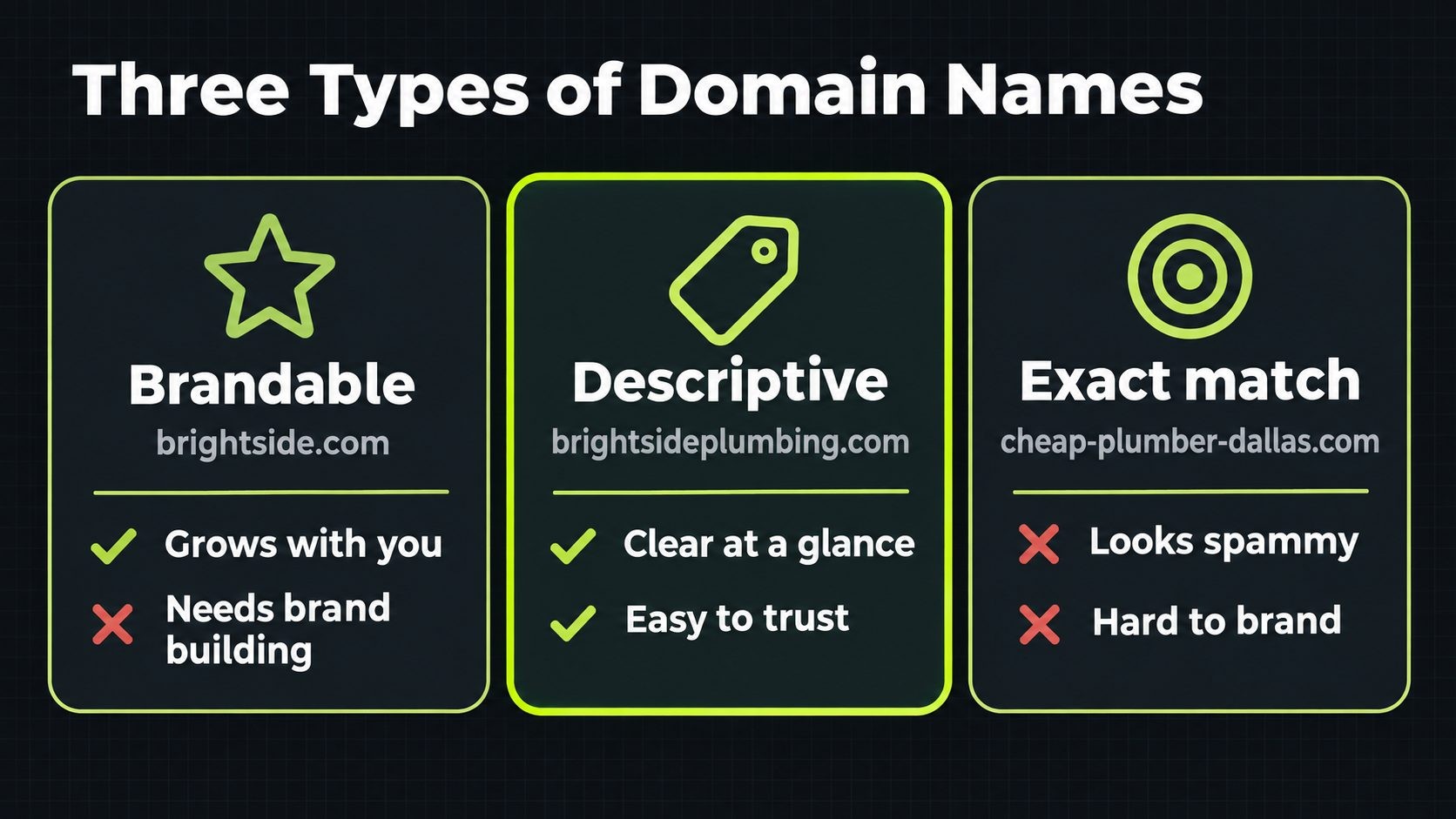
Most business domains fall into three groups:
- Brandable: Your business name or a distinctive name with no obvious meaning, such as a made-up word or an unusual combination. Easy to protect and grow with, but it needs marketing to build recognition.
- Descriptive: A name that says what you do, such as a service plus a place. Instantly clear, but harder to make distinctive and sometimes harder to protect as a trademark.
- Exact match: A domain that copies a search phrase word for word, such as "cheap-roof-repair-dallas.com". Clear to search engines, but usually generic, hard to brand and often less trusted by people.
For most businesses, the best domain is simply the business name, or the business name plus a short word that clarifies it. A brand-based domain ages well. If you add new services or move into new areas, the name still fits. A domain tied to one product or one city can feel too narrow a few years later.
A descriptive name can still be the right choice for some businesses, especially new local service businesses whose name already describes the service. The test is whether a customer would naturally type it, remember it and trust it, not whether it contains as many keywords as possible.
A quick way to compare options is to write each candidate on a piece of paper, the way it would appear on a business card, and show it to a few people outside your business. Ask what they think the business does and how they would say it out loud. Their first reactions tell you more than any naming tool. If two names are close, choose the one people remember a day later without looking it up again.
Step 2: Use the Words Your Customers Use
Keywords in a domain are not a ranking shortcut. Google ranks pages based on their content, links and how well they answer a search, and there is no evidence that a keyword-stuffed domain alone makes a site rank. But the words in your domain still matter, because they tell people what you do before they even click.
When your domain includes a descriptive word, choose the form your customers actually use. Small differences matter more than they look. "Plumber" and "plumbing", "publisher" and "publishing", "design" and "designs" can match very different searches. Before deciding, check:
- Google autocomplete: Start typing your service and see which forms appear.
- Google Search Console: If you already have a website, see which words people use to find you.
- Keyword Planner: Compare rough search volumes for different word forms.
- Your customers: The words they use on calls and in emails are often the most accurate guide.
Then choose the form that is both natural for customers and clear on a business card. A domain that reads naturally also makes your search listings and ads easier to understand at a glance. The same principle applies to page titles and headings, as covered in this on-page SEO checklist.
Avoid going too far. A domain such as "best-cheap-emergency-plumber-near-me.com" looks spammy to customers, is hard to say and leaves no room for a real brand. One clear descriptive word, alongside your brand, is usually enough. For the broader local search basics that matter far more than your domain's keywords, follow this small business SEO checklist.
Step 3: Keep It Short, Simple and Easy to Say
Length and word count
Shorter domains are easier to remember, type and fit on printed materials. There is no strict limit, but as a rule of thumb, aim for two or three words and roughly 15 characters or fewer before the extension. If your business name is long, consider a shorter version, an abbreviation people already use, or the main distinctive word plus your service.
The radio test
Say the domain out loud to someone who has never seen it and ask them to type it. If they hesitate, ask how it is spelled, or type something different, the domain will cause problems every time you mention it on the phone, in a podcast, on the radio or in person. Good domains pass this test on the first try.
Avoid hyphens, numbers and double letters
Hyphens are easy to forget when people type from memory, and they are awkward to say ("acme dash plumbing dot com"). Numbers create confusion between digits and words ("4" or "four"?). Double letters where two words meet, such as "presssolutions", are easy to mistype. Also read the domain as one continuous string of letters, because some word combinations accidentally spell something unintended or confusing when written without spaces.
Typo leakage
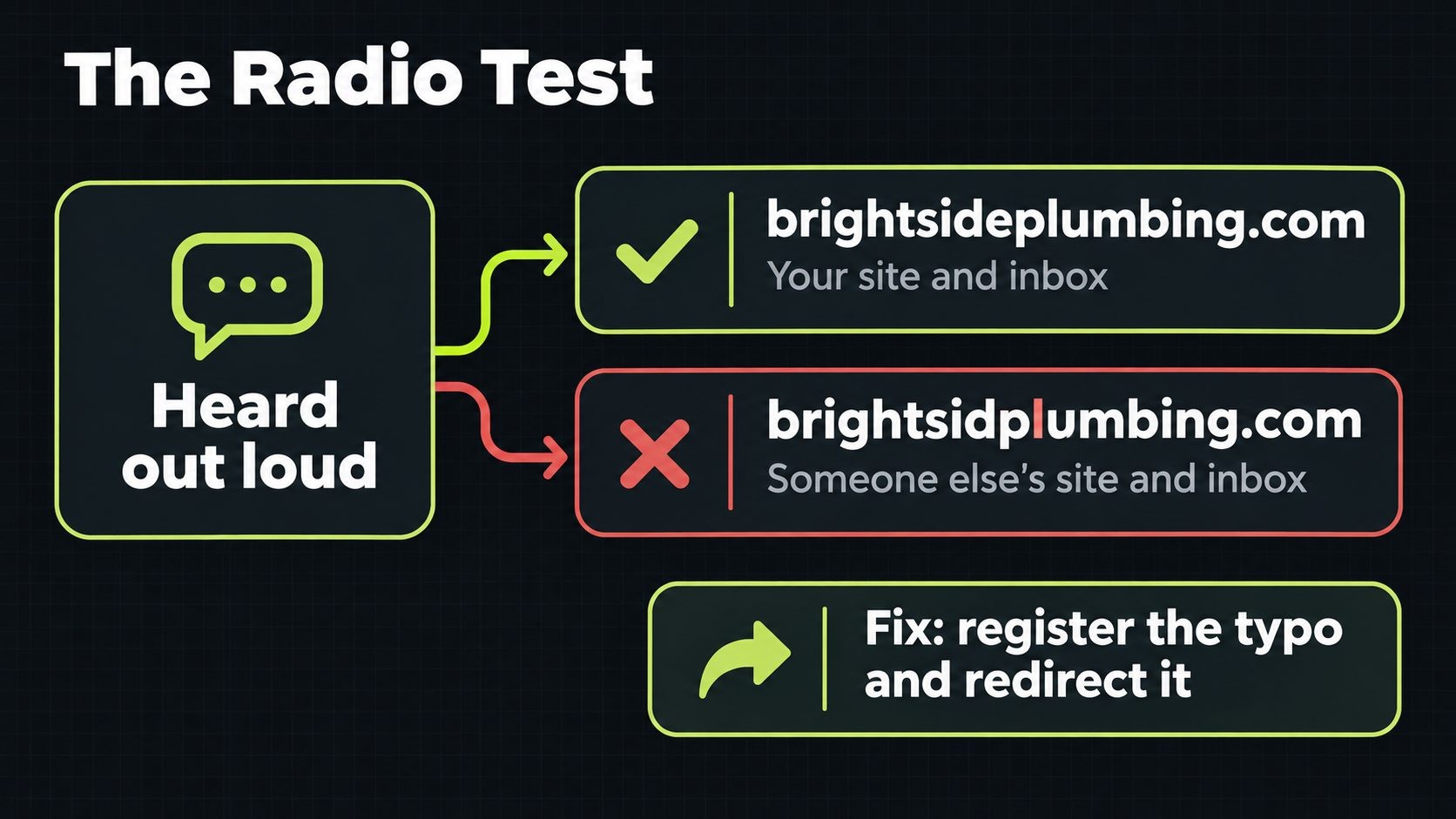
This problem is easy to overlook and can quietly cost customers. If your name has a common misspelling, or a spelling that sounds like another word, some people will type the wrong version. Their visits go to someone else's site, and worse, emails sent to the misspelled address go to someone else's mail server or bounce.
There are two fixes. The first is to choose a clearer spelling when you name the business or pick the domain. The second, if your brand name is already set, is to register the most common misspelling as well and redirect it to your main domain. That turns lost visitors into found ones, and stops anyone else from using the typo to catch your traffic.
Email is where typos hurt most. A customer who mistypes your website notices straight away, but a customer who mistypes your email address may never know their message went missing. If you register a typo domain, set up email forwarding on it as well, so messages sent to the misspelled address still reach you. Testing your name with a few people for this specific problem, by reading it aloud and asking them to write down the email address, takes five minutes and can save months of missed enquiries.
Step 4: Choose the Right Extension
Why .com is still the default
The extension, or top-level domain (TLD), is the part after the dot. There are now hundreds of options, and Verisign's Domain Name Industry Brief reported 401.6 million domain registrations across all extensions at the end of the second quarter of 2026. But .com is still the one most people assume. When customers hear a business name, they tend to type ".com" by habit, and many still trust it most.
If the .com version of your name is available at a reasonable price, it is usually the safest choice for a business that serves customers broadly or online.
Even if you choose a different extension as your main domain, check whether the .com of the same name belongs to a competitor or an unrelated business. Customers who type .com by habit will land there, and their emails may go there too. If the .com is owned by a company in your own industry, that is a strong sign to choose a different name altogether.
Country-code domains for local businesses
Country-code domains, such as .us, .co.uk, .ca or .de, tell customers and search engines that a business serves a particular country. Google uses these extensions as a signal that a site targets that country. For a business that only serves one country, a country-code domain can be a strong choice, especially in places where it is the local norm, such as .co.uk in the United Kingdom or .ca in Canada. For businesses that serve customers worldwide, it can be limiting.
Newer extensions: .store, .tech, .io, .ai and others
Newer generic extensions can produce short, memorable domains when the .com is taken, and some fit particular industries well, such as .io and .ai for tech products or .store for retail. In 2015, Google explained that new generic extensions are treated like other generic extensions in search, and that keywords in the extension do not give a ranking advantage. So there is no SEO bonus, and no penalty, for choosing one.
The real considerations are trust and cost. Some audiences still find unfamiliar extensions less trustworthy, and some newer extensions cost far more than .com, especially at renewal. Here are example prices from Nexi Bloom at the time of writing:
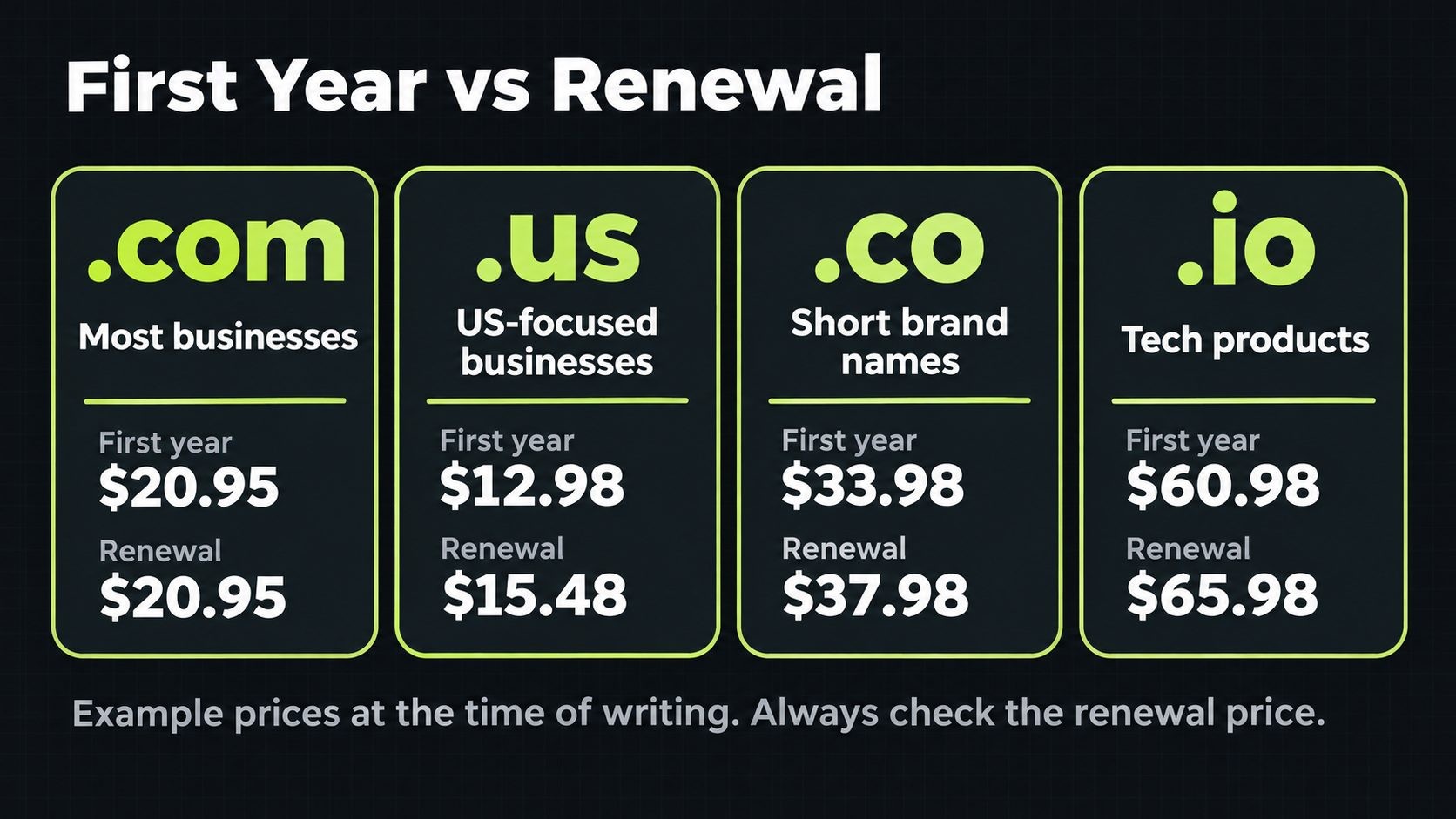
| Extension | Best for | First year | Renewal |
|---|---|---|---|
| .com | Most businesses | $20.95 | $20.95 |
| .net | Alternative when .com is taken | $18.95 | $25.95 |
| .org | Nonprofits and organizations | $15.98 | $19.95 |
| .us | US-focused businesses | $12.98 | $15.48 |
| .co | Short brand names | $33.98 | $37.98 |
| .io | Tech and software products | $60.98 | $65.98 |
Notice how often the renewal price differs from the first-year price. Over five or ten years, renewals cost far more than the first year, so compare them before you decide.
Step 5: Check Availability, Trademarks and Social Handles
Domain availability
Search for your chosen name at a registrar. If the .com is available, check the variations you might also want, such as a common typo or a shorter version. If it is taken, you have three options: adjust the name slightly (adding a clarifying word or your city), choose a different extension, or contact the current owner to buy it. Be cautious with domains listed as "premium" or for sale through brokers, because prices can run into thousands of dollars, and renewal costs on some premium domains are higher than normal.
Trademarks
Before committing, check that the name does not conflict with an existing trademark in your industry. In the US, start with the USPTO trademark search, then check your state's business name registry and search the name online to see who else uses it. Using a name that is confusingly similar to an established brand can lead to a legal dispute, a forced domain transfer or an expensive rebrand. This is not legal advice, and if you plan to invest heavily in a name, a short consultation with a trademark attorney is worth the cost.
Social media handles
Check whether the same name is available on the social platforms you plan to use. Matching handles make your brand easier to find and look more professional. If the exact handle is taken, a consistent variation across platforms is better than a different name on each one.
Once you have settled on a name, claim the handles straight away, even on platforms you do not plan to use yet. It costs nothing and stops someone else from taking them later. The same applies to your Google Business Profile and major business directories, where a consistent name, address and website help customers and search engines connect everything to one business.
Step 6: Check the Domain's History
A domain that was registered before may carry history you do not want. Before buying a previously used or expiring domain, check:
- Past content: Look up the domain on the Wayback Machine to see what the site used to contain. Spam, adult content or scams in the past can affect how people and filters treat the domain.
- Backlinks: Use a free backlink checker, such as the ones in this list of free SEO tools, to look for large numbers of spammy links pointing at the domain.
- Email reputation: If the domain was used to send spam, its email reputation may need time to recover.
Some problems only become visible after you own the domain. Once you verify it in Google Search Console, check the manual actions and security issues reports straight away. Brand-new domains that have never been registered avoid these risks entirely, which is one reason a slightly different but clean name can be better than a "used" exact match.
Be wary of the opposite pitch, too. Some sellers promote expired domains as a way to inherit old backlinks and rankings. A domain's past links rarely transfer value to a completely different business, and buying expired domains just for their links is the kind of shortcut search engines try to ignore. Choose a domain for its name, not its history.
Step 7: Register It the Right Way
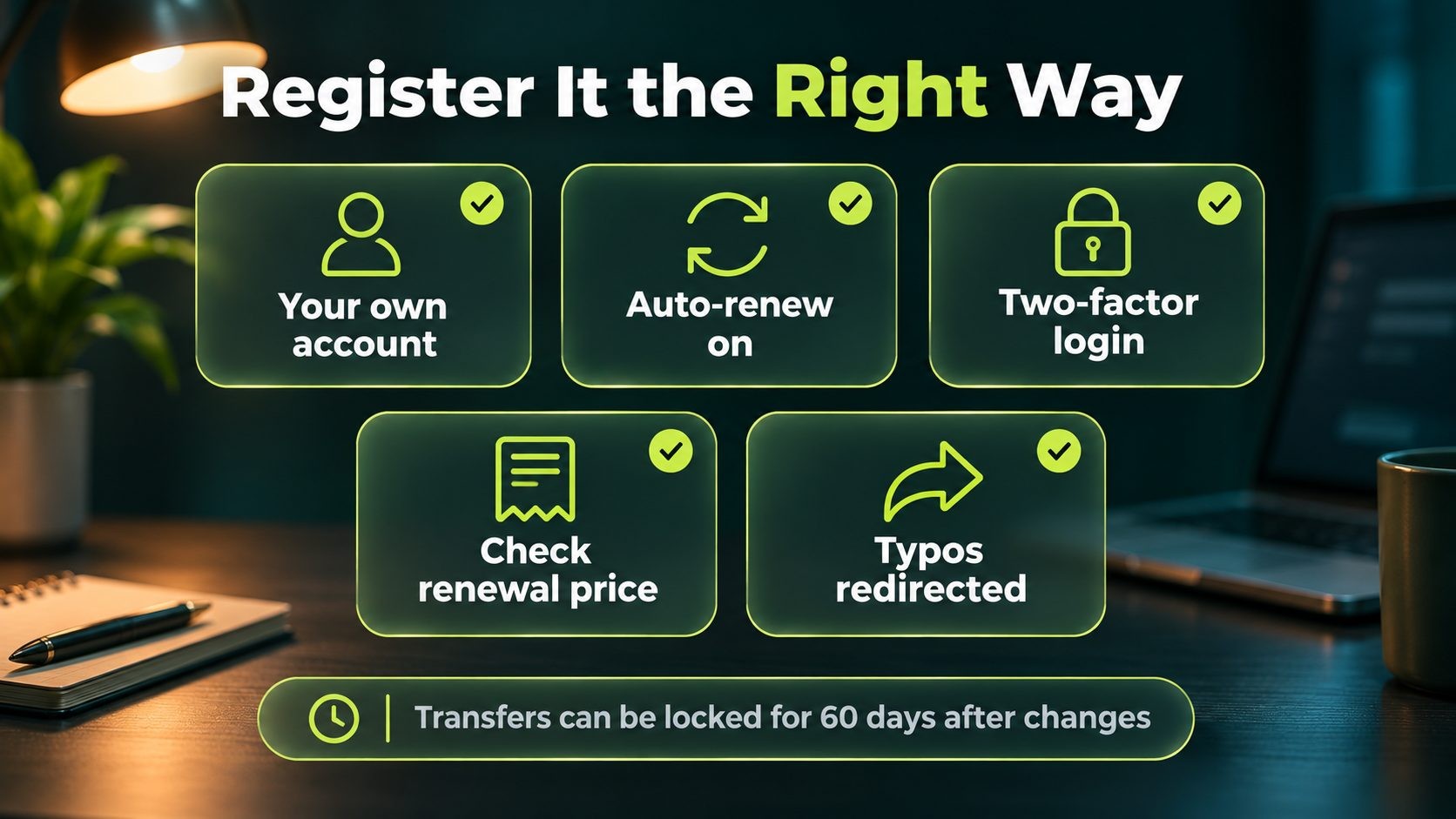
How you register a domain matters as much as the name itself.
Register it in your own name and account. The domain should be registered to your business, in a registrar account you control, using a business email address you will keep. A common and painful mistake is letting a web designer, agency or former employee register the domain in their own account. When the relationship ends, getting the domain back can be slow, stressful and sometimes impossible. If someone helps you, give them access to your account rather than letting them own it.
Turn on auto-renew and two-factor authentication. Expired domains can be registered by someone else after a grace period, and a hacked registrar account can lose you your website and email in minutes. Auto-renew, a valid payment method, a renewal reminder in your calendar and two-factor authentication on the account prevent both.
Compare renewal pricing. The first-year price is often a promotion. Check the renewal price for each extension before you register. Nexi Bloom's domain registration, for example, lists both registration and renewal prices for every extension, with .com at the same price for both at the time of writing.
Check what contact details are public. Registration requires contact details, and some of them may appear in public domain lookup records unless privacy protection is available and switched on. Ask your registrar what is shown publicly and whether privacy protection is included for your extension, because availability varies between extensions.
Consider defensive registrations. Register the most common misspelling of your domain, the plural or singular version, and the main alternative extensions you would not want a competitor to use. Redirect all of them to your main domain. You do not need every possible variation, just the few that could realistically cause confusion.
Know the transfer rules. You have the right to move your domain to a different registrar, but ICANN's registrant FAQs explain that a registrar may deny a transfer within 60 days of the initial registration, and that you generally cannot transfer to a different registrar within 60 days of changing the registrant's name, organization or email address. Plan around these limits if you expect to move registrars soon after buying.
Once the domain is registered, the next decision is where your website will live. This comparison of shared vs VPS hosting explains which type of hosting fits which kind of site.
Step 8: Set Up Email, DNS and Your Website
With the domain registered, set up the pieces that make it useful.
DNS. Your domain's DNS records point it at your website and email providers. Most registrars include DNS management, or you can use a service such as Cloudflare, which adds speed and security features. If you go that route, this guide to Cloudflare settings covers the settings that matter most.
Professional email. An address like hello@yourbusiness.com looks far more trustworthy than a free webmail address. Set up email on your domain early, and add the SPF, DKIM and DMARC records your email provider gives you, so your messages are authenticated and less likely to land in spam.
Do this even before your website is ready. A domain with no email authentication records is easier for spammers to impersonate, and setting the records up early means your first emails to customers arrive in the inbox rather than the spam folder.
Your website. Point the domain at your website, set up HTTPS and choose one version of your address (with or without www) that every other version redirects to. If you have not built the site yet, this guide to how much a website costs helps you budget for it.
Domain Name Mistakes to Avoid
- Following trends or slang. Names built on today's buzzwords can sound dated within a few years.
- Boxing yourself in. A domain tied to one product, one service or one town can feel wrong as the business grows.
- Letting someone else own it. Domains registered in a freelancer's or agency's account are one of the most common causes of lost websites.
- Letting it expire. A missed renewal can take your website and email offline, and someone else may register the name.
- Ignoring the renewal price. A cheap first year can turn into an expensive domain over five years.
- Using someone else's trademark. Even unintentionally, it can lead to disputes and forced changes.
- Skipping the radio test. If people cannot spell it after hearing it, you will lose some of them every time.
- Buying a domain with a bad history. Check past content and backlinks before buying any domain that was used before.
- Using a free subdomain for a real business. An address on a website builder's or blog platform's own domain looks temporary and ties your brand to that platform. Use your own domain from day one.
The 20-Point Domain Name Checklist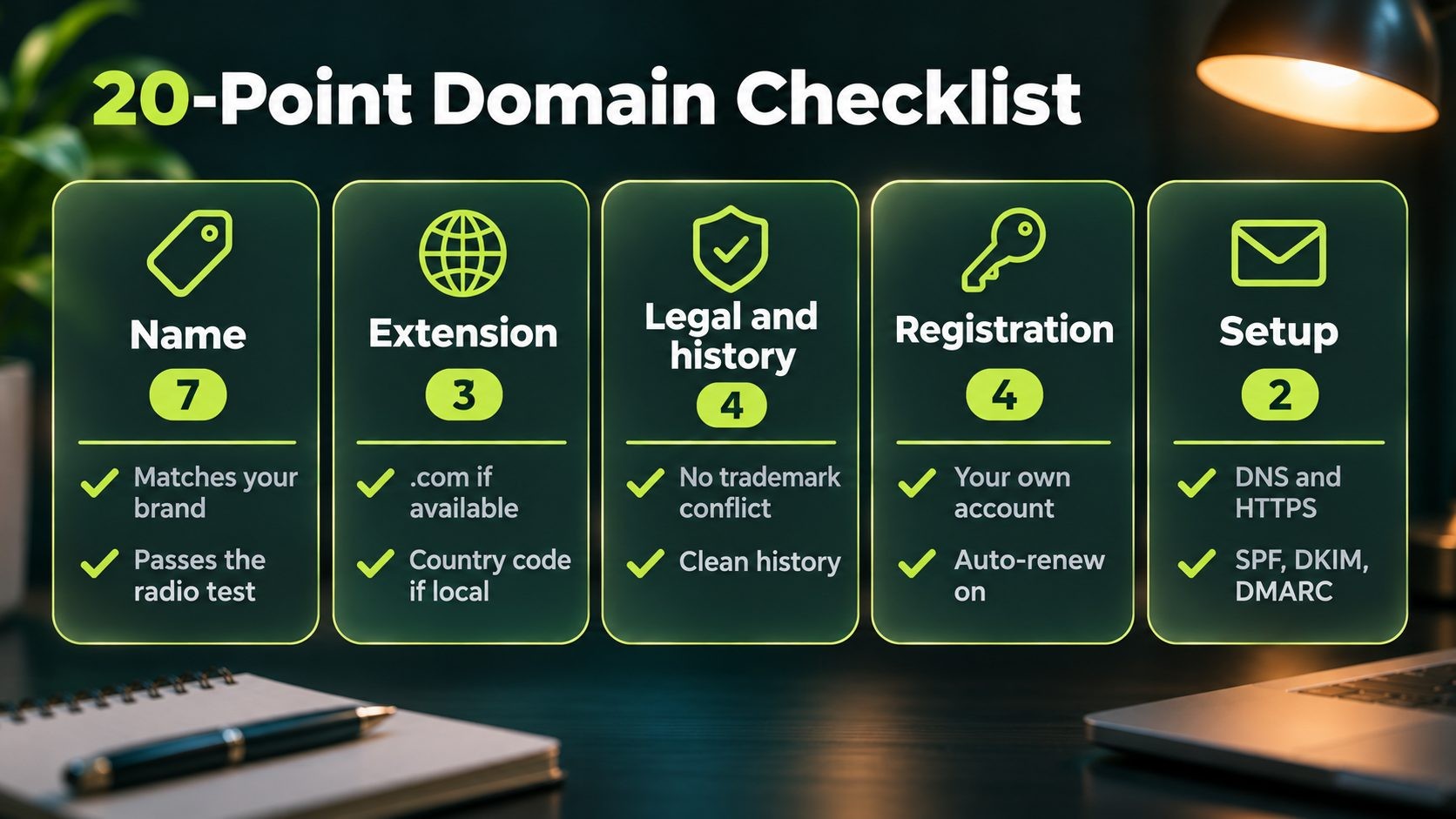
Use this before you register.
The name
- Matches or clearly reflects your business name
- Two or three words, roughly 15 characters or fewer
- Passes the radio test on the first try
- No hyphens, numbers or confusing double letters
- Reads correctly as one string of letters
- Uses the word forms your customers actually search for
- Will still fit if you add services or locations
The extension
- .com if available and affordable
- Country-code extension if you only serve one country
- Newer extension only if it fits the brand and the audience
Legal and history
- No conflicting trademark in your industry
- Matching or consistent social media handles available
- Past content checked on the Wayback Machine
- No spammy backlink history
Registration
- Registered in your own business account
- Auto-renew and two-factor authentication turned on
- Renewal price checked, not just the first-year price
- Common typo and key variations registered and redirected
Setup
- DNS, HTTPS and one preferred version of the address set up
- Business email set up with SPF, DKIM and DMARC records
FAQs
Conclusion
Choosing a domain name is one of the first decisions a business makes online, and one of the hardest to undo. The best domains are rarely the cleverest. They are clear, easy to say and spell, match the brand, use a trusted extension, are legally safe and are registered properly, in the business's own account, with renewals handled.
Work through the steps in order: start with your brand, use the words your customers use, keep it short and simple, choose the extension that fits your market, check trademarks and history, and register it the right way. Then run through the 20-point checklist before you buy, and your domain will serve the business for years without needing to change.
Ready to register your domain? Search for your name and compare registration and renewal prices across extensions with Nexi Bloom's domain registration.
Get new posts by email
New guides and alerts, sent when they are published. No spam. Unsubscribe anytime.


Comments (0)