
If you run a small business, money is rarely the only thing holding your SEO back. Time is. You have a business to run, customers to serve and maybe one free evening a week to spend on your website. So when a checklist hands you 40 tasks with equal weight, you either try to do all of them at once and burn out, or you pick the easy ones that look productive and skip the ones that actually move rankings.
This small business SEO checklist works differently. Every task is put in order, and every task has a price next to it. The free steps that unlock everything else come first. The cheap steps come next. Paid help only shows up once it has a clear job to do. You will get a 90-day plan you can follow one step per week, the rules you must follow when asking for reviews (including the FTC rule that many small businesses still have not heard about), an honest look at what AI search changes, and a printable checklist at the end.
None of this needs an agency, a paid tool or a technical background. It needs a few hours, a little patience and the right order.
Quick answer: the first 8 SEO tasks for a small business, in order
- Set up Google Search Console and Bing Webmaster Tools (free).
- Claim, verify and complete your Google Business Profile (free).
- Check that Google can index your site and that it loads on one secure HTTPS address.
- Give every service its own page.
- Write clear title tags and meta descriptions for your main pages.
- Use the same name, address and phone number on 5 to 10 core listings.
- Start a simple routine for asking every customer for a review.
- Publish one helpful page or earn one local link every month.
Why a Tight-Budget SEO Plan Needs an Order
SEO tasks are not independent. Some of them unlock others, and doing them out of order wastes the little time you have. There is no point writing blog posts if Google cannot index your site. There is no point building links to a page that does not say which city you serve. And there is no point obsessing over page speed scores while your Google Business Profile still shows last year's opening hours.
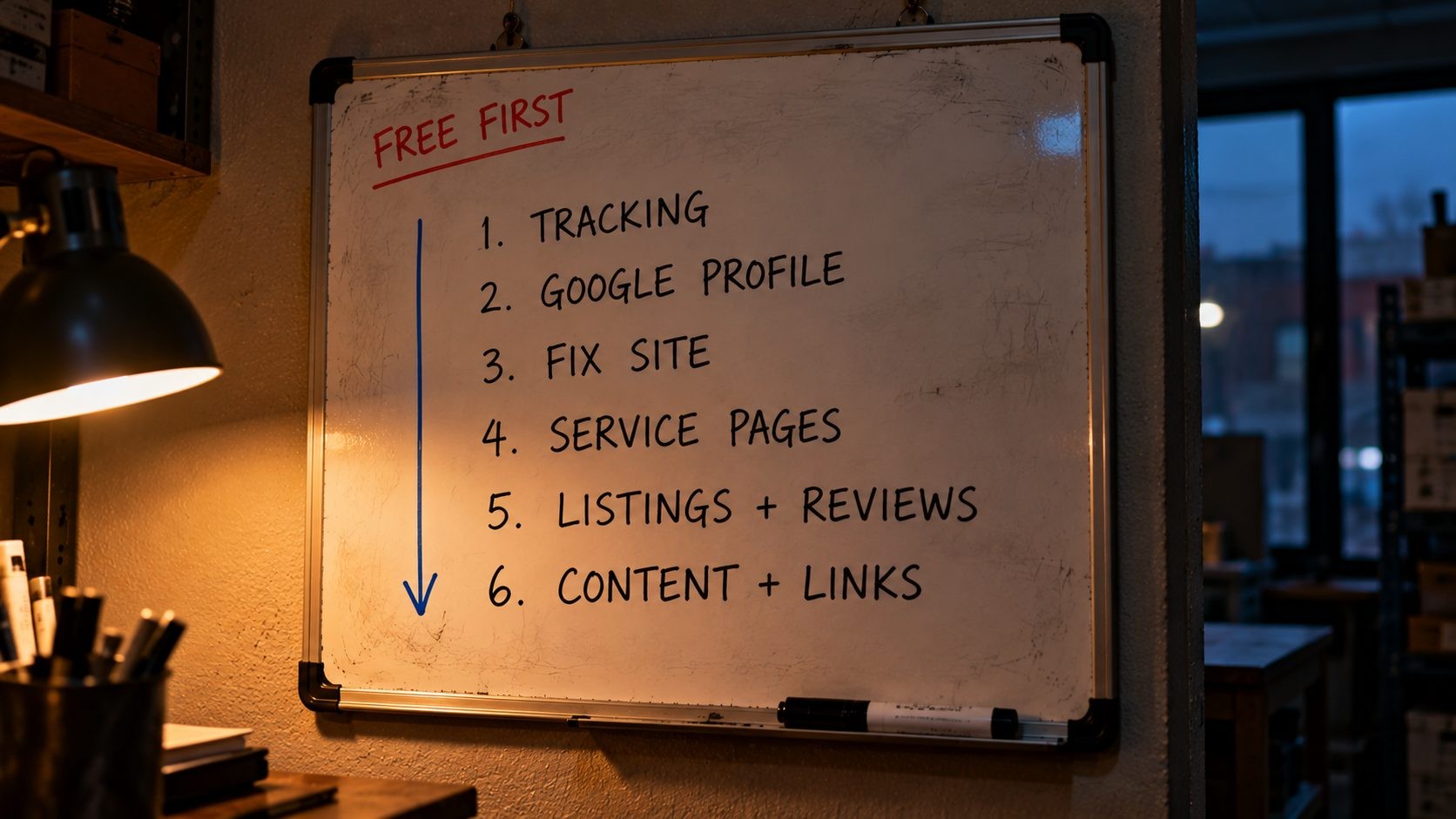
The 80/20 idea applies well here. For most local businesses, a small set of tasks produces most of the results: an accurate, complete Google Business Profile, a steady flow of genuine reviews, and service pages that clearly match what people search. Blogging and link building matter too, but they work slowly and work best once the foundation is in place.
There is a practical reason as well. When you only have a few hours a week, a clear order protects you from the two traps that catch most owners: spending weeks on low-value tasks because they feel productive, and paying someone to do work you could have done in an afternoon. Following a sequence means each hour builds on the last, and you always know exactly what to do next when you sit down to work on it.
Order also matters because SEO has a delay built in. Google's own SEO Starter Guide puts it plainly: "Some changes might take effect in a few hours, others could take several months." That is why this plan starts the slow things, such as reviews and content, early, while you handle the quick fixes in parallel. The sooner the slow work starts, the sooner it pays off.
Three Questions That Set Your Priorities
Before you touch anything, answer three questions. They decide which steps deserve the most of your time.
Do customers find you locally or online?
If people need to visit you, or you travel to them (a dentist, a plumber, a bakery, a law firm), local search is your biggest opportunity, and your Google Business Profile comes first. If you sell online to customers anywhere, your website pages and content carry more weight, and the Business Profile matters less. Many businesses sit in between, such as a local shop that also ships online. In that case, do both, but start with the side that brings in most of your revenue today.
What would a customer type into Google?
Write down 10 phrases a real customer would use, in their words, not yours. You might call it "residential HVAC maintenance". They probably type "AC repair near me" or "furnace not turning on". This list guides your page titles, your service pages and your content. If you are unsure, ask your last five customers what they searched before they found you. Their answers are often more useful than any keyword tool.
What does your site get today?
Even rough numbers help: how many calls and form leads you get each month, and roughly where they come from. You will set up proper tracking in Step 1, but a starting point lets you see later whether the work is paying off.
Step 1 (Days 1 to 2, $0): Set Up Free Tracking
You cannot improve what you cannot see, and the best SEO data is free.
Google Search Console
Search Console shows how Google sees your site: which searches you appear for, how many people click, which pages are indexed and which have problems. Add your site as a domain property (this covers every version of your address), verify it through your domain's DNS settings, then submit your XML sitemap. Most WordPress SEO plugins create one automatically at a URL such as /sitemap_index.xml or /sitemap.xml. Then open the Pages report and note how many pages are indexed and how many are not.
Bing Webmaster Tools
Bing is smaller than Google, but it is not nothing, and its data also feeds other search experiences. The setup takes a few minutes because Bing Webmaster Tools can import your site straight from Google Search Console. While you are there, note that the free Bing Places for Business listing now lives at bing.com/forbusiness, which you will use in Step 5.
Analytics
Google Analytics 4 is free and works for most businesses. If you find it overwhelming, a simpler, privacy-friendly analytics tool is fine too. What matters is that you track the actions that make you money: phone number clicks, form submissions, booking requests and, for online stores, purchases. Mark these as conversions so you can see which pages produce leads, not just visits. If most of your business comes by phone, ask every new caller how they found you and note it down. It is low-tech, but for many small businesses it is the most accurate attribution data they will ever have.
Write down your baseline
Before you change anything, record these numbers in a simple spreadsheet:
- Search Console clicks and impressions for the last 3 months
- Your top 10 search queries
- Calls, direction requests and website clicks from your Google Business Profile (once it is set up)
- Leads or sales per month
That baseline is what you will compare against every month from now on.
Step 2 (Days 3 to 5, $0): Claim and Complete Your Google Business Profile
For any business that serves a local area, the Google Business Profile is the most valuable free SEO asset you have. It controls how you appear in the map results and in the local pack at the top of many searches.
Claim and verify
Search for your business name on Google Maps first. If a profile already exists (customers or Google sometimes create one), claim it instead of making a new one. Duplicate profiles split your reviews and confuse Google. Verification methods vary by business and can include a phone call, email, video recording or postcard. Follow whichever option Google offers you, and do not change key details while verification is pending.
Pick the right primary category
Your primary category is one of the most important fields on the profile. Choose the one that describes your core business most precisely, such as "Plumber" rather than "Contractor". Then add secondary categories only if they are true. Adding categories for services you barely offer does not help and can make your profile look less relevant.
Fill in every field

Google's own guidance says "businesses with complete and accurate info are more likely to show up in local search results." So fill in everything:
- Hours, including holiday and special hours
- Services or products, each with a short description
- Service areas, if you travel to customers. Service-area businesses that do not serve customers at their address should hide it.
- Attributes, such as wheelchair access, online appointments or women-owned
- Business description, written for people, mentioning what you do and where
- Photos of your real location, your team and your work. Real photos beat stock images every time.
Keep it active
A profile is not a one-time job. Post updates and offers when you have something to say, add new photos every month or two, and answer messages quickly. Most importantly, keep your hours and phone number accurate. Nothing loses a customer faster than turning up at a closed door.
Also check your profile every few weeks for edits you did not make. Google lets the public suggest changes to business details, and sometimes those suggestions go live, which can mean a wrong phone number or the wrong hours showing for days before anyone notices. A quick look during your monthly review catches this before it costs you calls.
Google explains that local results are "mainly based on relevance, distance, and popularity", with prominence based partly on links and on the number of reviews and ratings you have. You can influence relevance (accurate categories and details) and prominence (reviews and links), but not distance. And you cannot buy your way up: Google states that "there's no way to request or pay for a better local ranking." Google's tips to improve your local ranking are worth reading in full, because they come straight from the source.
Step 3 (Week 2, $0 to $50): Fix What Stops Google From Finding You
Now make sure nothing on your website is blocking the work you are about to do.
Check indexing
Type site:yourdomain.com into Google to see roughly which pages it has indexed. Then compare that with the Pages report in Search Console. If important pages are missing, look for the usual culprits: a "noindex" tag left over from when the site was built, a robots.txt file blocking pages, or a WordPress setting under Settings, then Reading, called "Discourage search engines from indexing this site" that was never switched off. That single checkbox has hidden more small business websites than any algorithm update.
Use one secure version of your site
Your site should load on HTTPS, and every other version (http://, with or without www) should redirect to that one address. Type each variation into your browser and confirm they all land on the same URL. If they do not, your host can usually fix this in minutes, and most hosts include free SSL certificates.
Cover mobile and speed basics
Most local searches happen on phones, so test your key pages on your own phone, not just your laptop. Then run your homepage and main service page through PageSpeed Insights. If you are not sure what the report means, this guide on how to read a PageSpeed Insights report walks through it. The free fixes usually come first: compress large images (the free Image Compressor from SEO Site Checker handles this in seconds), remove plugins you do not use, and avoid autoplay videos and huge sliders. If your pages still load slowly, read about why your website is slow before paying anyone.
Fix broken pages and links
Search Console lists pages that return 404 errors. Fix or redirect the ones that matter, meaning pages that used to get traffic, pages linked from other websites, and pages linked from your own menu. Ignore the rest. When you redirect, send each old URL to the closest matching page rather than dumping everything on the homepage, so visitors and search engines land somewhere useful.
For a quick overall picture, run a free scan with the Website SEO Score Checker, then go deeper with this technical SEO audit checklist if anything looks wrong. This is also the first point in the plan where spending a little can make sense. If speed or indexing problems need a developer, an hour of their time or a move to a better host is often the best $50 you will spend on SEO.
Step 4 (Week 3, $0): Match Your Pages to What Customers Search
Google ranks pages, not businesses. If you have one page called "Services" that lists everything you do, Google has no strong page to show for any single search.
Do free keyword research
You do not need a paid tool to find the right words. Start with these free sources:
- Search Console queries. The Performance report shows the searches you already appear for. Phrases with many impressions but few clicks are easy wins.
- Google autocomplete. Start typing your service and city, and note the suggestions.
- People Also Ask. The questions in that box are real questions real people search.
- Google Keyword Planner. It is free with a Google Ads account, even if you never run an ad, and gives rough search volumes.
- Your own customers. The words people use on the phone and in emails are often the exact words they search.
Group the phrases by service, and you have a map of the pages you need.
Give each service its own page
Create one page for each main service, with unique content that explains what is included, who it is for, typical timelines, what affects the price, and how to book. If you serve several towns, create location pages only where you genuinely operate and can say something specific about the area, such as projects completed there or local conditions. Pages that just swap the city name into the same text are what Google calls doorway pages, and they do more harm than good.
Link these pages together sensibly. Your homepage should link to every main service page, each service page should link to related services, and your menu should make every service reachable in one or two clicks. Internal links tell Google which pages matter most, and they help visitors who arrive on one page find the service they actually need.
Write clear titles, meta descriptions and headings
Each page needs:
- A title tag with the service and location, such as "Emergency Plumber in Austin, TX | Same Day Service". Keep it readable, not stuffed.
- A meta description that sells the click: what you offer, what makes you different, and a reason to call now.
- One H1 heading that says plainly what the page is about.
You can check your titles and descriptions with the free Meta Tag Analyzer. For the full list of page-level checks, use this on-page SEO checklist before you publish each page. And skip the meta keywords tag entirely, because Google says it "doesn't use the keywords meta tag."
Make every page answer three questions
A visitor should understand within seconds what you do, where you do it and how to contact you. Put your phone number near the top as a tap-to-call link, make your main call to action obvious, and back up your claims with proof: reviews, photos of real jobs, licenses and guarantees. Ranking brings visitors, but the page turns them into customers. These landing page optimization tips cover the conversion side in more detail.
Add LocalBusiness structured data
Structured data helps Google understand your business details. Add LocalBusiness markup (or a more specific type such as Dentist or Plumber) with your business name, address, phone number, opening hours and website URL. Many SEO plugins can generate it for you. The one rule that matters: everything in the markup must match what is visible on the page and on your Google Business Profile. Skip FAQ schema, because Google removed FAQ rich results from search in 2026.
Step 5 (Week 4, $0): Listings, Citations and Reviews
This step builds the trust signals that help with the "prominence" part of local ranking.
Lock down your NAP
NAP stands for name, address and phone number. Pick one exact format and use it everywhere: on your website, your Business Profile and every listing. "Suite 200" versus "Ste 200" will not sink you, but a different phone number, an old address or two versions of your business name will confuse both customers and search engines. If you have moved or changed numbers, search for your old details and update every listing you find. Search for your old phone number in quotes, and for your old street address with your business name, to find listings you forgot existed. Data aggregators and old directories often copy outdated details from each other, so fixing the main listings first stops the wrong information from spreading further.
Claim the core listings
You do not need hundreds of directory listings. You need the ones that matter, done properly:
- Bing Places for Business, free at bing.com/forbusiness, and it can import your details straight from Google Business Profile
- Apple Business, where you claim your Apple Maps place card and control your logo, hours, photos and details for iPhone users
- Yelp, especially for restaurants, home services and personal services
- Facebook, which many customers still check for hours and reviews
- Better Business Bureau, if trust is a big factor in your industry
- Your trade or professional association
- One or two directories built for your industry
For service businesses such as agencies, contractors, consultants and IT providers, Clutchpilot is worth adding to that list. It is a business directory and review platform where buyers search for providers by service and location, and the basic provider profile is free. That gives you another consistent citation plus a place to collect verified client reviews in front of people who are actively comparing providers.
Build a review routine that follows the rules

Reviews help twice: Google says "more reviews and positive ratings can help your business's local ranking," and customers read them before they call. The best routine is the simplest one. Ask every customer, at the moment they are happiest (right after the job is done or the order arrives), and send a direct link to your review page so it takes them seconds.
You also need to know the rules, because they have real teeth now:
- Google's policy does not allow businesses to offer incentives such as payments, discounts or free goods for reviews, to "discourage or prohibit negative reviews, or selectively solicit positive reviews from customers", or to set staff review quotas. So no "leave us 5 stars for 10% off", and no sending only happy customers to Google while unhappy ones get a private form.
- The FTC's rule banning fake reviews, announced in August 2024 and in effect since October 21, 2024, bans fake reviews (including AI-generated ones), buying reviews, undisclosed reviews from staff or insiders, and suppressing reviews through threats. It lets the FTC seek civil penalties against businesses that knowingly break it.
Asking every customer honestly is both the rule-following approach and the one that works best over time.
A few habits make the routine stick. Put the review link in your invoice or receipt email, add it to a small card you hand over at the end of a job, or send a short text the day after delivery. Spread requests out naturally rather than asking 50 past customers on one afternoon, which looks odd and can trigger review filters. And remember that a mix of mostly positive reviews with an occasional critical one looks more believable to customers than a wall of perfect scores.
Reply to every review
Reply to reviews within a few days, good and bad. For positive reviews, a short, personal thank you is enough. For negative ones, stay calm, thank them for the feedback, acknowledge the problem without arguing, and offer to fix it offline with a name and phone number. For example: "Thanks for letting us know, Sarah. That is not the experience we want for anyone. Please call me directly at our office so I can make it right." Future customers read your replies as much as the reviews, and a fair response to a bad review often builds more trust than a page of perfect ones.
Step 6 (Months 2 to 3, $0 to $100 a Month): Content and Local Links
With the foundation in place, you can start building the authority that keeps you ranking over time.
Answer the questions customers ask
Aim for one genuinely useful page a month. The best topics come from your own inbox and phone calls: "How much does a kitchen remodel cost in Denver?", "How long does a roof replacement take?", "What to do before your first therapy appointment", or a before-and-after story of a recent project. Answer the question fully and honestly, then link to the matching service page. One strong page a month beats four thin ones written to hit a schedule.
You know your field better than any freelance writer, so your experience is the ingredient that makes these pages stand out. Include the details only someone who does the work would know: the mistakes you see customers make, the questions they wish they had asked earlier, and real price ranges where you can share them. AI writing tools can help with structure and editing, but pages that read like every other page on the topic rarely earn rankings or trust.
Earn local links
Links from other websites still matter, and local ones are the easiest to earn for a small business:
- Your chamber of commerce or business association member directory
- Suppliers, manufacturers and partners who list local dealers or installers
- Local sponsorships, such as youth sports teams, charity events and school programs
- Local news sites, blogs and podcasts looking for expert comment
- Community events you host or speak at
Each one is a real relationship as well as a link, which is exactly why they carry weight. Keep a simple list of every business and organization you already work with, and check whether each has a page where they mention partners, members or sponsors. Many small businesses find five or six easy links this way without any outreach at all.
What to skip
Never buy links, link packages or "guest post bundles", and stay away from anyone selling private blog network links. Avoid mass directory submission services that promise hundreds of listings, because most of those directories are worthless and some are spam. These shortcuts cost money, can trigger penalties and rarely work.
What AI Search Changes for a Small Business
AI Overviews in Google, AI Mode and assistants such as ChatGPT have made many business owners wonder whether they need a new kind of SEO. Google's own answer is no. Its documentation says "there are no additional requirements to appear in AI Overviews or AI Mode, nor other special optimizations necessary," and that there is "no special schema.org structured data that you need to add." A page needs to be indexed and eligible to show in search with a snippet, and Google specifically recommends keeping your Business Profile information current.
In practice, the same work in this checklist is what helps you get mentioned in AI answers:
- Consistent business facts across your website, Business Profile and listings
- Clear service pages that state what you do, where and for whom
- Genuine reviews on the platforms people and AI tools check
- Plain, direct answers to the questions customers ask
AI assistants draw on the open web, business listings and review sites. When those sources agree about who you are and what you do, you give every search tool, old and new, the same clear picture. So the work pays off twice.
What you should not do is pay for "AI SEO" packages that promise special files, hidden markup or guaranteed placement in AI answers. Based on Google's own guidance, there is no shortcut to buy. The businesses that get mentioned are the ones with clear, consistent and well-reviewed information across the web.
Where to Spend Money First (If You Have a Little)
Everything above can be done for free. But if you have a small budget, some spending speeds things up far more than others.

| Budget | What to spend it on | What to keep doing yourself |
|---|---|---|
| $0 | Steps 1 to 6 of this checklist | Everything |
| Around $50 a month | Better hosting or a developer hour for speed and indexing fixes, a review request tool, a basic keyword research tool | Business Profile updates, review replies, listings |
| $300 or more a month | A freelancer for content writing or technical fixes, local link outreach | Customer photos, review requests, approving content |
These are typical ranges rather than quotes, and prices vary by market. The principle is what matters: pay for skills you do not have (development, writing) and keep the tasks that need your knowledge of the business (reviews, photos, customer questions).
If you do hire help, ask for a plain-language plan with specific tasks and how progress will be measured, and make sure you own every account: your Business Profile, Search Console, analytics, domain and hosting. A good freelancer or agency will happily set things up under your ownership and add themselves as a user. One that insists on owning your accounts makes it painful to ever leave.
Be wary of anyone selling these, at any price:
- Guaranteed #1 rankings, because no one can guarantee them
- "500 directory citations" packages
- Review packages of any kind
- Link bundles or "high DA backlinks"
Sometimes the website itself is the bottleneck: a slow, outdated site on a platform that fights you at every step. If that sounds familiar, check these signs your website needs a redesign and get a realistic idea of how much a website costs in the US before deciding.
How to Measure Progress Without Paid Tools
Set a 30-minute appointment with yourself once a month and check four things:
- Search Console: clicks, impressions and any new queries you now appear for. Compare with the baseline from Step 1.
- Google Business Profile performance: calls, direction requests and website clicks from the profile.
- Leads: calls, forms and bookings that came from search, tracked through your analytics conversions.
- Reviews: how many new ones arrived and whether you replied to all of them.
Keep the numbers in the same spreadsheet so you can see the trend. Expect the Business Profile changes to show up first, often within weeks, while content and links take months. Google itself says some changes take effect within hours and others take several months, and suggests waiting a few weeks before judging whether a change worked. A flat month is normal. Three flat months in a row means it is time to revisit your pages and keywords.
Watch the quality of what you track, not only the volume. More impressions for searches that have nothing to do with your services mean little. More calls from people in your service area asking about your main services mean the work is going in the right direction, even if total traffic barely moves.
Common Small Business SEO Mistakes
- Duplicate Google Business Profiles. Merge or remove duplicates so reviews and signals live in one place.
- The wrong primary category. Choose the most specific category for your core service.
- Inconsistent NAP. Old addresses and phone numbers on listings confuse customers and Google.
- One "Services" page for everything. Give each service its own page.
- Fake or incentivized reviews. They break Google's policy and the FTC rule, and they can cost you far more than they gain.
- Keyword-stuffed titles. Write titles for people. "Plumber Austin Plumbing Austin TX Plumbers" helps no one.
- Blogging before fixing indexing. Content cannot rank on pages Google cannot see.
- Buying links. It is a fast way to waste money and risk a penalty.
- Ignoring Bing and Apple Maps. Both are free, and many iPhone users never open Google Maps.
- Judging results after two weeks. SEO compounds. Give each change time to work.
- Handing over account ownership. Keep your Business Profile, Search Console and domain in your own name, even if someone else manages them.
Printable Small Business SEO Checklist
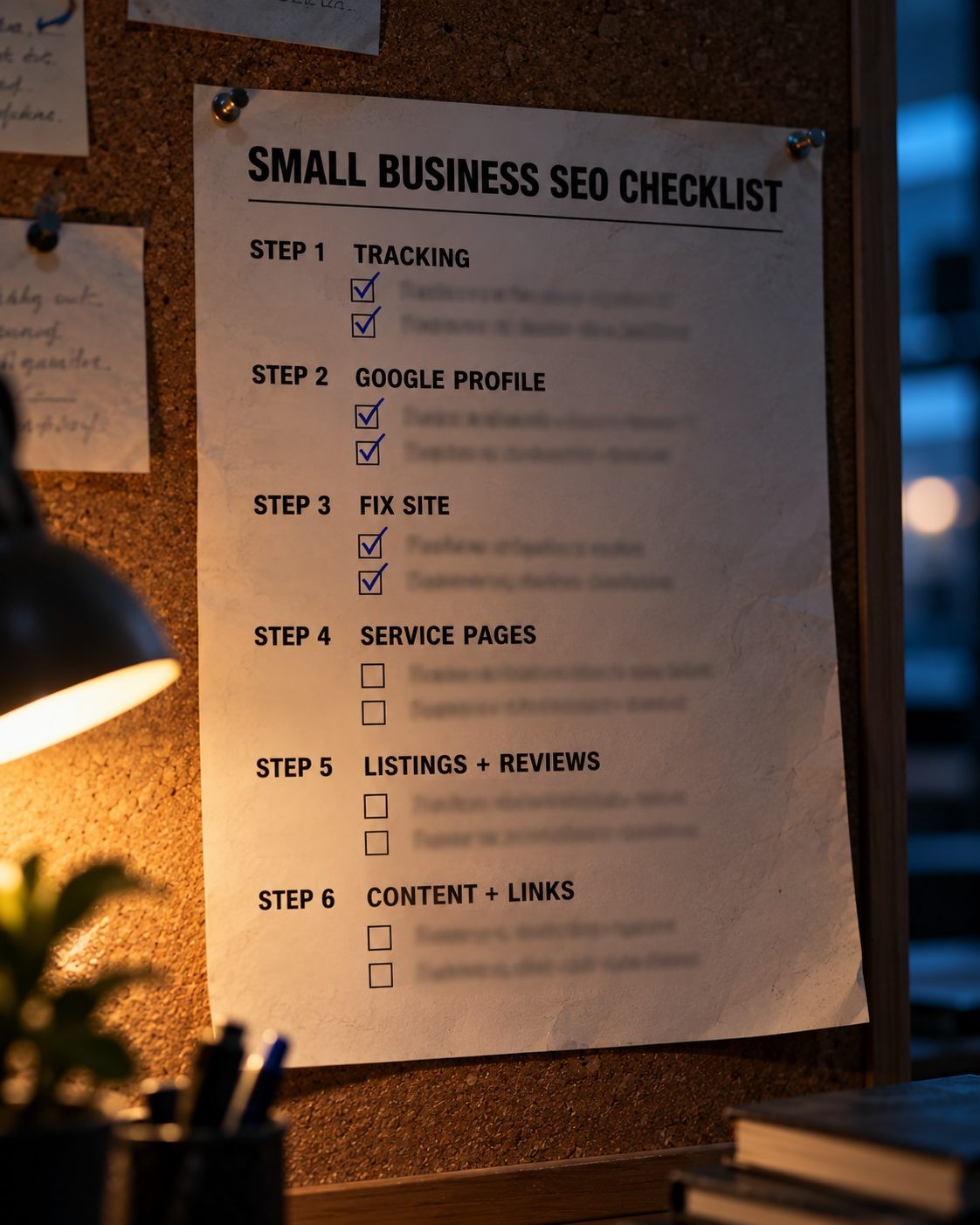
Copy this list, print it, and tick items off as you go.
Step 1: Tracking (Days 1 to 2)
- Verify Google Search Console and submit your sitemap
- Import your site into Bing Webmaster Tools
- Set up analytics with calls and forms as conversions
- Record your baseline numbers
Step 2: Google Business Profile (Days 3 to 5)
- Claim and verify your profile (no duplicates)
- Choose the most specific primary category
- Complete hours, services, service areas and attributes
- Upload real photos of your place, team and work
Step 3: Technical fixes (Week 2)
- Confirm important pages are indexed
- Redirect all versions to one HTTPS address
- Test key pages on a phone and in PageSpeed Insights
- Compress large images and fix important 404s
Step 4: Pages (Week 3)
- Build a keyword list from free sources
- Create one page per service
- Write a clear title, meta description and H1 for each page
- Add tap-to-call, proof and LocalBusiness structured data
Step 5: Listings and reviews (Week 4)
- Pick one NAP format and use it everywhere
- Claim Bing Places, Apple Business, Yelp, Facebook and industry directories
- Ask every customer for a review, with no incentives or gating
- Reply to every review
Step 6: Authority (Months 2 to 3)
- Publish one helpful page a month
- Earn one local link a month
- Review your numbers monthly
FAQs
Conclusion
SEO for a small business is not about doing everything. It is about doing the right things in the right order. Start by tracking what Google sees, then claim and complete your Google Business Profile, because those two steps cost nothing and set up everything else. Fix anything that stops Google from indexing your site, then give each service its own clear, well-titled page. Lock down your business details across the listings that matter, ask every customer for an honest review, and reply to every one. Only then add content and local links, one at a time, month after month.
If you take on one step per week, you will have the whole foundation in place within about a month, and the slower work will already be compounding by the time your next quarter starts. Check your numbers monthly, stay patient through the quiet weeks, and spend money only when it buys a skill or saves real time. The businesses that win local search are rarely the ones with the biggest budgets. They are the ones that keep their details accurate, keep asking for reviews and keep answering their customers' questions, month after month.
Running a service business? Add your company to Clutchpilot with a free provider profile. It gives you one more consistent listing for Step 5 and a place to collect verified client reviews from buyers comparing providers.
No Tags



Comments (0)