Search for free SEO tools and you will find lists with 30, 40, even 50 names on them. Look closer and the problems show up fast. Half of the "free" tools are seven-day trials that ask for a credit card. Some are paid platforms with a free login that shows you three results before asking you to upgrade. A few have not existed for years. And almost none of these lists tell you which tool to open for which job, so you end up with a bookmark folder full of tools you never use.
There is a cost to that clutter. Every new tool means another login, another dashboard and another set of numbers that do not quite match the last one. Without a clear role for each tool, you spend more time comparing reports than fixing anything.
This list is deliberately shorter. Every tool on it is genuinely usable at $0, either free forever or with a free tier that does real work. Each one has a specific job it does better than the alternatives, and together they cover everything a small or mid-sized website needs: tracking search performance, auditing the site, checking speed, researching keywords, looking at backlinks and handling local SEO.
For each tool, you will see what it is best for, how it fits into real SEO work, and what its free version will not do. At the end, there is a simple weekly, monthly and quarterly workflow that ties them all together, because tools on their own do not improve rankings. Using them in the right order does.
Quick answer: the best free SEO tools by job
- Search performance: Google Search Console
- Bing, Copilot and AI citations: Bing Webmaster Tools
- Quick page and site checks: SEO Site Checker
- Full site crawl: Screaming Frog SEO Spider (up to 500 URLs free)
- Site audit and backlinks for your own site: Ahrefs Free
- Page speed: PageSpeed Insights and Lighthouse
- Keywords: Search Console queries plus Google Keyword Planner
- User behavior: Microsoft Clarity
How I Picked These Tools (and What "Free" Means Here)
Free forever vs freemium vs free trial

"Free" means three different things in the SEO tool market, and the difference matters:
- Free forever: The tool costs nothing, with no time limit. Google Search Console, Bing Webmaster Tools, PageSpeed Insights and Microsoft Clarity are in this group.
- Freemium: A free tier with limits, plus paid plans. Screaming Frog's 500 URL crawl limit and Ahrefs Free (which only covers websites you verify) are examples. The free tier is useful on its own, not just a teaser.
- Free trial: Full access for a few days, then you pay. These are not included here, because a tool you lose access to next week is not part of a free toolkit.
The selection criteria
Every tool on this list had to pass three tests. First, it has to be useful at $0 without constant upgrade walls. Second, it has to do a job that no other tool on the list does better, so there is no overlap for the sake of length. Third, it has to be actively maintained in 2026, with features that reflect how search works today, including AI answers. These are the tools I keep coming back to for audits, site launches and monthly checks, and they are the ones I would set up first on any new site.
What is not on this list
A few popular names are missing on purpose. All-in-one suites that only offer a short trial are out, even when they are excellent paid tools. So are tools that have shut down or stopped updating but still appear on older lists, and generic "SEO score" sites that wrap ads around the same checks you get elsewhere. AI writing tools are left out too. They can help with drafting, but they are not SEO tools in the sense this list covers: finding problems, measuring results and understanding what people search. If a tool is not here, it is either a trial, redundant with something better, or not maintained.
The Free SEO Toolkit at a Glance
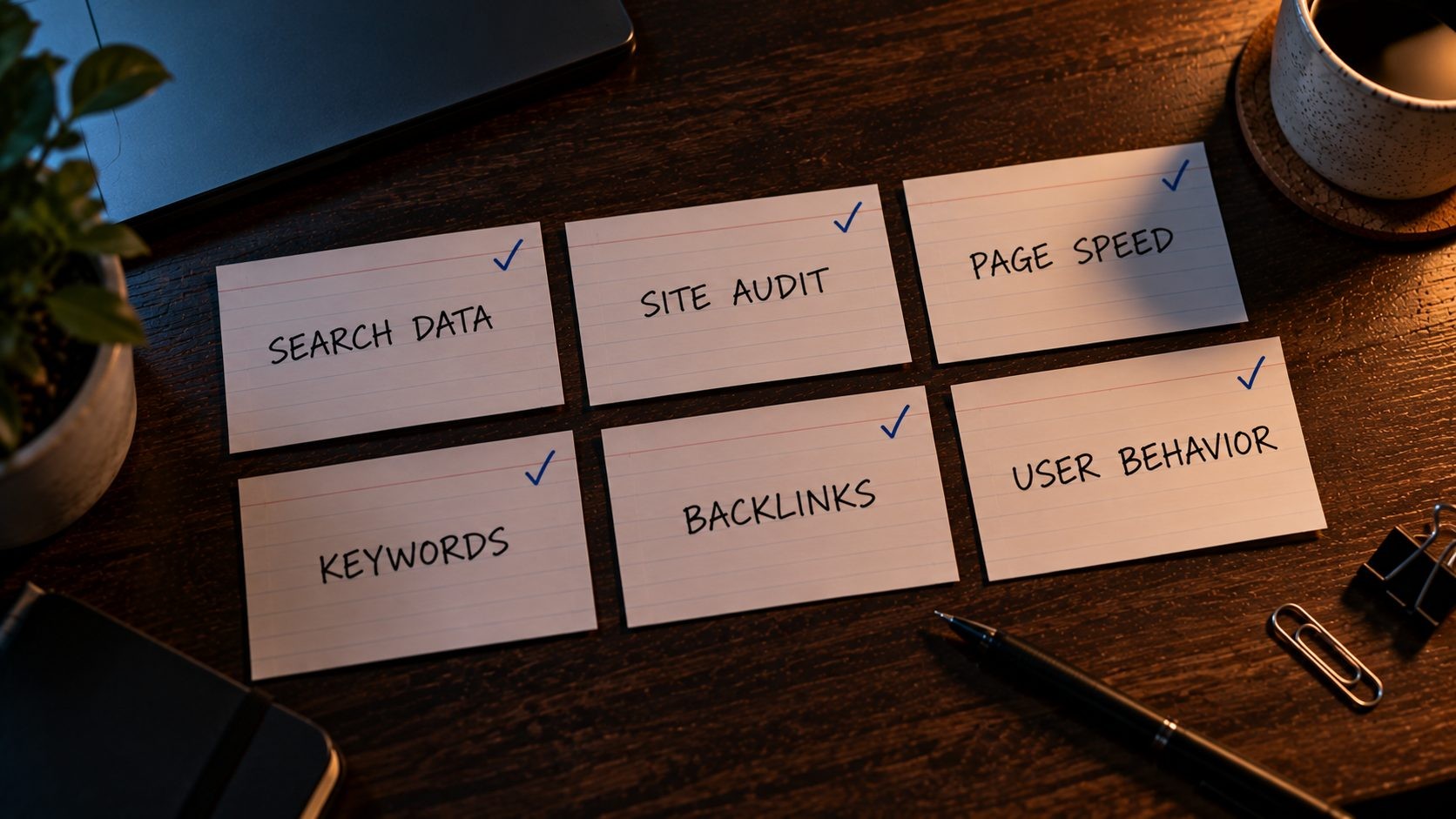
Here is the full list in one place. You do not need every tool on day one. Start with Search Console, Bing Webmaster Tools and PageSpeed Insights, then add the others as you reach the tasks they handle.
| Tool | Best for | Free limit | Sign-up needed |
|---|---|---|---|
| Google Search Console | Search performance and indexing | Free forever | Yes, verify your site |
| Bing Webmaster Tools | Bing data and Copilot citations | Free forever | Yes, verify or import |
| Google Analytics 4 | Traffic sources and conversions | Free for most sites | Yes |
| Microsoft Clarity | Heatmaps and session recordings | Free, no traffic limits | Yes |
| SEO Site Checker | Quick audits and on-page checks | Free, no account | No |
| Screaming Frog SEO Spider | Full technical crawl | 500 URLs per crawl | No (desktop download) |
| Ahrefs Free | Site audit and backlinks for your site | Verified sites only | Yes |
| Rich Results Test | Structured data validation | Free | No |
| PageSpeed Insights | Core Web Vitals and speed | Free | No |
| Chrome DevTools and Lighthouse | Testing speed fixes | Free, built into Chrome | No |
| Google Keyword Planner | Keyword ideas and volume ranges | Free with an Ads account | Yes |
| Google Trends | Seasonality and topic comparison | Free | No |
| Google Business Profile | Local search presence | Free | Yes |
| Free WordPress SEO plugin | Titles, sitemaps, basic schema | Free versions | No |
Free Tools for Tracking Search Performance
Tracking comes first because every other decision depends on it. Without data on which searches you appear for, which pages get clicked and what visitors do next, every change you make is a guess. The four tools in this section give you that data from both major search engines and from your own visitors, and all four are free.
Google Search Console
If you only set up one free SEO tool, make it Google Search Console. It is the only place to get Google's own data on how your site performs in search, and nothing else on this list replaces it.
The reports you will use most:
- Performance: The searches you appear for, your clicks, impressions, click-through rate and average position, filterable by page, query, country and device.
- Pages (indexing): Which pages Google has indexed, which it has not, and why, such as "Crawled, currently not indexed" or "Excluded by noindex tag".
- URL Inspection: A detailed look at a single URL: whether it is indexed, the canonical Google chose, and when it was last crawled. You can also request indexing after fixing a page.
- Sitemaps: Submit your XML sitemap and see how many of its URLs are indexed.
- Core Web Vitals: Real-user speed data, grouped by issue.
Two uses pay off again and again. First, filter the Performance report for queries with lots of impressions but a low click-through rate. Those are pages that already rank but are not getting clicked, and a better title tag and meta description is often all they need. Second, check the Pages report after any site change, because a wrong noindex tag or a robots.txt mistake shows up there first. For a structured way to work through all of these reports, use this technical SEO audit checklist.
A setup tip: add your site as a domain property rather than a URL-prefix property. A domain property covers every version of your site (http and https, with and without www, and all subdomains) in one place, so you never miss data from a version you forgot to add. It needs DNS verification, which takes a few minutes at your domain registrar or host.
Two smaller reports are also worth a regular look. The Links report shows which of your pages get the most internal and external links, which quickly reveals important pages that are under-linked. And any manual actions or security issues messages need attention the same day, because they can remove pages from search entirely.
Free version limits: None in cost, but the Performance report keeps 16 months of data, so export anything you want to keep longer.
Bing Webmaster Tools
Bing Webmaster Tools is the most overlooked free SEO tool on this list. Setup takes minutes because you can import your verified sites straight from Google Search Console.
It gives you Bing's version of search performance data, a backlink report, a site scan for technical issues and support for IndexNow, which lets you notify participating search engines the moment a page is published or updated. Many WordPress SEO plugins and some hosts can submit to IndexNow automatically, so new posts get picked up quickly without any manual work.
Bing's audience is smaller than Google's, but it is not trivial, and Bing's index also powers other search experiences and AI assistants. Its site scan sometimes flags issues in a clearer way than other tools, such as missing meta descriptions or overly long titles across a whole section, which makes it a useful second check after a site launch.
The bigger reason to use it in 2026 is the AI Performance report. Launched as a public preview in February 2026 and open to any verified site, it shows how often your pages are cited in Copilot and Bing's AI answers, which URLs are cited, and the "grounding queries" behind those citations. Grounding queries are machine-generated searches the AI uses to find sources, not what users typed, but they still show which topics your content is being used for. Data exports as CSV files. Very few free tools show AI citation data at all, which makes this report worth checking monthly. A good use is comparing the cited pages with your most important ones. If Copilot keeps citing an old blog post instead of your main service page, that service page probably needs clearer, more direct answers to the questions people ask.
Free version limits: Free forever. The AI report is still in preview, so expect changes.
Google Analytics 4
Search Console tells you what happens before the click. Google Analytics 4 tells you what happens after it: which landing pages bring in visitors from organic search, how long they stay, and, most importantly, whether they convert.
Keep your setup simple. Mark the actions that matter to your business as key events (form submissions, phone clicks, bookings, purchases), then look at organic landing pages with those events side by side. That one view tells you which pages make money and which only bring traffic.
You can also link Google Analytics with Search Console, which adds a Search Console section inside Analytics showing queries and landing pages alongside engagement data. And if you need to share results with a client or manager, Looker Studio (also free) can pull Search Console and Analytics data into a simple dashboard that updates automatically.
Free version limits: Free for the vast majority of websites. The interface has a learning curve, so build a few saved reports rather than exploring from scratch each time.
Microsoft Clarity
Microsoft Clarity is free forever with "no limits on traffic", and it shows you how real visitors use your pages through heatmaps (where people click and how far they scroll) and session recordings. It answers the question that rankings alone never will: why a page that ranks well does not convert. If visitors never scroll to your call to action, or keep clicking an element that is not a link, Clarity will show you. These landing page optimization tips help you act on what you see.
Clarity also flags behavior automatically, such as "rage clicks" (repeated clicks on the same spot, often a broken or confusing element) and "dead clicks" (clicks on things that do nothing). Filtering recordings by those signals is a fast way to find usability problems without watching hours of sessions. It can also connect with Google Analytics, so you can jump from a landing page report to recordings of visitors on that page.
Free version limits: None on traffic. Be sure to mask sensitive form fields and mention it in your privacy policy.
Free Tools for Site Audits and Technical SEO
Technical problems are often invisible from the front end. A page can look perfect in your browser while carrying a noindex tag, a broken canonical or a chain of three redirects. Audit tools find these issues by checking pages the way a search engine does. The tools below cover everything from a quick single-page check to a full crawl of a few hundred URLs.
SEO Site Checker
SEO Site Checker is a free collection of SEO and website tools that works in the browser with no account and no credit card. It is built for the quick checks you need several times a week, when opening a full crawler would be overkill.
The tools most useful for SEO work:
- Website SEO Score Checker: A fast scan of a page's on-page and technical basics, useful as a first look at any site.
- Meta Tag Analyzer: Checks titles, descriptions and other meta tags on a page.
- Schema Markup Validator: Validates structured data.
- XML Sitemap Generator and Robots.txt Generator: Handy for small or custom-built sites without an SEO plugin.
- Image Compressor and HTML, CSS and JS minifiers: Quick fixes for page weight.
- Domain Authority Checker, Open Graph Validator and DNS tools: Useful during site launches and migrations.
It works best for single-page checks, pre-launch reviews and giving a client a quick first picture of their site. A typical use is checking a new landing page right before it goes live: run it through the score checker, confirm the title and description in the meta tag analyzer, validate any schema, and compress any images that slipped through at full size. Because nothing needs installing or logging into, it is also easy to hand to a non-technical colleague or client so they can check their own pages. For a step-by-step walkthrough, see how to run a full audit with SEO Site Checker.
Free version limits: Everything is free. For crawling hundreds of pages at once, pair it with a crawler like Screaming Frog.
Screaming Frog SEO Spider
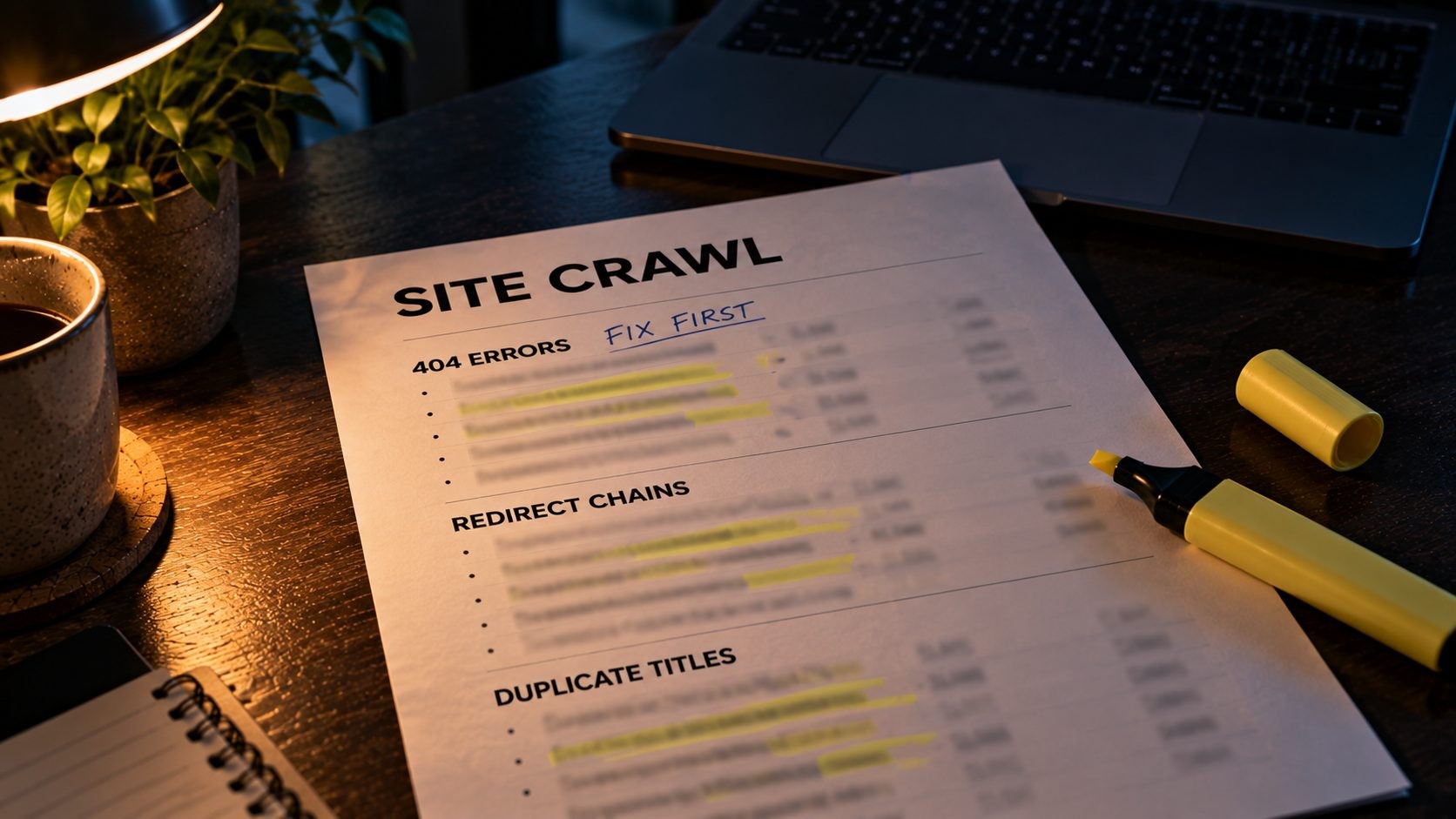
Screaming Frog SEO Spider is a desktop crawler that visits every page on your site the way a search engine bot would, then lists what it finds. It has been the standard technical SEO crawler for years, and the free version crawls up to 500 URLs, which covers most small business sites and many blogs.
A single crawl surfaces:
- Broken links (404s) and the pages linking to them
- Redirects and redirect chains
- Missing, duplicate or overly long title tags and meta descriptions
- Missing or duplicate H1 headings
- Pages blocked by robots.txt or marked noindex
- Canonical tags and where they point
- Click depth, meaning how many clicks each page sits from the homepage
Running a first crawl is simple. Download and install the app, paste your homepage URL into the box at the top, and click Start. When it finishes, work through the tabs on the right: Response Codes for broken pages and redirects, Page Titles and Meta Description for duplicates and missing tags, H1 for heading problems, and Directives for noindex and canonical issues. Each tab can be filtered and exported to a spreadsheet, which makes it easy to share a fix list with a developer.
Click depth and internal link data make it especially useful for structural work. If you are planning categories, hubs and internal links, this guide to site architecture for SEO shows how to use crawl data to find buried and orphaned pages.
Free version limits: 500 URLs per crawl. Larger sites need a licence, currently £199 a year.
Ahrefs Free
Ahrefs Free, the tool previously known as Ahrefs Webmaster Tools, gives you a slice of Ahrefs' paid platform for any website you verify. That includes Site Audit, which checks for more than 170 technical and on-page issues with 5,000 crawl credits per verified project each month, Site Explorer data on your organic keywords and backlinks (showing up to 1,000 backlinks at once), and web analytics.
It is a strong second opinion alongside Screaming Frog, and its backlink data is far richer than anything Google or Bing show you. You can verify as many sites as you own or manage, and verification is easy if you have already set up Search Console, because Ahrefs can verify through your Google account.
The site audit runs in the cloud on a schedule, so unlike a desktop crawler, it keeps checking your site without you remembering to run it. Each audit groups issues by severity, which helps you fix the important problems first instead of chasing every minor warning.
Free version limits: Only sites you can verify. Looking at competitor sites in the full tools requires a paid plan, although Ahrefs' separate free tools (covered below) let you spot check any domain.
Google Rich Results Test and Schema.org Validator
If you use structured data (LocalBusiness, Product, Article, Breadcrumb and so on), validate it before and after publishing. Google's Rich Results Test shows whether a page is eligible for the rich results Google currently supports, and the Schema.org validator checks the markup against the full schema.org vocabulary. Remember that Google removed FAQ rich results in 2026, so FAQ markup will validate but no longer produces special search results. Run these tests on a template rather than every page: if one product page or one blog post validates, every page built from the same template usually will too, so you only need to recheck after theme or plugin updates.
Free version limits: None.
Free Tools for Page Speed and Core Web Vitals
Speed affects both rankings and conversions, and the good news is that the best speed tools are all free. Use PageSpeed Insights to see how Google measures your site, and Chrome's built-in tools to dig into the cause and test fixes.
PageSpeed Insights
PageSpeed Insights is Google's free speed testing tool and the one to use when you want to know how Google sees your performance. It shows two kinds of data. Field data comes from real Chrome users over the past 28 days and reflects the Core Web Vitals assessment: Largest Contentful Paint, Interaction to Next Paint and Cumulative Layout Shift. Lab data comes from a single simulated Lighthouse test, which is useful for diagnosing problems but varies from run to run.
The score at the top gets the attention, but the field data is what reflects real visitors. Always test the mobile result first, because it is usually the weaker one and it is what most visitors experience. And test more than your homepage: your main service page, a typical blog post and your contact page often have very different problems. If you are not sure how to read the report, this guide on how to read a PageSpeed Insights report explains every section. If the results are poor, start with this list of reasons why your website is slow before reaching for plugins.
Free version limits: None. Low-traffic sites may not have enough real-user data for field results, in which case only lab data appears.
Chrome DevTools and Lighthouse
Every copy of Chrome includes the same Lighthouse engine that powers PageSpeed Insights, plus a full set of developer tools. Open DevTools, run a Lighthouse report, and you can test changes locally before deploying them. The Network tab shows every file a page loads and how big it is, and the Performance panel shows exactly what blocks rendering. For anyone comfortable with a bit of technical detail, these are the most powerful free speed tools available. Two quick tricks: use the Network tab's throttling option to simulate a slower mobile connection, and use the Coverage panel to see how much of each CSS and JavaScript file a page actually uses, which often reveals heavy theme or plugin files loading on pages that do not need them.
Free version limits: None. Test in an incognito window so browser extensions do not skew results.
Free Keyword Research Tools
Paid keyword tools give you exact volumes and difficulty scores, but for most sites, free tools answer the questions that matter: what people search, how they phrase it, and which topics are worth a page. Combine the four sources below, and you will rarely be short of good keyword ideas.
Google Search Console queries

For a site that already has some traffic, the best keyword research tool is the one you already set up. The Performance report shows the exact searches people use to find you, with real impressions and clicks. Filter by page to see which queries each page ranks for, then look for related queries where you rank on page two. Those are your best opportunities, because Google already connects your site with the topic. Also look for queries that have no dedicated page at all. If you see dozens of impressions for a question your site only mentions in passing, that is a clear sign to write a page that answers it properly.
Google Keyword Planner
Keyword Planner is built for advertisers, but you can use it free with a Google Ads account, even if you never run an ad. Enter a few seed terms or your website, and it suggests related keywords with monthly search volume ranges and competition levels. Without active ad spend, volumes are shown in broad ranges rather than exact numbers, which is still enough to compare options and spot the bigger opportunities. When setting up the Ads account, you can skip creating a campaign by switching to expert mode, so there is no risk of accidentally spending money. Keyword Planner also lets you set a location, which is useful for local businesses that only care about searches in their own city or state.
Google Trends
Google Trends shows how interest in a topic changes over time and across regions. Use it to spot seasonality (when to publish or update content), compare two ways of describing the same thing, and check whether a topic is growing or fading before you invest time in it. If interest in your service peaks every spring, for example, update the related pages in late winter so they are fresh before demand rises.
Autocomplete, People Also Ask and free question tools
Google itself is a free keyword tool. Autocomplete suggestions and the People Also Ask box show real questions people search. For more volume, AnswerThePublic and AlsoAsked offer limited free searches, and Ahrefs' free Keyword Generator returns keyword ideas with basic metrics. Use these to build FAQ sections, find blog topics and match the wording your audience actually uses. A simple habit helps: when you search for your own topics, open a private window so your history does not shape the suggestions, and note the questions that appear again and again across related searches.
Free Tools for Backlinks and Competitor Research
Competitor research is where free tools are weakest, because the data is expensive to collect. Still, you can get useful answers at $0:
- Ahrefs free Backlink Checker: Shows the top backlinks and referring domains for any website, which is enough to see where a competitor's strongest links come from.
- Ahrefs Free for your own site: Up to 1,000 backlinks shown at once for sites you verify.
- Bing Webmaster Tools backlinks: Free backlink data for your own site, plus a comparison feature for other domains.
- Semrush free account: A limited number of daily requests in Semrush's tools, enough for occasional spot checks of a competitor's top keywords or pages.
- SEO Site Checker's Domain Authority Checker: A quick way to compare the relative strength of several domains.
A practical way to use these together: list your three closest competitors, run each through the free backlink checker, and note any sites linking to two or more of them but not to you. Industry directories, local associations and supplier pages often show up this way, and they are usually the easiest links to earn.
The honest limit: free tools show you a sample, not the full picture. They are fine for occasional checks, but if competitor research is a regular part of your work, this is usually the first area where a paid tool earns its cost.
Free Tools for Local SEO
For businesses that serve a local area, the most important free tools are not SEO tools at all. They are the listings themselves:
- Google Business Profile: Your profile on Google Maps and in the local pack, with free performance insights showing calls, direction requests and website clicks.
- Bing Places for Business: Free, and it can import your details from Google Business Profile.
- Apple Business: Where you manage your Apple Maps place card for iPhone users.
Keep your business name, address and phone number identical across all three, and check each profile monthly for edits you did not make. Google Business Profile's performance report is also a useful free signal on its own: if calls and direction requests rise after you add photos or update services, you know the changes are working.
Use Search Console alongside them to see which local searches (service plus city) bring visitors to your site. For the full order of local tasks, from claiming your profile to building a review routine, follow this small business SEO checklist.
Free WordPress SEO Plugins
If your site runs on WordPress, a free SEO plugin handles the basics so you do not have to touch code: editing title tags and meta descriptions, generating XML sitemaps, setting noindex rules and adding basic schema. The three most popular are Yoast SEO, Rank Math and All in One SEO (AIOSEO), and all have capable free versions.
The differences show up in the details. Rank Math's free version includes more features out of the box, such as a redirect manager, while Yoast and AIOSEO keep some features, including their redirect managers, for paid plans. Any of the three is fine for most sites. Check the current feature lists before choosing, because what each plugin includes for free changes from version to version.
Whichever you pick, spend ten minutes on the settings after installing. Make sure the XML sitemap is enabled and excludes things you do not want indexed (such as tag archives or media attachment pages), set sensible title templates, and confirm that the "noindex" settings match your intentions. Most plugin problems come from default settings nobody reviewed, not from the plugin itself.
Not on WordPress? Most hosted platforms, including Shopify, Wix and Squarespace, include the same basics built in: editable titles and descriptions, automatic sitemaps and redirects. Check your platform's SEO settings before installing an app, because the free built-in options often cover everything a small site needs.
The most important rule: pick one and only one. Running two SEO plugins at the same time creates duplicate meta tags, conflicting sitemaps and clashing schema. If you switch, use the new plugin's import tool and then deactivate the old one.
How These Tools Fit Together: A Free SEO Workflow
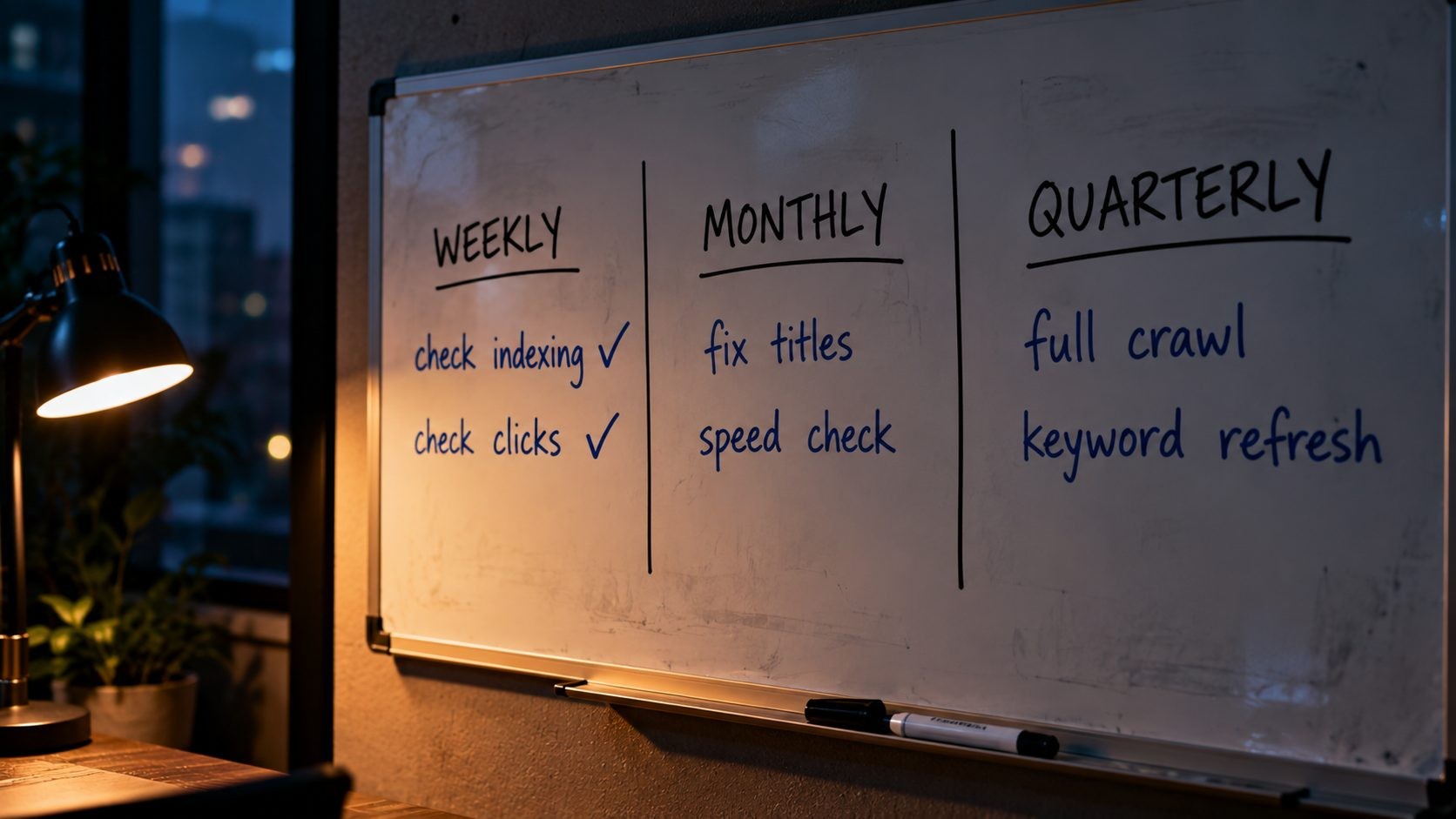
Tools are only useful if you open them at the right time. Here is a simple routine that uses everything above.
Weekly (about 15 minutes)
- Check Search Console for new indexing issues or manual action messages.
- Glance at the Performance report for sudden drops in clicks.
Monthly (about 1 to 2 hours)
- Find high-impression, low-CTR queries in Search Console and improve those titles and descriptions.
- Run your homepage and top landing pages through the Website SEO Score Checker and PageSpeed Insights.
- Review Clarity recordings and heatmaps for your top landing page.
- Check Bing's AI Performance report for new Copilot citations.
- Review the Ahrefs Free site audit for new issues.
Quarterly (half a day)
- Run a full Screaming Frog crawl and fix broken links, redirect chains and duplicate titles.
- Refresh your keyword list with Search Console queries, Keyword Planner and Google Trends.
- Check new and lost backlinks in Ahrefs Free and Bing Webmaster Tools.
- Update your Google Business Profile photos, services and hours.
For page-level work between these checks, run each new or updated page through this on-page SEO checklist before publishing. The routine is simple on purpose. Done consistently, it catches most problems early and keeps improvements moving without any paid software.
Keep a simple log of what you change and when, even just a few lines in a spreadsheet. SEO changes take weeks to show results, and without a log it is hard to tell later which change caused a rise or fall in traffic. A dated note such as "rewrote titles on 5 service pages" makes next month's Search Console data far easier to read.
When Free Tools Stop Being Enough
Free tools cover most needs for small and mid-sized sites, but there are clear signs you have outgrown them:
- Your site has more than about 500 URLs and you need regular full crawls. A Screaming Frog licence is usually the first and best-value upgrade.
- Competitor research is a weekly task, not an occasional one. Free backlink and keyword samples will not give you the full picture.
- You track rankings for many keywords or locations. Search Console shows average positions, but dedicated rank tracking needs a paid tool.
- You report to clients or a team at scale. Paid suites save hours on reporting and project management.
When you do pay, start with one tool that fills your biggest gap rather than subscribing to several at once. Many sites run well for years on the free stack plus a single crawler licence or one all-in-one SEO suite. Before upgrading, write down the exact question you cannot answer with free tools. If a paid tool answers it, and the answer is worth more to your business than the subscription, it is a good purchase. If not, the free tools are still doing the job.
FAQs
Conclusion
You do not need a big budget to do SEO well. Google Search Console and Bing Webmaster Tools give you search engine data no paid tool can match. A quick checker such as SEO Site Checker and a crawler such as Screaming Frog cover your technical health. PageSpeed Insights and Lighthouse handle speed, Keyword Planner and Search Console handle keywords, and Clarity shows you what visitors actually do once they arrive.
Just as important, you know what each tool is for. That is what turns a pile of bookmarks into a working toolkit: one tool for each job, opened at the right time, with results you act on.
The difference between a site that improves and one that does not is rarely the tools. It is whether someone opens them regularly and acts on what they find. Set up the core tools this week, follow the simple weekly, monthly and quarterly routine, and upgrade to paid software only when a specific gap starts costing you time or results.
Want quick checks without signing up for anything? Browse the full set of free tools at SEO Site Checker, including the Website SEO Score Checker, Meta Tag Analyzer, Schema Markup Validator and sitemap and robots.txt generators. No account or credit card needed.
No Tags

Comments (0)