- Khurram Shahzad
- Tech Stacks
- 760
- 0
Updated: November 11, 2026
For years, Laravel Herd did one job very well: it installed PHP and served your .test sites in seconds. Laravel Herd 2 changes the pitch. Herd now wants to be the place where Laravel apps get built, with AI coding agents working right next to your local sites.
Herd 2.0 shipped on October 22, 2026 for macOS and Windows. Herd 2.1 followed on November 5 with the controls many developers asked for. If you only use Herd to serve sites, nothing changes unless you want it to, and every AI feature can be turned off.
This guide is written for developers who build Laravel and WordPress projects day to day. Here's what's new, what it costs, how the agent workspaces actually work, and what to lock down before you let an AI agent loose on your machine.
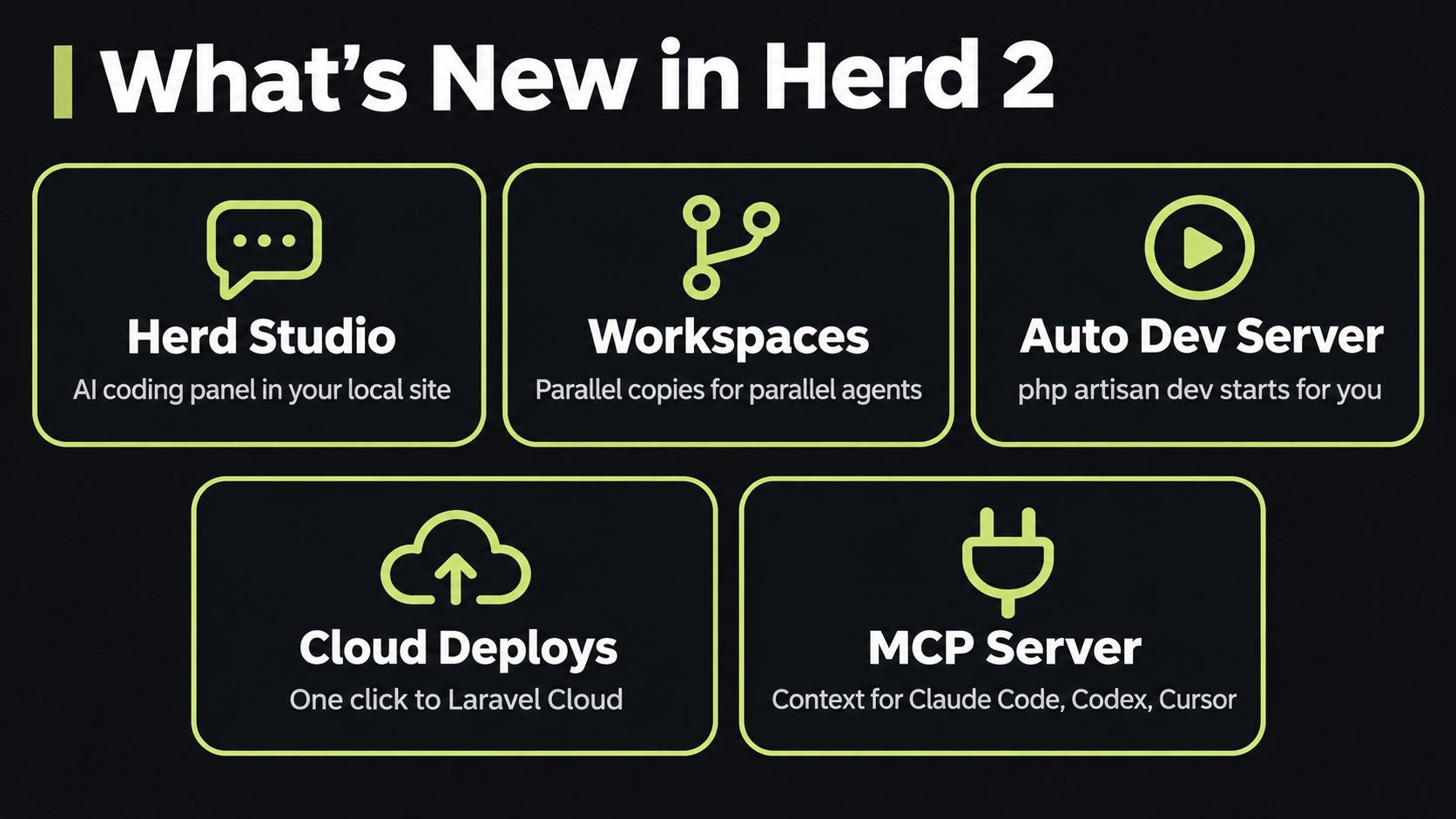
What's new in Laravel Herd 2:
- Herd Studio: an AI coding panel you open from any local site
- Workspaces: isolated copies of a site so several agents can work in parallel
- Automatic dev server:
php artisan devor Vite starts when you open a site - Applications window and Laravel Cloud deploys: create, manage and ship apps from Herd
- Herd MCP server: live app context for Claude Code, Codex, Cursor and other agents
What's New in Laravel Herd 2 at a Glance
The free version gained a lot in this release. Herd Studio and the PHP Profiler are now free, while the services and deeper agent context stay in Pro.
| Feature | What it does | Free or Pro |
|---|---|---|
| Herd Studio | Agent chat, editor, diff review, terminal and logs inside your local site | Free (Tinker and Insights panels need Pro) |
| Workspaces | Copy of a site on its own git branch and subdomain | Free |
| Automatic dev server | Starts php artisan dev or Vite when you visit a site |
Free |
| Applications window | Create apps from a prompt, view workspaces, deploy | Free |
| Laravel Cloud deploys | One-click "Deploy to Laravel Cloud" | Free in Herd (Cloud billed separately) |
| Herd MCP server | Lets external agents talk to Herd | Free |
| Runtime context for agents | Queries, logs, jobs, dumps and HTTP calls for agents | Pro |
| PHP Profiler | Profile slow requests locally | Free |
The full list of fixes and smaller changes is in the Herd changelog.
Herd Studio: An AI Coding Panel Inside Your Local Site
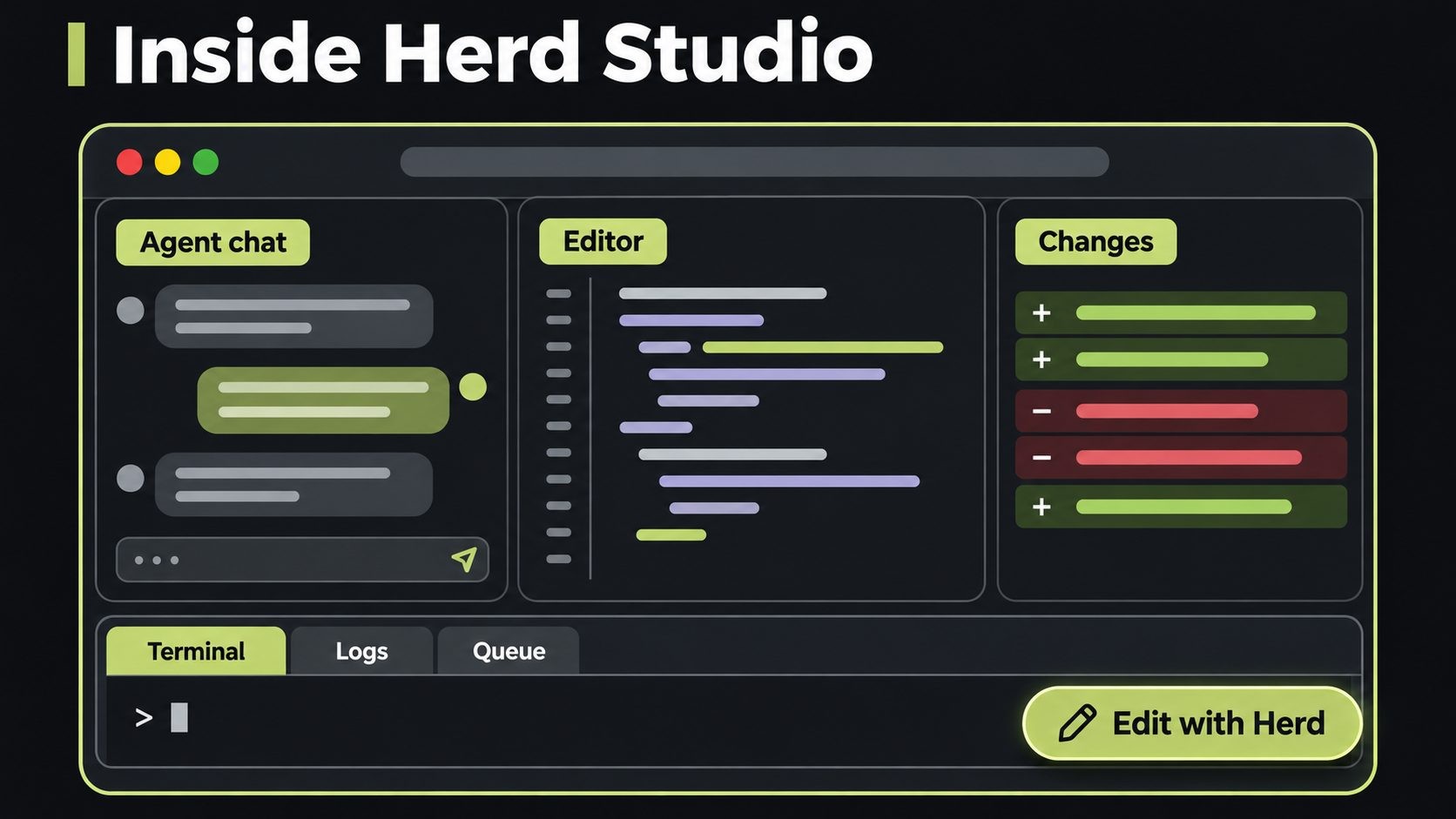
Herd Studio is the headline feature of Laravel Herd 2. When it's on, Herd adds a small "Edit with Herd" badge to every page of your local sites. That includes WordPress and plain PHP sites, not just Laravel apps. Click the badge, visit /herd-studio on any site, or run this from your project folder:
herd studio
Studio opens a workspace with everything you need to work with an agent in one place:
- Agent chat with multiple conversations, plan approval and image attachments
- Code editor with PHP autocompletion
- Changes view to review the agent's edits as a diff before you keep them
- Terminal, Logs (via Laravel Pail) and Queue panels
- Site settings for PHP version, HTTPS, isolation and services
- Tinker and Insights panels for Herd Pro users
Bring your own agent
Herd doesn't ship its own AI model. The chat runs on opencode, an open-source coding agent, which can use your existing AI provider or free bundled models. Herd 2.1 added a setting to hide the free models if your team only allows approved providers.
This is a sensible design. You keep your choice of model, and Herd focuses on what it knows best: your local PHP environment. If you're adding AI features to the app itself, that's a different job, covered in our Laravel AI SDK guide.
Send exceptions straight to an agent
Studio shows the latest exception for the site. One click sends it to the agent with context, which removes the copy-paste loop between your browser, log file and chat window.
Workspaces: Run Several AI Agents on One App
Workspaces are the feature I'd point a team lead to first. A workspace is an isolated copy of a site on its own git branch and its own subdomain. If your site is shop.test, a workspace might live at feature-auth.shop.test.
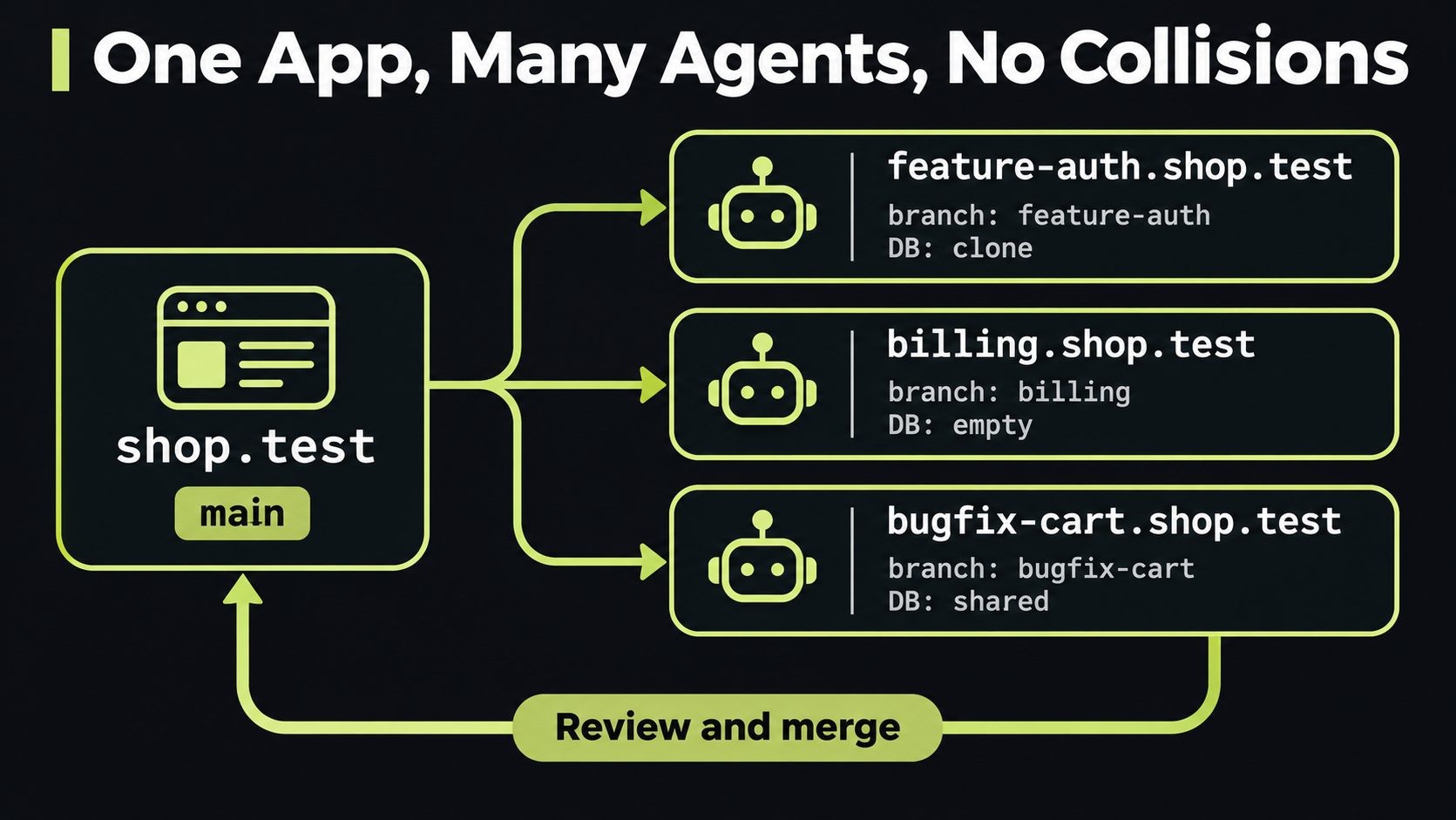
Workspaces are created as copy-on-write clones, so they use no extra disk space until files change. Herd also detects git worktrees you already have and serves each one as a subdomain.
Why it matters: two agents editing the same folder at once is a mess. With workspaces, one agent can build a billing feature while another fixes a bug, each in its own branch, URL and (if you choose) database. You review and merge when they're done. This is especially useful for a multi-tenant SaaS in Laravel, where you often test tenant changes side by side.
Workspace database options
By default, a workspace shares the parent site's database. You can change that when you create it:
--database=clonecopies the parent database--database=emptystarts fresh so you can migrate and seed
Isolated databases work with MySQL, MariaDB, PostgreSQL and SQLite. (Still choosing an engine? See PostgreSQL vs MySQL for a Laravel SaaS.) Herd copies your .env and updates APP_URL, SESSION_DOMAIN, SANCTUM_STATEFUL_DOMAINS and DB_DATABASE for the workspace.
Tip: for agent work, use a cloned or empty database. A shared database means an agent's migration or test seed can change data your main local site depends on.
Workspace CLI commands
| Command | What it does |
|---|---|
herd workspace |
Create a new workspace |
herd workspaces |
List workspaces for a site |
herd workspace:switch |
Switch to a workspace |
herd workspace:open |
Open a workspace in the browser |
herd workspace:merge |
Merge a workspace's branch back |
herd workspace:delete |
Remove a workspace |
In Herd 2.1, workspaces also work without Herd Studio: from the CLI, the MCP server and the site inspector. You can use them with Claude Code or Cursor in your own terminal and never open Studio.
Automatic Dev Server (php artisan dev)
No more "Vite manifest not found" because you forgot to start npm run dev. With Herd Studio on, Herd starts the dev server when you open a site in the browser:
- Laravel 13.25 or later: Herd runs
php artisan dev - Other Vite apps: Herd runs the
devscript from yourpackage.json
If the site has no production build yet, Herd holds the first request for up to 15 seconds while Vite starts, so you don't get the missing manifest error. The server stops one minute after the last Herd Studio tab closes, as long as the site has had no requests for five minutes.
Herd 2.1 made this per-site. Each site gets its own auto-start setting for php artisan dev and Vite, plus a global default. If you're still on an older Laravel version, our Laravel 11 vs 12 upgrade guide is a good place to start planning upgrades.
Applications Window and Laravel Cloud Deploys
Herd 2 gives your apps their own window. From it, you can create a new app from a prompt, check on agent workspaces and deploy. Herd 2.1 added a list view and workspace actions here too.
Connect a Laravel Cloud account, and each app gets a "Deploy to Laravel Cloud" button. For prototypes, client demos and small SaaS products, going from local to live in a few clicks is a real time saver.
Cloud isn't always the right home, though. If you need full server control, fixed monthly costs or apps that aren't Laravel on the same box, a VPS is often a better fit. Our guide to deploy Laravel with Docker on a VPS walks through that route. Herd works fine for local development either way.
The Herd MCP Server for Claude Code, Codex and Cursor
You don't have to use Herd Studio to get the benefit of Herd 2. Herd ships an MCP (Model Context Protocol) server that external agents like Claude Code, Codex and Cursor can connect to. It gives them tools for your local environment: site information, mails, dumps and more. The Herd CLI also offers --json output for many commands, so agents can read it directly. See the Herd AI integrations docs for setup.
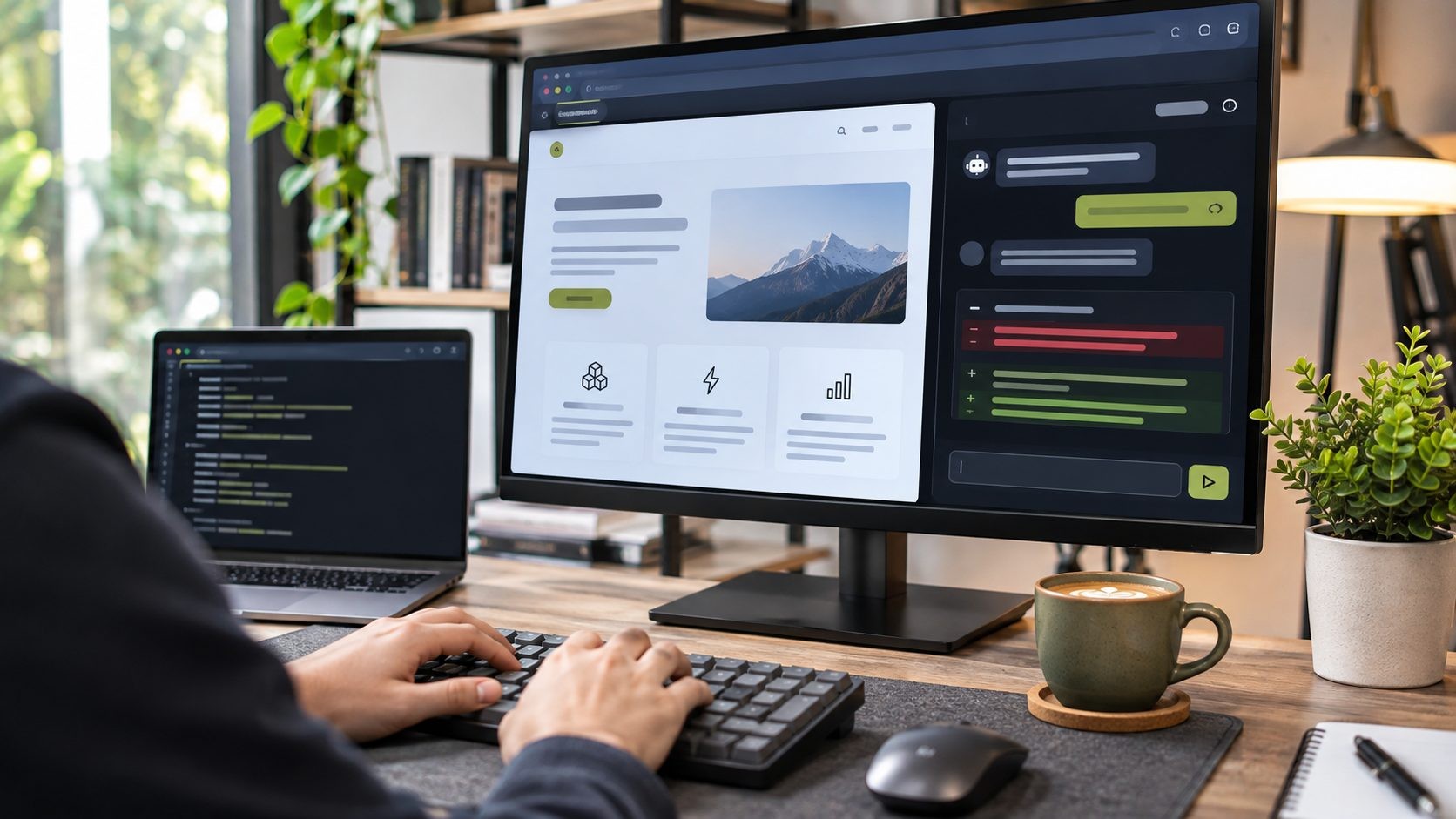
With Herd Pro, agents also get runtime context: the queries, logs, jobs, dumps and HTTP calls from your app, with an option to include PHP CLI commands. That's the difference between an agent guessing why a page is slow and an agent seeing the N+1 query.
In Herd 2.1, the MCP server has its own toggle, separate from Herd Studio. You can turn off Studio entirely and still feed context to the agent you already use.
Herd 2.1: Control the AI Features Your Way
Herd 2.0 turned a lot on at once. Herd 2.1, released November 5, 2026, puts you back in control. You'll find the options under Settings → AI and in each site's inspector:
- One switch for Herd Studio: turn Studio, its agents, terminals and dev servers on or off without restarting Herd
- Badge per site: choose which sites show the "Edit with Herd" badge
- Per-site dev servers: auto-start on some sites, off on others
- Workspaces without Studio: use them from the CLI, MCP server and inspector
- Hide free models: keep model pickers limited to your own provider
- Settings search and a new Advanced section
If the 2.0 badge annoyed you on client sites, 2.1 is the update that fixes it.
Herd Free vs Herd Pro vs Herd for Teams
Herd is still free, and the free tier got better in version 2. Here's how the plans compare, based on Laravel News coverage of Herd 2:
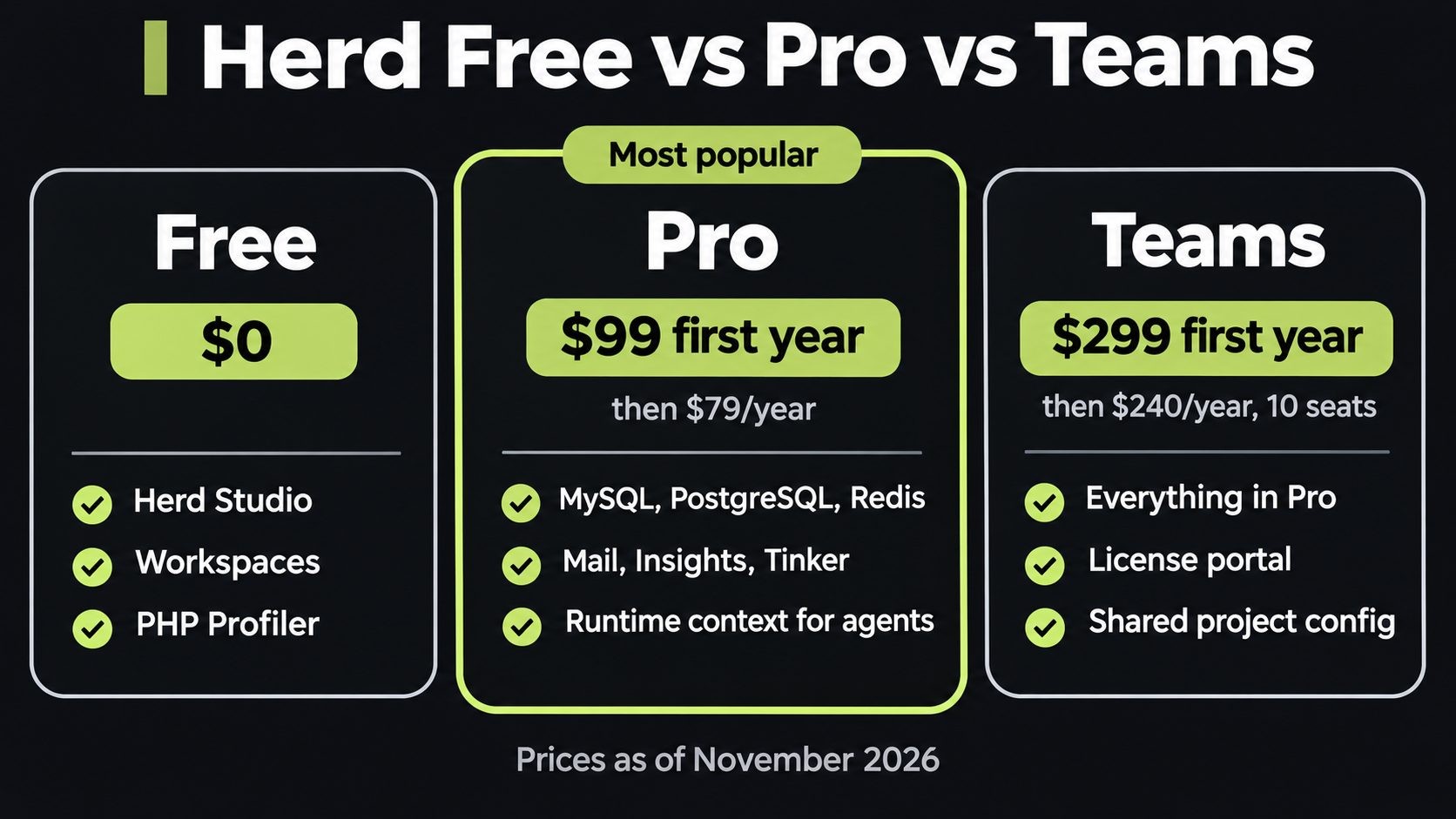
| Plan | Price | What you get |
|---|---|---|
| Herd (Free) | $0 | PHP and Node versions, .test sites, HTTPS, Herd Studio, workspaces, MCP server, PHP Profiler |
| Herd Pro | $99 first year, then $79/year | Everything in Free, plus MySQL, PostgreSQL, Redis and other services, Mail, Insights, Tinker, runtime context for agents, email support |
| Herd for Teams | $299 first year, then $240/year (10 licenses) | Everything in Pro, plus a license management portal, shared project config and priority email support |
Prices can change, so confirm them on the Herd website before you buy. For a freelancer billing even one hour a month, Pro pays for itself in saved setup time. Solo devs who already run databases in Docker can stay on Free.
Security Tips Before You Let Agents Loose Locally
Herd 2 makes it easy to point an AI agent at a real app with real config. That's powerful, and it's also a risk. Your local .env often holds API keys, mail credentials and sometimes production database passwords. Before you lean on agents, set a few guardrails:
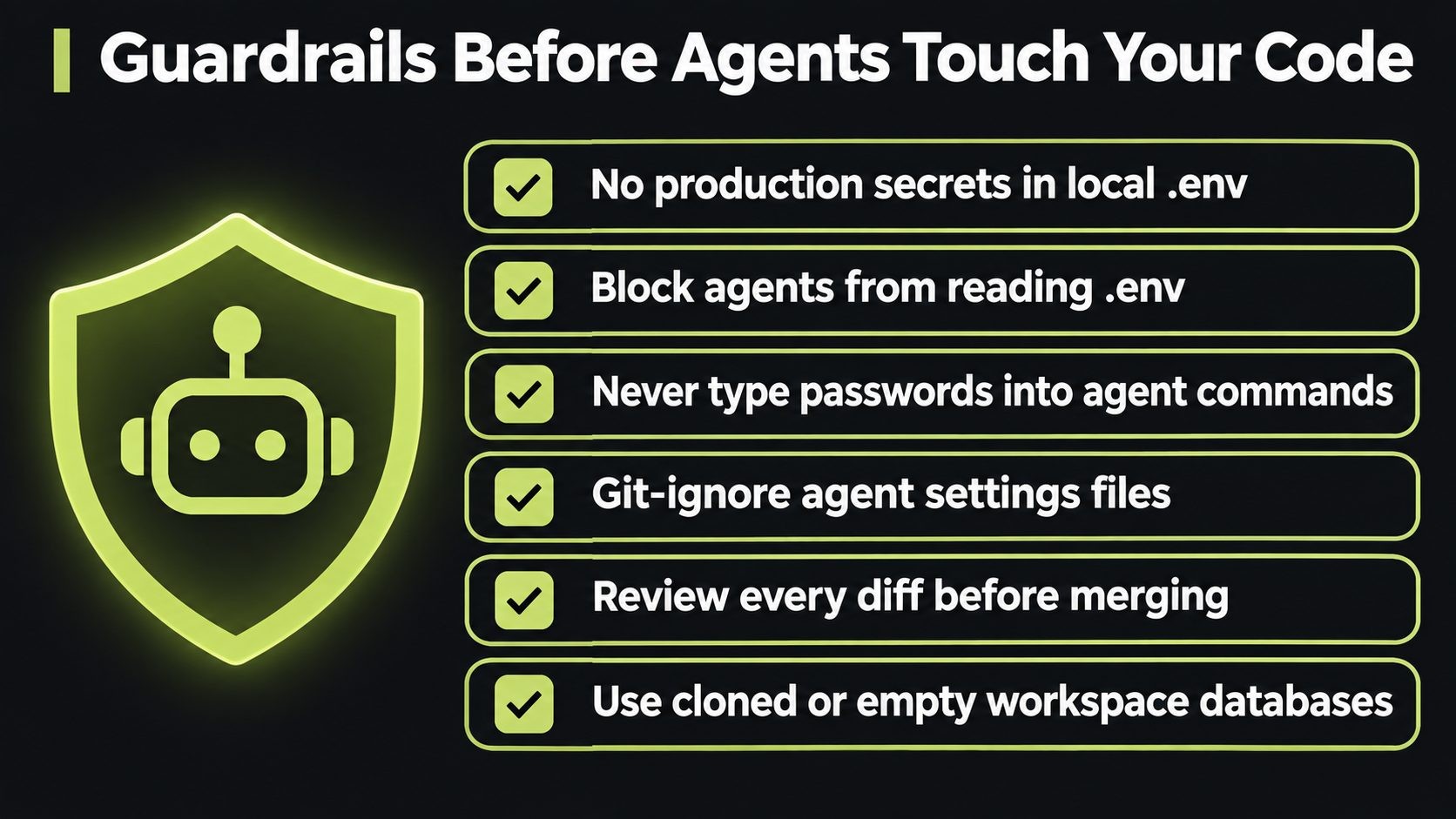
- Keep production secrets off your laptop. Local
.envfiles should hold local or test keys only. - Block agents from reading secret files where your agent supports deny rules (for example,
.envand.env.*). - Never type a password into a command an agent runs. If you approve it with "don't ask again", tools like Claude Code can save it in a settings file. That's exactly what happened in the Claude Code settings.local.json leak, where real secrets ended up on GitHub.
- Add agent folders to
.gitignore, such as.claude/settings.local.json, plus any agent chat logs. - Review every diff before you merge a workspace. Herd Studio's Changes view makes this easy, so use it.
- Use cloned or empty workspace databases so an agent can't wreck your main local data.
- Keep Herd updated. Herd 2.0.3 updated its bundled CA certificates so Herd and PHP stop trusting leaked eMudhra intermediate certificates.
Your laptop is now where agents, keys and code meet, so it deserves the same care as a server. Our developer laptop security checklist covers the basics.
Should You Upgrade to Herd 2?
Upgrade now if you already use AI coding agents, work on more than one feature at a time, or deploy to Laravel Cloud. Workspaces alone are worth it.
Upgrade, then switch the AI features off, if you just want Herd to serve sites. Herd 2.1 lets you turn off Studio and the badge, and your setup works as before.
Wait or skip if your team is standardized on Docker or Laravel Sail for parity with production, or if company policy restricts AI tools on client code. You won't miss core Herd features by holding off.
Herd also serves WordPress and plain PHP sites, so if you build both (see Laravel vs WordPress), one tool covers your whole local setup.
Laravel Herd 2 FAQs
Conclusion: Herd Grew Up
Laravel Herd 2 is no longer just a fast PHP installer. Herd Studio, workspaces, automatic dev servers and Laravel Cloud deploys turn it into a full local platform for building with AI agents. Herd 2.1 then gave you the switches to use only what you want. Upgrade, try workspaces on your next feature, and set your security guardrails before an agent touches real config.
Need help setting up a Laravel workflow, from local agents to production deploys? I offer Laravel development for startups and small teams.
Sources
Get new posts by email
New guides and alerts, sent when they are published. No spam. Unsubscribe anytime.


Comments (0)