Most technical decisions in a SaaS product can be revisited. You can swap a queue driver, change a payment provider or rebuild a frontend without customers noticing much. The database is different. Once paying customers have years of data in it, changing your mind means a migration project, a maintenance window and a lot of careful testing.
That's why the PostgreSQL vs MySQL for SaaS question deserves more than the usual answer. Many Laravel developers say it doesn't matter, because Eloquent hides the differences. For a simple CRUD app, that's mostly true. For a SaaS, it's only half true. The places where the two databases genuinely differ are exactly the places a SaaS lives: tenant isolation, schema changes on a live product, flexible JSON data, search, and increasingly, AI features built on vector embeddings.
This guide gives you a clear recommendation, then walks through where the differences matter for a Laravel SaaS, the Laravel-specific gotchas that catch teams out, hosting and operations, multi-tenant architecture, and whether it's worth switching an existing app. I build Laravel applications and work with both databases, so the focus is on what actually changes your day-to-day work, not on synthetic benchmarks.
Quick verdict
For a new Laravel SaaS in 2026, PostgreSQL is the stronger default. It gives you row-level security for tenant isolation, JSONB for flexible data, schema changes that roll back cleanly, and the vector search Laravel now supports natively through pgvector.
Choose MySQL when your team knows it deeply, your hosting and existing systems are built around it, or your product is a straightforward, read-heavy application.
Don't switch an existing, healthy MySQL SaaS without a concrete reason. Both databases are excellent. The right choice depends on your roadmap.
What You're Actually Comparing in 2026
Many comparisons online pit PostgreSQL 16 or 17 against MySQL 8.0. A lot has changed, so it helps to know which versions you'd actually be choosing between today.
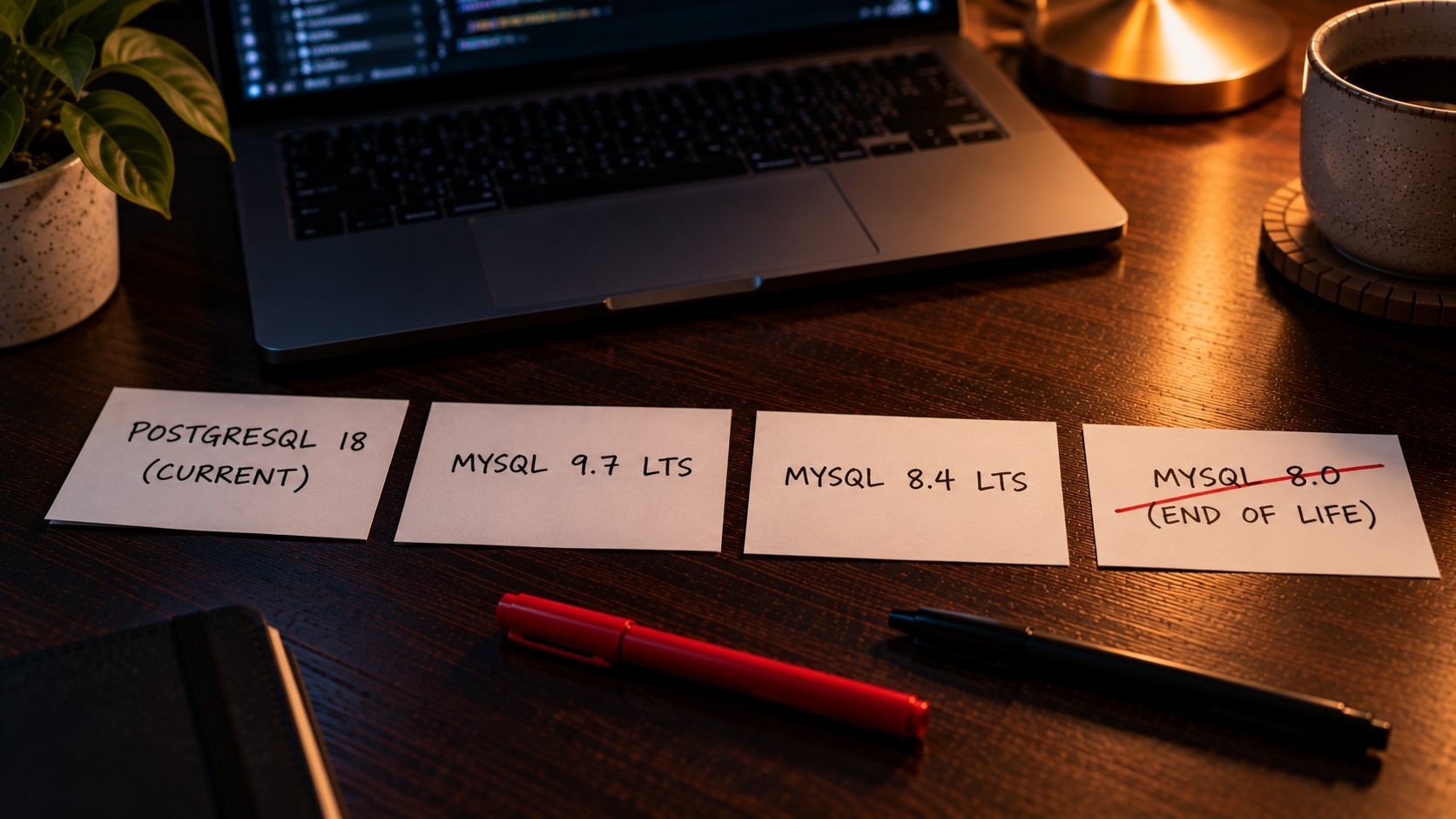
PostgreSQL 18 is the current major version, first released on September 25, 2025, and supported until November 2030. PostgreSQL 19 is in beta. PostgreSQL releases one major version a year and supports each one for five years, which makes upgrade planning predictable. If you're running PostgreSQL 14, note that it reaches end of life on November 12, 2026.
MySQL changed its release model in recent years, and it's worth understanding before you choose. According to MySQL's LTS and Innovation release model, there are now two tracks:
- LTS (long-term support) releases only receive necessary fixes and are supported for years. MySQL 8.4 is an LTS release, and MySQL 9.7, released on April 21, 2026, is the newest LTS. It's the first major LTS since 8.4 and brings features like JSON Duality Views and the Hypergraph Optimizer to the free Community Edition.
- Innovation releases add new features and behavior changes, and each is supported only until the next one arrives. With the July 2026 release, MySQL switched to calendar-based version numbers, which is why MySQL 9.7 was followed by MySQL 26.7 rather than 9.8.
For a SaaS, the LTS track is almost always the right choice. Innovation releases can change behavior between versions, and they're supported only until the next one ships, which means frequent upgrades on a live product. If you choose MySQL for a new project today, start on 9.7 LTS, or 8.4 LTS if your hosting provider doesn't offer 9.7 yet.
One date matters if you're running an older app: MySQL 8.0 reached community end of life on April 30, 2026. If your SaaS is still on 8.0, you need an upgrade plan regardless of which way this comparison goes.
MariaDB is a separate project that started as a fork of MySQL and has grown in its own direction. Laravel supports it fully, and MariaDB 11.7 and later even supports Laravel's vector columns. It's a reasonable option, but it's no longer a drop-in synonym for MySQL, so treat it as a third choice rather than the same thing.
Laravel 13 supports all of them: MariaDB 10.3+, MySQL 5.7+, PostgreSQL 10+, SQLite and SQL Server. So the question isn't whether Laravel works with your database. It's which database fits your product best.
PostgreSQL vs MySQL at a Glance
| PostgreSQL | MySQL | |
|---|---|---|
| License and ownership | Open source, community-governed | Open source Community Edition, owned by Oracle |
| Connection model | One process per connection | One thread per connection |
| SQL strictness | Strict by default | Strict mode on by default since 5.7, configurable |
| Schema changes in transactions | Yes, DDL can roll back | No, DDL commits implicitly (each statement is atomic since 8.0) |
| JSON | JSON and JSONB (binary, indexable) | JSON, indexed through generated columns and multi-valued indexes |
| Row-level security | Built in | Not available |
| Full-text search | Built in, language-aware | Built in (InnoDB full-text) |
| Vector search in Laravel | Yes, with pgvector | Not supported by Laravel's vector features |
| Extensions | Rich ecosystem (pgvector, PostGIS and more) | Limited |
| Connection pooling | Usually needs PgBouncer at scale | Handles many connections more cheaply by default |
| Managed hosting | Widely available | Widely available |
| Best fit | Complex, multi-tenant, data-rich or AI-heavy SaaS | Straightforward, read-heavy apps and MySQL-experienced teams |
Most of these rows never matter for a small CRUD app. Several of them matter a great deal for a SaaS, and the rest of this guide explains which ones and why.
Where the Differences Actually Matter for a SaaS
Data Integrity and SQL Strictness
PostgreSQL has always been strict about data. If you try to insert a value that doesn't fit a column, such as a string that's too long or text where a number belongs, PostgreSQL rejects it with an error.
MySQL was historically more forgiving. In older configurations, it would quietly truncate a too-long string or convert invalid values into something it could store, a problem known as silent data truncation. MySQL has improved a lot here: strict mode has been part of the default sql_mode since MySQL 5.7, and Laravel's default MySQL configuration enables strict mode too. But strict mode is a setting, and settings can drift between environments.
For a SaaS, this matters most around money and records customers rely on: invoices, subscriptions, usage metering and audit logs. A database that refuses bad data is easier to trust than one that has to be configured to do so. If your app handles billing or anything regulated, PostgreSQL's strictness is a quiet but real advantage.
Schema Changes and Laravel Migrations
This is one of the most practical differences for a Laravel team, and it's rarely discussed.
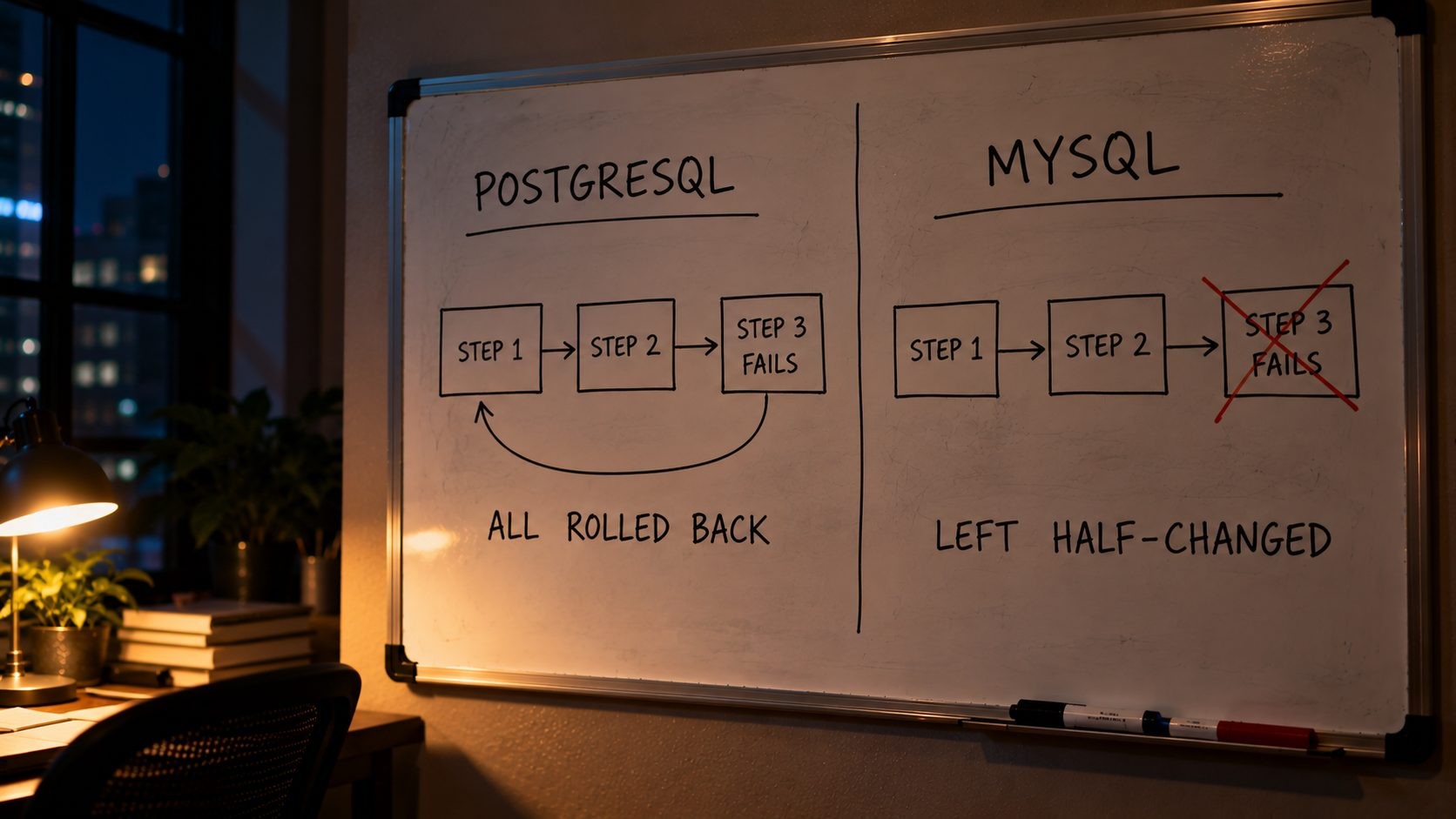
PostgreSQL supports transactional DDL, which means schema changes like creating tables, adding columns and creating indexes can run inside a transaction and roll back if something fails. Laravel takes advantage of this: on databases that support schema transactions, like PostgreSQL, each migration runs inside a transaction by default. If step three of a five-step migration fails, the whole migration is undone and your schema is exactly as it was.
MySQL commits schema changes implicitly. Since MySQL 8.0, each individual DDL statement is atomic, so a single ALTER TABLE either completes or doesn't. But a migration with several statements that fails halfway leaves the schema partly changed, and you have to clean it up by hand before you can run it again. Anyone who has run php artisan migrate on a live SaaS and watched it fail on the fourth statement knows how stressful that is.
Both databases offer tools for changing large tables with less disruption. Laravel exposes MySQL's instant() and lock() options on schema changes, and PostgreSQL's CREATE INDEX CONCURRENTLY through the online() index modifier. These matter once your tables are large and you're aiming for zero-downtime deploys. Whichever database you choose, treat production migrations with care, and follow a safe Laravel upgrade process when framework versions change too.
JSON vs JSONB for Flexible Data
Almost every SaaS ends up storing flexible data: tenant settings, custom fields that customers define, feature flags, notification preferences and webhook payloads from integrations. JSON columns are the natural home for this kind of data.
Both databases support JSON, but differently. PostgreSQL offers JSONB, which stores JSON in a binary format that's faster to query and can be indexed with GIN indexes, so searching inside JSON stays fast as tables grow. MySQL's JSON type is solid too, and supports indexing through generated columns and, since 8.0.17, multi-valued indexes for JSON arrays. It works well, but indexing JSON in MySQL generally means deciding in advance which paths you'll query.
Laravel's JSON query syntax works on both. You can query a nested value with where('settings->notifications->email', true) on MySQL 8.0+ and PostgreSQL 12+. Laravel also gives you a jsonb() column type for PostgreSQL:
php
Schema::create('contacts', function (Blueprint $table) {
    $table->id();
    $table->foreignId('tenant_id')->constrained();
    $table->string('email');
    $table->jsonb('custom_fields')->default('{}'); // Customer-defined fields.
    $table->timestamps();
});

// Find contacts where a customer-defined field matches.
$vip = Contact::where('custom_fields->plan', 'enterprise')->get();
MySQL 9.7 brings JSON Duality Views to the Community Edition, which let you work with relational data as JSON documents. It's interesting technology, but for most Laravel apps that use Eloquent models, it won't change your decision. If your product leans heavily on flexible, customer-defined data, PostgreSQL's JSONB is the more comfortable fit.
Multi-Tenancy and Row-Level Security
This is the most important difference for a SaaS, and the one most comparisons skip.
A multi-tenant SaaS serves many customers from one application. The worst bug a SaaS can have is showing one customer's data to another, and in a shared-table design, all it takes is one query that forgets its where('tenant_id', ...) clause. In Laravel, global scopes on Eloquent models help a lot, but raw queries, reports and new developers can still slip past them.
PostgreSQL offers a safety net at the database level: row-level security (RLS). Once enabled on a table, PostgreSQL's row security policies decide which rows each query can see or change. With RLS enabled and no policy, access is denied by default. With a tenant policy in place, a query that forgets its tenant filter simply returns only the current tenant's rows.
A common pattern sets the current tenant at the start of each request and lets the policy do the rest:
sql
ALTER TABLE projects ENABLE ROW LEVEL SECURITY;
ALTER TABLE projects FORCE ROW LEVEL SECURITY;

CREATE POLICY tenant_isolation ON projects
    USING (tenant_id = current_setting('app.current_tenant')::bigint)
    WITH CHECK (tenant_id = current_setting('app.current_tenant')::bigint);
php
// Inside a transaction, so the setting is scoped to it.
DB::transaction(function () use ($tenant) {
    DB::select("select set_config('app.current_tenant', ?, true)", [$tenant->id]);

    // Every query here is limited to this tenant's rows by the database itself.
    $projects = Project::all();
});
Two caveats matter. First, superusers, roles with BYPASSRLS and table owners bypass RLS by default, so either use FORCE ROW LEVEL SECURITY or make sure Laravel connects as a user that doesn't own the tables. Second, if you use a connection pooler like PgBouncer in transaction mode, set the tenant per transaction, as above, rather than per session.
MySQL has no equivalent feature. Tenant isolation in a MySQL SaaS lives entirely in application code. That works, and many successful SaaS products do exactly that, but it means there's no second line of defense if the code gets it wrong. For a multi-tenant product handling sensitive customer data, that difference alone is often enough to choose PostgreSQL.
Search: Full-Text in Laravel and Scout
Many SaaS products need search across customer content, such as projects, tickets, documents or contacts. Before reaching for a dedicated search service, it's worth knowing what your database can do.
Both databases support full-text search, and Laravel's whereFullText() works on MySQL, MariaDB and PostgreSQL, compiling to each database's native syntax. PostgreSQL adds language-aware full-text search, which Laravel exposes through fullText()->language() on PostgreSQL. That means stemming, so a search for "running" also matches "run", plus stop-word handling for the chosen language.
Laravel Scout's database engine builds on this, so for many SaaS products, database full-text search is good enough for a long time before a separate search service is needed. PostgreSQL's richer full-text features tend to stretch that runway further. A dedicated search service starts to make sense when you need typo tolerance, faceted filtering across millions of records, or instant search-as-you-type at scale. Until then, keeping search in the database means one less system to run, secure and keep in sync.
AI Features and Vector Search
This is the newest difference, and for many SaaS products it's becoming the deciding one.
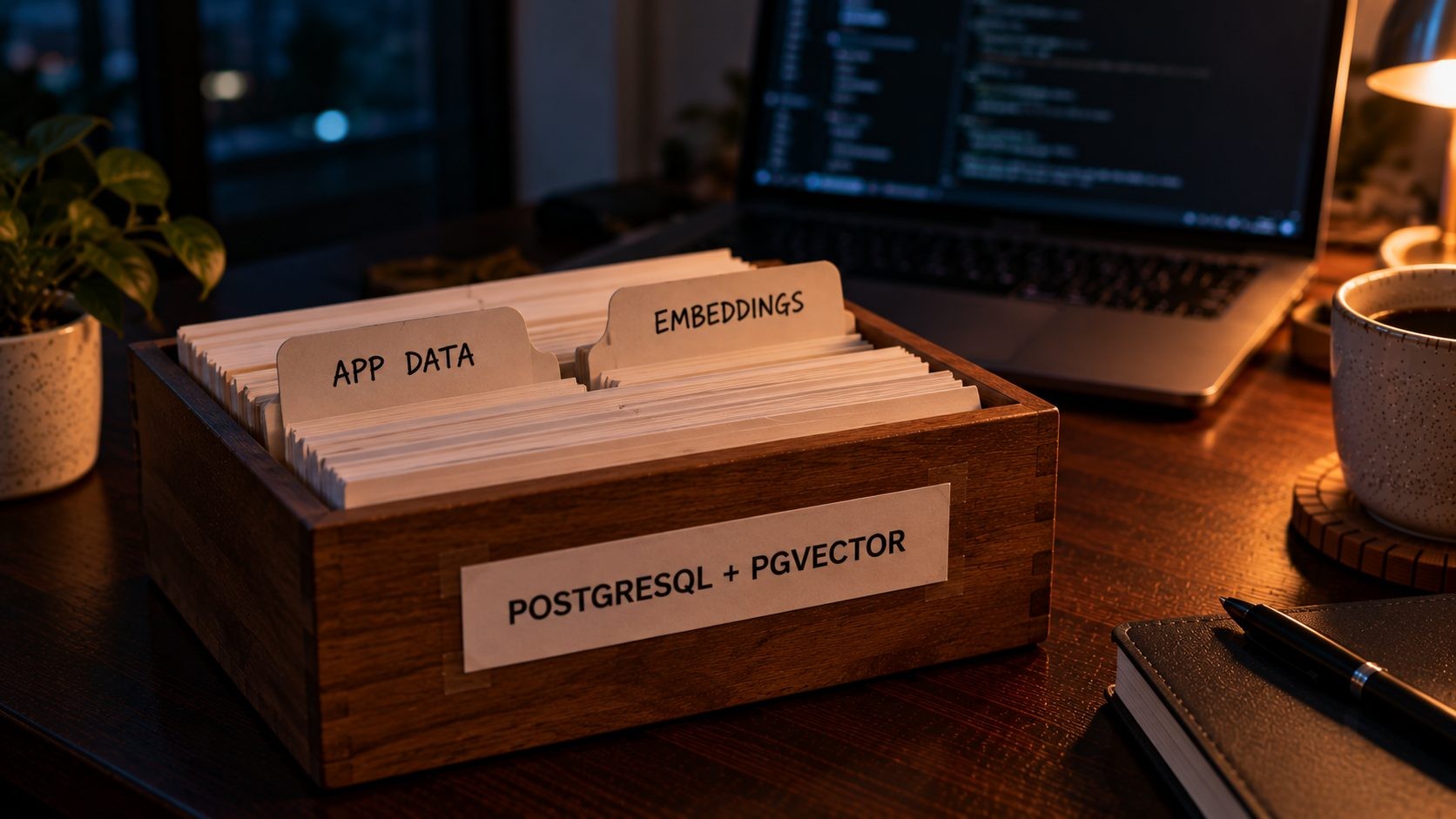
AI features like semantic search, recommendations, "find similar" and retrieval-augmented generation rely on vector embeddings: lists of numbers that represent the meaning of a piece of text. To use them, you need to store embeddings and search by similarity.
Laravel 13 supports this natively, but not on every database. According to Laravel's vector query clauses and schema documentation:
vector()columns are supported on PostgreSQL with the pgvector extension and on MariaDB 11.7 or later.whereVectorSimilarTo()is supported only on PostgreSQL with pgvector, and it can generate the query embedding for you through the Laravel AI SDK.
php
Schema::ensureVectorExtensionExists();

Schema::create('documents', function (Blueprint $table) {
    $table->id();
    $table->foreignId('tenant_id')->constrained();
    $table->text('content');
    $table->vector('embedding', dimensions: 1536)->index();
    $table->timestamps();
});
php
$matches = DB::table('documents')
    ->where('tenant_id', $tenantId)
    ->whereVectorSimilarTo('embedding', $queryEmbedding, minSimilarity: 0.4)
    ->limit(10)
    ->get();
The practical result is that with PostgreSQL, your vectors live in the same database as the rest of your app data, scoped by the same tenant rules and backed up the same way, without running a separate vector database. If AI features are anywhere on your roadmap, this is a strong reason to start on PostgreSQL. I cover the application side in more detail in my guide to building AI features with the Laravel AI SDK.
Concurrency, Connections and Queues
The two databases handle connections differently, and it affects how you deploy a busy Laravel app.
PostgreSQL starts a separate operating system process for each connection. Processes are robust but relatively heavy, so a PostgreSQL server can't hold thousands of open connections cheaply. Once you run many PHP-FPM workers, Laravel Octane workers or a large fleet of queue workers, the usual answer is PgBouncer, a lightweight connection pooler that sits between Laravel and PostgreSQL and shares a smaller number of real connections. It's well understood and widely used, but it's one more component to run and configure.
This becomes especially relevant with Laravel Octane, where long-running workers keep database connections open, and with horizontally scaled app servers, where each server adds its own pool of connections. With PgBouncer in transaction mode, remember that session-level settings and some prepared statement behavior don't carry across transactions, which is why the tenant setting in the row-level security example above is set per transaction.
MySQL uses a thread per connection, which is lighter, so it handles larger numbers of connections with less setup. For teams that want the simplest possible infrastructure, that's a genuine advantage.
For queues, both work well. Laravel's database queue driver relies on SKIP LOCKED so multiple workers can pick up jobs without blocking each other, and both PostgreSQL and MySQL 8.0+ support it.
Performance: What Benchmarks Don't Tell You
You'll find benchmarks online showing each database winning. They're usually measuring something real, but rarely something that matches your app.
As a broad pattern, MySQL is very quick at simple primary-key lookups and straightforward reads, while PostgreSQL tends to shine with complex queries, multiple joins, analytics and mixed workloads. A reporting-heavy SaaS with dashboards and aggregations often benefits from PostgreSQL's query planner and its range of index types.
In practice, though, the database engine is rarely what makes a Laravel SaaS slow. Missing indexes, N+1 queries, unbounded result sets, missing caching and slow external API calls cause far more performance problems than the choice between PostgreSQL and MySQL. If your app is slow today, a database switch is almost never the first fix.
If you genuinely need to compare performance, test your own workload rather than trusting someone else's benchmark. Take your heaviest real queries, such as the dashboard, the reports and the main list views, and run them against realistic data volumes on both databases with proper indexes. Use EXPLAIN (or EXPLAIN ANALYZE on PostgreSQL) to see how each database plans the query. An afternoon of testing with your own data tells you more than any published chart. This guide to why apps get slow, from hosting to the database covers where to look first.
Laravel-Specific Gotchas to Know Before You Choose
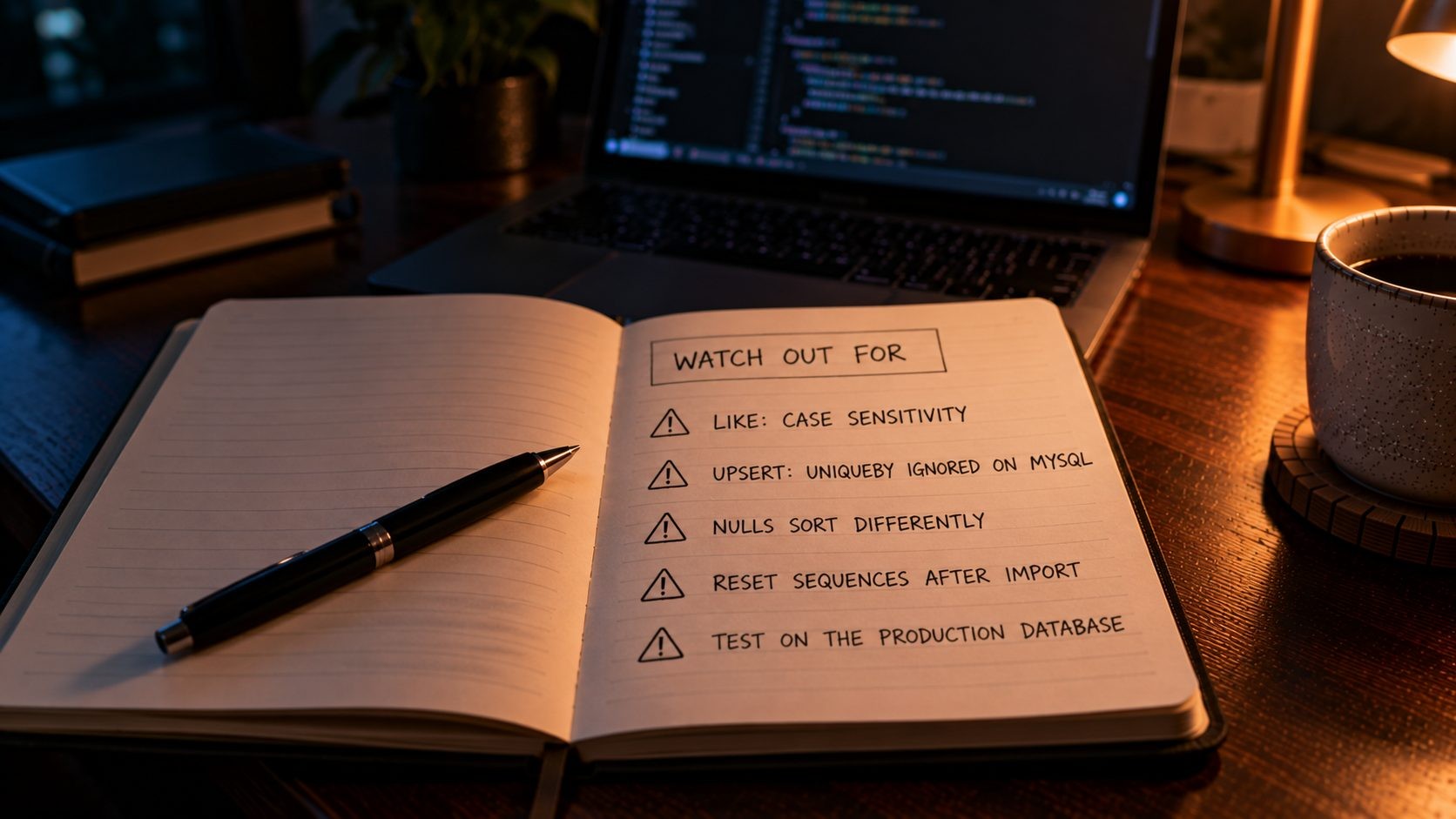
Eloquent smooths over most differences, but not all of them. These are the ones that catch Laravel teams out, especially when moving from one database to the other or running different databases in development and production.
1. LIKE is case-insensitive in MySQL but case-sensitive in PostgreSQL. MySQL's default collations make LIKE ignore case, so where('name', 'like', '%john%') matches "John". On PostgreSQL, it doesn't. Laravel's whereLike() method is case-insensitive by default across databases, so use it for search-style filters:
php
$users = User::whereLike('name', "%{$term}%")->get();2. MySQL-only SQL functions break on PostgreSQL. Raw SQL using functions like FIELD() for custom ordering or DATEDIFF() for date math won't run on PostgreSQL. Keep raw SQL to a minimum, and prefer query builder methods or PHP (with Carbon for dates) where you can.
3. upsert() behaves differently on MySQL. Laravel's upsert() takes a uniqueBy argument listing the columns that identify a record. On MySQL and MariaDB, that argument is ignored, and the database uses the table's primary key and unique indexes instead. If a table has more than one unique index, an upsert can update a row you didn't expect. On PostgreSQL, the columns you pass must have a unique index, and they're the ones actually used.
4. PostgreSQL won't quietly compare mismatched types. On MySQL, comparing an integer column to a string like 'abc' is silently converted. On PostgreSQL, the same query throws an error. This catches unvalidated route parameters and API inputs, so validate types before they reach a query.
5. NULLs sort differently. In ascending order, MySQL puts NULL values first, while PostgreSQL puts them last. If a list's order matters to users, specify it explicitly and test it.
6. Some column modifiers are database-specific. Laravel handles enum() columns on both, using a CHECK constraint on PostgreSQL. But modifiers like after(), first() and unsigned() are MySQL and MariaDB options, while ipAddress() becomes a native INET type on PostgreSQL. Migrations written for one database may need small changes for the other.
7. Auto-increment sequences need resetting after a data import. PostgreSQL tracks auto-incrementing IDs with sequences. If you import data with explicit IDs, for example during a migration from MySQL, the sequence doesn't move forward automatically, and the next insert fails with a duplicate key error. After any bulk import, reset each table's sequence to the current maximum ID.
8. Develop on the same database you run in production. Running SQLite in tests and MySQL or PostgreSQL in production hides every difference above until a customer finds it. Laravel Sail makes it easy to run the real database locally, so use it, at least in your CI pipeline.
Hosting, Operations and Cost
Both databases are open source, so there's no license fee for either. The real costs come from hosting, operations and the skills your team needs.
Managed hosting is widely available for both. Most major cloud providers, including AWS RDS and DigitalOcean's managed databases, offer PostgreSQL and MySQL with automated backups, failover and minor-version updates. Laravel Cloud's serverless Postgres runs on Neon and includes pgvector, which makes it a convenient path if you're planning AI features. For a small team, a managed database is usually worth the cost, because backups, replication and upgrades are the operational work most likely to go wrong under pressure. The trade-off is that managed databases cost noticeably more than the same resources on a plain server, and the gap grows as your data and traffic grow. Many SaaS products start on a managed database and only move to self-managed infrastructure once they have the team and the scale to justify it.
Self-managed on a VPS gives you more control and lower hosting bills, in exchange for responsibility. Plan for:
- Automated, tested backups, plus point-in-time recovery for a SaaS with live customer data
- Replication, for read replicas and failover. Both databases support it well, and PostgreSQL's logical replication has matured significantly in recent versions.
- Monitoring of disk, connections, slow queries and replication lag
- An upgrade plan, so you never end up on an end-of-life version like MySQL 8.0 or, soon, PostgreSQL 14
I run Laravel apps on VPS infrastructure with Redis, caching and monitoring alongside the database, which I describe in the infrastructure I use for Laravel apps.
Licensing and ownership is a consideration some teams care about. PostgreSQL is developed by an independent global community, with no single company in control. MySQL is owned by Oracle, which has continued developing and releasing it, including the new LTS. Neither is a reason to panic, but if long-term independence from a single vendor matters to your company, it's a point in PostgreSQL's favor.
Multi-Tenant Architecture: Which Database Fits Which Pattern
The database decision and the tenancy design go hand in hand. There are three common ways to structure a multi-tenant Laravel SaaS:
| Pattern | How it works | PostgreSQL fit | MySQL fit | Best for |
|---|---|---|---|---|
| Shared tables with tenant_id | All tenants share tables, and every row has a tenant ID | Excellent, with row-level security as a safety net | Good, with isolation enforced in application code | Most SaaS products, especially with many small tenants |
| Schema per tenant | Each tenant gets its own set of tables inside one database | Natural fit, using PostgreSQL schemas | Possible, but MySQL schemas are effectively separate databases | Moderate tenant counts that need stronger separation |
| Database per tenant | Each tenant gets a separate database | Works well | Works well | Few large tenants, strict isolation or per-tenant data location |
Shared tables are the simplest to operate and scale to large numbers of tenants, which is why most SaaS products start there. That's also the pattern where PostgreSQL's row-level security adds the most value. Separate schemas or databases give stronger isolation but add operational overhead, because every migration, backup and monitoring check has to run once per tenant.
It's also possible to mix patterns. A common approach is to keep most customers in shared tables and move a few large enterprise customers to their own database when their contracts or data volumes require it. Designing your tenant resolution cleanly from the start, so the app asks "which tenant is this?" in one place, makes that kind of change far easier later.
Laravel's tenancy packages support all three patterns, so the framework won't hold you back either way. The bigger question is which pattern suits your customers. A product serving thousands of small businesses needs a different design from one serving twenty enterprise clients with strict compliance requirements.
When MySQL Is the Right Choice
MySQL is a mature, proven database that powers a huge share of the web, and it's the right choice in several situations:
- Your team knows MySQL deeply. Operational experience with a database is worth more than a feature list. A team that can tune, back up and recover MySQL with confidence will run it more safely than a database they're learning.
- Your infrastructure is already built around MySQL, including hosting, monitoring, backups and other applications that share data with it.
- You have a healthy MySQL SaaS today and there's no PostgreSQL-only feature on your roadmap.
- Your product is straightforward and read-heavy, with simple queries, modest JSON use and no plans for vector search.
- You want the simplest possible connection setup for a large number of PHP workers, without adding a pooler.
Choosing MySQL in these situations isn't settling for less. Plenty of large, successful SaaS products run on MySQL. The key is to start on a current LTS release, keep strict mode on, and enforce tenant isolation carefully with Eloquent global scopes and tests.
When PostgreSQL Is the Right Choice
PostgreSQL is the stronger default for most new Laravel SaaS products, especially when:
- You're building a multi-tenant product with shared tables, and you want row-level security as a database-level safety net
- AI features are on the roadmap, such as semantic search, recommendations or retrieval-augmented generation, using Laravel's native pgvector support
- Your data is flexible, with customer-defined fields, settings and integration payloads that suit JSONB
- Reporting and analytics matter, with complex queries, joins and aggregations
- Data integrity is critical, as with billing, invoicing or regulated industries
- You want schema migrations that roll back cleanly when something fails
PostgreSQL does ask a little more of your operations, mainly connection pooling at scale and routine maintenance like monitoring table bloat. If you need help designing the schema, tuning performance or planning a migration, SmartLink Services' database team supports PostgreSQL databases, from design to performance tuning.
Should You Switch an Existing Laravel SaaS From MySQL to PostgreSQL?
Usually, no. A working SaaS on MySQL is a good position to be in, and a database migration carries real risk and cost. Switching makes sense when there's a concrete driver, such as:
- You need row-level security for a compliance or security requirement
- You're building AI features that depend on pgvector and Laravel's vector queries
- Data integrity problems keep appearing, and stricter guarantees would fix them
- You're facing a major upgrade anyway, for example off MySQL 8.0, and a PostgreSQL feature on your roadmap tips the balance
If you do decide to switch, plan it like any other major release:
- Audit the code. Search for raw SQL, MySQL-only functions,
LIKEfilters that rely on case-insensitivity, and anyupsert()calls. - Run the full test suite against PostgreSQL, and fix failures before touching production data.
- Move the data with a proven tool. Laravel Cloud's migration guide recommends pgloader for moving data from MySQL to PostgreSQL.
- Rehearse on staging with a copy of production data, and time the migration so you know how long the cutover window needs to be.
- Plan the cutover, with a maintenance window, a final data sync and a tested rollback plan.
- Watch closely afterward. For the first few weeks, monitor error logs, slow queries and connection counts, and compare key reports against the old database to confirm the numbers match.
For a complex SaaS, this is a project measured in weeks of careful work, not an afternoon. If you're weighing the investment, my overview of what custom SaaS development costs gives useful context. And if the bigger question is whether your product should be on Laravel at all, this comparison explains when Laravel is the right platform.
A Quick Decision Checklist
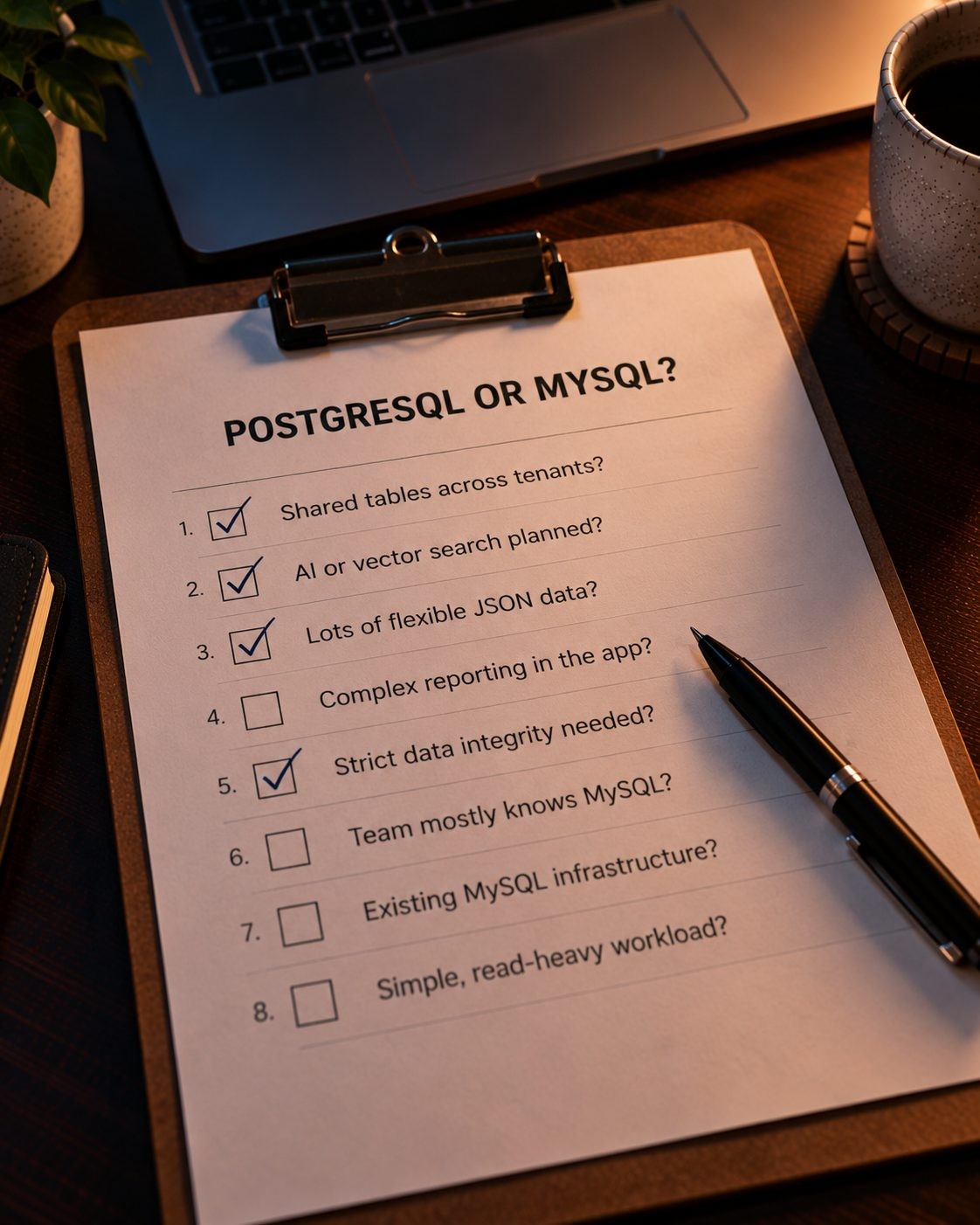
Answer yes or no to each question:
- Will tenants share tables in one database?
- Are AI or vector search features on your roadmap?
- Will you store a lot of flexible or customer-defined JSON data?
- Do you need complex reporting or analytics inside the app?
- Is strict data integrity critical, for example for billing or compliance?
- Is your team far more experienced with MySQL than PostgreSQL?
- Is your existing infrastructure built around MySQL?
- Is your workload simple and read-heavy?
If you answered yes mostly to questions 1 to 5, choose PostgreSQL. If you answered yes mostly to questions 6 to 8, MySQL is a sensible choice. If you're split, the roadmap questions (1 and 2) should carry the most weight, because they're the hardest to retrofit later.
It also helps to answer these questions with your whole team, not just the developers. Product managers usually know what's on the roadmap for the next two years, and that roadmap, more than today's feature list, is what your database needs to support. A quick conversation now is far cheaper than discovering in year two that the most requested feature needs a database you didn't choose.
Frequently Asked Questions
Conclusion: Choose for Your Roadmap, Not Just Your First Release
In the PostgreSQL vs MySQL for SaaS debate, both databases are excellent, and Eloquent hides many of the differences. But a SaaS isn't a simple CRUD app. Multi-tenancy, safe migrations, flexible data and AI features are where the two databases genuinely differ, and on those points PostgreSQL is the safer long-term default for a new Laravel product. MySQL remains a strong, sensible choice when your team's experience and infrastructure point that way, and a healthy MySQL SaaS rarely needs to migrate without a concrete reason.
Before you write your first migration, run your product roadmap through the checklist above. Ten minutes of thinking about tenancy and AI features now can save a database migration in two years.
Designing or tuning a SaaS database? SmartLink Services supports PostgreSQL databases, from schema design and performance tuning to planning migrations.
No Tags

Comments (0)